
Introduction
The BORUIT EV30 is a versatile and compact mini flashlight designed for various applications, including outdoor activities, emergency work, and daily use. It features a powerful 550-lumen main spotlight, a multi-mode side lamp with three LED beads, and a 365nm UV light for specialized detection tasks. Constructed from durable aluminum alloy with an IP66 waterproof rating, it is built to withstand challenging environments. The integrated magnetic tail and strong clip enhance its utility, providing hands-free operation. This manual provides essential information for the safe and effective use of your BORUIT EV30 flashlight.
Package Contents
- 1 x BORUIT EV30 Mini Flashlight
- 1 x Keychain
- 1 x Type-C Charging Cable
- 1 x User Manual
Setup
Initial Charging
Before first use, fully charge the BORUIT EV30 flashlight. Connect the included Type-C charging cable to the charging port on the flashlight and to a compatible USB power source. The charging indicator light will show the charging status:
- Red Light: Charging in progress
- Green Light: Charging complete
A full charge typically takes approximately 2.5 hours.

Image: The BORUIT EV30 Mini Flashlight during Type-C charging, illustrating the charging indicator lights and approximate charging time.
Operating Instructions
Main Light Operation
The main light provides a powerful 550-lumen spotlight for general illumination.
- Turn On/Off: Press and hold the main power button for approximately 0.5 seconds to turn the main light on or off.
- Mode Cycling: While the main light is on, short press the main power button to cycle through modes: High → Medium → Low → SOS. The flashlight has a memory function and will turn on in the last used mode.

Image: The BORUIT EV30 Mini Flashlight's super bright main lamp illuminating a path at night.
Side Lamp Operation
The side lamp features three LED beads and offers multiple modes for various situations.
- Turn On/Off: Press and hold the side power button for approximately 0.5 seconds to turn the side light on or off.
- Mode Cycling: While the side light is on, short press the side power button to cycle through modes: White High → White Medium → White Low → Red → Red Breathe → Red/Blue Flash. The flashlight has a memory function and will turn on in the last used mode.

Image: The BORUIT EV30 Mini Flashlight's powerful side lamp in use, providing hands-free illumination for detailed work.
UV Light Operation
The 365nm UV light is ideal for detecting banknotes, minerals, and stains.
- Turn On/Off: To activate the UV light, double-click the side power button. Double-click again to turn it off.

Image: The 365nm UV lamp of the BORUIT EV30 Mini Flashlight being used to detect stains.
Magnetic Tail and Clip Functionality
The flashlight features a magnetic tail and a robust clip for versatile mounting options.
- Magnetic Tail: Attach the flashlight to any ferrous metal surface for hands-free lighting, such as under a car hood or on a metal workbench.
- Clip: Use the strong clip to secure the flashlight to pockets, belts, or backpack straps for easy access and directional lighting.
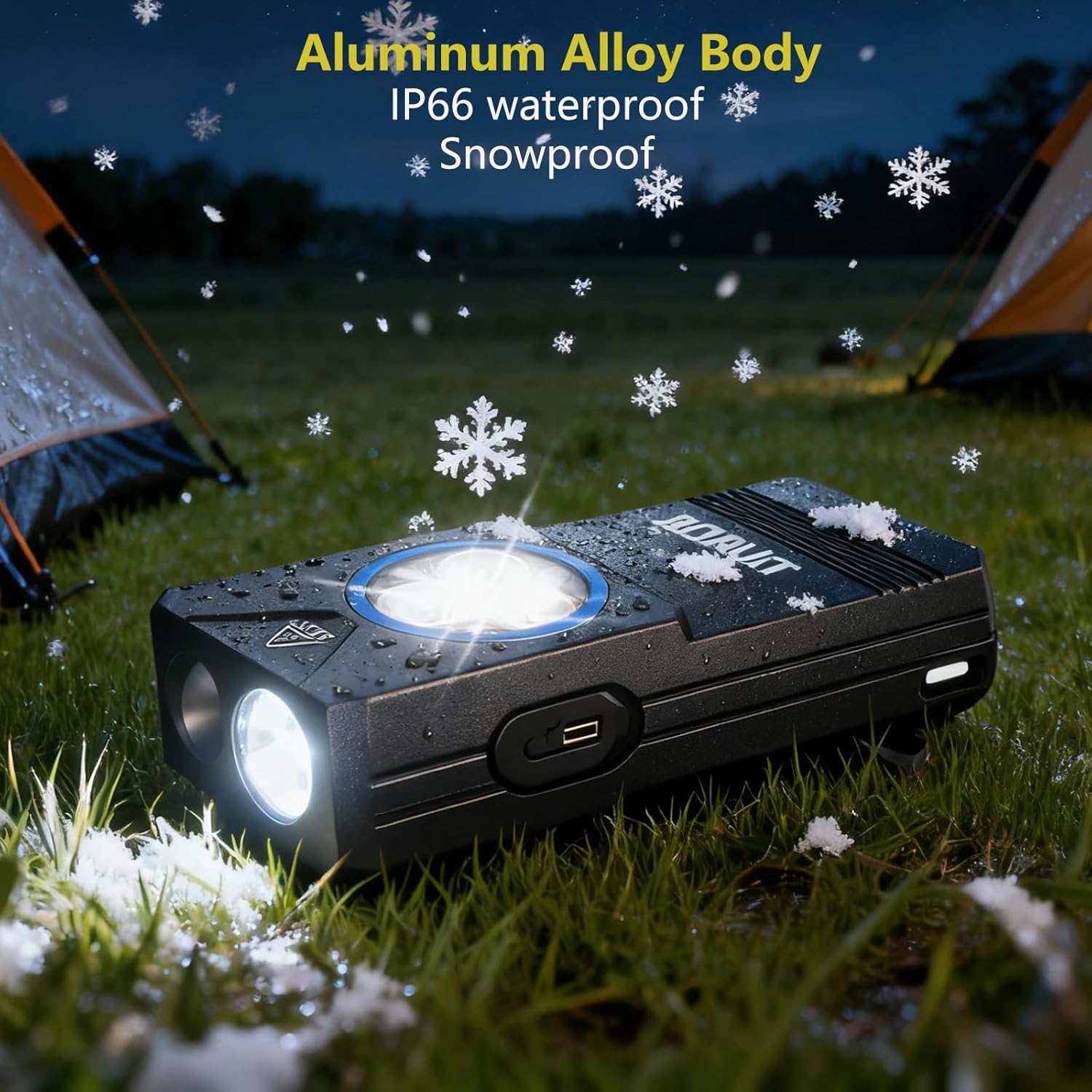
Image: The BORUIT EV30 Mini Flashlight's aluminum alloy body, highlighting its IP66 waterproof and snowproof features.
Maintenance
Cleaning
Wipe the flashlight body with a soft, damp cloth. Do not use abrasive cleaners or solvents, as these may damage the finish or internal components. Ensure the charging port cover is securely closed to maintain water resistance.
Battery Care
To prolong the life of the integrated Li-ion battery, avoid fully discharging it frequently. Recharge the flashlight when the light output becomes noticeably dim. If storing the flashlight for an extended period, charge it to approximately 50% every 3-6 months.
Troubleshooting
- Flashlight does not turn on:
Ensure the battery is charged. Connect the flashlight to the Type-C charging cable and check the indicator light. If the issue persists, contact customer support. - Light output is dim:
The battery level may be low. Recharge the flashlight fully. If the problem continues after a full charge, the battery may be degraded. - Charging indicator not working:
Check if the Type-C cable is properly connected to both the flashlight and the power source. Try a different Type-C cable or power adapter. - Buttons are unresponsive:
Ensure the flashlight is not in a locked mode (if applicable, though not specified for this model). If unresponsive, try fully charging the device. If the issue persists, contact customer support.
Specifications
| Brand | BORUIT |
| Model Number | FrideMok-2403 (EV30) |
| Dimensions (L x W x H) | 6.6 x 2.9 x 2.3 cm (2.6 x 1.14 x 0.9 inches) |
| Weight | 61 grams (2.15 ounces) |
| Material | Aluminum Alloy |
| Main Light Brightness | 550 Lumens |
| UV Light Wavelength | 365 nm |
| Light Source Type | LED |
| Battery Type | 1 x Lithium-ion (integrated) |
| Charging Port | Type-C |
| Charging Time | Approx. 2.5 hours |
| Waterproof Rating | IP66 |
| Special Features | Waterproof, Magnetic, Clip, 11 Modes, Rechargeable |
Warranty and Support
For warranty information and customer support, please refer to the specific warranty card included with your product or visit the official BORUIT website. If you encounter any issues not covered in this manual, please contact the seller or manufacturer for assistance.


