
1. Important Safety Instructions
- Read all instructions before using the appliance.
- Keep hair, loose clothing, fingers, and all parts of the body away from openings and moving parts.
- Do not operate the appliance in explosive atmospheres, such as in the presence of flammable liquids, gases, or dust.
- Do not expose the appliance to rain or wet conditions. Water entering the appliance will increase the risk of electric shock.
- Use only the charger specified by the manufacturer to recharge. A charger that is suitable for one type of battery pack may create a risk of fire when used with another battery pack.
- Store idle appliances out of the reach of children and do not allow persons unfamiliar with the appliance or these instructions to operate the appliance.
- Maintain the appliance. Check for misalignment or binding of moving parts, breakage of parts, and any other condition that may affect the appliance's operation. If damaged, have the appliance repaired before use.
2. Package Contents
Verify that all items listed below are included in your package:
- Fanttik BF10 Pro Cordless Blower (Main Unit)
- Long Nozzle
- Flat Nozzle
- Rubber Nozzle
- Type-C Charging Cable
- Storage Bag
- User Manual (this document)

Image: All components of the Fanttik BF10 Pro Cordless Leaf Blower package.
Video: Unboxing and overview of the Fanttik BF10 Pro package contents.
3. Product Overview
3.1 Components and Controls
The Fanttik BF10 Pro is designed for ease of use and portability. It features a compact main unit with intuitive controls and interchangeable nozzles for various applications.

Image: The Fanttik BF10 Pro Cordless Leaf Blower with its main unit and three nozzle attachments.
- Main Unit: Houses the motor, battery, and control buttons.
- ON/OFF Button: Press and hold for 2-3 seconds to power on/off.
- Gear Adjustment Button: Cycles through 3 speed settings.
- Multi-color Mode Indicator: Displays current speed (Green for Gear 1, Yellow for Gear 2, Red for Gear 3).
- Battery Level Indicator: A vertical light bar indicates the remaining battery charge.
- Nozzle Connection: Features an align and lock positioning system for secure attachment of nozzles.
3.2 Nozzle Types and Uses
- Long Nozzle: Ideal for reaching distant areas or for tasks requiring extended reach, such as clearing leaves from car roofs or hard-to-reach corners.
- Flat Nozzle: Provides a concentrated, powerful blast of air, effective for clearing debris from floor mats, dashboards, or narrow gaps.
- Rubber Nozzle: Features a soft, flexible rubber tip to prevent scratches when used on delicate surfaces like car paint or trim, perfect for drying vehicles after washing or clearing light snow.
4. Assembly
The Fanttik BF10 Pro features a simple twist-and-lock mechanism for attaching and detaching nozzles.
- Select the desired nozzle (Long, Flat, or Rubber).
- Align the arrow on the nozzle with the unlock symbol on the main unit's connection point.
- Push the nozzle onto the main unit until it clicks into place.
- Twist the nozzle clockwise until the arrow aligns with the lock symbol to secure it.
- To detach, twist counter-clockwise to the unlock symbol and pull the nozzle off.
Video: Demonstration of attaching and detaching nozzles on the Fanttik BF10 Pro.
5. Operation
- Power On/Off: Press and hold the ON/OFF button for 2-3 seconds. The multi-color indicator will light up.
- Adjust Speed: Briefly press the Gear Adjustment button to cycle through the three speed settings. The multi-color indicator will change (Green for Gear 1, Yellow for Gear 2, Red for Gear 3).
- Using Nozzles:
- For car exteriors (leaves, snow, drying): Use the Long Nozzle or Rubber Nozzle.
- For car interiors (dust, crumbs): Use the Flat Nozzle for concentrated airflow in tight spaces.
- For general cleaning (garage, patio): Use the Long Nozzle for wider coverage or the Flat Nozzle for stubborn debris.
- Battery Status: The vertical light bar on the main unit indicates the current battery level.
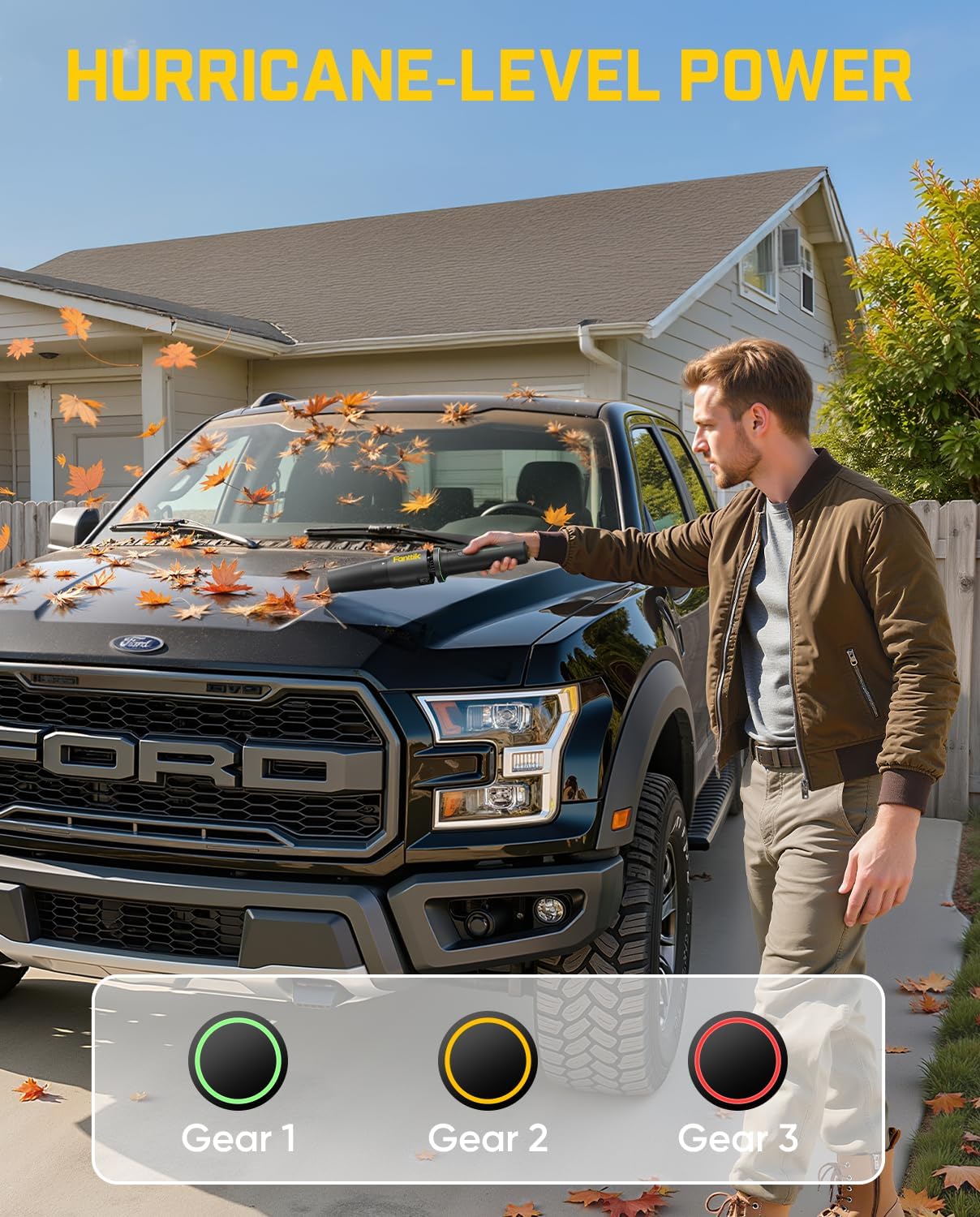
Image: Clearing leaves from a car's hood using the Fanttik BF10 Pro.

Image: Removing snow from a car's windshield with the Fanttik BF10 Pro's rubber nozzle.
Video: Overview of the Fanttik BF10 Pro's features and various applications.
6. Charging
The Fanttik BF10 Pro supports Type-C fast charging for convenience.
- Locate the Type-C charging port at the base of the main unit.
- Connect the provided Type-C charging cable to the port and to a compatible 5V/3.0A power source.
- The battery level indicator will show a climbing light pattern during charging.
- Once fully charged, the indicator will display a solid green light.

Image: The Fanttik BF10 Pro charging in a car's cup holder.
7. Maintenance
- Cleaning: Wipe the main unit and nozzles with a soft, damp cloth. Ensure the device is powered off and unplugged before cleaning. Do not immerse the main unit in water.
- Storage: Store the appliance and its accessories in the provided storage bag in a cool, dry place away from direct sunlight and extreme temperatures.
8. Troubleshooting
| Problem | Possible Cause | Solution |
|---|---|---|
| Appliance does not turn on | Low battery; Power button not held long enough | Charge the battery; Press and hold the ON/OFF button for 2-3 seconds |
| Low airflow/power | Low battery; Incorrect speed setting; Nozzle obstruction | Charge the battery; Cycle to a higher speed setting; Check and clear any obstructions in the nozzle or air intake. |
| Charging indicator not working | Charging cable not properly connected; Faulty cable/adapter | Ensure cable is securely connected; Try a different Type-C cable and power adapter. |
9. Specifications
| Feature | Specification |
|---|---|
| Brand | Fanttik |
| Model Name | BF10 Pro |
| Maximum Speed | 80000 RPM |
| Item Weight | 1.72 Pounds |
| Battery Capacity | 2500mAh |
| Charging Input | 5V/3.0A (Type-C) |
| Product Dimensions | 2.6"L x 2.6"W x 11.8"H |
| Power Source | Battery Powered |
| Voltage | 17.98 Volts (DC) |
| Special Features | Adjustable Speed, Compact Design, Interchangeable Nozzle Connection, Lightweight, Rechargeable |
10. Warranty and Support
Fanttik products are backed by a manufacturer's warranty. For specific warranty details, product support, or service inquiries, please refer to the official Fanttik website or contact their customer service directly. Keep your purchase receipt for warranty claims.
