
1. Introduction
This instruction manual provides detailed guidance for installing and operating your BrickSoul Upgraded Touch Version LED Light Kit, compatible with the LEGO 10358 Transformers Soundwave building set. This kit is designed to enhance your model with vibrant lighting, transforming it into a dynamic display piece. Please note: The LEGO model is not included with this lighting kit.

Image: LEGO Transformers Soundwave model showcasing the installed BrickSoul Light Up Kit, illuminating various sections of the model.
2. What's in the Box
Your BrickSoul LED Light Kit package includes the following components:
- LED Light Kit (various light strings and components)
- Light Control Button (integrated into USB cable)
- Battery Box (AAA batteries not included)
- Installation Guide (digital access)
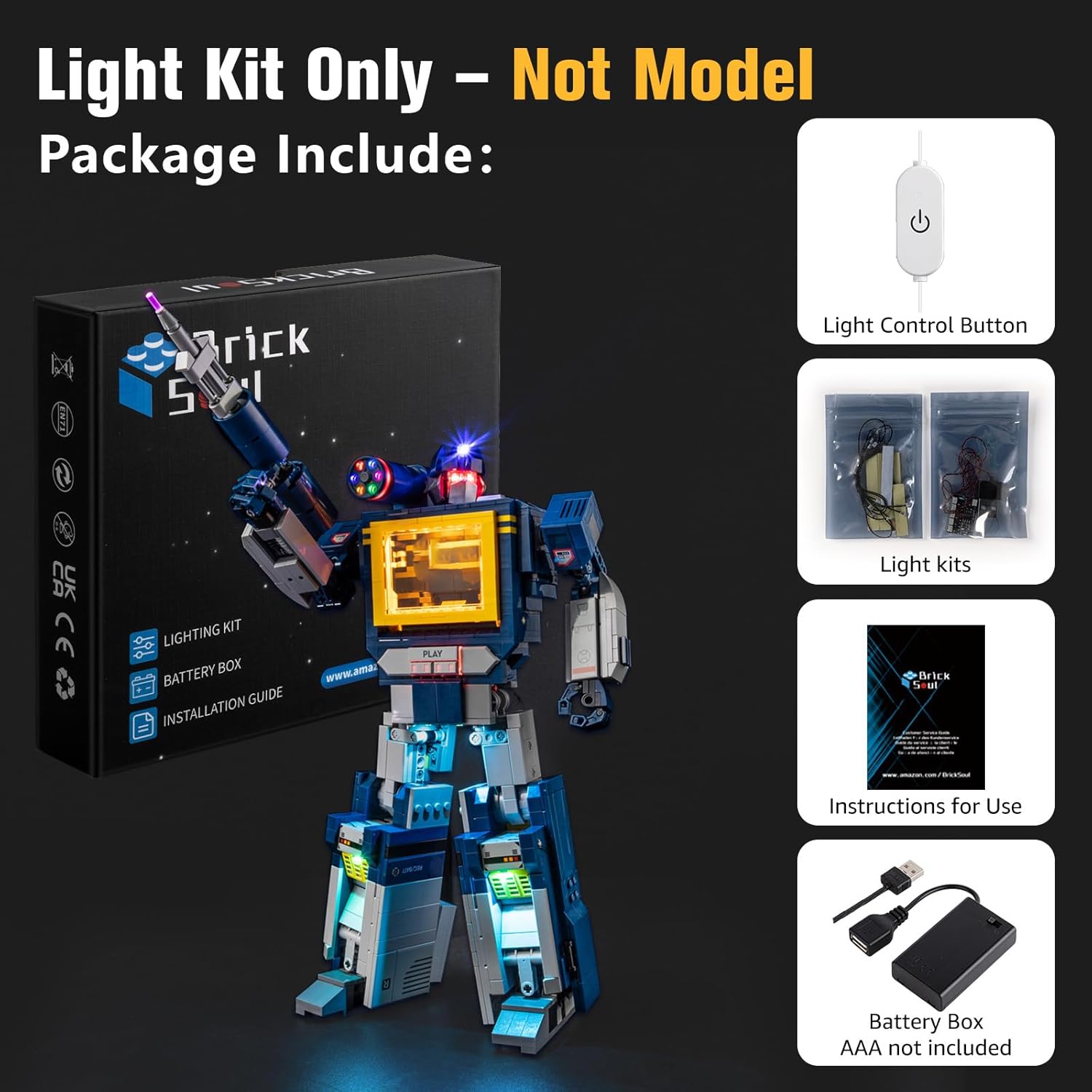
Image: A visual representation of the BrickSoul Light Up Kit contents, showing the lighting components, the USB cable with integrated control button, the battery box, and the digital instruction guide.
3. Setup Instructions
The BrickSoul LED kit is designed for quick and beginner-friendly setup. Follow the numbered step-by-step instructions provided in the digital guide.
3.1 Accessing Digital Instructions
This kit utilizes digital instructions for environmental reasons and ease of access. No paper manual is included.
- Scan the QR code provided on the packaging or included card.
- Input the product model number (10358) into the query field.
- Preview the PDF or video instructions to begin installation.

Image: A tablet screen showing the digital instruction interface for the light kit, emphasizing the absence of a paper manual.
3.2 Installation Process
The installation typically involves removing a few bricks from your LEGO model, integrating the LED components, and then reassembling. No special skills are needed. Ensure careful handling of wires to maintain a seamless fit and clean wiring.

Image: Detailed close-ups of the LEGO Soundwave model with the light kit installed, showing illuminated elements like the chest, head, and weapon.
3.3 Powering the Kit
The light kit can be powered via USB or AAA batteries (not included). Connect the USB cable to a compatible power source or insert batteries into the battery box.
4. Operating Instructions
This upgraded version features a built-in button on the USB cable for easy control of your lights.
4.1 Power On/Off
Tap the button on the USB cable once to turn the lights on or off.
4.2 Brightness Adjustment
Press and hold the button to adjust the brightness level. The lights will cycle through different brightness settings, allowing you to select the perfect illumination for your display.
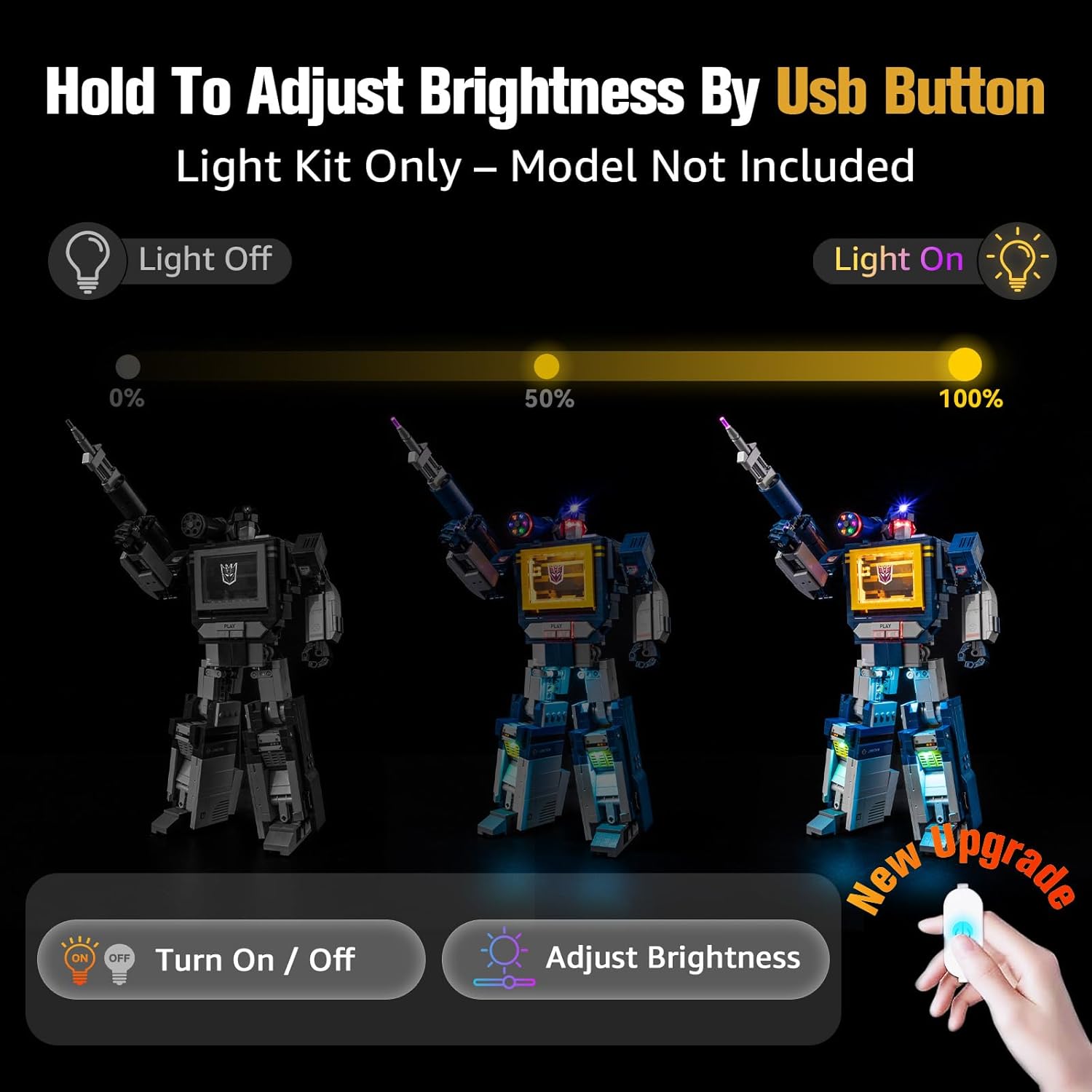
Image: An illustration demonstrating the touch button on the USB cable for turning lights on/off and adjusting brightness from 0% to 100%.
Video: Official product video demonstrating the LED Light Up Kit compatible with LEGO 10358 Soundwave, showcasing the lighting effects and functionality.
5. Maintenance
To ensure the longevity and optimal performance of your BrickSoul LED Light Kit:
- Keep the light kit and your LEGO model clean by gently dusting with a soft, dry cloth.
- Avoid exposing the kit to excessive moisture or extreme temperatures.
- Handle wires and LED components with care to prevent damage.
6. Troubleshooting
If you encounter any issues with your BrickSoul LED Light Kit, please consider the following:
- Lights not turning on: Ensure the power source (USB or batteries) is correctly connected and functional. Check for any loose wire connections.
- Lights flickering: Verify the power supply is stable. If using batteries, replace them with fresh ones.
- Damaged components: In case of bent connectors or broken wires, refer to the warranty information for replacement options.
For further assistance, please contact BrickSoul customer support.
7. Specifications
| Feature | Detail |
|---|---|
| Product Dimensions | 6.36 x 4.32 x 1.33 inches |
| Item Weight | 4.8 ounces |
| Item Model Number | 10358-TV |
| Manufacturer Recommended Age | 14 years and up |
| Material | Durable ABS plastic and copper wire |
| Input Voltage | 3–5V (USB or AAA batteries) |
8. Warranty and Support
BrickSoul offers a worry-free warranty for your peace of mind. If you experience accidental damage such as bent connectors or broken wires, we provide quick, hassle-free replacements.
Our dedicated support team is available to ensure a smooth and stress-free lighting experience. For any inquiries or support needs, please visit the official BrickSoul website or contact our customer service directly.