
1. Product Overview
This BrickSoul LED lighting kit is designed to enhance the Lego Architecture Neuschwanstein Castle 21063 model, providing illumination to bring the structure to life. The kit features wired dimmable lights, allowing for adjustable brightness and easy control.

Image 1.1: The Lego Architecture Neuschwanstein Castle 21063 model illuminated by the BrickSoul LED light kit.
2. What's in the Box
Please verify that all components listed below are included in your package:
- LED Light Kits (various light strings and components)
- Light Control Button (integrated into USB cable)
- Battery Box (AAA batteries not included)
- Service Guide

Image 2.1: Contents of the BrickSoul LED Light Kit package.
3. Setup and Installation
This BrickSoul LED kit is designed for straightforward installation. Detailed, step-by-step instructions are provided digitally to ensure a smooth setup process.
3.1 Accessing Digital Instructions
A paper manual is not included. Please refer to the digital instructions for comprehensive guidance. These typically include numbered step-by-step guides and video tutorials.

Image 3.1: Digital instructions are available by scanning a code or searching for the model number.
3.2 General Installation Steps
- Preparation: Ensure your Lego Architecture Neuschwanstein Castle 21063 model is fully assembled and ready for light integration.
- Brick Removal: The installation process may require temporarily removing a few bricks from your model to properly place the light components. Follow the digital guide for precise locations.
- Light Placement: Carefully integrate the LED lights and wires into the designated areas of your model. The kit is designed for a seamless fit.
- Wiring Management: Route the wires neatly to avoid tangles and maintain the aesthetic integrity of your model. The design promotes clean wiring.
- Connection: Connect the light kit to the provided USB cable with the control button, and then to the battery box (ensure AAA batteries are installed) or another compatible USB power source (3-5V input).

Image 3.2: The BrickSoul kit is designed for clean and tidy wiring.
4. Operating Instructions
The BrickSoul LED light kit features an upgraded wired control system for convenient operation.
4.1 Power On/Off and Brightness Adjustment
The USB cable includes a built-in button for controlling the lights:
- Turn On/Off: Tap the button once to toggle the lights on or off.
- Adjust Brightness: Press and hold the button to smoothly adjust the brightness level. Release the button when the desired brightness is achieved.
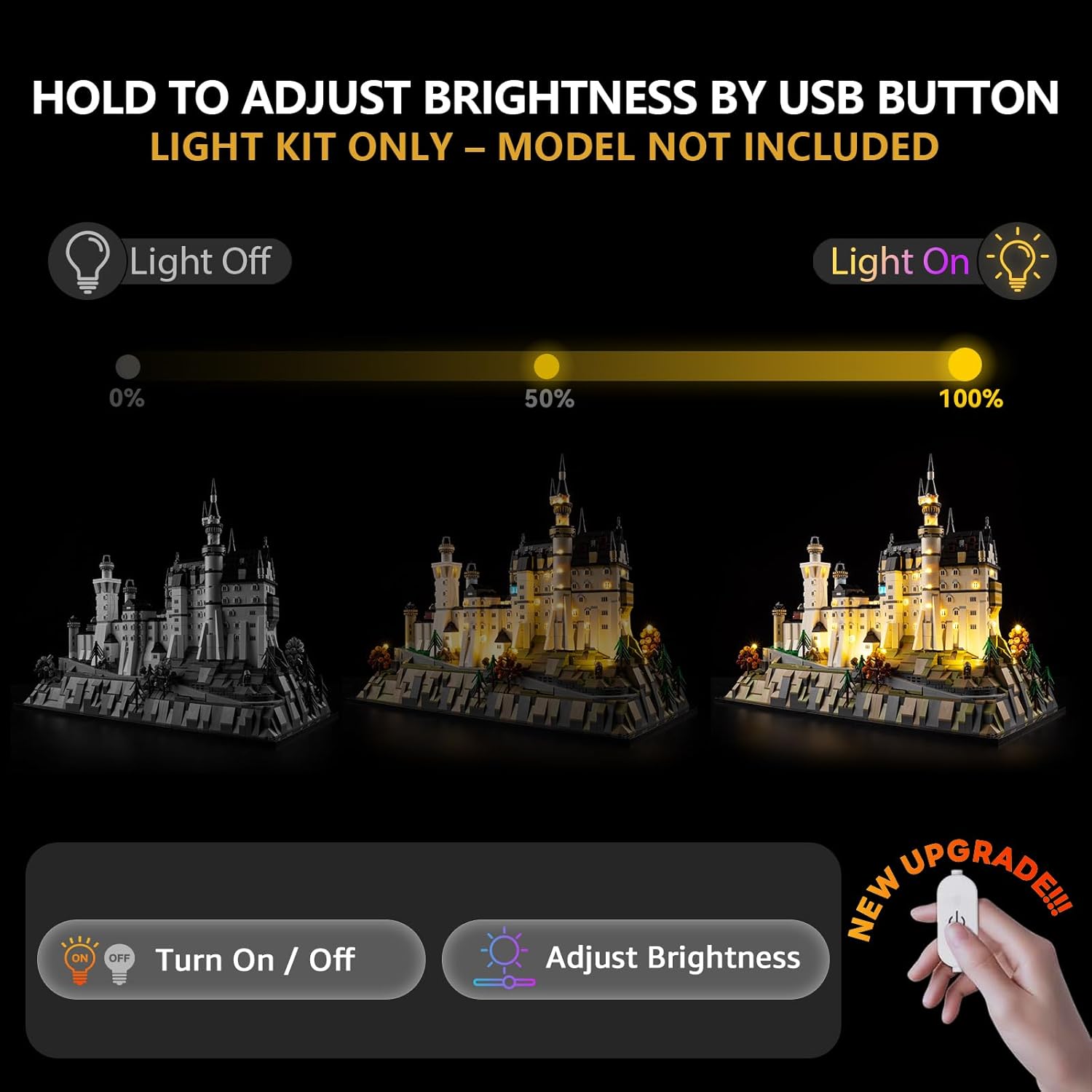
Image 4.1: The USB button allows for easy on/off and brightness adjustment.

Image 4.2: Visual representation of brightness levels controlled by the USB button.
4.2 Product Demonstration Video
Video 4.1: A demonstration of the BrickSoul LED Light Kit for Lego 21063, showcasing the lighting effects and the dimmable feature. This video is provided by PJY Trade, the seller.
5. Care and Maintenance
To ensure the longevity and optimal performance of your BrickSoul LED light kit, follow these general care guidelines:
- Cleaning: Gently dust the light components and wires with a soft, dry cloth. Avoid using liquid cleaners directly on the electrical components.
- Handling: Handle the wires and LED components with care to prevent bending or damage.
- Power Source: Always use a compatible USB power source (3-5V) to prevent damage to the lights.
- Storage: If disassembling or storing the model, carefully remove the light kit components and store them in a dry, safe place.
6. Troubleshooting
If you encounter any issues with your BrickSoul LED light kit, please refer to the following common solutions:
- Lights Not Turning On:
- Check all connections to ensure they are secure.
- Verify that the USB power source is functioning correctly and providing adequate power (3-5V).
- Ensure batteries in the battery box (if used) are correctly inserted and not depleted.
- Lights Are Dim or Flickering:
- Adjust the brightness using the control button (press and hold).
- Confirm the power source is stable and providing sufficient current.
- Check for any loose connections or damaged wires.
- Individual Lights Not Working:
- Inspect the specific light and its connection for any damage or dislodgement.
- If a component is damaged, refer to the warranty information for replacement options.
7. Product Specifications
| Feature | Detail |
|---|---|
| Model Number | 21063-TV |
| Product Dimensions | 6.36 x 4.32 x 1.33 inches |
| Item Weight | 4.8 ounces |
| Power Input | USB 3-5V |
| Material | Durable ABS plastic and copper wire |
| Recommended Age | 14 years and up |
8. Warranty and Customer Support
BrickSoul offers a worry-free warranty and dedicated customer support to ensure a positive experience with your lighting kit.
- Hassle-Free Replacements: In the event of accidental damage, such as a bent connector or broken wire, BrickSoul provides quick and hassle-free replacements.
- Support Team: The BrickSoul support team is available to assist with any questions or issues you may encounter during installation or operation.
For assistance, please refer to the contact information provided in your digital service guide or on the official BrickSoul website.
