
1. Introduction
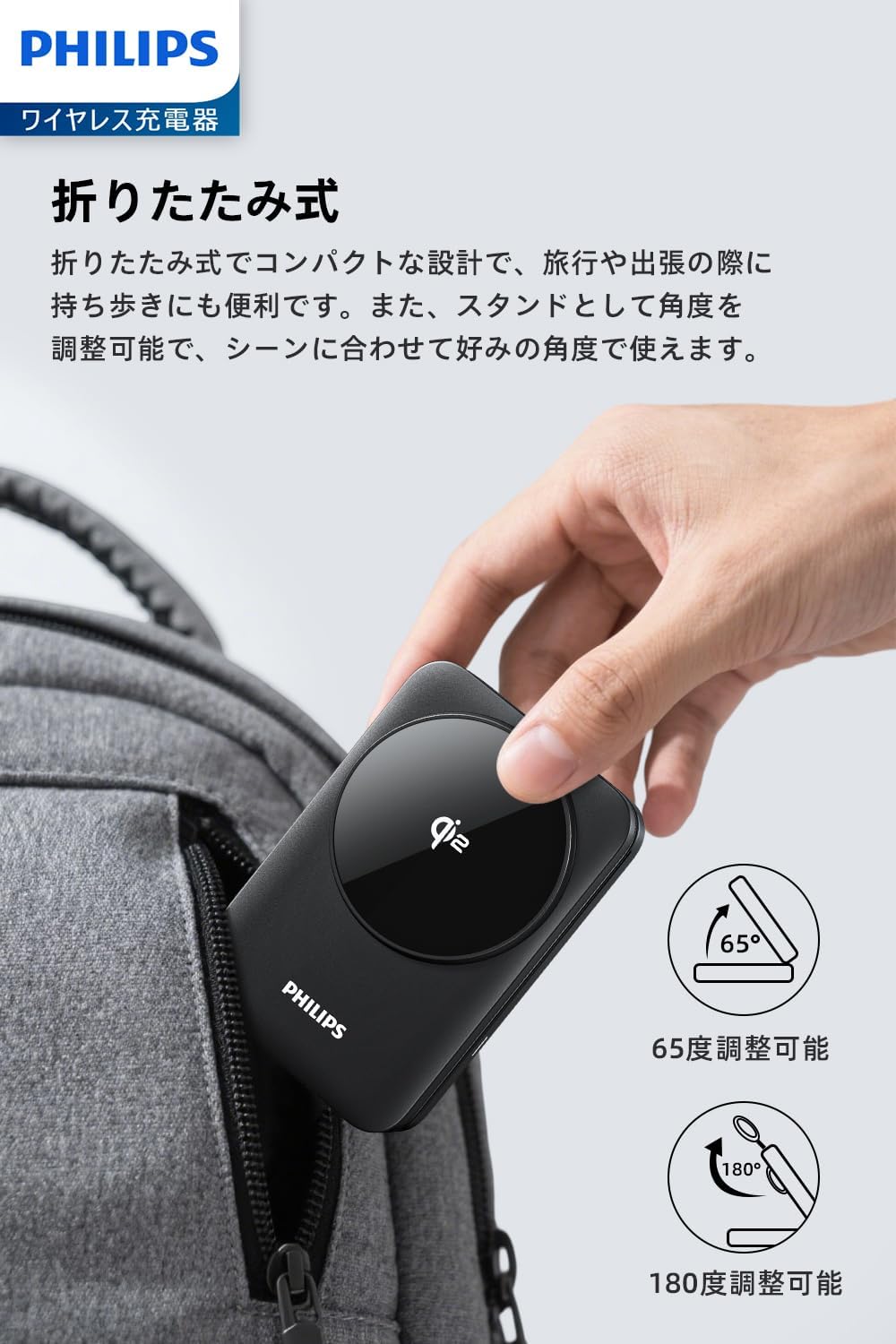
Thank you for choosing the Philips 3-in-1 Wireless Charger (Model DLK3548Q). This device is designed to efficiently charge your Qi2-compatible smartphone, Apple Watch, and wireless earbuds simultaneously. Its foldable design and adjustable viewing angles make it a versatile charging solution for home, office, or travel.


2. Package Contents
- Philips 3-in-1 Wireless Charger (DLK3548Q)
- USB-C Charging Cable
- User Manual
3. Setup
- Unfold the Charger: Gently unfold the charging stand to your desired angle. The stand can be adjusted from 0 to 65 degrees for optimal viewing.
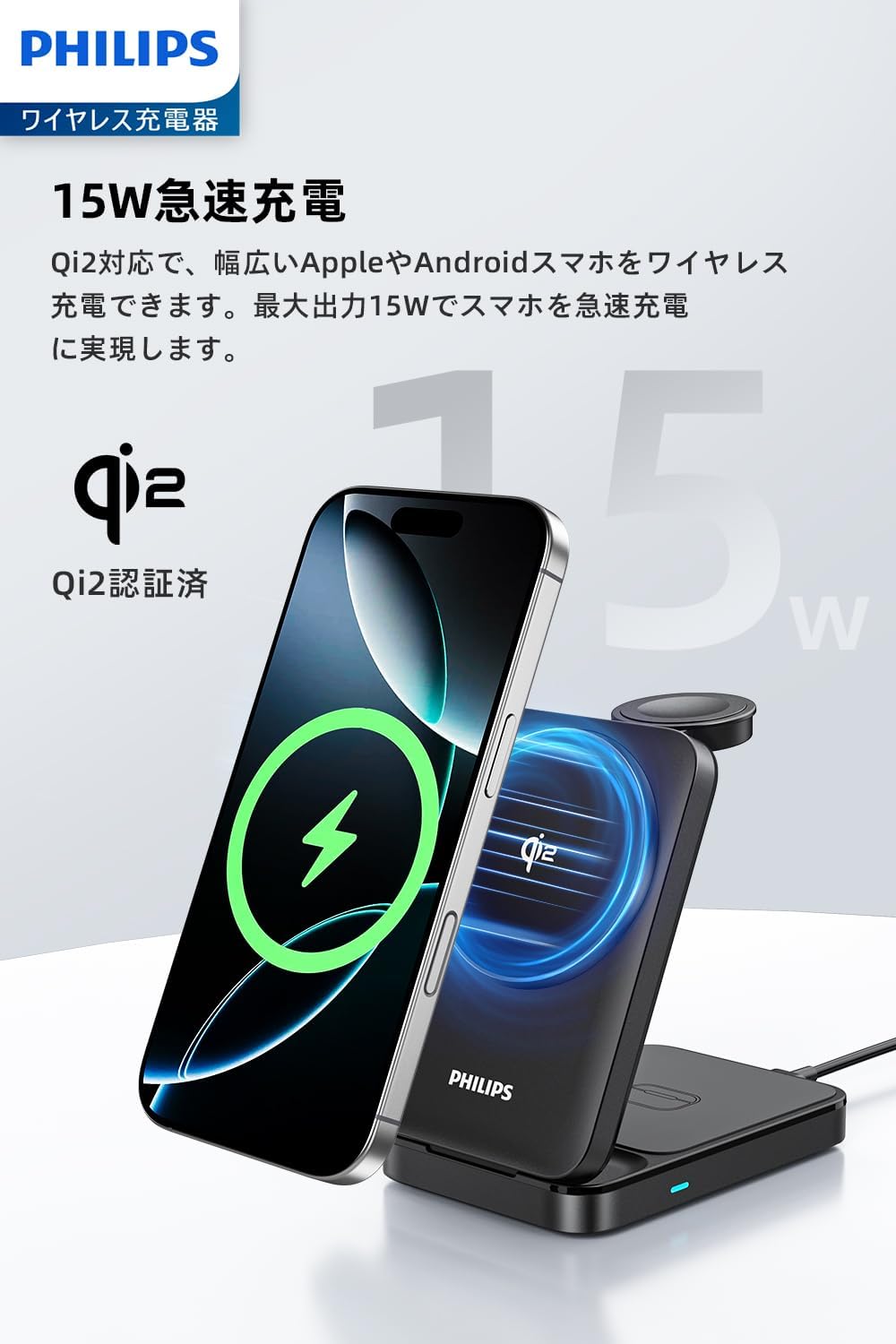
- Connect Power: Connect the provided USB-C cable to the charger's USB-C port and plug the other end into a compatible power adapter (not included). For optimal performance and 15W fast charging, use a power adapter that supports sufficient power output (e.g., a PD 20W or higher adapter).
- Placement: Place the charger on a stable, flat surface.
4. Operating Instructions
The Philips 3-in-1 Wireless Charger allows you to charge up to three devices simultaneously:
- Smartphone Charging (Up to 15W): Place your Qi2-compatible smartphone on the magnetic charging pad. The strong magnets will align your phone for efficient charging. The phone can be placed vertically or horizontally.
- Smartwatch Charging (Up to 2.5W): Place your Apple Watch on the dedicated smartwatch charging module.
- Earbuds Charging (Up to 5W): Place your wireless earbuds case (with wireless charging capability) on the base charging pad.
An LED indicator on the base will show the charging status:
- Solid Blue Light: Normal charging operation.
- Blinking Blue Light: Input power is insufficient, or a foreign object is detected. Ensure your power adapter meets the recommended specifications.


5. Maintenance
- Cleaning: Disconnect the charger from power before cleaning. Use a soft, dry cloth to wipe the surface. Do not use abrasive cleaners or solvents.
- Heat Dissipation: The charger features heat dissipation vents to maintain optimal performance. Ensure these vents are not blocked during use.
- Anti-Slip Pads: The base is equipped with anti-slip pads for stability. Keep them clean to ensure proper grip.

6. Troubleshooting
- Device Not Charging:
- Ensure the charger is properly connected to a power source with sufficient output (e.g., 20W PD adapter).
- Check if the LED indicator is solid blue. If it's blinking, the power input might be insufficient or a foreign object is present.
- Remove any thick phone cases or metal attachments that might interfere with wireless charging. For non-MagSafe compatible phones, use a MagSafe case or metal ring.
- Ensure your device is Qi2 compatible for smartphone charging, and has wireless charging capability for earbuds.
- Weak Magnetic Connection:
- If your phone with a case does not adhere strongly, consider using a MagSafe-compatible case or a metal ring for better magnetic attachment.
- Slow Charging:
- Verify that your power adapter provides adequate power (e.g., 20W or higher for 15W fast charging).
- Ensure your device is correctly aligned on the charging pad.
7. Specifications
| Feature | Detail |
|---|---|
| Model Number | DLK3548Q |
| Brand | PHILIPS |
| Color | Black |
| Connectivity | USB Type C |
| Power Source | Corded Electric |
| Wattage | 22.5 W (Input) |
| Wireless Charging Standard | Qi2 |
| Special Features | MagSafe Compatible, Magnetic, Multi-Device Charging, Wireless Charging, Fast Charging |
| Compatible Devices | iPhones (Qi2 certified models like iPhone 14/15/16 series), Android Smartphones (Qi2 certified models like Samsung Galaxy S25 series), Apple Watch (Series 8/9/10, Ultra1/Ultra2), Wireless Earbuds (AirPods 3/4, AirPods Pro 2, Samsung Galaxy Buds2 Pro) |
| Product Dimensions | 6.5 x 2.7 x 9.9 cm |
| Item Weight | 200 g |

8. Warranty and Support
This Philips product is covered by a manufacturer's warranty. For detailed warranty information, product support, or technical assistance, please refer to the warranty card included in your package or visit the official Philips support website. Keep your purchase receipt as proof of purchase.
For further inquiries, you may contact Philips customer service through their official channels.


