
1. Introduction
The EcoSolLi 120A MPPT Solar Charge Controller is designed to efficiently manage power flow from solar panels to batteries, supporting various battery types and system voltages from 12V to 96V. This manual provides essential information for installation, operation, maintenance, and troubleshooting to ensure optimal performance and longevity of your solar charging system.
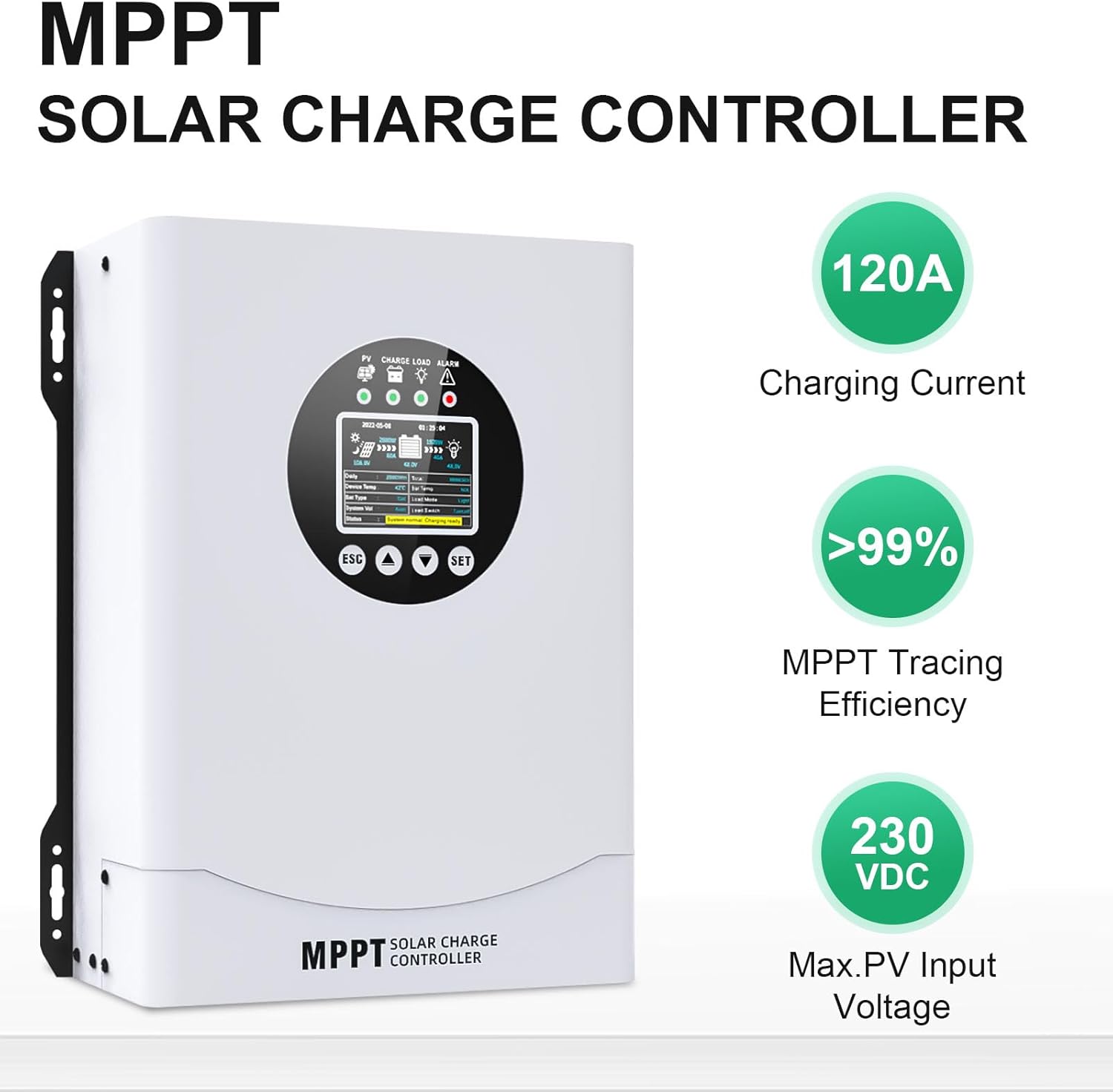
Figure 1: EcoSolLi 120A MPPT Solar Charge Controller highlighting 120A charging current, >99% MPPT tracing efficiency, and 230VDC maximum PV input voltage.
2. Key Features
- MPPT Technology: Achieves over 99% tracking efficiency and up to 98% conversion efficiency, maximizing solar panel power output.
- Wide System Voltage Compatibility: Automatically recognizes 12V, 24V, 36V, 48V, 60V, 72V, 84V, and 96V battery systems.
- Multi-Battery Support: Compatible with various battery types including FLD (Flooded), LiFePO4 (Lithium Iron Phosphate), SLD (Sealed Lead-Acid), GEL, and AGM.
- Comprehensive Protection: Includes PV over current, battery discharge, battery overvoltage, load overload, over-temperature, and low-temperature charging protection.
- Lithium Battery Activation: Features a function to activate lithium batteries.
- Electronic Fault Self-Testing: Built-in diagnostics to prevent damage from installation errors or system failures.
- LCD Display: Provides real-time data display for monitoring system status.

Figure 2: Illustration of the smart chip technology enabling efficient and fast charging with up to 99% conversion efficiency.
3. Product Overview
The controller features a robust design with an intuitive LCD display and control buttons for easy operation and monitoring.

Figure 3: Front view of the EcoSolLi MPPT Solar Charge Controller, showing the LCD screen and control buttons.

Figure 4: Detailed view of the controller's LCD screen and button layout, indicating functions for ESC, Up, Down, and SET.
4. Setup and Installation
Proper installation is crucial for safety and performance. Follow these steps carefully:
- Connect Batteries First: Always connect the battery to the charge controller before connecting solar panels or loads. Ensure correct polarity.
- Connect DC Load: If using a DC load, connect it to the designated load terminals on the controller.
- Connect Solar Panels: Finally, connect the solar panels to the PV input terminals. Ensure correct polarity and that the PV input voltage does not exceed the controller's maximum rating.

Figure 5: A diagram illustrating the correct connection sequence for the solar charge controller: battery first, then DC load, and finally solar panels.
5. Operating Instructions
The controller automatically detects the system voltage and is compatible with various battery types.
- System Voltage Recognition: The controller will automatically identify 12V, 24V, 36V, 48V, 60V, 72V, 84V, or 96V battery systems upon initial connection.
- Battery Type Selection: The controller is compatible with FLD (Flooded), LiFePO4, SLD (Sealed), GEL, and AGM battery types. Refer to the display for current battery type settings and adjust if necessary according to your battery manufacturer's specifications.
- LCD Display: The backlit color LCD provides real-time data on charging status, battery voltage, PV input, and load status. Use the ESC, Up, Down, and SET buttons to navigate menus and adjust settings.
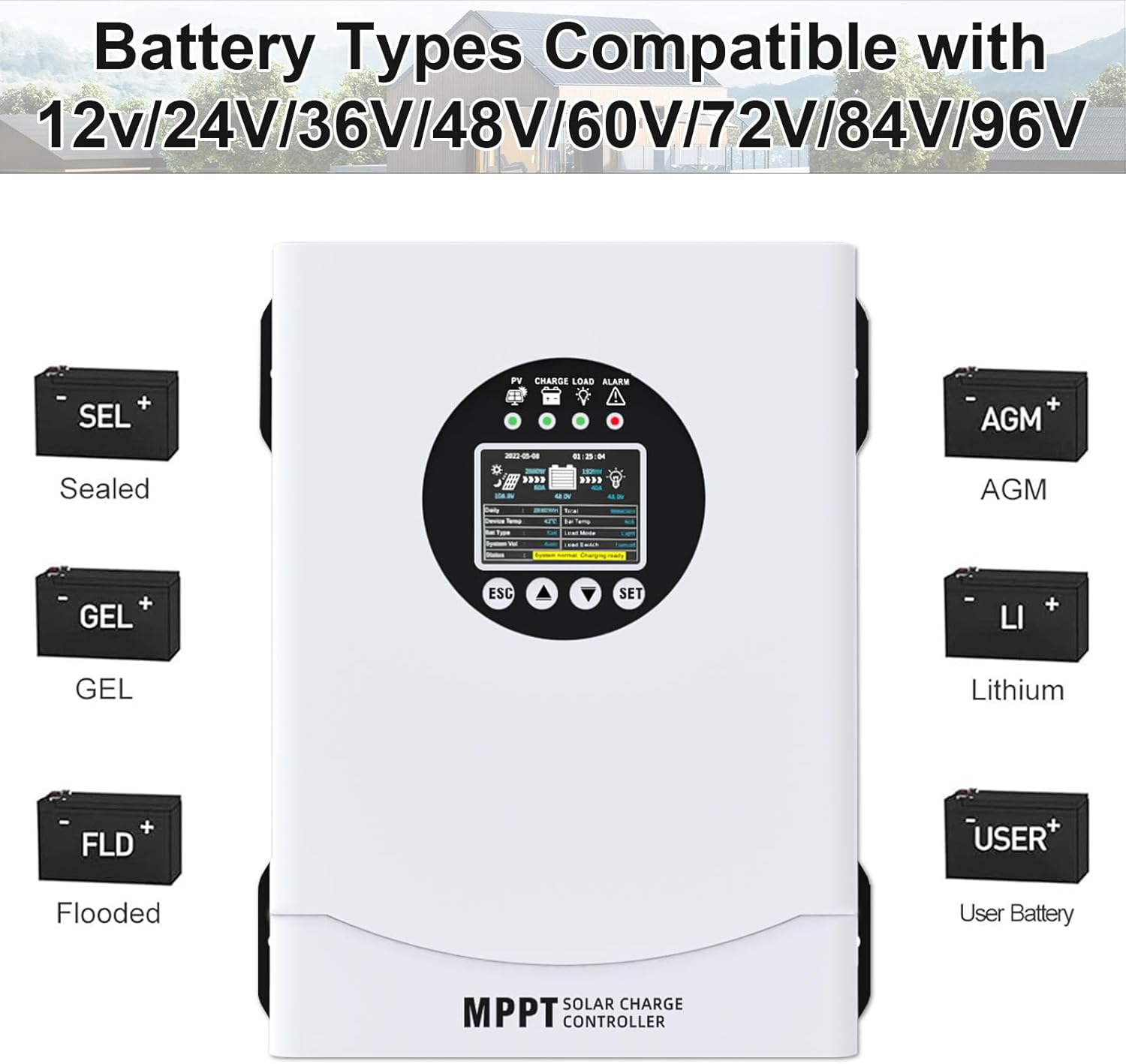
Figure 6: An image showing the EcoSolLi MPPT Solar Charge Controller surrounded by icons representing compatible battery types: Sealed, GEL, Flooded, AGM, Lithium, and User-defined batteries.
6. Maintenance
To ensure long-term performance and safety of your EcoSolLi MPPT Solar Charge Controller:
- Regularly inspect all wiring connections for tightness and corrosion.
- Keep the controller clean and free from dust and debris. Ensure proper ventilation around the unit.
- Check the battery terminals for corrosion and clean as needed.
- Monitor the LCD display for any error codes or unusual readings.
7. Troubleshooting
The controller is equipped with multiple protection features to prevent damage. If an issue occurs, check the following:
- PV Over Current Protection: If solar panel current exceeds limits, the controller will protect itself. Verify solar panel configuration.
- Battery Discharge Protection: Prevents over-discharge of the battery. Check battery voltage and load.
- Battery Overvoltage Protection: Protects against overcharging.
- Load Overload Protection: Disconnects the load if current exceeds safe limits. Reduce connected load.
- Over-Temperature Protection: Shuts down if internal temperature is too high. Ensure adequate ventilation.
- Low-Temperature Charging Protection: For lithium batteries, charging may be suspended at low temperatures.
- Electronic Fault Self-Testing: The controller performs self-diagnostics. Consult the display for specific fault codes.

Figure 7: A diagram highlighting the various protection features of the EcoSolLi MPPT Solar Charge Controller, including PV Over Current, Battery Overvoltage, Battery Discharge, Load Overload, Low-Temp Charging, and Over-Temp Protection.
8. Specifications
| Feature | Detail |
|---|---|
| Model | KY-M-YM120 |
| Charging Current | 120A |
| System Voltage | 12V/24V/36V/48V/60V/72V/84V/96V Auto |
| Max Input PV Voltage | 230V |
| MPPT Tracking Efficiency | >99% |
| Peak Conversion Efficiency | Up to 98% |
| Compatible Battery Types | FLD, LiFePO4, SLD, GEL, AGM |
| Material | Metal |
| Display Type | LCD |
| Max Solar Panel Power (12V System) | 1440W |
| Max Solar Panel Power (96V System) | 11520W |

Figure 8: An image illustrating the solar panel power capabilities of the controller for different system voltages, ranging from 1440W for a 12V system up to 11520W for a 96V system.
9. Warranty and Support
For warranty information and technical support, please refer to the product packaging or contact EcoSolLi customer service directly. Keep your purchase receipt for warranty claims.