
Arafuna B0FMDV4F3J
ARAFUNA Portable Rechargeable CD Player User Manual
Model: B0FMDV4F3J
1. Introduction
Thank you for choosing the ARAFUNA Portable Rechargeable CD Player. This device is designed to provide high-quality audio playback from various disc formats and external sources, offering portability and convenience for home, car, and on-the-go use. Please read this manual thoroughly before operating the device to ensure proper use and optimal performance.
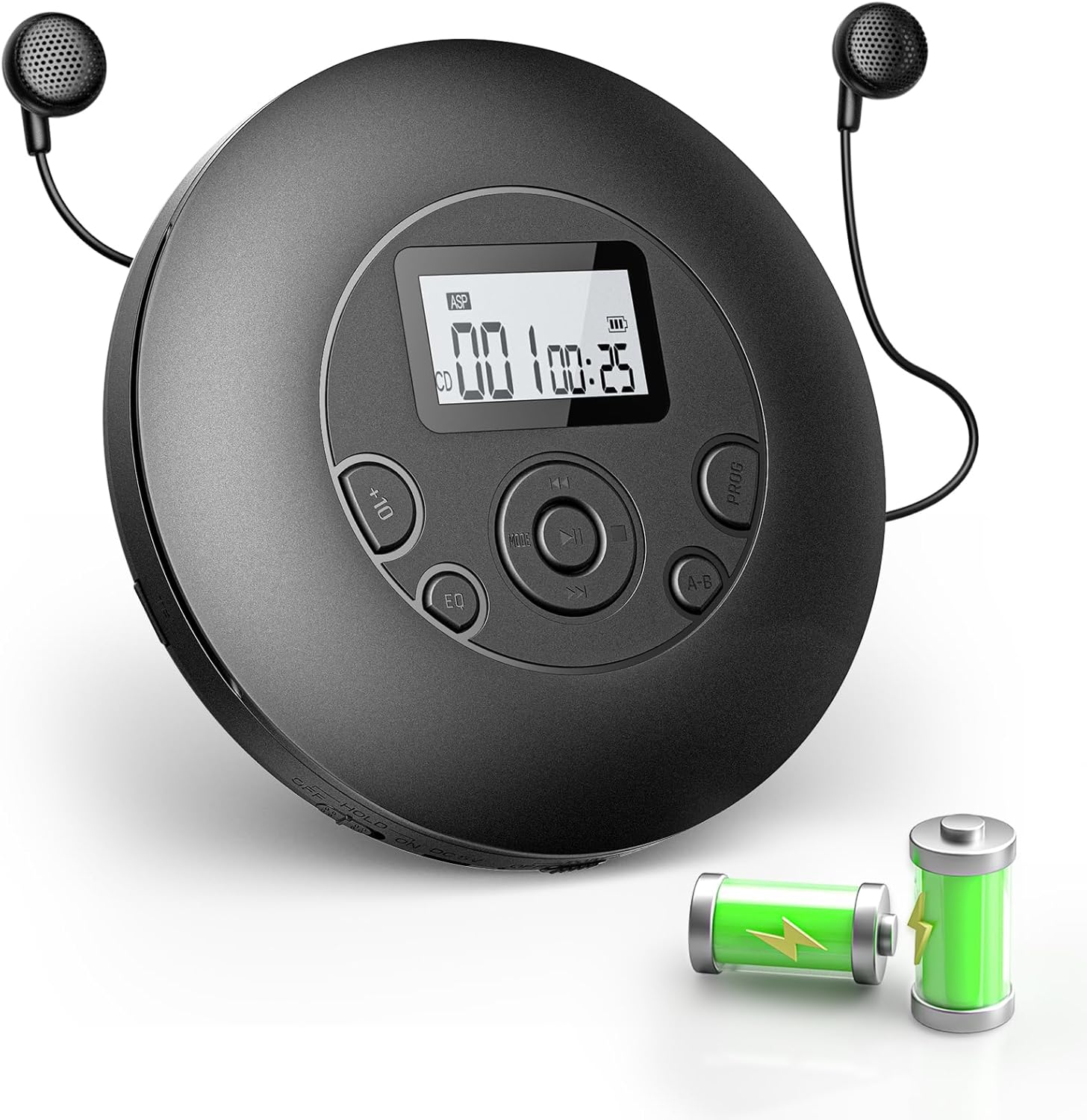
Image 1.1: ARAFUNA Portable Rechargeable CD Player with headphones and battery indicators.
2. Package Contents
Please check the package for the following items:
- 1 x Portable CD Player
- 1 x Earphones
- 1 x AUX Cord
- 1 x USB Charging Cord
- 1 x User Manual
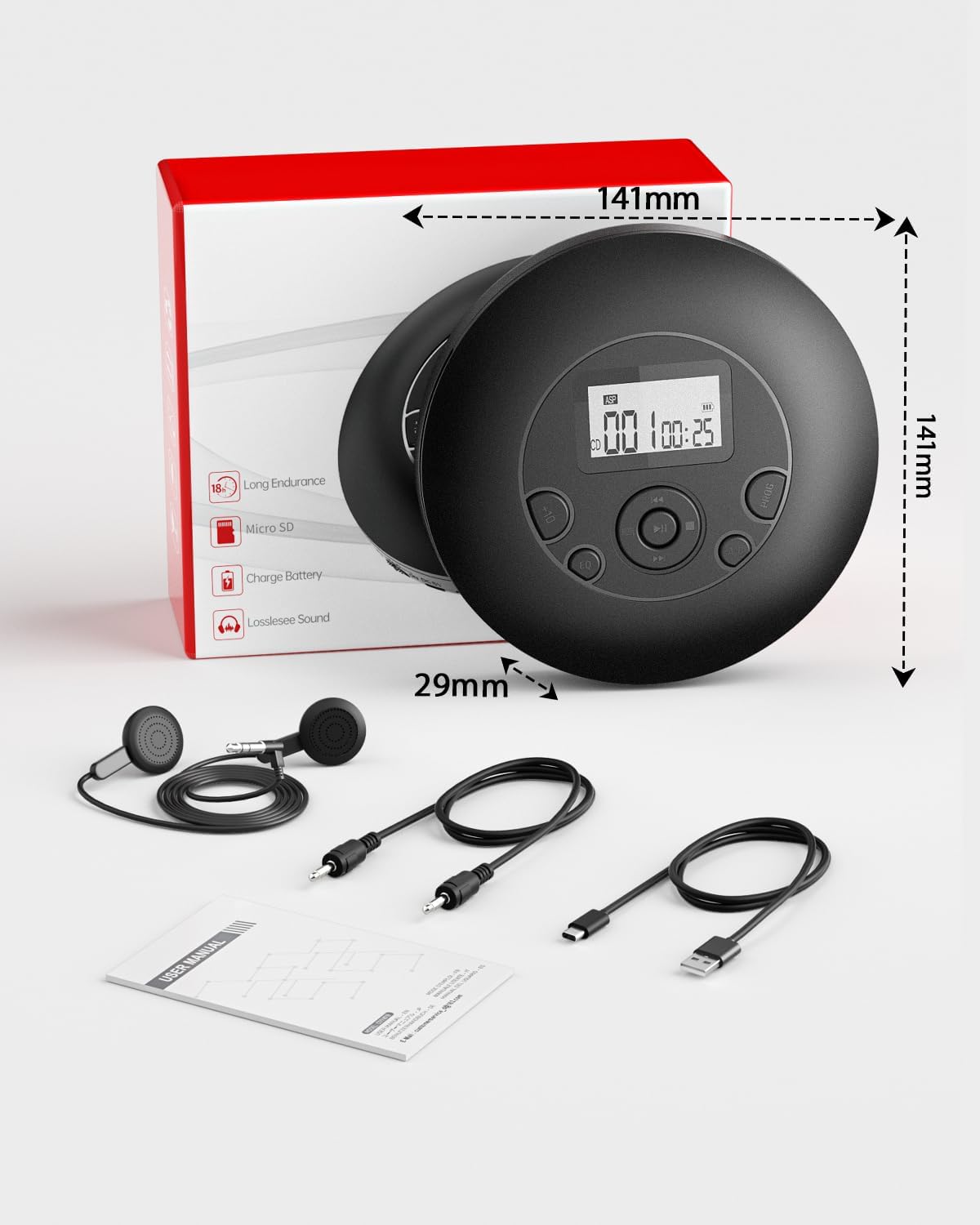
Image 2.1: All items included in the ARAFUNA Portable CD Player package.
3. Setup
3.1 Charging the Device
The CD player features a built-in rechargeable battery. Before first use, fully charge the device.
- Connect the provided USB charging cord to the player's charging port.
- Connect the other end of the USB cable to a USB power adapter (not included), a computer's USB port, or a car's USB jack.
- The charging indicator light will illuminate during charging and turn off when fully charged. A full charge provides up to 7 hours of playtime.

Image 3.1: The CD player connected to a power source for charging.
3.2 Inserting a CD
- Gently slide the OPEN switch to open the CD compartment lid.
- Place a CD with the label side facing up onto the center spindle.
- Press the CD gently until it clicks into place.
- Close the CD compartment lid firmly until it latches.
3.3 Connecting Headphones or External Speakers
- Headphones: Insert the 3.5mm jack of the included earphones or your preferred headphones into the "PHONE" jack on the player.
- External Speakers/Car AUX: Use the provided AUX cord to connect the player's "AUX OUT" jack to the AUX input of external speakers or your car's audio system.
4. Operating Instructions
4.1 Basic Playback
- Press the POWER button to turn on the player.
- Insert a compatible disc (CD, CD-R, MP3, HDCD). The player will automatically begin reading the disc.
- Press the PLAY/PAUSE button to start or pause playback.
- Use the PREVIOUS and NEXT buttons to skip tracks. Hold these buttons to fast forward or rewind within a track.
- Adjust the volume using the VOL+ and VOL- buttons.
- Press the STOP button to stop playback. Press it again to turn off the player.
4.2 Anti-Skip Protection (ASP)
The ARAFUNA CD Player is equipped with an Anti-Skip Protection (ASP) feature to prevent interruptions during playback, especially when the player is subjected to minor shocks or vibrations. This feature is automatically active for CD playback.

Image 4.1: CD player in a car, demonstrating anti-skip protection and AUX connectivity.
4.3 Playback Modes and EQ
- EQ (Equalizer): Press the EQ button repeatedly to cycle through different sound effects (e.g., Pop, Jazz, Classic, Rock, Normal).
- PROG (Program): Allows you to program a specific order of tracks to play. Refer to the detailed instructions in the included user manual for programming steps.
- A-B Repeat: Press the A-B button at the start point (A) and again at the end point (B) of a section you wish to repeat. The player will continuously loop this section. Press A-B again to cancel.
- Repeat Function: Press the MODE button (if available, or refer to specific button on device) to cycle through repeat options such as repeat one track, repeat all tracks, or random play.
- Resume Function: The player can resume playback from where it was last stopped.
- +10 Tracks: Press the +10 button to skip forward by 10 tracks.

Image 4.2: Features like A-B Repeat and program function are useful for language learning.
4.4 Micro SD Card Playback
The player supports Micro SD card playback for MP3 files.
- Insert a Micro SD card into the designated slot on the player.
- The player should automatically detect the card and switch to Micro SD playback mode, or you may need to press a MODE button to select it.
- Use the PREVIOUS and NEXT buttons to navigate tracks.
4.5 Connecting to External Devices via AUX
The AUX output allows you to connect the CD player to external audio systems, such as car stereos or home speakers, using the provided 3.5mm AUX cable.
- Connect one end of the AUX cable to the "AUX OUT" port on the CD player.
- Connect the other end to the "AUX IN" port on your external audio device.
- Ensure the external device is set to its AUX input mode.
- Adjust volume on both the CD player and the external device as needed.

Image 4.3: The CD player connected to an external speaker for group listening.
5. Maintenance
- Cleaning: Use a soft, dry cloth to clean the exterior of the player. For the lens, use a specialized CD lens cleaning kit. Do not use abrasive cleaners or solvents.
- Disc Care: Handle CDs by their edges. Keep discs clean and free from scratches. Store them in their cases when not in use.
- Storage: Store the player in a cool, dry place away from direct sunlight, high temperatures, and humidity.
- Battery: To prolong battery life, avoid fully discharging the battery frequently. Charge the device regularly, even if not in use for extended periods.
6. Troubleshooting
| Problem | Possible Cause | Solution |
|---|---|---|
| Player does not turn on. | Low battery or no power. | Charge the player using the USB charging cord. Ensure the power button is pressed. |
| Disc does not play / "NO DISC" error. | Disc inserted incorrectly, dirty/scratched disc, or incompatible disc format. | Ensure the disc is inserted correctly (label side up). Clean the disc. Use compatible disc types (CD, CD-R, MP3, HDCD). |
| Sound skipping or distortion. | Dirty/scratched disc, excessive vibration, or headphones/AUX cable not fully connected. | Clean the disc. Ensure the player is on a stable surface or ASP is active. Check headphone/AUX cable connections. |
| No sound. | Volume too low, headphones/AUX cable not connected, or faulty headphones/cable. | Increase volume. Check headphone/AUX cable connection. Test with different headphones/cable. |
| Micro SD card not recognized. | Card inserted incorrectly, incompatible format, or corrupted files. | Reinsert the Micro SD card. Ensure files are in MP3 format. Try a different Micro SD card. |
7. Specifications
- Model: B0FMDV4F3J
- Brand: Arafuna
- Disc Formats Supported: CD, CD-R, MP3, HDCD
- Connectivity: Auxiliary
- Special Features: Anti-Skip Protection, Battery Level Indicator, Lightweight, Portable, Rechargeable
- Power Source: 1 x 9V rechargeable battery (included)
- Item Weight: 14.4 ounces (approximately 408 grams)
- Package Dimensions: 8.23 x 6.54 x 1.46 inches
- Color: Black
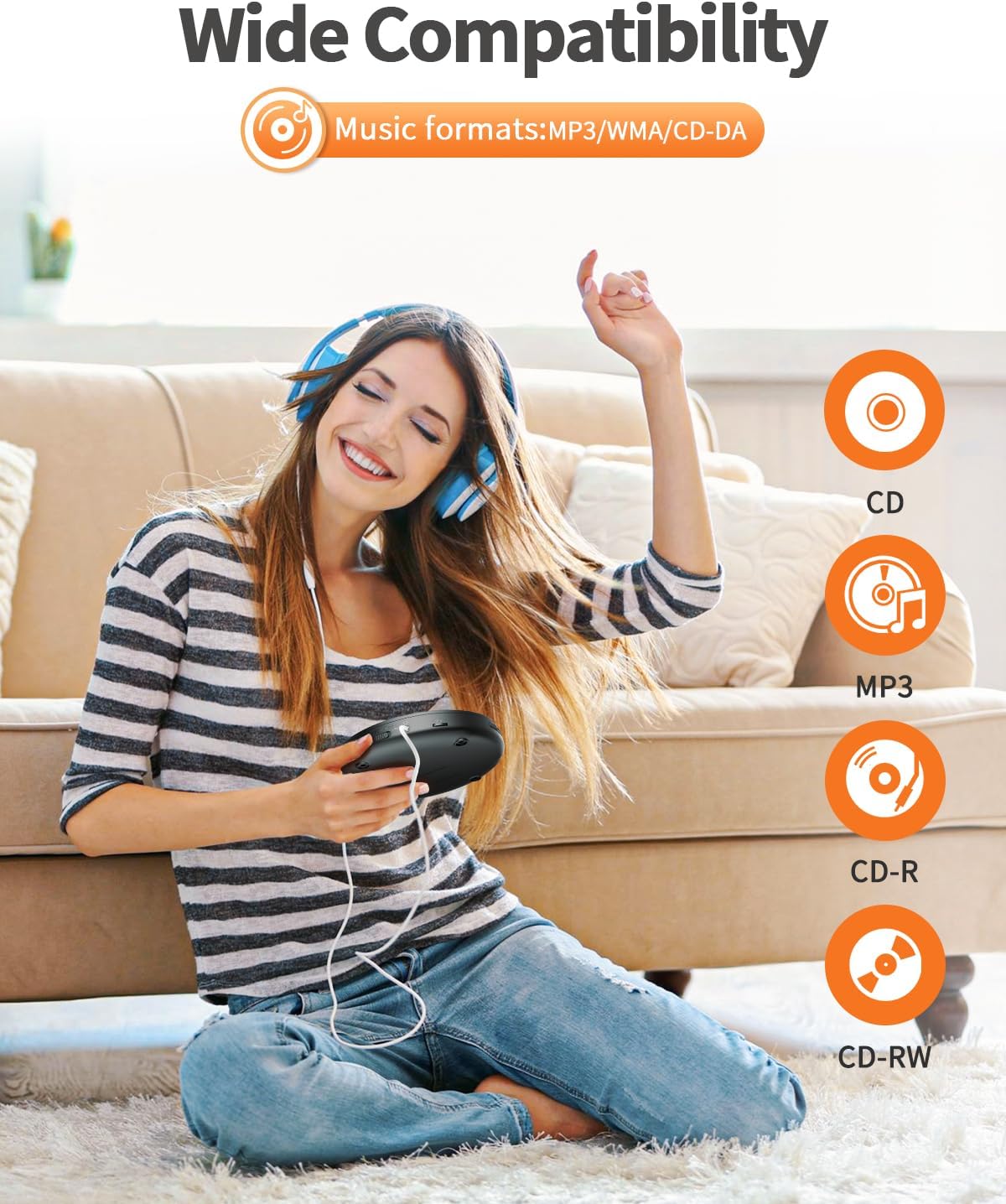
Image 7.1: The CD player supports various music formats.
8. Warranty and Support
For warranty information or technical support, please refer to the contact details provided in the original product packaging or visit the official Arafuna website. Keep your purchase receipt as proof of purchase for any warranty claims.
Manufacturer: Arafuna
Date First Available: August 14, 2025
Related documentsB0FMDV4F3J


Ask a question about this manual
Ask about setup, troubleshooting, compatibility, parts, safety, or missing instructions. Manuals+ will review the question and use this page’s manual context to help answer it.