
Introduction
Thank you for choosing the VASAGLE Electric Height Adjustable Desk. This manual provides essential information for the safe assembly, operation, and maintenance of your new desk. Please read it thoroughly before use and keep it for future reference.
This desk is designed to enhance your workspace with its ergonomic features, including adjustable height, smart controls, and efficient cable management. Enjoy a comfortable and productive work environment.
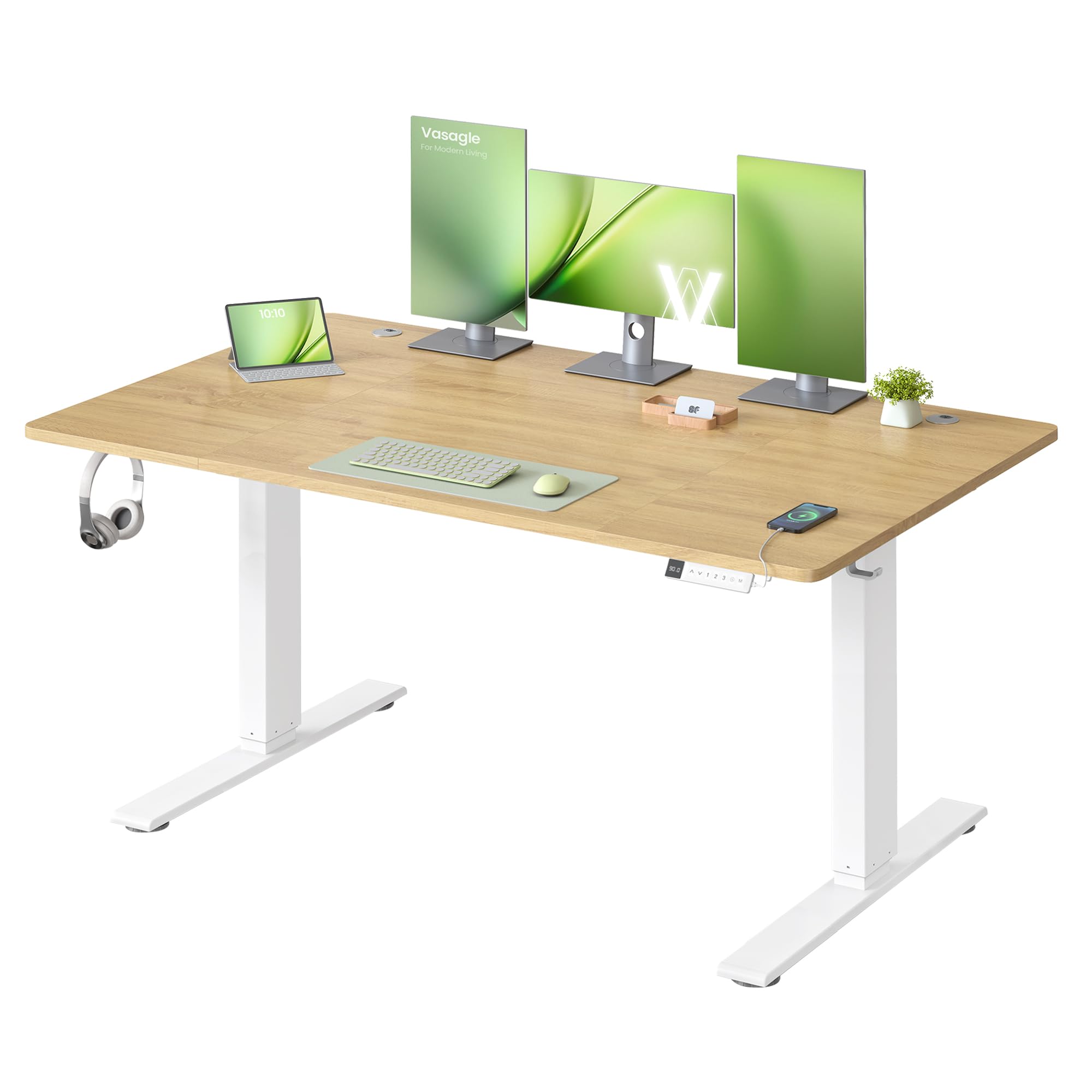
Image: The VASAGLE Electric Height Adjustable Desk in Golden Oak, featuring a spacious desktop and white frame, set up in a modern office environment.
Safety Information
Please observe the following safety precautions to prevent injury or damage to the product:
- Do not place the desk directly against a wall when raising or lowering it to avoid scratches.
- This desk is designed for indoor use only.
- Keep all electrical components away from liquids.
- Do not place heavy objects exceeding the maximum load capacity of 80 kg (176 lbs) on the desk.
- Ensure all cables are properly managed to prevent tripping hazards or damage during height adjustment.
- Keep children and pets away from the desk during operation.
Setup and Assembly
The VASAGLE Electric Height Adjustable Desk is designed for straightforward assembly. Follow the illustrated instructions provided in the package for a quick and easy setup.
Assembly Steps Overview:
- Step 1: Prepare the Desktop Panels. The desktop consists of multiple sections. Align and secure them as per the instructions.
- Step 2: Attach Legs and Crossbar. Secure the desk legs and the central crossbar to the desktop frame.
- Step 3: Install Support Bars. Fasten the support bars to ensure structural integrity.
- Step 4: Mount Other Components. Install the control panel, cable management tray, and any other accessories.

Image: A visual guide showing four steps for assembling the desk, including preparing the tabletop, attaching legs, installing support bars, and adding other components. A manual is also shown.
Note: All necessary hardware and an illustrated manual are included for easy assembly.
Operating Instructions
Your VASAGLE Electric Height Adjustable Desk offers intuitive controls for a personalized workspace.
Height Adjustment
- Adjusting Height: Use the Up (^) and Down (v) buttons on the control panel to smoothly raise or lower the desk to your desired height. The height range is from 72 cm (minimum) to 120 cm (maximum).
- The desk operates stably and quietly, with a noise level of ≤ 48 dB, even under its maximum load capacity.

Image: A split image showing a person working seated at the desk at its minimum height (72 cm) and another person standing and stretching at the desk at its maximum height (120 cm), highlighting the ergonomic benefits. The control panel with buttons is also visible.
Memory Presets
- Setting Memory Presets: Adjust the desk to your preferred height. Press the "M" button, then press one of the numbered buttons (1, 2, or 3) to save the current height.
- Recalling Presets: Simply press the corresponding numbered button (1, 2, or 3) to automatically move the desk to your saved height.

Image: An illustration showing the desk at three different heights for reading, working, and relaxing, demonstrating the 3-height memory function on the control panel.
Sedentary Reminder
- The desk features a sedentary reminder function to encourage movement during long work sessions. Press the Timer (clock icon) button to activate or deactivate this feature. Consult the full manual for setting reminder intervals.
USB-C Charging Port
- A 20W USB-C port is integrated into the control panel for convenient and fast charging of your smartphones and other compatible devices.

Image: A close-up of the desk's control panel showing the integrated USB-C port actively charging a smartphone, highlighting the 20W fast charging capability.
Cable Management
- The desk includes an ample bottom shelf for power strips and two cable grommets to keep your workspace tidy and organized. Two side hooks are also provided for headphones or bags.

Image: An illustration demonstrating the desk's cable management features, including two cable grommets and a power strip tray, designed to keep cables organized and out of sight.
Maintenance
Proper care and maintenance will ensure the longevity and optimal performance of your desk.
- Cleaning: Wipe the desk surfaces with a soft, damp cloth. Avoid abrasive cleaners or harsh chemicals that could damage the finish.
- Electrical Components: Ensure all electrical connections are secure and free from dust. Do not expose the control panel or motor to water.
- Regular Checks: Periodically check all screws and fasteners to ensure they are tight. Retighten if necessary.
- Weight Limit: Adhere to the maximum weight capacity of 80 kg (176 lbs) to prevent damage to the motor and frame.
Troubleshooting
If you encounter any issues with your desk, refer to the following common solutions:
| Problem | Possible Cause | Solution |
|---|---|---|
| Desk does not move or respond to controls. | Power cable disconnected; control panel locked; motor overload. | Check power connections. Unlock control panel if applicable (refer to full manual). Disconnect power for 10 minutes, then reconnect. Reduce load if overloaded. |
| Desk moves unevenly or makes unusual noises. | Uneven load; loose fasteners; obstruction. | Ensure weight is evenly distributed. Check and tighten all assembly screws. Remove any obstructions under or around the desk. |
| USB-C charging port not working. | Device incompatibility; port malfunction; power issue. | Ensure your device is USB-C compatible and the cable is functional. Try another device. Check if the desk is powered on. If the issue persists, contact customer support. |
| Desk wobbles at maximum height. | Normal for some standing desks; uneven floor; loose connections. | Ensure the desk is on a level surface. Adjust foot pads if necessary. Verify all frame connections are securely tightened. While designed for stability, some minimal movement at extreme heights is common. |
For more detailed troubleshooting or issues not listed here, please refer to the comprehensive user manual or contact VASAGLE customer support.
Product Specifications
| Feature | Detail |
|---|---|
| Brand | VASAGLE |
| Model Number | LSD144YA02 |
| Dimensions (L x W x H) | 140 x 80 x 72-120 cm (55.1 x 31.5 x 28.3-47.2 inches) |
| Desktop Material | Engineered Wood (Golden Oak finish) |
| Frame Material | Alloy Steel |
| Height Adjustment Range | 72 cm - 120 cm (28.3 inches - 47.2 inches) |
| Maximum Load Capacity | 80 kg (176 lbs) |
| Noise Level | ≤ 48 dB |
| Adjustment Speed | 25 mm/s |
| Special Features | Ergonomic, Height Adjustable, Smart Workstation, Cable Management, 3 Memory Presets, Sedentary Reminder, 20W USB-C Port |
| Assembly Required | Yes (Illustrated instructions included) |
| Components Included | 1 x Electric Height Adjustable Desk, 1 x Accessory Kit, 1 x User Manual |
| UPC | 194343465357 |

Image: A diagram illustrating the key dimensions of the desk, including desktop size (140x80 cm), height range (72-120 cm), and the cable management tray dimensions. It also indicates a static load capacity of 80 kg.
Warranty Information
This VASAGLE Electric Height Adjustable Desk comes with a Limited Warranty. For specific terms and conditions, including coverage details and duration, please refer to the warranty card included in your product packaging or visit the official VASAGLE website.
Please retain your proof of purchase for warranty claims.
Customer Support
If you have any questions, require assistance with assembly, or need to troubleshoot an issue not covered in this manual, please contact VASAGLE customer support.
- Online Support: Visit the official VASAGLE website for FAQs, additional resources, and contact forms.
- Email Support: Refer to your product packaging or the official website for the customer service email address.
- Phone Support: Check the official VASAGLE website for regional customer service phone numbers.
When contacting support, please have your model number (LSD144YA02) and proof of purchase ready.


