
Product Overview
The ORRD Fluted Nightstand is a modern bedside table designed with both aesthetics and functionality in mind. It features a distinctive fluted panel design, ample storage with a drawer and open shelf, and an integrated charging station with Type-C and USB ports. This manual provides essential information for assembly, operation, and maintenance of your nightstand.
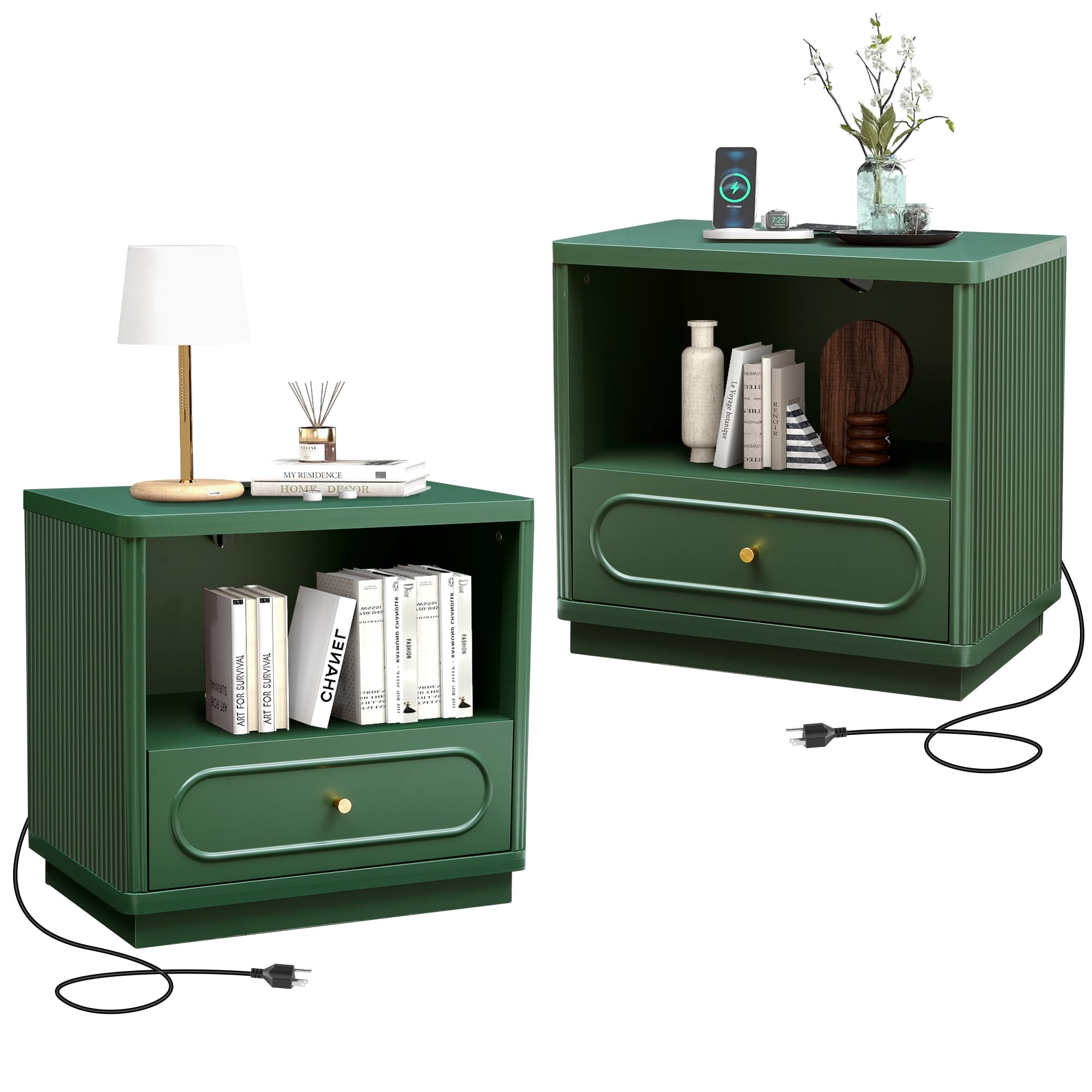
Image: The ORRD Fluted Nightstand in green, featuring a lamp, books, and a charging phone on its surface, next to a bed.
Setup and Assembly
Before beginning assembly, ensure all parts are present and undamaged. It is recommended to assemble the nightstand on a soft, clean surface to prevent scratches.
Package Contents
- Nightstand panels (top, bottom, sides, back)
- Drawer components (front, back, sides, bottom)
- Drawer slides
- Charging station unit
- Hardware pack (screws, cam locks, dowels, handle)
- Instruction manual
Tools Recommended for Assembly
- Allen Key (often included)
- Hammer (for dowels)
- Screwdriver (Phillips head)
Assembly Instructions
- Identify all components and hardware using the provided parts list.
- Attach the drawer slides to the side panels of the nightstand and the drawer box according to the diagrams.
- Assemble the main frame of the nightstand by connecting the side panels to the top and bottom panels using cam locks and dowels.
- Insert the back panel into the designated grooves and secure it.
- Assemble the drawer box and attach the drawer front. Install the handle.
- Carefully slide the assembled drawer into the nightstand frame.
- Install the charging station unit into the pre-drilled opening on the top panel. Ensure the power cord is routed correctly.
- Connect the nightstand to a power outlet.

Image: Detailed dimensions of the nightstand, including overall size and internal storage measurements.
Operating Instructions
Charging Station Usage
The integrated charging station provides convenient power access for your electronic devices. It includes both Type-C and standard USB ports.
- Plug the nightstand's power cord into a wall outlet.
- Connect your devices (e.g., mobile phone, smart watch, tablet, table lamp) to the available Type-C or USB ports using appropriate cables.
- Ensure devices are properly connected for charging to begin.

Image: A close-up view of the charging station on the nightstand's top, with devices connected and charging.
Drawer and Open Shelf Storage
Utilize the drawer and open shelf for organizing various items.
- The open shelf is suitable for books, decorative items, or a small speaker.
- The drawer provides concealed storage for personal items, headphones, or other accessories.
- To open the drawer, gently pull the handle. To close, push until it is fully seated.

Image: The nightstand with its drawer open, showcasing items like headphones and perfume bottles stored inside.
Product Video Demonstrations
Video: Demonstration of the Modern Wood Nightstand with Drawer Storage, highlighting its features and functionality.
Video: Overview of the Fluted Nightstand with Charging Station, showcasing its design and practical elements.
Maintenance and Care
Cleaning and Surface Care
- The nightstand's surface is designed to be water-resistant for daily use.
- To clean, wipe with a soft, damp cloth. Avoid abrasive cleaners or harsh chemicals that may damage the finish.
- Promptly wipe up any spills to prevent water damage or staining.
General Maintenance
- Periodically check all screws and fasteners to ensure they are tight. Retighten if necessary.
- Avoid placing excessively hot or cold items directly on the surface without protective coasters.
- Do not overload the drawer or open shelf beyond their stated weight capacities.
Troubleshooting
If you encounter any issues with your ORRD Fluted Nightstand, refer to the following common problems and solutions:
| Problem | Possible Cause | Solution |
|---|---|---|
| Charging station not working | Not plugged in; loose connection; faulty device cable | Ensure the nightstand's power cord is securely plugged into a working outlet. Check device cables for damage and ensure they are fully inserted into the charging ports. Test with a different device or cable. |
| Drawer is difficult to open/close | Misaligned drawer slides; obstruction; overtightened screws | Check that the drawer slides are correctly installed and aligned. Ensure no items are obstructing the drawer's path. Loosen screws on the drawer slides slightly if they appear too tight. |
| Nightstand feels unstable | Loose fasteners; uneven floor | Verify all assembly screws and cam locks are tightened. If the floor is uneven, place shims under the base to stabilize the unit. |
Product Specifications
| Feature | Detail |
|---|---|
| Brand | ORRD |
| Model | Fluted Nightstand with Charging Station |
| Product Dimensions (D x W x H) | 15.59"D x 23.62"W x 22.05"H |
| Frame Material | Metal |
| Top Material Type | Engineered Wood |
| Number of Drawers | 1 |
| Charging Station | Integrated Type-C and USB Ports |
| Assembly Required | Yes |
| Indoor/Outdoor Usage | Indoor |
Warranty and Support
Guaranteed Service
ORRD is committed to providing a quality experience. If you encounter any problems with the product, logistics, or require after-sales support, please contact our customer service team. We aim to respond to your inquiries within 27 hours and provide a suitable solution.
Customer Support
For further assistance, please refer to the contact information provided with your purchase documentation or visit the official ORRD website. When contacting support, please have your product model and purchase details ready.