
Introduction
The BLACK+DECKER 350 Lumen COB Headlamp with LED Spotlight and Wave Sensor is designed to provide versatile and hands-free illumination for various tasks and activities. This headlamp features a powerful 230° wide beam, multiple lighting modes, and a convenient wave sensor for touch-free operation. Its durable, waterproof design ensures reliable performance in diverse environments.
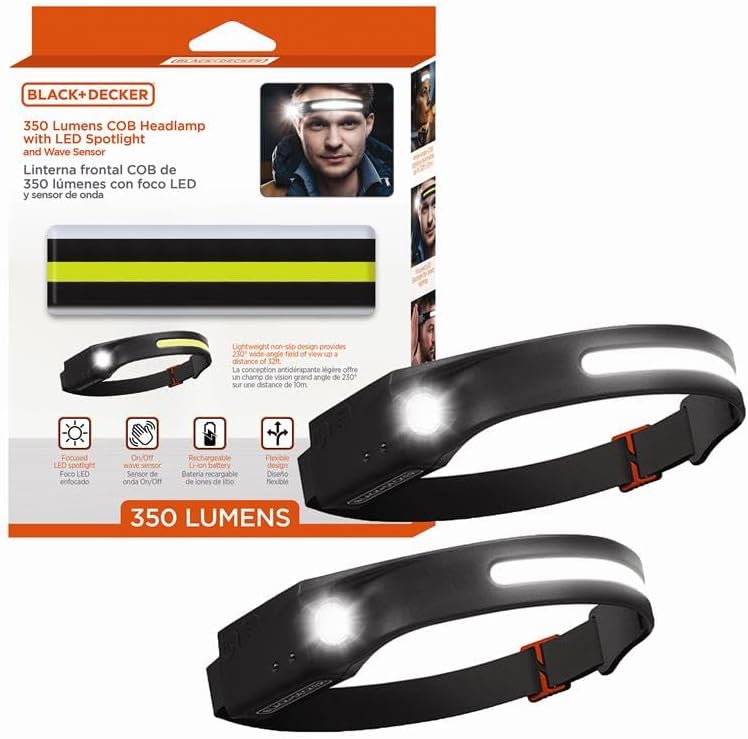
Image: The BLACK+DECKER 350 Lumen COB Headlamp, showcasing its compact design.
What's Included
Your BLACK+DECKER 350 Lumen COB Headlamp package includes the following items:
- BLACK+DECKER 350LM COB Headlamp
- USB-C Charging Cable
- User Manual
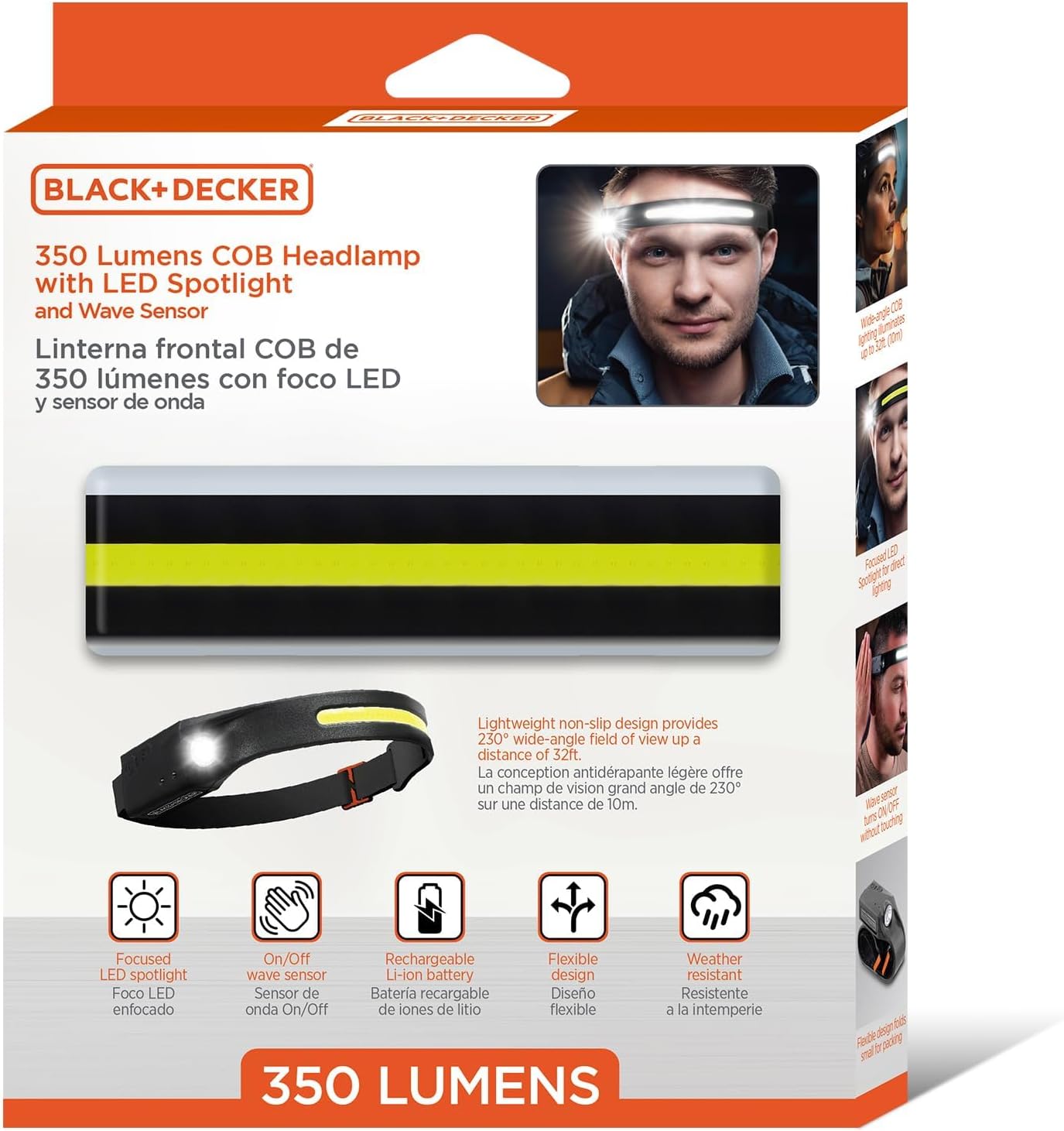
Image: The product packaging and included items: headlamp, USB-C cable, and user manual.
Setup
1. Initial Charging
Before first use, fully charge the headlamp. The device is powered by a lithium-ion battery and recharges via a USB-C cable.
- Locate the USB-C charging port on the side of the headlamp.
- Connect the included USB-C cable to the headlamp and plug the other end into a compatible USB power source (e.g., wall adapter, computer USB port).
- The charging indicator light will illuminate, typically red during charging and green when fully charged.
- A full charge provides up to 2.5 hours of light, depending on the mode used.

Image: A close-up view of the USB-C charging port on the headlamp, showing the cable connected and the charging indicator light.
2. Adjusting the Headband
The headlamp features an adjustable elastic headband for a comfortable and secure fit.
- Place the headlamp on your head, ensuring the light strip is centered on your forehead.
- Use the adjustable buckle on the elastic band to tighten or loosen the strap until it fits snugly without being too tight.
- The flexible design allows it to conform to hats, helmets, hoods, or bare foreheads.

Image: The headlamp demonstrating its flexible design, allowing it to adapt to various head sizes and headwear.
Operating Instructions
1. Power Button Operation
The headlamp features a main power button to cycle through its five lighting modes.
- Press Once: Activates COB high mode (wide beam).
- Press Twice: Activates COB low mode (wide beam).
- Press Three Times: Activates LED spotlight high mode.
- Press Four Times: Activates LED spotlight low mode.
- Press Five Times: Activates SOS emergency strobe mode.
- Press Six Times: Turns the headlamp off.
- Long Press (from any mode): Turns the headlamp off directly.

Image: A woman working under a car hood, illustrating the utility of the headlamp's various lighting modes for hands-free tasks.
2. Wave Sensor Control
The wave sensor allows for touch-free activation and deactivation of the light, ideal for situations where your hands are dirty or gloved.
- Activate Sensor: With the headlamp on, press the dedicated wave sensor button (usually indicated by a wave icon). A small indicator light may show the sensor is active.
- Turn On/Off: Wave your hand approximately 2-4 inches in front of the sensor to toggle the light on or off.
- Deactivate Sensor: Press the wave sensor button again to return to manual button control.

Image: A user demonstrating the wave sensor functionality by waving a hand in front of the headlamp to control the light.
3. Illumination and Beam
The headlamp provides a 230° wide beam from the COB LED strip and a focused beam from the LED spotlight.
- The COB LED delivers a panoramic 230° wide beam, illuminating up to 32 feet, suitable for broad area lighting.
- The integrated LED spotlight provides a more focused beam for precision visibility.

Image: A person sitting by a campfire at night, with the headlamp illuminating the surrounding area with its wide beam.

Image: A man using the headlamp's LED spotlight for detailed work on electronics, highlighting its precision illumination.
Maintenance
Proper maintenance ensures the longevity and optimal performance of your headlamp.
- Cleaning: Wipe the headlamp with a soft, damp cloth. Do not use abrasive cleaners or solvents. Ensure the charging port cover is securely closed before cleaning.
- Storage: Store the headlamp in a cool, dry place away from direct sunlight when not in use. For long-term storage, charge the battery periodically (every 3-6 months) to maintain battery health.
- Water Resistance: The headlamp is IP65-rated for dust and water resistance, meaning it is protected against dust ingress and low-pressure water jets from any direction. It is not designed for submersion.

Image: The headlamp in a wet environment, illustrating its IP65 dust and water resistance for outdoor use.
Troubleshooting
If you encounter issues with your headlamp, refer to the following common solutions:
- Headlamp not turning on: Ensure the battery is charged. Connect the headlamp to a power source using the USB-C cable and check the charging indicator.
- Wave sensor not responding: Ensure the wave sensor is activated (check for the indicator light). Make sure there are no obstructions in front of the sensor and try waving your hand within the recommended distance (2-4 inches).
- Light output is dim: The battery may be low. Recharge the headlamp.
- Headband feels loose: Adjust the elastic band using the buckle for a tighter fit.
Specifications
| Feature | Specification |
|---|---|
| Brand | BLACK+DECKER |
| Model Number | BHL4-1003-BLK |
| Light Output | 350 Lumens (Maximum) |
| Beam Angle | 230 Degrees (COB LED) |
| Light Source Type | COB LED, LED Spotlight |
| Power Source | Battery Powered (Lithium Ion) |
| Battery Life | Up to 2.5 hours on a single charge |
| Charging Port | USB-C |
| Water Resistance Level | IP65 (Dust and Water Resistant) |
| Special Features | Adjustable Light Modes, Lightweight, Motion Sensor (Wave Sensor), Rechargeable, Weatherproof |
| Material | Plastic |
| Product Dimensions | 5"D x 7"W x 2"H |
| Item Weight | 14.4 ounces |
Product Video
Video: An overview of the BLACK+DECKER 350 Lumen COB Headlamp, demonstrating its features, lighting modes, and wave sensor functionality in various use cases.
Warranty and Support
For warranty information, technical support, or service inquiries, please refer to the warranty card included in your product packaging or visit the official BLACK+DECKER website. Keep your purchase receipt as proof of purchase for warranty claims.

