
1. Introduction
Thank you for purchasing the InnoVibe Bluetooth Speaker Lantern. This device combines a portable LED lantern with a Bluetooth speaker, offering versatile lighting and audio for various outdoor and indoor activities. Please read this manual carefully to ensure proper use and maintenance of your product.
2. Safety Instructions
- Do not expose the device to extreme temperatures, direct sunlight, or high humidity.
- Avoid dropping or subjecting the device to strong impacts.
- Keep the device away from water and other liquids. This product is not water resistant.
- Do not attempt to disassemble, repair, or modify the device yourself. Contact customer support if service is required.
- Use only the provided USB-C charging cable or a certified equivalent.
- Keep out of reach of children.
3. Package Contents
- InnoVibe Bluetooth Speaker Lantern
- USB-C Charging Cable
- User Manual
4. Product Overview
Familiarize yourself with the components of your InnoVibe Bluetooth Speaker Lantern.

Image 1: Front view of the InnoVibe Bluetooth Speaker Lantern. It features a cylindrical light diffuser on top, a sturdy handle for portability, and a speaker base with a touch control icon.

Image 2: Diagram highlighting key features: Bass Boosting Sound, Color Changing RGB Lights, Adjustable Warm White Light, Touch Switch Control Button, Rechargeable Battery, and Sound-Reactive Light Mode.
Components:
- Handle: For easy carrying and hanging.
- Light Diffuser: Emits warm white and RGB light.
- Speaker Grille: Located at the base for audio output.
- Touch Control Button: Located on the base, used for power and light mode adjustments.
- Control Panel (Rear): Contains buttons for volume, track control, and additional lighting modes.
- USB-C Charging Port: For recharging the internal battery.
5. Setup
5.1. Charging the Lantern
- Locate the USB-C charging port on the back of the lantern.
- Connect the provided USB-C cable to the lantern and plug the other end into a compatible USB power adapter (not included) or a computer USB port.
- The charging indicator light will illuminate to show the device is charging.
- Allow approximately 3-4 hours for a full charge. The indicator light will change or turn off once fully charged.
5.2. Power On/Off
- To Power On: Press and hold the touch control button on the base for 2-3 seconds. The lantern will emit a sound and the light will turn on.
- To Power Off: Press and hold the touch control button on the base for 2-3 seconds. The lantern will emit a sound and the light will turn off.
6. Operating Instructions
6.1. Bluetooth Pairing
- Ensure the lantern is powered on. It will automatically enter Bluetooth pairing mode, indicated by a flashing blue light (if applicable, refer to specific LED indicators).
- On your smartphone or other Bluetooth-enabled device, go to the Bluetooth settings.
- Search for available devices and select "InnoVibe Lantern" (or similar name).
- Once connected, the lantern will emit a confirmation sound, and the Bluetooth indicator light will become solid.
- You can now play audio through the lantern's speaker.

Image 3: The InnoVibe Bluetooth Speaker Lantern emitting a blue light while playing music, demonstrating its audio capabilities in an outdoor setting.
6.2. Lantern Operation
The lantern offers both warm white light and color-changing RGB modes.
- Warm White Light: Short press the touch control button on the base to cycle through 3 brightness levels (Low, Medium, High) of warm white light.
- RGB Color Mode: After cycling through the warm white brightness levels, another short press will activate the RGB color mode.
- Static Colors: In RGB mode, continue short pressing the touch control button to cycle through 7 static colors.
- Dynamic Effects: After the static colors, further short presses will activate 3 dynamic lighting effects, including a sound-reactive mode.

Image 4: A hand reaching towards the InnoVibe Bluetooth Speaker Lantern, illustrating the touch control functionality. The image displays a grid of various static RGB color options available for the lantern.
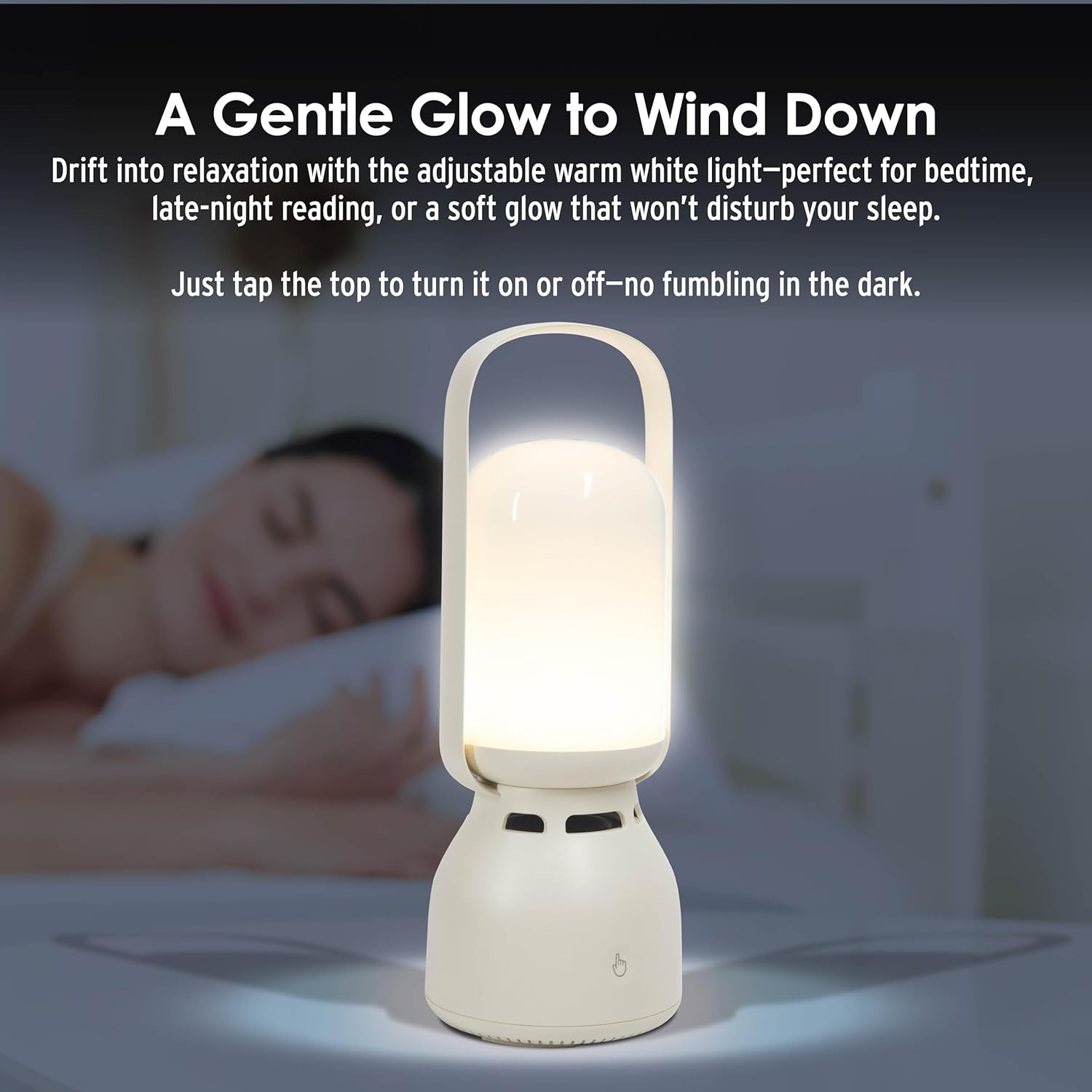
Image 5: The InnoVibe Bluetooth Speaker Lantern providing a gentle warm white glow on a bedside table, suitable for relaxation or reading.
6.3. Music Controls
The control panel on the back of the lantern allows for direct music playback control:
- Volume Up/Down: Use the dedicated volume buttons.
- Next/Previous Track: Use the track skip buttons.
- Play/Pause: Use the play/pause button.
7. Maintenance
- Clean the lantern with a soft, dry cloth. Do not use abrasive cleaners or solvents.
- Store the device in a cool, dry place when not in use.
- Charge the battery regularly, even if not in frequent use, to maintain battery health.
8. Troubleshooting
| Problem | Possible Solution |
|---|---|
| Lantern does not turn on. | Ensure the battery is charged. Connect to a power source using the USB-C cable. |
| Cannot connect via Bluetooth. | Ensure the lantern is in pairing mode. Turn off and on your device's Bluetooth. Move the lantern closer to your device. Forget the device in your Bluetooth settings and try pairing again. |
| No sound from speaker. | Check the volume level on both the lantern and your connected device. Ensure the device is properly paired. |
| Light modes are not changing. | Ensure you are short-pressing the touch control button. If unresponsive, power cycle the device. |
9. Specifications
| Feature | Detail |
|---|---|
| Model Number | IVLS2050CM |
| Brand | InnoVibe |
| Product Dimensions | 9.53"L x 3.43"W x 9.53"H |
| Item Weight | 1.86 Pounds |
| Power Source | Rechargeable Battery |
| Battery Type | Nonstandard Lithium-ion Polymer |
| Voltage | 5 Volts (DC) |
| Wattage | 5 watts |
| Light Source Type | LED (Light Emitting Diode) |
| Light Features | Color-changing, Adjustable Brightness (3 levels warm white, 7 static RGB, 3 dynamic effects) |
| Material | Plastic, Glossy Finish |
| Mounting Type | Tabletop Mount |
| Water Resistance Level | Not Water Resistant |
| UPC | 810182220642 |
10. Warranty and Support
For warranty information or technical support, please refer to the contact details provided with your purchase or visit the official InnoVibe website. Keep your proof of purchase for any warranty claims.