
1. Introduction
The BBQOVN WiFi Sub-1G Wireless Meat Thermometer provides precise temperature monitoring for various cooking methods, including BBQ, grilling, oven use, smoking, and air frying. This device features unlimited Wi-Fi connectivity and seven NIST-certified sensors to ensure accurate readings and optimal cooking results. This manual will guide you through the setup, operation, and maintenance of your thermometer.
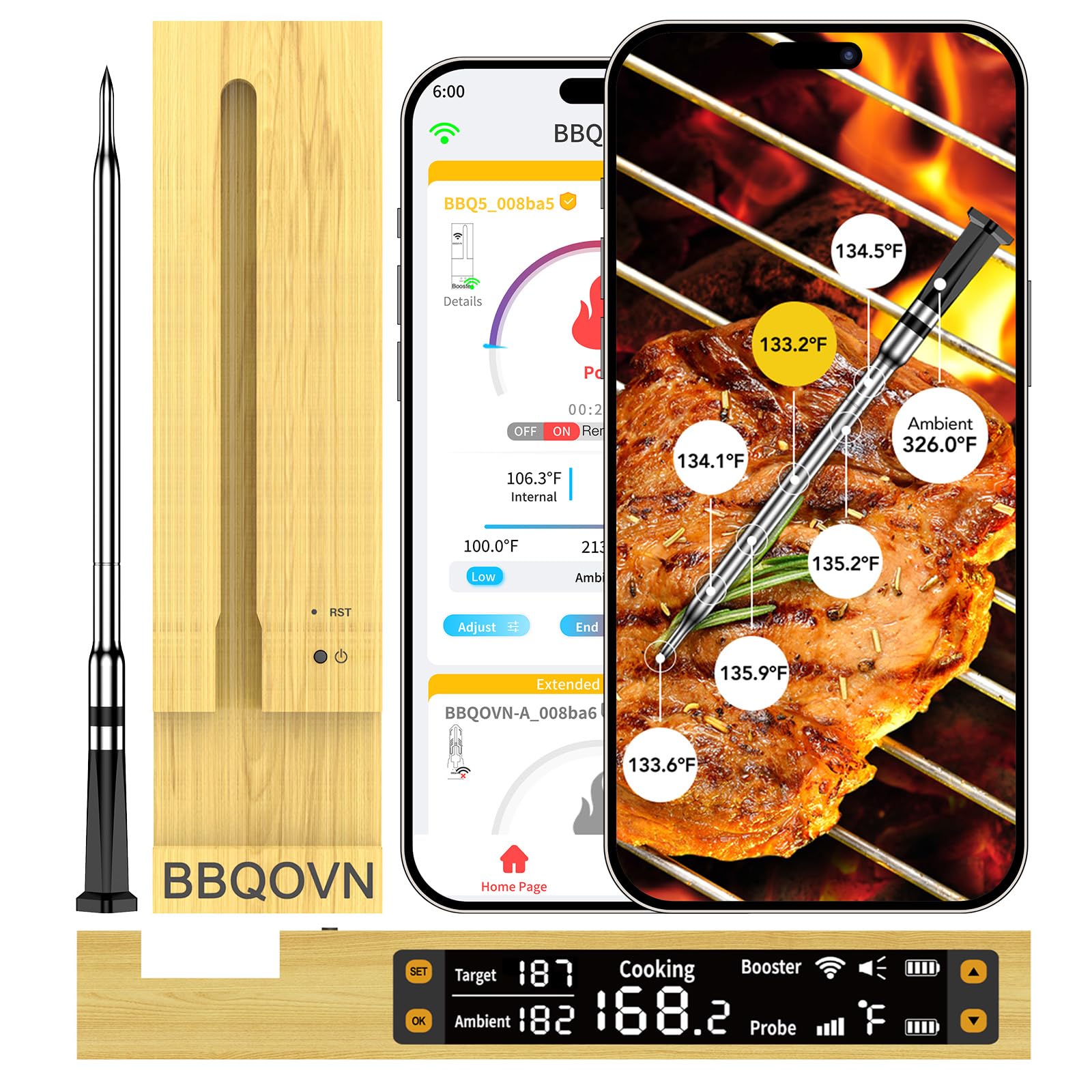
Image: The BBQOVN WiFi Sub-1G Wireless Meat Thermometer probe and its bamboo booster unit.
2. Setup
2.1 Unboxing and Initial Charge
Upon unboxing, ensure all components are present: the thermometer probe and the booster unit. Before first use, fully charge the booster unit. The probe charges automatically when inserted into the booster.

Image: The booster unit connected to a USB-C charging cable, indicating its rechargeable nature.
2.2 App Installation and Pairing
Download the official BBQOVN application from your smartphone's app store. Follow the in-app instructions to pair your thermometer with your device. The thermometer utilizes industrial-grade Sub-1G wireless technology for a stable connection.
Video: An overview of the WiFi meat thermometer, demonstrating its monitoring capabilities and unlimited range via the app.
2.3 Probe Insertion
Insert the probe into the thickest part of the meat, avoiding bone. Ensure the probe is inserted deep enough for accurate internal temperature readings. The ambient temperature sensor is located at the top of the probe, above the meat line.

Image: A detailed view of the thermometer probe inserted into meat, highlighting the seven NIST-certified sensors for multi-depth temperature tracking and ambient temperature.
3. Operation
3.1 Monitoring Temperatures
Once the probe is inserted and paired, you can monitor both the internal meat temperature and the ambient cooking temperature via the app. The booster unit also provides a quick LED temperature reading.

Image: The BBQOVN booster unit displaying current temperature readings on its LED screen, positioned next to a cooked roast.
3.2 Using the App Assistant
The companion app allows you to:
- Receive alerts for when to flip your food and when it's done.
- Review cooking history to refine future cooking temperatures.
- Utilize the Flip-Side Algorithm for optimal texture and flavor.
- Select from extensive recipe options and desired doneness levels.

Image: A smartphone screen showing alerts for when to flip food and when cooking is complete, demonstrating the app's monitoring features.
Video: A demonstration of the unlimited range and 7-sensor capabilities of the WiFi wireless meat thermometer.
3.3 Temperature Range
The thermometer provides accurate internal temperature readings from -4°F to 212°F (-20°C to 100°C). The ambient temperature sensor can withstand external temperatures up to 1000°F (537°C).
4. Maintenance
4.1 Cleaning
After each use, wipe the probe and booster unit clean with a damp cloth. Do not immerse the booster unit in water. The probe is designed to be waterproof for cooking environments.
4.2 Storage and Charging
Store the probe in the booster unit when not in use. To maintain battery health, recharge the booster unit at least once every 3-5 months, even if stored for extended periods.
5. Troubleshooting
- Device Fails to Power On After Charging: If the booster unit does not power on after charging, press the reset button to activate the battery, then attempt to recharge it.
- Connection Issues: Ensure the device is set up correctly and within range of your Wi-Fi network. The industrial-grade Sub-1G wireless technology is designed for reliable connection.
- Ambient Temperature Discrepancy: Variations in ambient temperature readings can occur due to probe placement, time, and heat source. Even small positional differences can affect readings. The thermometer is NIST-certified for accuracy.
6. Specifications
| Brand | BBQOVN |
| Model | BBQ5S |
| Connectivity Technology | Industrial-grade Sub-1G, Wi-Fi |
| Internal Temperature Range | -4°F to 212°F (-20°C to 100°C) |
| Ambient Temperature Withstand | Up to 1000°F (537°C) |
| Sensors | 7 NIST Certified Accuracy Sensors |
| Power Source | Battery Powered (Rechargeable) |
| Included Components | Booster, Probe |
| Outer Material | 304 Stainless Steel, High-temperature resistant ceramic, Wood |
| Certifications | FCC, NIST, RoHS, UL, WEEE |
7. Warranty and Support
For warranty information or technical support, please refer to the product packaging or contact BBQOVN customer service directly. Contact details can typically be found on the manufacturer's official website or through your point of purchase.
