
SZBOX N150
SZBOX Mini PC N150 with 7-inch Touchscreen User Manual
Model: N150 | Brand: SZBOX
1. Introduction
This manual provides essential information for the setup, operation, and maintenance of your SZBOX Mini PC N150. Please read this manual thoroughly before using the device to ensure proper functionality and safety.
Key Features:
- Processor: Intel Twin Lake N150 (13th Gen, 4 Cores/4 Threads, up to 3.6 GHz) with active cooling.
- Memory: Integrated 16GB LPDDR5 RAM for efficient multitasking.
- Storage: 512GB SSD for fast boot times and data access.
- Display: 7-inch HD IPS touchscreen (1280x800 pixels) with multi-touch support.
- Connectivity: Wi-Fi 6 and Bluetooth 5.2 for high-speed wireless connections.
- Ports: HDMI, full-function USB-C (PD/DP 3.0) supporting dual 4K displays, data transfer, and power delivery, multiple USB 3.2 ports, Gigabit RJ45 Ethernet.
- Operating System: Pre-installed Windows 11.
- Battery: Integrated 3400mAh battery providing over 3 hours of usage.
- Design: Compact and portable, suitable for various environments.
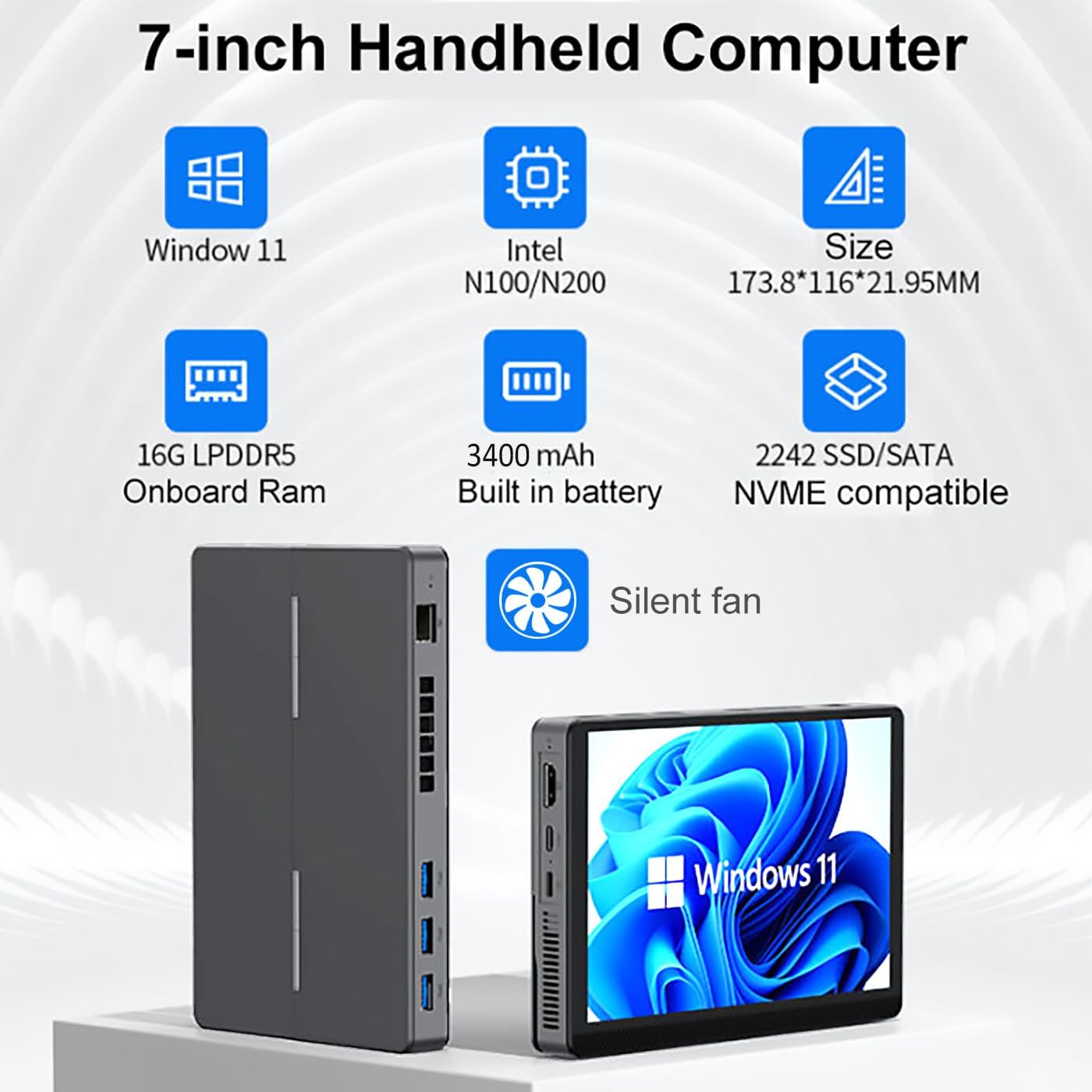
Figure 1: Overview of SZBOX Mini PC N150 features, highlighting its compact size and specifications.
2. Product Components and Ports
Familiarize yourself with the various ports and components of your Mini PC.

Figure 2: Detailed view of the Mini PC's rich interface and flexible adaptation.
- MIC hole (Microphone input)
- HDMI Port
- Type-C (Full Function: Power Delivery, DisplayPort, Data Transfer)
- Indicator Light
- Type-C (DC Power Input)
- USB 3.2 x 3 ports
- Cooling Hole
- Gigabit RJ45 Ethernet Port
- Reset Hole
- USB 2.0 x 1 port
- 3.5mm Headphone Jack
- Power Switch
3. Setup Instructions
3.1 Initial Power On
- Connect the power adapter to the Type-C (DC) port (5) on the Mini PC and plug it into a power outlet.
- Press the Power Switch (12) to turn on the device. The indicator light (4) will illuminate.
- Follow the on-screen instructions to complete the initial Windows 11 setup.
3.2 Connecting Peripherals
- External Display: Connect an external monitor via the HDMI port (2) or the full-function Type-C port (3) for dual display support.
- USB Devices: Connect a keyboard, mouse, or other USB devices to the USB 3.2 ports (6) or USB 2.0 port (10).
- Audio: Connect headphones or external speakers to the 3.5mm Headphone Jack (11).
- Network: For a wired connection, plug an Ethernet cable into the Gigabit RJ45 port (8). For wireless, connect via Wi-Fi (see Operating Instructions).
4. Operating Instructions
4.1 Windows 11 Interface
Your Mini PC comes with Windows 11 pre-installed. Navigate the operating system using the 7-inch touchscreen or connected mouse and keyboard.
4.2 Touchscreen Operation
The 7-inch HD IPS display supports multi-touch gestures for intuitive interaction. Use taps, swipes, and pinch-to-zoom just like a tablet.

Figure 3: Demonstrating multi-touch capabilities on the 7-inch display.
4.3 Wireless Connectivity (Wi-Fi & Bluetooth)
- Wi-Fi: To connect to a Wi-Fi network, click the network icon in the taskbar, select your desired network, and enter the password if prompted. The device supports Wi-Fi 6.
- Bluetooth: To pair Bluetooth devices, go to Windows Settings > Bluetooth & devices, and follow the instructions to add a new device. The device supports Bluetooth 5.2.

Figure 4: High-speed network connectivity with Wi-Fi 6 and Bluetooth 5.2, supporting dual external 4K displays.
4.4 Battery Management
The integrated 3400mAh battery provides portable power. Monitor battery life via the Windows taskbar icon. For optimal battery health, avoid frequent full discharges and keep the device charged when possible.
5. Versatile Applications
The SZBOX Mini PC N150 is designed for a wide range of uses, from productivity to entertainment and specialized tasks.
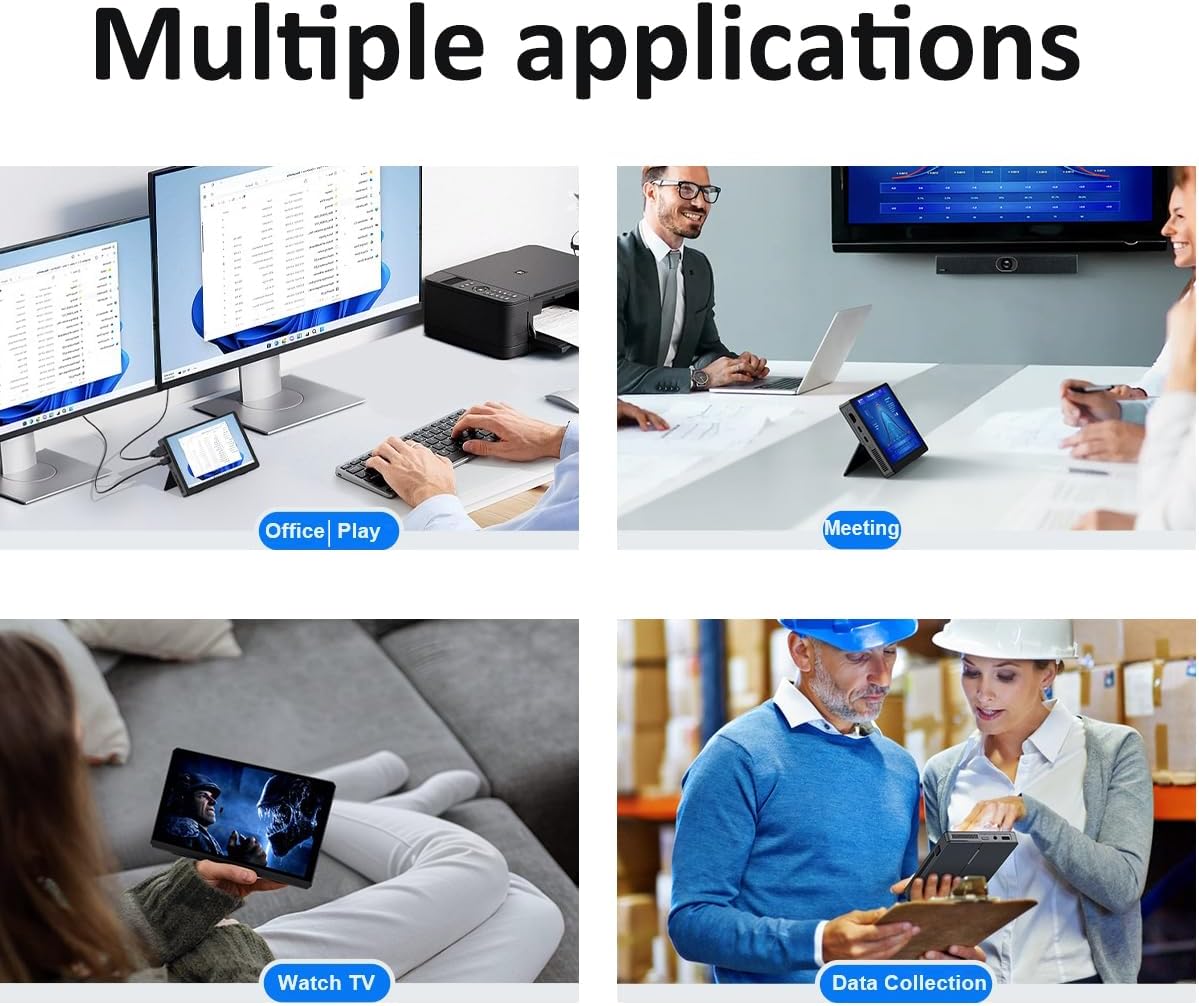
Figure 5: Examples of multiple applications for the Mini PC, including office, entertainment, and industrial use.
5.1 Product Videos
Video 1: Overview of a similar touchscreen Mini PC, demonstrating its use in various settings like conference rooms and classrooms, and its ability to handle light gaming and media consumption. Note: This video features a 10.1-inch model, but illustrates general functionality.
Video 2: Demonstration of an 8-inch mini laptop, showcasing its compact design, touchscreen interaction, and portability for on-the-go productivity and entertainment. Note: This video features an 8-inch model, but illustrates general functionality.
6. Maintenance
6.1 Cleaning
- Use a soft, lint-free cloth to clean the screen and exterior.
- Avoid using harsh chemicals or abrasive materials.
- Ensure the device is powered off and unplugged before cleaning.
6.2 Software Updates
Regularly check for and install Windows updates to ensure optimal performance, security, and compatibility. Go to Windows Settings > Windows Update.
6.3 Storage Management
Periodically clean up unnecessary files and applications to maintain system speed. The 512GB SSD provides ample space, but good management is recommended.
7. Troubleshooting
7.1 Device Does Not Power On
- Ensure the power adapter is securely connected to both the device and the power outlet.
- Verify the power outlet is functional.
- If the battery is completely drained, allow it to charge for a few minutes before attempting to power on.
7.2 No Display on Screen
- If using an external monitor, ensure the HDMI or USB-C cable is properly connected and the monitor is set to the correct input source.
- Try adjusting the display brightness settings.
7.3 Wi-Fi or Bluetooth Connectivity Issues
- Ensure Wi-Fi and Bluetooth are enabled in Windows Settings.
- Restart the Mini PC and your router/modem.
- Check for updated network drivers.
7.4 Touchscreen Unresponsive
- Restart the device.
- Ensure the screen is clean and free of debris.
- Check for updated touchscreen drivers in Device Manager.
8. Technical Specifications
| Feature | Detail |
|---|---|
| Brand | SZBOX |
| Model | N150 |
| Processor | Intel Twin Lake N150 (13th Gen, 4C/4T, up to 3.6 GHz) |
| RAM | 16GB LPDDR5 |
| Storage | 512GB SSD (M.2 2242 SATA3/PCIe3 compatible) |
| Operating System | Windows 11 |
| Screen Size | 7 Inches |
| Screen Resolution | 1280 x 800 pixels (HD IPS) |
| Graphics | Integrated Intel Graphics |
| Wi-Fi | Wi-Fi 6 (802.11ax) |
| Bluetooth | Bluetooth 5.2 |
| Ports | 1x HDMI, 1x Full-function USB-C (PD/DP 3.0), 3x USB 3.2, 1x USB 2.0, 1x Gigabit RJ45, 1x 3.5mm Audio Jack, 1x DC-in Type-C |
| Battery Capacity | 3400mAh (7.4V) |
| Battery Life (Average) | 3+ Hours |
| Dimensions | 17.4 x 11.61 x 2.21 cm |
| Weight | 521.63 grams |

Figure 6: Illustration of the integrated 16GB LPDDR5 RAM, ensuring smooth multitasking.
9. Warranty and Support
For warranty information, technical support, or service inquiries, please refer to the documentation included with your purchase or visit the official SZBOX website. Keep your proof of purchase for warranty claims.
Related documentsN150


Ask a question about this manual
Ask about setup, troubleshooting, compatibility, parts, safety, or missing instructions. Manuals+ will review the question and use this page’s manual context to help answer it.