
1. Introduction
Thank you for choosing the Jesebang S75 Wireless Earbuds. These earbuds are designed to provide a high-quality audio experience with advanced features such as Bluetooth 5.4 connectivity, Environmental Noise Cancellation (ENC) for clear calls, IPX7 waterproofing, and a secure over-ear hook design, making them ideal for sports and active lifestyles. This manual provides detailed instructions for setup, operation, and maintenance to ensure optimal performance and longevity of your device.
2. What's in the Box
Please check the package contents to ensure all items are present:
- S75 Wireless Earbuds (2 units)
- Portable Charging Case (1 unit)
- USB-C Charging Cable (1 unit)
- Silicone Earplugs (S / M / L sizes, 3 pairs)
- User Manual (this document)

Image: Contents of the Jesebang S75 Wireless Earbuds package.
3. Setup
3.1 Charging the Earbuds and Case
Before first use, fully charge the earbuds and the charging case. The charging case features a dual LED digital display to show the battery levels of both the case and individual earbuds.
- Connect the provided USB-C charging cable to the charging port on the case and to a USB power source.
- The LED display on the charging case will illuminate to indicate charging status. The numbers will increase as the case charges, and the earbud battery indicators will show their charging progress.
- Once fully charged, the display will show '100' for the case and full battery icons for the earbuds. A full charge typically takes approximately 2 hours.

Image: Charging the S75 Earbuds and Case with LED display.
3.2 Pairing with Your Device
The S75 earbuds feature one-step auto-pairing for convenience.
- Initial Pairing: Open the charging case. The earbuds will automatically power on and enter pairing mode.
- On your device (smartphone, tablet, etc.), enable Bluetooth and search for available devices.
- Select "S75" from the list of found devices to connect. You will hear a voice prompt confirming the connection.
- Automatic Reconnection: After the first successful pairing, the earbuds will automatically reconnect to the last paired device when you open the charging case.

Image: One-step auto-pairing process for Jesebang S75 Earbuds.
Video: An overview of the Jesebang S75 Wireless Earbuds, demonstrating features like battery life, Bluetooth 5.4, sound quality, ENC, IPX7 waterproofing, ergonomic earhooks, and smart touch control. This video illustrates the product's key functionalities and design.
4. Operating the Earbuds
4.1 Wearing the Earbuds
The S75 earbuds are designed with soft, elastic earhooks for a secure and comfortable fit, especially during physical activity.
- Choose the silicone earplugs (S, M, L) that best fit your ear canal for optimal sound and comfort.
- Gently insert the earbud into your ear canal.
- Adjust the earhook to rest securely over and behind your ear. Ensure a snug fit to prevent movement during exercise.

Image: Proper wearing of Jesebang S75 Earbuds with earhooks.
4.2 Smart Touch Controls
The S75 earbuds feature highly sensitive touch sensors for easy control of music, calls, and voice assistant functions.
| Action | Function |
|---|---|
| One Click (L/R) | Play/Pause music |
| Short Tap (L/R) | Answer/End Call |
| Long Tap (L/R) | Reject Call |
| One Click Tap R | Volume Up |
| One Click Tap L | Volume Down |
| Long Tap 2s L | Previous Track |
| Long Tap 2s R | Next Track |
| Triple Click (L/R) | Activate Voice Assistant |
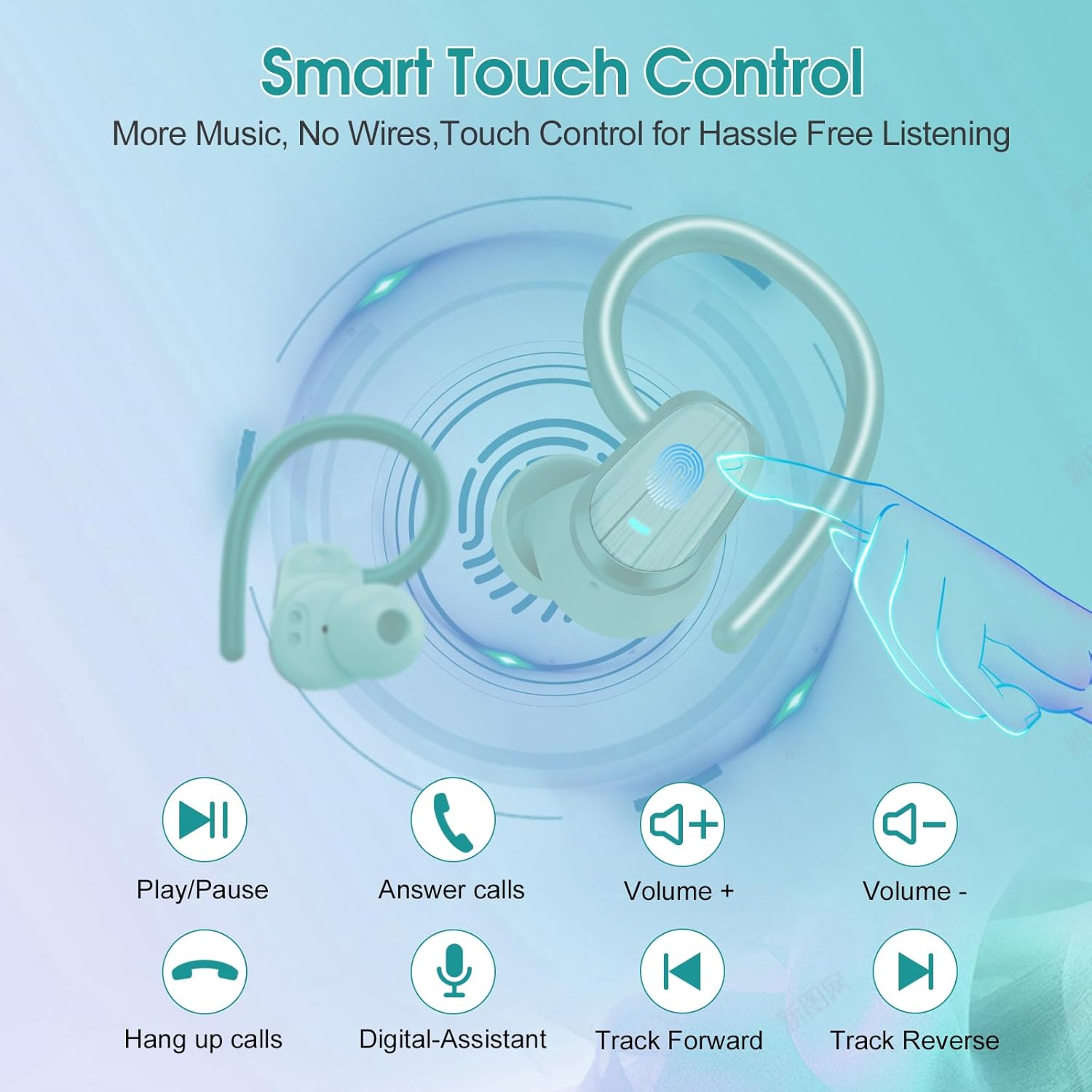
Image: Smart Touch Control functions on the S75 Earbuds.
5. Maintenance
5.1 Waterproofing (IPX7)
The S75 earbuds are rated IPX7 waterproof, meaning they can withstand immersion in water up to 1 meter for 30 minutes. This makes them suitable for workouts, running, and protection against sweat and rain.
- Do not intentionally submerge the earbuds for extended periods or in depths greater than specified.
- Ensure the charging port is dry before charging to prevent damage.
5.2 Cleaning
Regular cleaning helps maintain sound quality and hygiene.
- Use a soft, dry, lint-free cloth to wipe the earbuds and charging case.
- Remove the silicone earplugs and clean them with mild soap and water. Ensure they are completely dry before reattaching.
- Avoid using abrasive materials, alcohol, or chemical cleaners.
6. Troubleshooting
If you encounter any issues with your Jesebang S75 earbuds, please refer to the following common solutions:
| Problem | Solution |
|---|---|
| Earbuds not pairing | Ensure earbuds are charged. Turn off and on your device's Bluetooth. Forget "S75" in your device's Bluetooth settings and re-pair. |
| Only one earbud working | Place both earbuds back in the charging case, close the lid, wait a few seconds, then open the lid again. This should reset the connection between them. |
| Low volume or poor sound quality | Adjust volume on both your device and earbuds. Ensure earplugs are correctly sized and seated in your ear canal. Clean any debris from the earbud speakers. |
| Charging case not charging | Check the USB-C cable and power adapter. Ensure the charging port is clean and free of debris. |
| Earbuds not charging in case | Ensure the charging contacts on both the earbuds and the case are clean and dry. Verify the charging case itself has sufficient battery. |
7. Specifications
Key technical specifications for the Jesebang S75 Wireless Earbuds:
- Model Name: S75
- Connectivity Technology: Wireless (Bluetooth)
- Bluetooth Version: 5.4
- Bluetooth Range: 15 Meters
- Audio Driver Type: Dynamic Driver
- Audio Driver Size: 14.2 Millimeters
- Water Resistance Level: IPX7 Waterproof
- Ear Placement: Over Ear
- Form Factor: In Ear
- Battery Life (Earbuds): Up to 10 hours (single charge)
- Total Playtime (with Charging Case): Up to 50 hours
- Charging Time: Approximately 2 hours (for full charge)
- Item Weight: 3.17 ounces
- Manufacturer: Dongguan Huien Electronic Technology Co., Ltd
8. Warranty and Support
Your Jesebang S75 Wireless Earbuds come with a standard return policy of 30 days from the date of purchase for refunds or replacements, as per Amazon's policy. For specific warranty details beyond this period, please refer to the information provided by the manufacturer or contact Jesebang customer support directly.
For further assistance, technical support, or inquiries, please visit the official Jesebang store on Amazon or contact their customer service channels.
Online Store: Jesebang Store
