
Introduction
Welcome to the OUKITEL C62 Pro Smartphone user manual. This guide provides detailed instructions on how to set up, operate, maintain, and troubleshoot your new device. Please read this manual carefully to ensure optimal performance and longevity of your smartphone.
1. Setup
1.1 SIM Card and TF Card Installation
The OUKITEL C62 Pro supports dual SIM cards (Nano+Nano) or one Nano SIM card and one TF card for expandable storage up to 1TB.
- Locate the SIM card tray on the side of your device.
- Insert the SIM ejector tool into the small hole next to the tray to open it.
- Carefully pull out the tray.
- Place your Nano SIM card(s) and/or TF card into the designated slots, ensuring the gold contacts face downwards.
- Gently push the tray back into the device until it clicks into place.
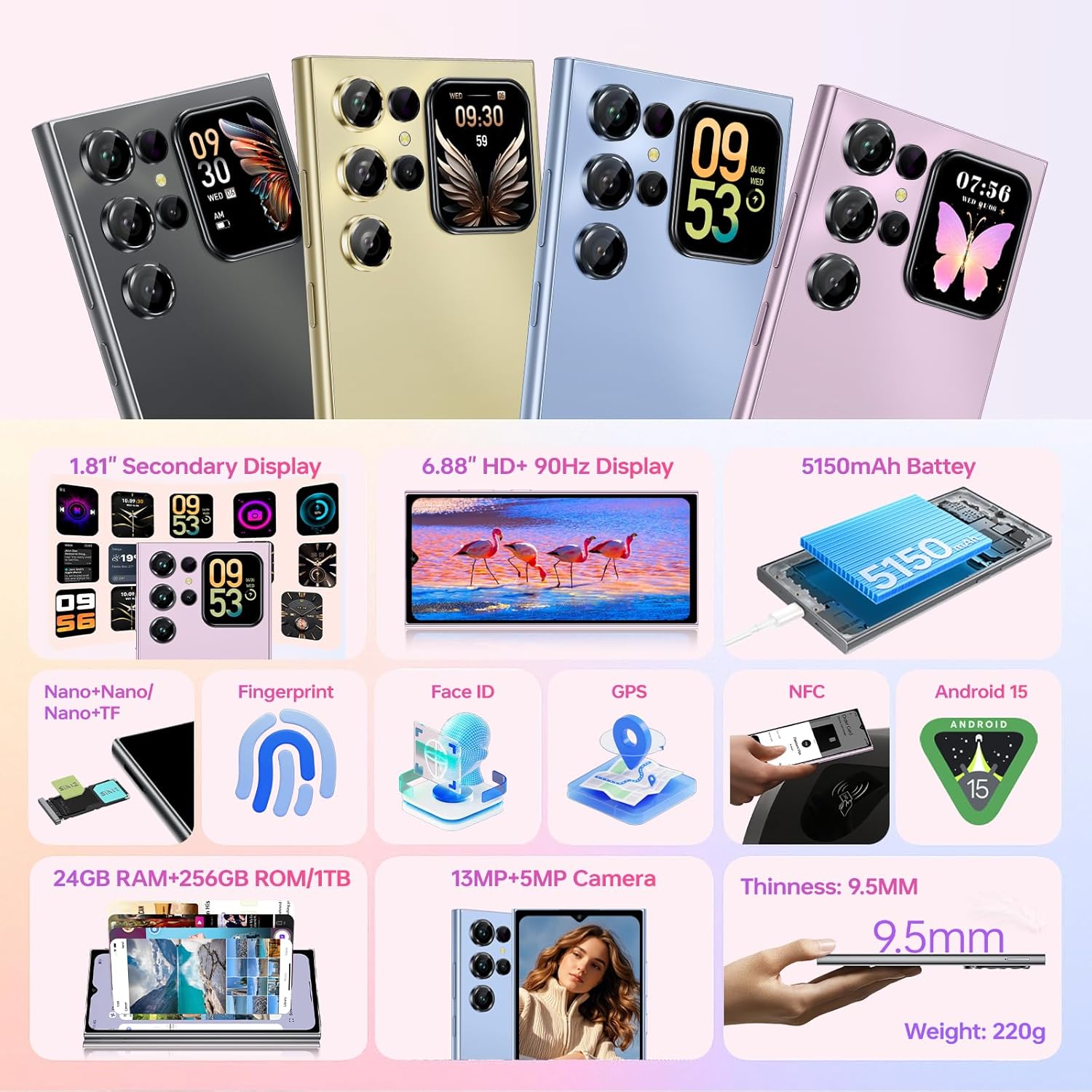
Figure 1: Illustration of SIM card and TF card insertion. The image displays the phone's side with the SIM tray, indicating slots for two Nano SIMs or one Nano SIM and one TF card.
1.2 Initial Power On and Basic Setup
- Press and hold the Power button until the OUKITEL logo appears.
- Follow the on-screen prompts to select your language, connect to a Wi-Fi network, and set up your Google account.
- You can also configure security features like fingerprint unlock and Face ID during this initial setup.
2. Operating Your Smartphone
2.1 Main Display (6.88-inch)
The OUKITEL C62 Pro features a large 6.88-inch display with a 90Hz refresh rate for smooth visuals. Navigate using touch gestures, taps, and swipes.

Figure 2: The 6.88-inch main display of the OUKITEL C62 Pro, showcasing its large size and smooth visual capabilities.
2.2 Rear Display (1.81-inch)
The unique 1.81-inch rear display provides quick access to essential information without unlocking the main screen. It shows notifications, weather, time, and can even be used for selfie previews.

Figure 3: The 1.81-inch secondary display on the back of the OUKITEL C62 Pro, illustrating its functionality for quick information access and selfie previews.
2.3 Camera Functions
The OUKITEL C62 Pro is equipped with a 13MP main camera and a 5MP front camera. It supports various shooting modes:
- Panorama: For wide-angle shots.
- Portrait: To create depth-of-field effects.
- Beauty: Enhances facial features.
- HDR: Improves dynamic range in photos.
- Pro Mode: Offers manual control over camera settings.
Utilize the rear display for precise selfie previews.

Figure 4: The camera system of the OUKITEL C62 Pro, featuring the 13MP main camera and 5MP front camera, capable of capturing detailed images.
2.4 Battery and Charging
The device is powered by a 5150mAh battery, providing extended usage. It supports 10W fast charging and OTG reverse charging, allowing you to power other devices.

Figure 5: Visual representation of the OUKITEL C62 Pro's 5150mAh battery, emphasizing its capacity for prolonged use.
2.5 Security Features
- Fingerprint Unlock: Register your fingerprint(s) for quick and secure access.
- Face ID: Use facial recognition to unlock your device.
2.6 Connectivity
- 4G Dual SIM: Supports two Nano SIM cards for flexible network usage.
- NFC: For contactless payments and quick pairing with other NFC-enabled devices.
- GPS: Integrated with GPS, GLONASS, GALILEO, and BEIDOU for accurate navigation.
2.7 Storage and Performance
The OUKITEL C62 Pro comes with 24GB RAM (8GB physical + 16GB virtual) and 256GB internal storage, expandable up to 1TB with a TF card. This ensures smooth multitasking and ample space for your files.
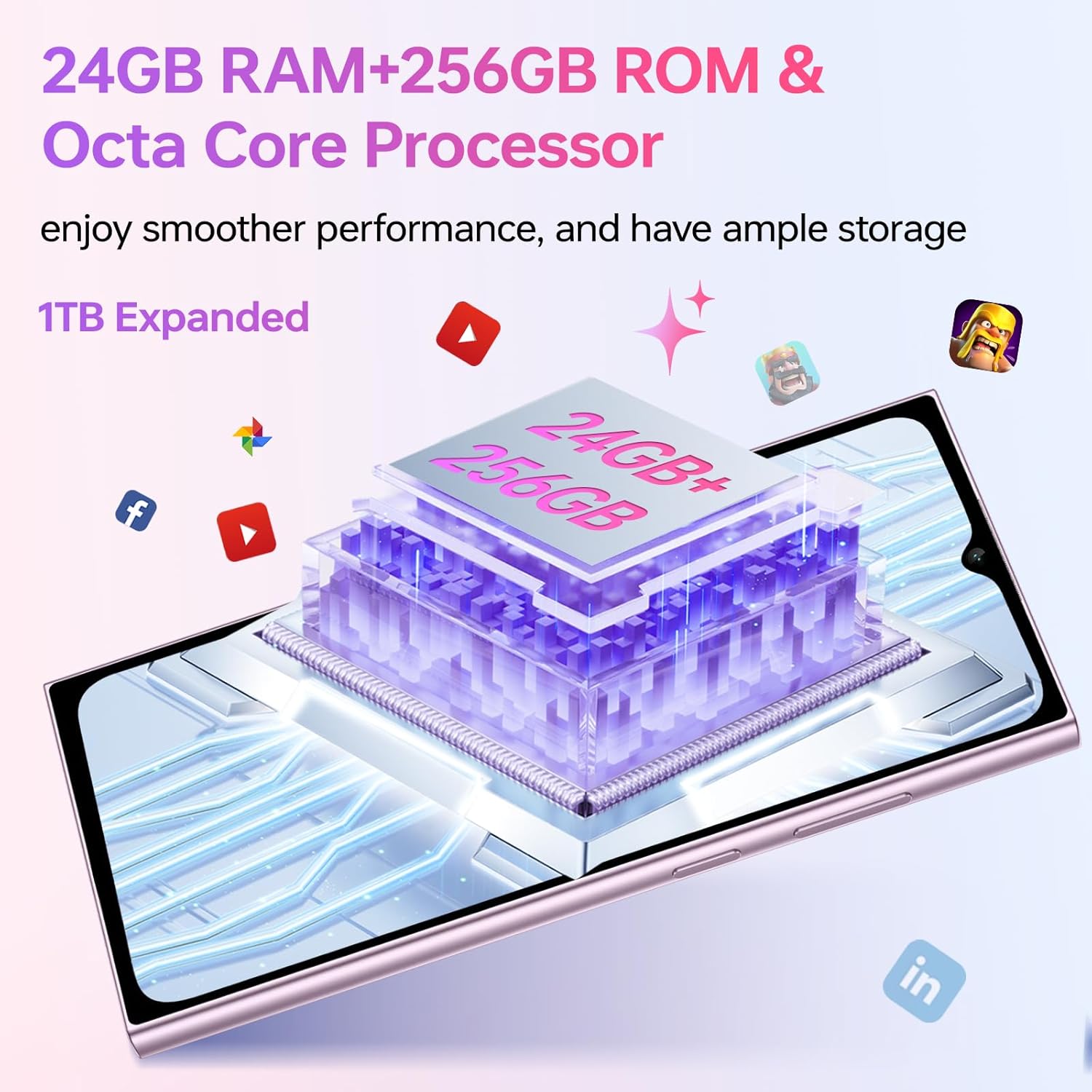
Figure 6: A visual representation of the OUKITEL C62 Pro's memory configuration, highlighting 24GB RAM and 256GB ROM, expandable to 1TB.
2.8 Operating System
The smartphone runs on Android 15, offering enhanced privacy protection, system security, and a user-friendly interface.

Figure 7: The OUKITEL C62 Pro running on Android 15, showcasing its modern interface and features.
3. Maintenance
3.1 Cleaning Your Device
- Use a soft, lint-free cloth to wipe the screen and body of the phone.
- Avoid using harsh chemicals or abrasive materials, as they can damage the screen and finish.
- Keep ports free of dust and debris.
3.2 Battery Care
- Avoid extreme temperatures, as they can degrade battery performance.
- Do not fully discharge the battery regularly. Charge it before it drops too low.
- Use the original charger or a certified compatible charger for optimal charging.
3.3 Software Updates
Regularly check for and install software updates to ensure your device has the latest features, security patches, and performance improvements. You can usually find this option in your phone's Settings menu under "System" or "About phone."
4. Troubleshooting
If you encounter issues with your OUKITEL C62 Pro, try the following common troubleshooting steps:
- Device not turning on: Ensure the battery is charged. Connect the charger and wait a few minutes before attempting to power on again.
- Screen unresponsive: Restart the device by holding the power button. If unresponsive, force restart (refer to device-specific instructions, usually holding power and volume down).
- Apps crashing: Clear the cache of the problematic app in Settings > Apps. If the issue persists, reinstall the app.
- Poor network signal: Check if your SIM card is properly inserted. Try restarting the phone or toggling Airplane Mode on and off.
- Battery draining quickly: Reduce screen brightness, close unused apps, and check battery usage in Settings to identify power-hungry applications.
- Fingerprint/Face ID not working: Ensure your fingers are clean and dry, or your face is clearly visible. Re-register your biometrics if necessary.
For more complex issues, please contact OUKITEL customer support.
5. Specifications
| Feature | Detail |
|---|---|
| Brand | OUKITEL |
| Model Name | OUKITEL C62 Pro |
| Operating System | Android 15 |
| RAM Memory Size | 24 GB (8GB physical + 16GB virtual) |
| CPU Model | Mediatek Dimensity 8000 |
| Storage Capacity | 256 GB (Expandable up to 1TB via TF card) |
| Screen Size | 6.88 Inches (Main Display) |
| Rear Display Size | 1.81 Inches |
| Resolution | 2340 x 1080 |
| Refresh Rate | 90 Hz |
| Cellular Technology | 4G |
| Battery Capacity | 5150 mAh |
| Main Camera | 13 MP |
| Front Camera | 5 MP |
| Connectivity | Dual SIM (Nano+Nano/Nano+TF), NFC, GPS (GPS/GLONASS/GALILEO/BEIDOU) |
| Security | Fingerprint, Face ID |
| Thickness | 9.5 mm |
| Weight | 220g |
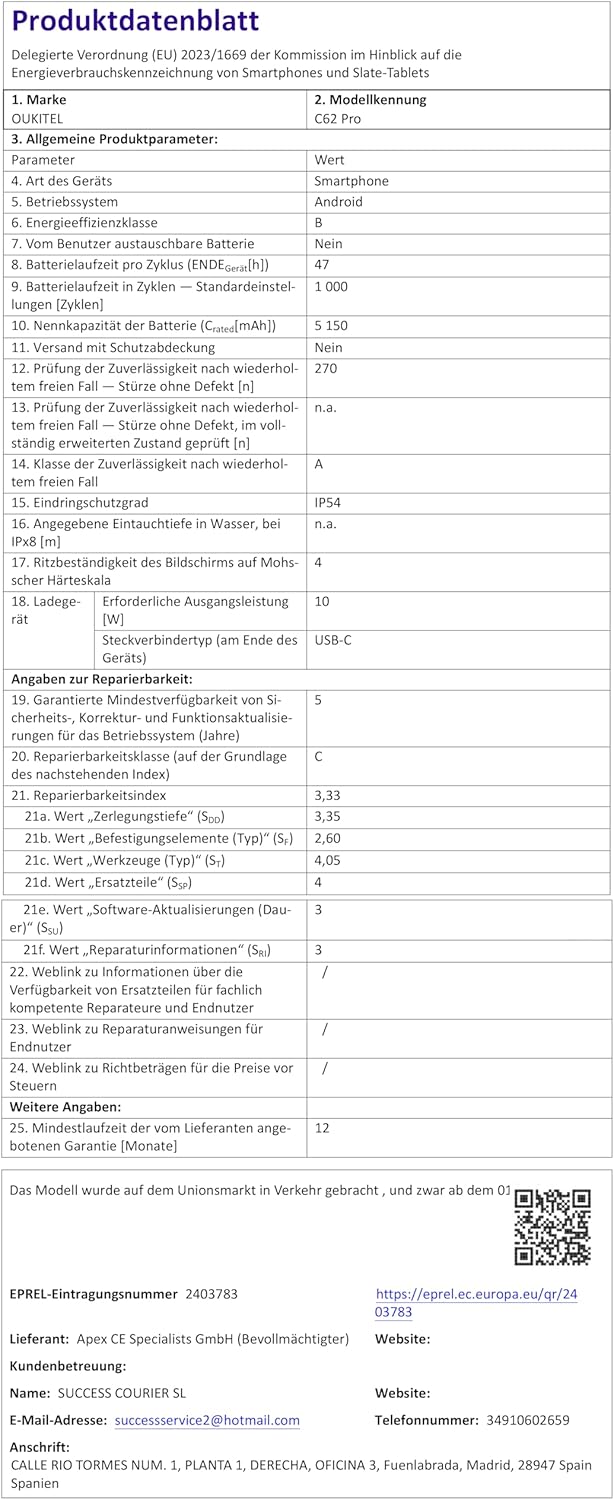
Figure 8: Official Product Data Sheet for the OUKITEL C62 Pro, providing detailed technical specifications.
For more detailed information, refer to the official EU EPREL database: https://eprel.ec.europa.eu/qr/2403783

Figure 9: EU Energy Label for the OUKITEL C62 Pro, indicating its energy efficiency rating and battery performance.
For more detailed information, refer to the official EU EPREL database: https://eprel.ec.europa.eu/qr/2403783
6. Warranty and Support
OUKITEL provides a two-year warranty for the C62 Pro smartphone. You are also eligible for a 30-day no-reason return policy. Long-term online technical support and 24-hour online customer service are available.
For support, please refer to the contact information provided with your purchase or visit the official OUKITEL website.
The product includes a transparent protective case for added protection.
7. Product Videos
No official product videos from the seller were available for embedding in this manual.


