
Introduction
The Zinus Nadia Adjustable Bed Frame is designed to enhance comfort and provide versatile positioning for various activities such as reading, lounging, or sleeping. This electric adjustable bed base features independent head and foot incline adjustments, a quiet motor, and a user-friendly wireless remote. Its fabric-covered design integrates seamlessly into bedroom aesthetics. This manual provides essential information for assembly, operation, maintenance, and safety to ensure proper use of your adjustable bed frame.

The Zinus Nadia Adjustable Bed Frame with a mattress, showcasing its design and functionality in a bedroom environment.
What's Included
Before beginning assembly, verify that all components are present. The package typically includes:
- Adjustable Bed Frame (main unit)
- Legs (6 pieces)
- Power Supply Unit
- Wireless Remote Control
- Mattress Retainer Bar (2 pieces)
Refer to the assembly video in the next section for a visual guide to included parts.
Setup and Assembly
The Zinus Nadia Adjustable Bed Frame is designed for easy, tool-free assembly. Follow these steps for proper setup:
- Unfold the Frame: Carefully remove the frame from its packaging. Unfold the bed frame completely on a flat, clear surface.
- Attach the Legs: Screw the six legs into the designated threaded holes on the underside of the frame. Ensure they are tightened securely.
- Connect Power and Remote: Locate the power supply unit and the motor cables. Connect the motor cables to the power supply unit. Plug the power supply into a wall outlet. Pair the wireless remote control according to the instructions provided in the remote control guide.
- Install Mattress Retainer Bars: Insert the mattress retainer bars into the designated slots at the foot of the bed frame. These bars prevent the mattress from sliding during adjustments.
- Place Your Mattress: Carefully place your compatible Queen size mattress onto the adjustable bed frame.
For a visual demonstration of the assembly process, please watch the official Zinus assembly video below:
Official Zinus Nadia Adjustable Bed Frame Assembly Video. This video demonstrates the step-by-step process for setting up your adjustable bed frame, including unfolding, attaching legs, connecting power, and installing the mattress retainer bar.

Key features of the Zinus Nadia Adjustable Bed Frame: Durable Steel Construction, Quiet Motor, and Tool-Free Assembly.
Operating Instructions
The Zinus Nadia Adjustable Bed Frame is operated using a 5-button wireless remote control. This remote allows for independent adjustment of the head and foot sections.
Remote Control Functions:
- Lift Head: Press and hold to raise the head section. The head section can adjust up to 63 degrees.
- Lower Head: Press and hold to lower the head section.
- Lift Feet: Press and hold to raise the foot section. The foot section can adjust up to 35 degrees.
- Lower Feet: Press and hold to lower the foot section.
- Flat: Press to return both the head and foot sections to a completely flat position.

The 5-button wireless remote control for easy adjustment of the bed frame.

Illustration of the independent head and foot incline capabilities.
Maintenance
To maintain the appearance and functionality of your Zinus Nadia Adjustable Bed Frame, follow these care instructions:
- Cleaning: Spot clean only. Use a mild detergent and a damp cloth to clean any soiled areas on the fabric. Avoid saturating the fabric.
- Motor Care: The motors are designed for long-term use and generally require no maintenance. Keep the motor area free from dust and debris.
- Connections: Periodically check all electrical connections to ensure they are secure.
Troubleshooting
If you encounter issues with your adjustable bed frame, consider the following troubleshooting steps:
- No Power: Ensure the power cord is securely plugged into a working electrical outlet and the power supply unit. Check if the outlet is functional by plugging in another device.
- Remote Not Responding: Verify that the remote control batteries (2 AAA, included) are correctly installed and not depleted. Replace batteries if necessary. Ensure the remote is paired with the bed frame according to the initial setup instructions.
- Motor Not Moving: Check for any obstructions under the bed frame that might be preventing movement. Ensure all motor cables are securely connected to the power supply.
- Unusual Noises: A quiet motor is standard. If you hear unusual or loud noises, check for loose connections or components. Do not attempt to disassemble the motor.
If problems persist after attempting these steps, contact Zinus customer support for further assistance.
Specifications
| Feature | Detail |
|---|---|
| Model Number | ZU-FADAD3ZC-13Q |
| Size | Queen |
| Product Dimensions (L x W x H) | 78.7" x 58.3" x 13" |
| Item Weight | 105.8 pounds |
| Weight Capacity | Up to 750 lbs |
| Material | Alloy Steel, Engineered Wood, Polyester |
| Head Incline Range | Up to 63° |
| Foot Incline Range | Up to 35° |
| Special Features | Adjustable, No Box Spring Needed, Remote Control |
| Included Components | Installation Manual, Remote control |
| Batteries for Remote | 2 AAA batteries (included) |
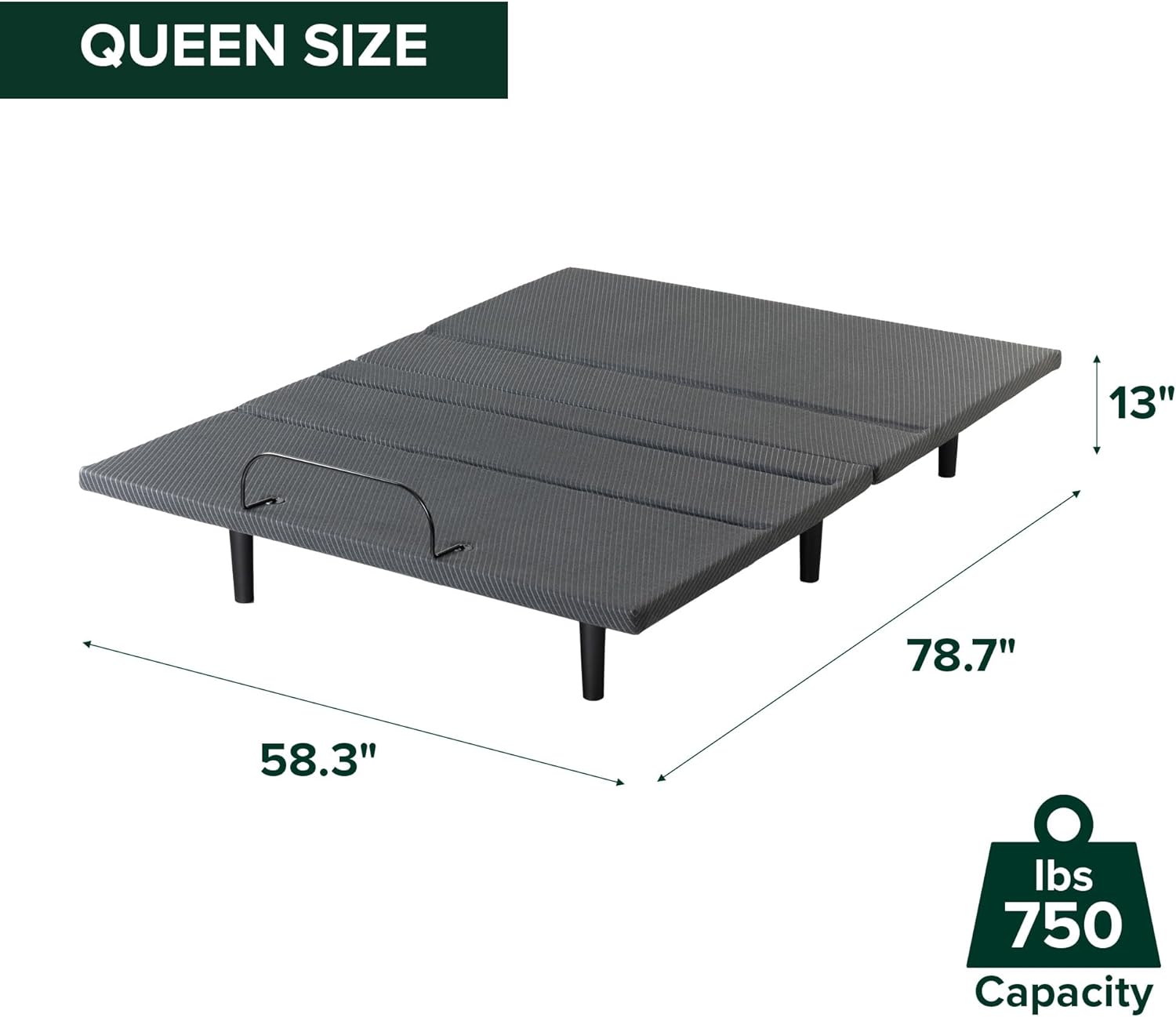
Dimensions and weight capacity for the Queen size Zinus Nadia Adjustable Bed Frame.
Safety Information
Adhere to the following safety guidelines to ensure safe operation and prevent injury or damage:
- Always follow the assembly instructions carefully to prevent instability.
- Do not exceed the maximum weight capacity of 750 lbs.
- Keep children and pets away from the moving parts of the bed frame during operation.
- Ensure there are no obstructions under the bed frame that could interfere with its movement.
- Avoid placing hands or feet near the moving mechanisms to prevent pinching or injury.
- Do not sit on the head or foot sections while they are in motion.
- Disconnect the power cord from the electrical outlet before performing any maintenance or cleaning.
Warranty and Support
Your Zinus Nadia Adjustable Bed Frame is covered by a manufacturer's warranty. For specific warranty details, please refer to the documentation included with your product or visit the official Zinus website.
For technical support, replacement parts, or any questions regarding your product, please contact Zinus customer service. Contact information can typically be found on the Zinus website or in your product packaging.
Online Support: Visit the Zinus website for FAQs and support resources.
Customer Service: Refer to your product's packaging or the Zinus website for phone numbers and email contact options.


