
1. Introduction
This manual provides essential instructions for the safe and efficient operation of your KJDEYT Uniwa F400 Network Radio. The F400 is a rugged 4G LTE device running Android 15, designed for Push-to-Talk (PTT) communication over network infrastructure. It supports various PoC (Push-to-Talk over Cellular) applications such as Zello, Real PTT, Pocstar, and Walkiefleet. Please read this manual thoroughly before using the device.
2. Safety Information
Observe the following safety precautions to prevent injury or damage to your device:
- Do not expose the device to extreme temperatures, direct sunlight, or excessive moisture.
- Use only approved batteries and charging accessories.
- Avoid dropping or subjecting the device to severe impact.
- Do not attempt to disassemble or modify the device.
- Keep the device away from medical devices to avoid interference.
- Adhere to local regulations regarding radio frequency usage.
3. Package Contents
Verify that all items are present in the package:
- Uniwa F400 Network Radio
- Removable Lithium Ion Battery
- Belt Clip
- Charging Adapter
- USB Cable
- Small Screwdriver (for battery cover)
- Wrist Strap
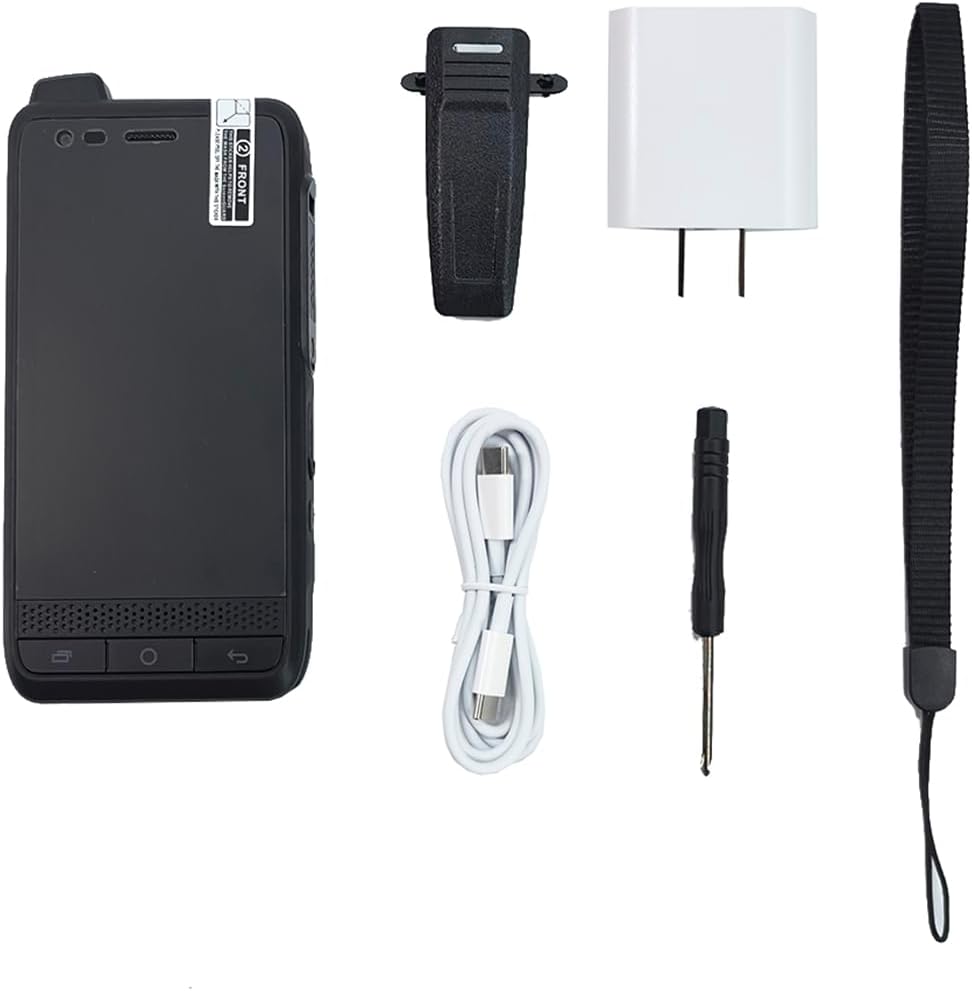
Figure 3.1: The Uniwa F400 package includes the device, battery, belt clip, charging adapter, USB cable, screwdriver, and wrist strap.
4. Device Overview
The Uniwa F400 features a robust design with a 4.0-inch touch screen and dedicated buttons for communication.

Figure 4.1: Front view of the Uniwa F400, showing the display and navigation buttons.
4.1. Key Components
- 4.0-inch Incell IPS Capacitive Touch Screen: Main display for interaction.
- Push-to-Talk (PTT) Button: Dedicated button for instant communication.
- Volume Buttons: Adjust audio levels.
- Power Button: Turn the device on/off or lock/unlock the screen.
- Speaker: Front-facing 2.5W stereo loudspeaker for clear audio.
- Microphone: Dual-mic noise cancellation for improved voice clarity.
- Rear Camera: 13MP IR Night Vision Camera.
- USB Port: For charging and data transfer.
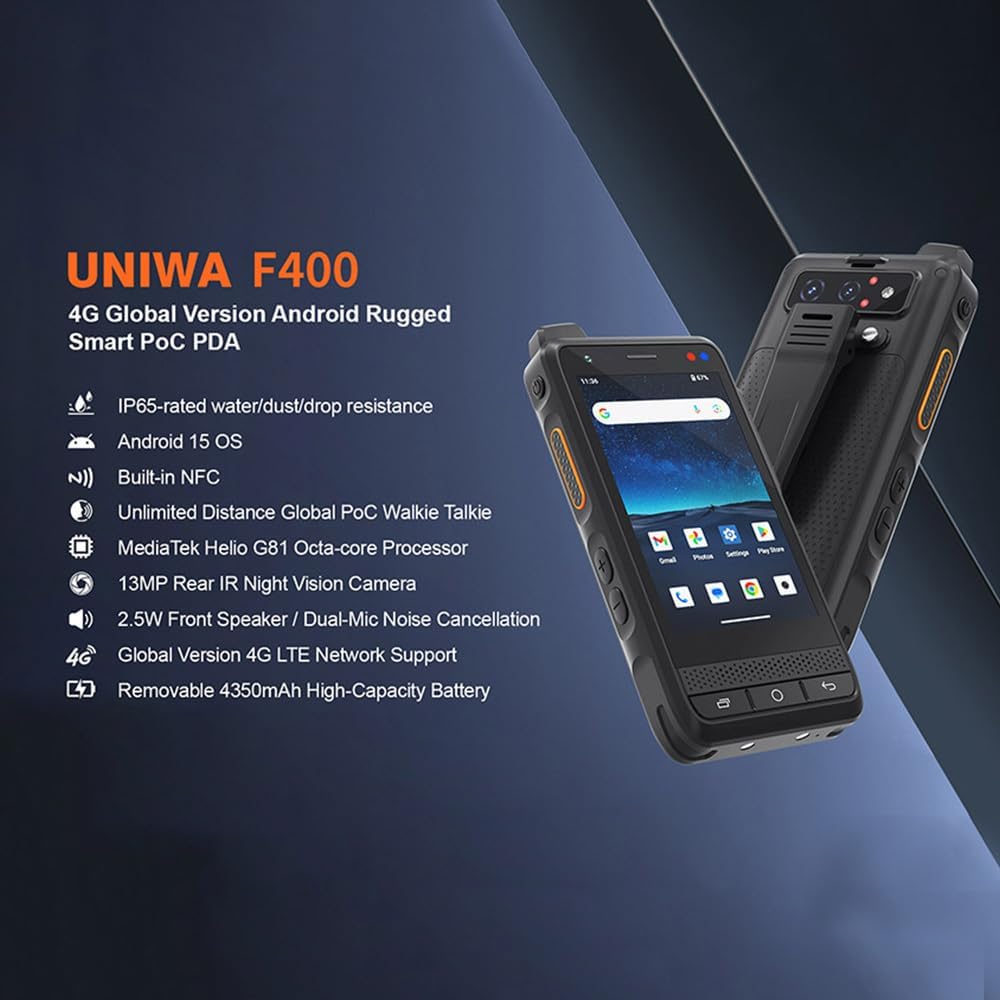
Figure 4.2: Close-up of the ergonomic PTT button on the side of the Uniwa F400.
5. Setup
5.1. Battery Installation
- Ensure the device is powered off.
- Locate the battery compartment cover on the rear of the device.
- Use the provided screwdriver to carefully remove the screws securing the cover.
- Insert the 4350mAh li-polymer battery, ensuring the contacts align correctly.
- Replace the battery cover and secure it with the screws.
5.2. SIM Card Installation
The Uniwa F400 supports 4G LTE network connectivity.
- With the battery removed, locate the SIM card slot(s).
- Insert your Nano-SIM card(s) into the designated slot(s) with the gold contacts facing down.
- Ensure the SIM card is fully seated.
- Reinstall the battery and cover.
5.3. Initial Charging and Power On
- Connect the USB cable to the device and the charging adapter.
- Plug the adapter into a power outlet. The device supports 15W quick charge.
- Allow the device to charge fully before first use.
- To power on, press and hold the Power button until the screen illuminates.

Figure 5.1: The Uniwa F400 supports 15W fast charging.
6. Operating Instructions
6.1. Basic Navigation
The Uniwa F400 operates on Android 15, providing a familiar smartphone-like interface.
- Touch Screen: Navigate menus, open applications, and input text using the 4.0-inch touch screen.
- Home Button: Return to the home screen.
- Back Button: Go back to the previous screen.
- Recent Apps Button: View and switch between recently used applications.
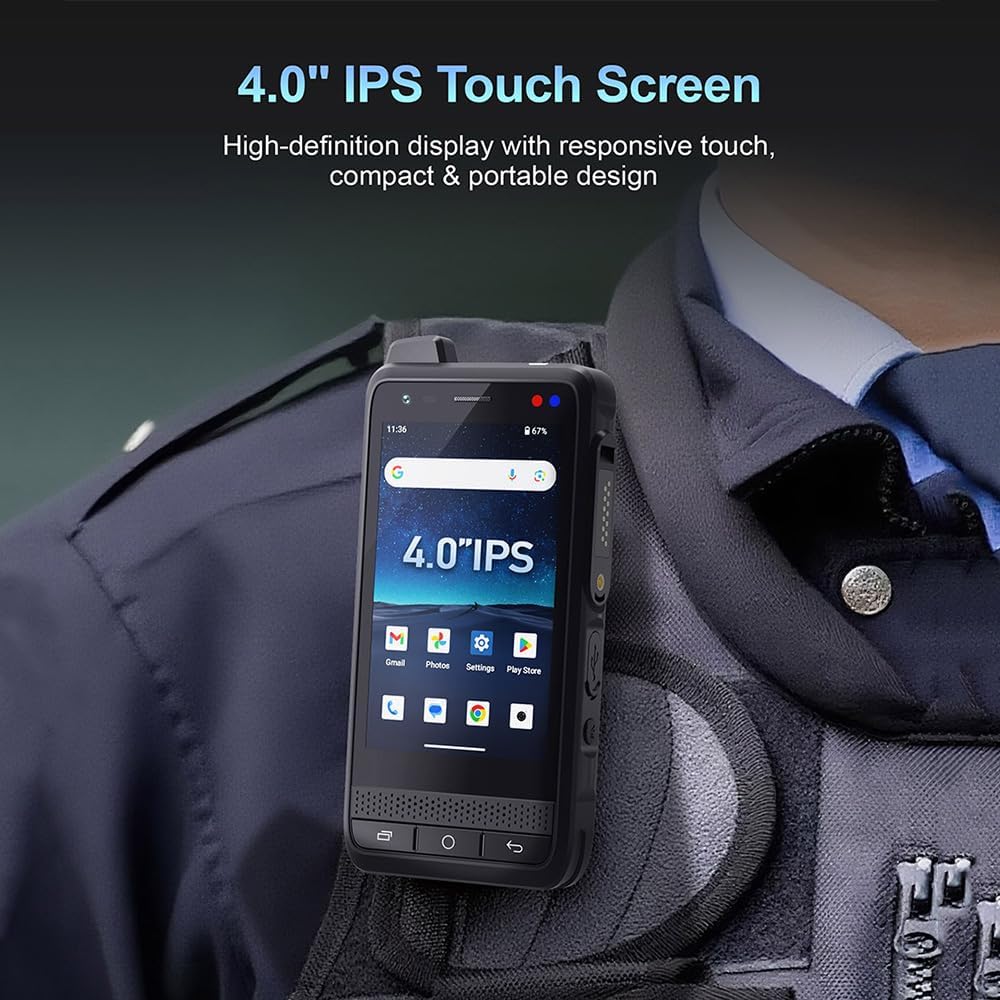
Figure 6.1: The 4.0-inch IPS touch screen provides a clear and responsive interface.
6.2. Push-to-Talk (PTT) Communication
The F400 is primarily a Network Radio, utilizing PoC applications for communication.
- Ensure you have a compatible PoC application installed (e.g., Zello, Real PTT, Pocstar, Walkiefleet) and configured with an active network connection (Wi-Fi or 4G LTE).
- Open the PoC application.
- Select the desired contact or channel.
- Press and hold the dedicated PTT button on the side of the device to transmit your voice.
- Release the PTT button to listen for incoming transmissions.

Figure 6.2: The Uniwa F400 supports one-key Push-to-Talk functionality for network radio communication.
6.3. Audio Features
The device is equipped with a powerful speaker and advanced microphone technology.
- 2.5W Stereo Loudspeaker: Provides clear and loud audio output, suitable for noisy environments.
- Dual-Mic Noise Cancellation: Enhances outgoing voice clarity by reducing background noise.

Figure 6.3: Exploded view showing the 2.5W stereo loudspeaker component.
6.4. Android 15 Features
Leverage the capabilities of the Android 15 operating system.
- Enhanced Security: Benefit from improved system security features.
- Battery Optimization: Android 15 includes features for efficient power management.
- Privacy Features: Utilize advanced privacy controls to manage data access.

Figure 6.4: Visual representation of Android 15 OS features including enhanced security, battery optimization, and privacy.
6.5. Camera Functionality
The device includes a 13MP rear camera with night vision capabilities.
- Access the camera application from the home screen or app drawer.
- Switch to Night Vision mode for improved visibility in low-light conditions.

Figure 6.5: Example of the night vision camera shooting effect, showing a deer in a dark environment.
6.6. Navigation
The F400 supports advanced navigation systems.
- BDS Navigation: Utilize the BeiDou Navigation Satellite System.
- Multi-GNSS: Supports multiple Global Navigation Satellite Systems for accurate positioning.

Figure 6.6: The Uniwa F400 supports BDS Navigation, depicted with a satellite and a map interface.
7. Maintenance
7.1. Cleaning
- Wipe the device with a soft, damp cloth.
- Avoid using harsh chemicals or abrasive cleaners.
- Ensure all ports are dry before charging.
7.2. Water and Dust Resistance
The Uniwa F400 is rated IP65 for dust and water resistance. This means it is protected against dust ingress and low-pressure water jets from any direction.
- Do not submerge the device in water.
- Ensure all port covers are securely closed to maintain water resistance.
- If the device gets wet, dry it thoroughly before use or charging.

Figure 7.1: The Uniwa F400 is designed to be IP65 dust and water resistant, suitable for rugged environments.
7.3. Battery Care
- Avoid fully discharging the battery frequently.
- Store the device in a cool, dry place when not in use for extended periods.
- Do not expose the battery to high temperatures.
8. Troubleshooting
If you encounter issues with your Uniwa F400, refer to the following common solutions:
- Device not powering on: Ensure the battery is correctly installed and charged. Try connecting to the charger.
- No network connectivity: Check SIM card installation, ensure mobile data is enabled, or connect to a Wi-Fi network. Verify your service provider's coverage.
- PTT not working: Confirm the PoC application is running, you are logged in, and have an active network connection. Check application settings.
- Poor audio quality: Ensure the speaker and microphone are not obstructed. Check volume settings.
- Touch screen unresponsive: Restart the device. If the issue persists, contact support.
9. Specifications
| Feature | Detail |
|---|---|
| Model | F400 |
| Operating System | Android 15 |
| Display | 4.0 inch Incell IPS capacitive touch screen, 800*480px, 500cd/m2 |
| Processor | MediaTek Helio G81 Octa-core Processor |
| Network Bands | 2G: GSM 850/900/1800/1900MHz 3G: WCDMA 850/900/1700/1900/2100MHz; CDMA: BC0/BC1 4G: FDD-LTE B1/2/3/4/5/7/8/12/13/17/19/20/25/26/28A/28B/66; TDD-LTE: B34/B38/39/40/41 |
| PoC Support | Zello, Real PTT, Pocstar, Walkiefleet |
| Battery | Removable 4350mAh li-polymer battery |
| Charging | 15W Quick Charge |
| Camera | 13MP Rear IR Night Vision Camera |
| Speaker | 2.5W Front Speaker |
| Microphone | Dual-Mic Noise Cancellation |
| Durability | IP65-rated water/dust/drop resistance |
| Navigation | BDS Navigation, Multi-GNSS |
| Other Features | Built-in NFC, Customizable e-SIM |
| Item Weight | 1 pound |
| Package Dimensions | 7 x 5 x 3 inches |
| UPC | 785582910151 |
10. Warranty Information
The Uniwa F400 Network Radio comes with a 1-year manufacturer's warranty from the date of purchase. This warranty covers defects in materials and workmanship under normal use. It does not cover damage caused by misuse, accidents, unauthorized modifications, or external causes. Please retain your proof of purchase for warranty claims.
11. Support
For further assistance, technical support, or warranty inquiries, please contact your retailer or the manufacturer directly. Refer to the product packaging or the manufacturer's website for contact details.