
1. Introduction
Welcome to the user manual for your new HP 15.6 Touchscreen Laptop, Model 15-fc0047wm. This guide provides essential information to help you set up, operate, maintain, and troubleshoot your device. Your laptop is equipped with an AMD Ryzen 7 7730U processor, a vibrant 15.6-inch Full HD IPS Touch Display, AMD Radeon Graphics, and runs on Windows 11 Pro, offering a powerful and intuitive computing experience.
What's in the Box
- HP 15.6 inch Laptop (Model 15-fc0047wm)
- Power Adapter and Cable
- Accessory Kit

Figure 1.1: Overview of HP 15.6 Laptop features and specifications.
2. Setup
2.1 Initial Power On
- Unpack your laptop and all accessories from the box.
- Connect the power adapter to the laptop's power port and then plug it into a wall outlet. Ensure the battery is sufficiently charged before first use.
- Open the laptop lid and press the power button, typically located on the keyboard deck, to turn on the device.
2.2 First-Time Windows 11 Pro Setup
Upon initial startup, you will be guided through the Windows 11 Pro setup process. Follow the on-screen prompts to:
- Select your region and keyboard layout.
- Connect to a Wi-Fi network.
- Sign in with your Microsoft account or create a new one.
- Set up security features like a PIN or password.
2.3 Connecting Peripherals
Your HP laptop offers various ports for connecting external devices:

Figure 2.1: Left side ports (USB-A, HDMI, USB-C)

Figure 2.2: Right side ports (USB-A, Power Input)
- USB Type-A Ports: Connect USB devices such as mice, keyboards, and external storage drives.
- USB Type-C Port: For data transfer and connecting compatible USB-C accessories.
- HDMI 1.4b Port: Connect an external monitor or TV for extended display.
- Headphone/Microphone Combo Jack: Connect headphones or a headset with a microphone.
3. Operating Your Laptop
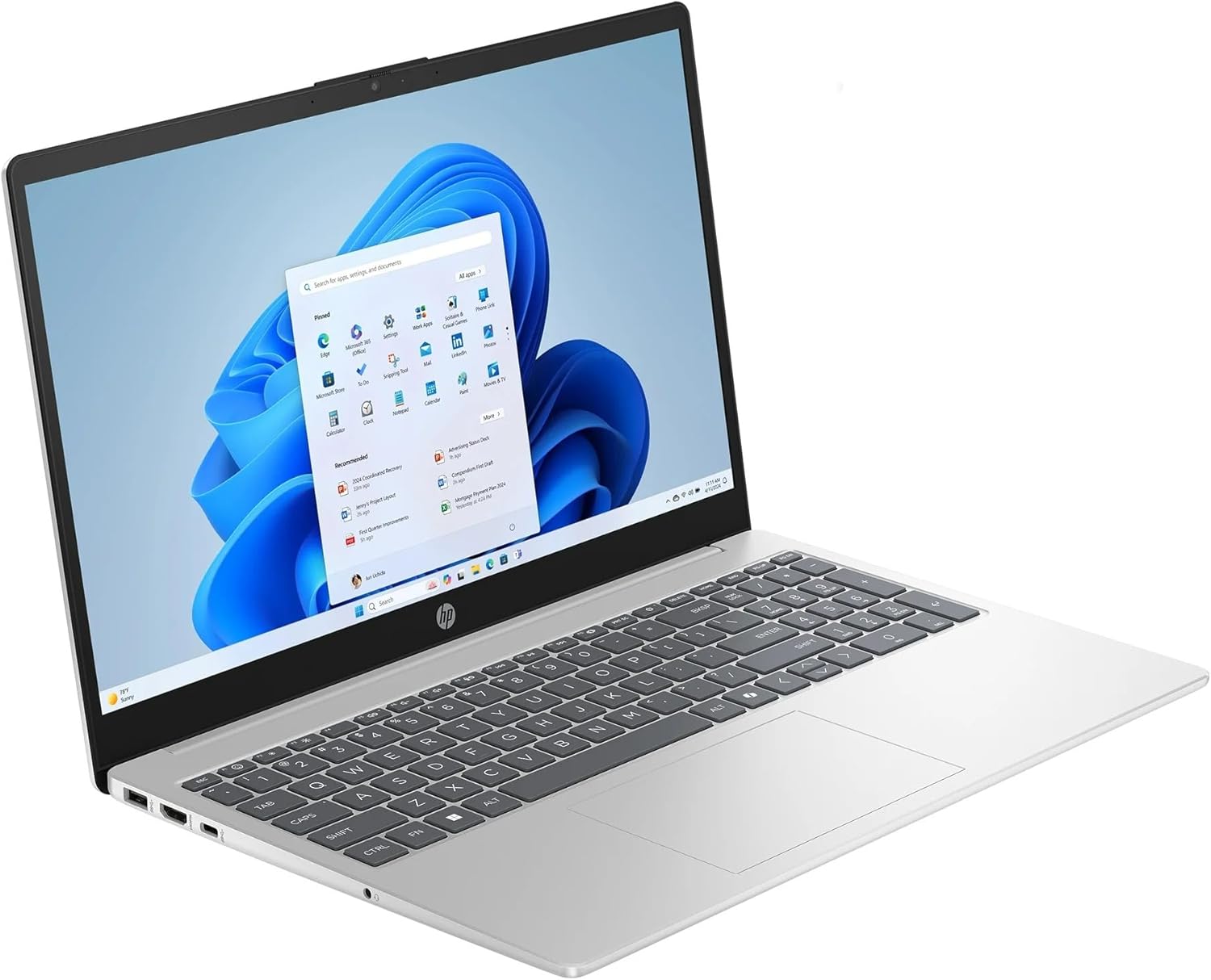
Figure 3.1: HP 15.6 Touchscreen Laptop in use.
3.1 Touchscreen Functions
Your laptop features a 15.6" FHD IPS touchscreen. You can interact with Windows 11 Pro directly on the screen using gestures:
- Tap: Equivalent to a mouse click.
- Tap and Hold: Equivalent to a right-click.
- Pinch/Stretch: Zoom in or out on content.
- Swipe: Navigate through pages or scroll.
3.2 Keyboard and Numeric Keypad
The full-size keyboard includes a dedicated numeric keypad for efficient data entry. Function keys (F1-F12) provide quick access to system controls when pressed in combination with the Fn key.
3.3 Microsoft Copilot
Your laptop comes with Microsoft Copilot, an AI assistant integrated into Windows 11 Pro. Access Copilot by pressing the dedicated Copilot Key on your keyboard or clicking its icon on the taskbar. Copilot can assist with tasks, answer questions, and generate content.
3.4 Wireless Connectivity
- Wi-Fi 6: Connect to wireless networks for internet access. To connect, click the Wi-Fi icon in the taskbar, select your network, and enter the password.
- Bluetooth: Pair with Bluetooth-enabled devices such as headphones, speakers, or mice. Enable Bluetooth from the Windows Settings menu.
3.5 Battery Management
The laptop's battery provides up to 10 hours and 45 minutes of video playback. To optimize battery life:
- Adjust screen brightness.
- Close unused applications.
- Utilize Windows power-saving modes.
4. Maintenance
4.1 Cleaning the Laptop
- Use a soft, lint-free cloth slightly dampened with water or a screen cleaner to wipe the display.
- For the keyboard and chassis, use a soft cloth. Avoid harsh chemicals or abrasive materials.
- Periodically use compressed air to clear dust from vents and ports.
4.2 Software Updates
Regularly check for and install Windows updates and HP driver updates to ensure optimal performance and security. Access Windows updates via Settings > Windows Update.
4.3 Storage Management
Your laptop includes a 1TB SSD. To maintain performance:
- Regularly delete unnecessary files and applications.
- Utilize cloud storage for large files.
- Empty the Recycle Bin periodically.
5. Troubleshooting
This section addresses common issues you might encounter with your HP laptop.
5.1 Laptop Not Powering On
- Ensure the power adapter is securely connected to both the laptop and a working power outlet.
- Verify the power outlet is functional by plugging in another device.
- If the battery is completely drained, allow it to charge for at least 30 minutes before attempting to power on.
5.2 Display Issues
- No image on screen: Connect an external monitor to the HDMI port to check if the issue is with the laptop's internal display.
- Dim screen: Adjust screen brightness using the function keys (usually F2/F3 or similar icons).
- Touchscreen unresponsive: Restart the laptop. If the issue persists, check for driver updates in Device Manager.
5.3 Connectivity Problems (Wi-Fi/Bluetooth)
- Wi-Fi not connecting: Ensure Wi-Fi is enabled in Windows settings. Restart your router and modem.
- Bluetooth device not pairing: Ensure Bluetooth is enabled on both the laptop and the device. Place devices close to each other and ensure they are in pairing mode.
5.4 Slow Performance
- Close unnecessary applications running in the background.
- Check for and install any pending Windows updates.
- Run a disk cleanup to free up storage space.
- Scan for malware or viruses.
6. Specifications
| Brand | HP |
| Model Name | HP Laptop |
| Model Number | 15-fc0047wm |
| Screen Size | 15.6 Inches |
| Display Type | LED, FHD IPS Touchscreen |
| Resolution | 1920 x 1080 Pixels |
| Processor | AMD Ryzen 7 7730U (up to 4.5 GHz) |
| Graphics | AMD Radeon Graphics (Integrated) |
| RAM Memory | 32 GB DDR4 SDRAM (Max 64 GB) |
| Hard Disk Size | 1 TB SSD |
| Operating System | Windows 11 Pro |
| Wireless Connectivity | Wi-Fi 6 (802.11ax), Bluetooth |
| Ports | 1x HDMI 1.4b, 1x USB Type-C, 2x USB Type-A, 1x Headphone/Microphone combo, 1x AC Smart Pin |
| Special Features | Microsoft Copilot, Numeric Keypad, Touchscreen |
| Battery Life | Up to 10 hours and 45 minutes (video playback) |
| Dimensions (L x W x H) | 14.17" x 9.29" x 0.73" |
| Weight | 3.52 pounds |
7. Warranty and Support
7.1 Warranty Information
Your HP 15.6 Touchscreen Laptop is covered by a standard manufacturer's warranty. Please refer to the warranty documentation included with your product for specific terms, conditions, and duration. Keep your proof of purchase for warranty claims.
7.2 Customer Support
For technical assistance, service, or additional information, please visit the official HP Support website or contact HP customer service. You can find contact details and support resources at support.hp.com.


