
Introduction
This manual provides detailed instructions for setting up, operating, and maintaining your Coucur Y66 Smart Watch. Please read this manual thoroughly before using the device to ensure proper function and longevity.
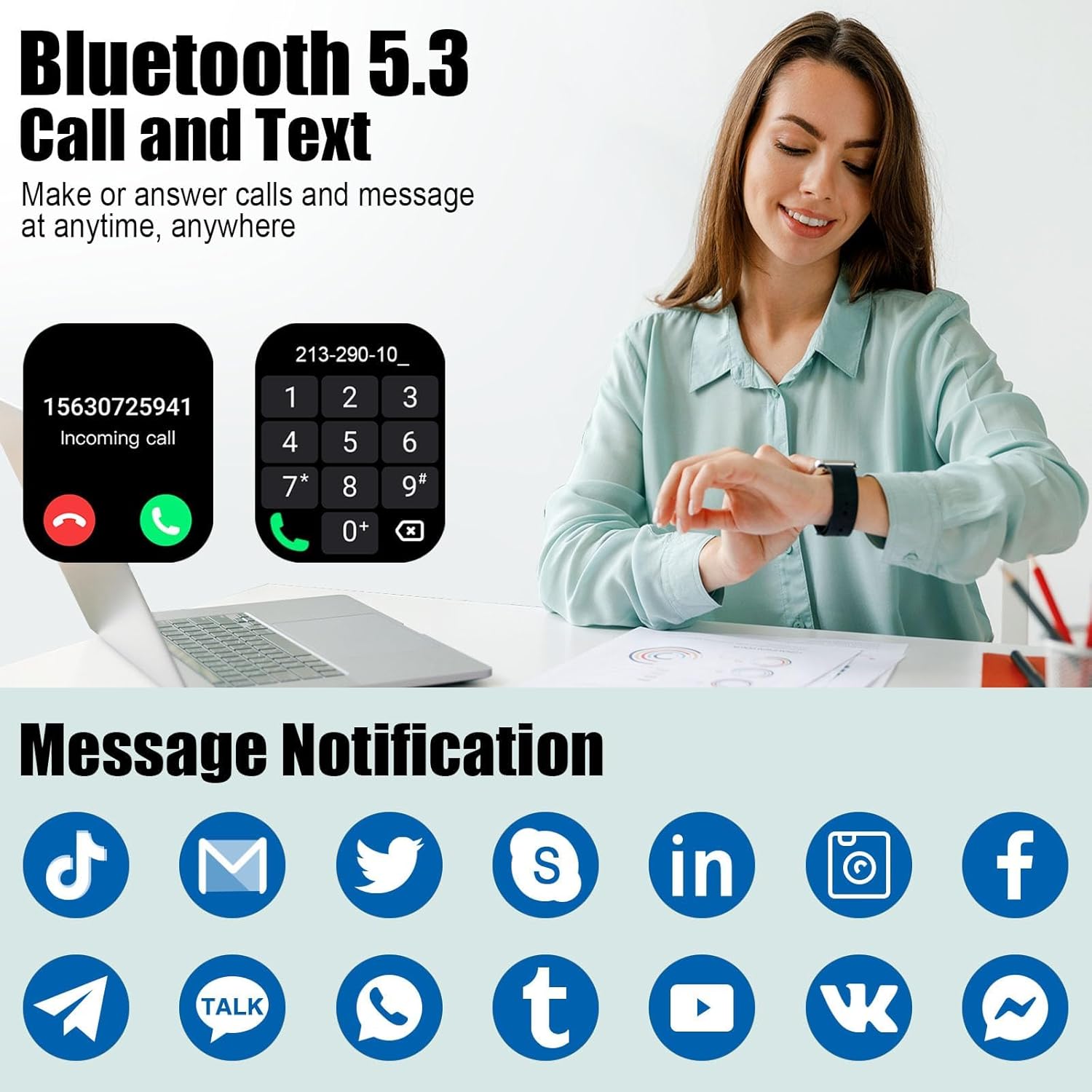
Image: The Coucur Y66 Smart Watch showing Bluetooth call and text features, along with various social media notification icons.
Setup
1. What's in the Box
- 1.96" HD Smart Watch
- Charging Cable
- User Manual
2. Initial Charging
Before initial use, charge the smartwatch for at least 1 hour. If the battery is completely drained, charge for at least 30 minutes before powering on. Use the provided magnetic charging cable and connect it to a standard USB power adapter (not included).
3. App Download and Pairing (GloryFit App)
To unlock the full functionality of your smartwatch, you must connect it to your smartphone via the GloryFit app.
- Turn on Bluetooth: Ensure Bluetooth is enabled on your smartphone.
- Download GloryFit: Open the Google Play Store (for Android) or Apple App Store (for iOS) and search for "GloryFit". Download and install the app.
- Open App and Search: Open the GloryFit app, navigate to the device section, and tap "Add Device" or "Search".
- Select Device: The app will search for nearby devices. Select "Y66" from the list to bind your smartwatch.
- Confirm Pairing: Follow any on-screen prompts on both your phone and watch to confirm the pairing request.
Note: Syncing activity data requires a Bluetooth connection to the GloryFit App.
4. Enabling Call Function
After successfully pairing the watch with the GloryFit app, enable the call function for making and answering calls directly from your watch.
- Bluetooth Call Switch: On your watch, turn on the Bluetooth Call switch. This is typically found in the watch's settings or a quick-access menu.
- Phone Bluetooth Settings: On your smartphone, go to your Bluetooth settings. You should see "Y66" listed as a connected device. Ensure it is connected for both data and calls.
- Grant Permissions: If prompted, grant necessary permissions for the watch to access contacts and make calls.
Once connected, you can use the watch to answer/make calls anytime.
Operating Instructions
1. Basic Navigation
- Touch Screen: The 1.96" HD full touch color screen supports swipes, taps, and presses for navigation.
- Side Button: Typically used to wake the screen, return to the home screen, or access the app menu.
- Watch Faces: Customize your watch face via the GloryFit app. You can choose from over 200 cloud watch faces or use your own photos.

Image: The Coucur Y66 Smart Watch showcasing its 1.96" HD touch screen with multiple customizable watch face options, including personal photos.
2. Making and Answering Calls
With the Bluetooth call function enabled, you can manage calls directly from your wrist.
- Answering Calls: When an incoming call is received, tap the green answer icon on the watch screen.
- Making Calls: Access the dial pad or contacts list on your watch to initiate a call.
- Call History: View your recent call history directly on the watch.
3. Receiving Notifications
The smartwatch provides vibrating alerts for social media messages and other notifications from your connected phone.
- Supported Apps: Includes Facebook, WhatsApp, Instagram, Twitter, and more.
- Enable Notifications: Ensure notification permissions are granted in the GloryFit app and your phone's settings for desired applications.
- Keep App Running: For consistent notifications, ensure the GloryFit app is running in the background on your phone.
4. Health Monitoring
The Coucur Y66 Smart Watch is equipped with high-performance optical sensors to monitor various health metrics.
- Heart Rate Monitoring: Real-time monitoring of your heart rate throughout the day.
- Blood Oxygen Monitoring: Measures your blood oxygen levels.
- Sleep Tracking: Records sleep duration, deep sleep, light sleep, and awake times. View detailed sleep reports in the GloryFit app.
- Stress Levels: Monitors and provides insights into your stress levels.

Image: The Coucur Y66 Smart Watch showing health monitoring features, including heart rate data and a detailed sleep tracking interface.
Note: Data monitored by the smartwatch is for reference only and should not be used as medical guidance.
5. 110+ Sports Modes and Activity Tracking
The watch supports over 110 sports modes to track your workouts and daily activity.
- Activity Tracking: Records steps, distance, calories burned, and active minutes throughout the day.
- Sport Modes: Includes Running, Walking, Hiking, Basketball, Boating, Climbing, Cycling, Fitness, Football, and many more.
- GPS Tracking: Utilizes your smartphone's GPS for route tracking during outdoor activities.

Image: The Coucur Y66 Smart Watch interface showing a selection of over 100 sport modes, with icons representing different activities.
6. Additional Functions
Explore a variety of other useful features on your smartwatch:
- Voice Assistant: Control your watch or phone with voice commands.
- Music Control: Play, pause, skip tracks, and adjust volume for music playing on your phone.
- Weather Forecast: Get real-time weather updates.
- Camera Control: Remotely trigger your phone's camera shutter.
- Alarm Clock: Set alarms directly from your watch.
- Timer & Stopwatch: Essential tools for workouts and daily tasks.
- Calculator: Perform basic calculations on your wrist.
- Sedentary Reminder: Get alerts to move after periods of inactivity.

Image: The Coucur Y66 Smart Watch interface highlighting various multifunctional features such as voice assistant, music control, camera control, weather forecast, alarm clock, and calculator.
7. Official Product Video
Video: An official product video showcasing the Coucur Y66 Smart Watch's features, including its display, call functions, health tracking, and various sport modes.
Maintenance
1. Water Resistance (IP68)
The Coucur Y66 Smart Watch is IP68 waterproof, meaning it is resistant to dust and can withstand immersion in water up to 1 meter for 30 minutes. It is suitable for daily activities such as washing hands, rain, and sweating during exercise.
- Do Not Submerge: While IP68 rated, it is not recommended for swimming, diving, or prolonged submersion in water.
- Avoid Hot Water: Do not expose the watch to hot water, steam, or saunas, as this can compromise the waterproof seals.
- Dry Thoroughly: After exposure to water, dry the watch thoroughly before charging or operating.

Image: The Coucur Y66 Smart Watch being splashed with water, illustrating its IP68 waterproof capability for daily use.
2. Cleaning
Regularly clean your smartwatch to ensure optimal performance and hygiene.
- Watch Body: Wipe the watch body with a soft, damp, lint-free cloth.
- Strap: Clean the silicone strap with mild soap and water, then rinse and dry thoroughly.
- Charging Contacts: Ensure the charging contacts on the back of the watch are clean and dry to prevent corrosion and ensure efficient charging.
Troubleshooting
Common Issues and Solutions
- About Charging:
- Charge for at least 1 hour before initial use.
- If the battery is completely drained, charge for at least 30 minutes before powering on.
- About Bluetooth Connection:
- Syncing activity data requires Bluetooth connection to the GloryFit App, and answering calls requires Bluetooth connection to the phone.
- To receive phone notifications, ensure the GloryFit app is running in the background, and keep Bluetooth connected to both the phone and GloryFit App.
- If the connection repeatedly disconnects, try restarting the watch and phone's Bluetooth.
- General Notes:
- IP68 waterproof rating is only suitable for daily waterproofing. Please do not submerge the smartwatch in water or use it during water sports.
- Data monitored by the smartwatch is for reference only and should not be used as medical guidance.
For more detailed function introductions and precautions, refer to the GloryFit App's help section.
Specifications
| Feature | Detail |
|---|---|
| Model Name | Y66 |
| Screen Size | 1.96 Inches |
| Display Type | LED |
| Resolution | 450 x 565 |
| Operating System | Android/iOS Compatible |
| Connectivity Technology | Bluetooth 5.3 |
| Battery Capacity | 300 Milliamp Hours |
| Battery Charge Time | 2 Hours |
| Standby Time | Up to 30 Days |
| Average Usage Time | Up to 7 Days |
| Waterproof Rating | IP68 (1 Meter) |
| Band Material Type | Silicone |
| Metrics Measured | Heart Rate, Sleep Duration, Blood Oxygen, Step Count |
| GPS | Via Smartphone |
| Special Features | Call/Dial/Contacts, Message Notifications, Voice Assistant, Music Player, Weather Forecast, Camera Control, Alarm Clock, Sedentary Reminder, 110+ Sport Modes |
Warranty & Support
Warranty Information
The Coucur Y66 Smart Watch comes with a 2-year standard warranty from the date of purchase. This warranty covers manufacturing defects and malfunctions under normal use. Please retain your proof of purchase for warranty claims.
The warranty does not cover damage caused by misuse, accidents, unauthorized repairs, or failure to follow the instructions in this manual.
Customer Support
If you encounter any issues or have questions regarding your Coucur Y66 Smart Watch, please refer to the troubleshooting section of this manual or contact our customer support team. Detailed support information and FAQs can often be found within the GloryFit application or on the official Coucur website.
For direct assistance, please visit the Coucur Store on Amazon or consult the contact information provided with your product packaging.

