
Introduction
Thank you for choosing the Skullcandy Barrel Mini Portable Bluetooth Speaker. This manual provides essential information for setting up, operating, and maintaining your speaker. The Barrel Mini is designed for robust audio performance on the go, featuring IPX7 waterproofing, a 12-hour battery life, and SKDY Multi-Link technology for connecting multiple speakers.
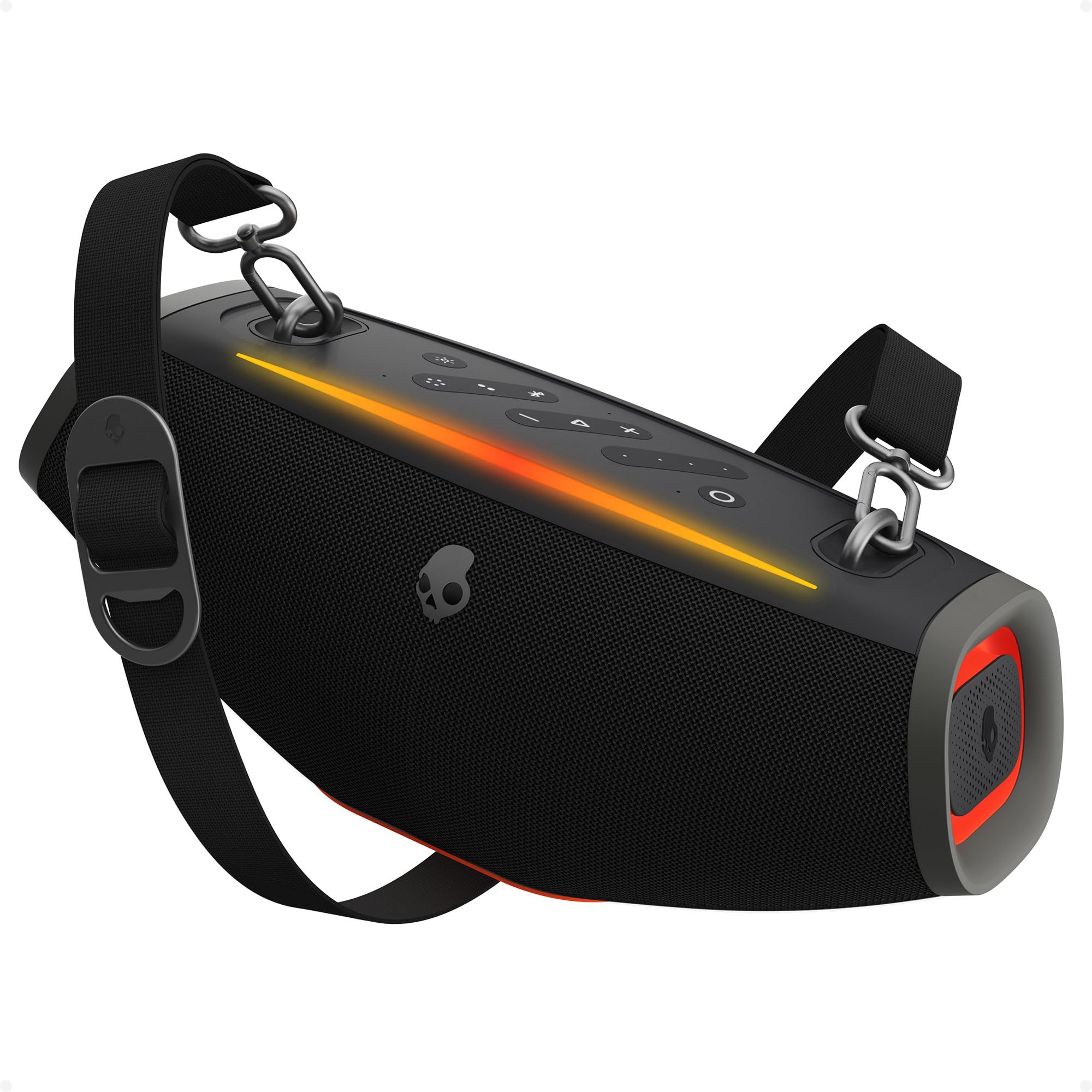
Image: The Skullcandy Barrel Mini Portable Bluetooth Speaker, showcasing its compact yet powerful design.
What's in the Box
- Skullcandy Barrel Mini Portable Bluetooth Speaker
- Charging Cable (USB-C)
- Shoulder Strap
- Quick Start Guide
Setup
1. Initial Charging
Before first use, fully charge your Skullcandy Barrel Mini speaker. Connect the provided USB-C charging cable to the speaker's charging port and a compatible USB power adapter (not included). The LED indicator will show charging status and turn off when fully charged.

Image: The Barrel Mini speaker demonstrating its 30W PD charge-out capability, charging a smartphone.
2. Powering On/Off
- To Power On: Press and hold the Power button for 2 seconds. You will hear an audible tone, and the LED lights will activate.
- To Power Off: Press and hold the Power button for 2 seconds. You will hear an audible tone, and the LED lights will turn off.
3. Bluetooth Pairing
- Ensure the speaker is powered on and in pairing mode (LED indicator will flash).
- On your device (smartphone, tablet), go to Bluetooth settings.
- Select "Skullcandy Barrel Mini" from the list of available devices.
- Once connected, you will hear a confirmation tone, and the LED indicator will stop flashing.
Operating Instructions
Audio Playback
- Play/Pause: Press the Play/Pause button.
- Volume Up: Press the Volume Up (+) button.
- Volume Down: Press the Volume Down (-) button.
- Next Track: Press and hold the Volume Up (+) button.
- Previous Track: Press and hold the Volume Down (-) button.
SKDY Multi-Link Technology
The Barrel Mini supports SKDY Multi-Link, allowing you to connect up to 99 compatible Skullcandy speakers for a synchronized audio experience.
- Ensure all speakers are powered on and not connected to any device.
- Connect your primary device to one Barrel Mini speaker via Bluetooth.
- On the primary speaker, press the Multi-Link button.
- On each additional speaker, press the Multi-Link button. They will automatically connect to the primary speaker.

Image: Two Barrel Mini speakers demonstrating the Multi-Link feature for expanded sound.
Dynamic LED Light Show
The speaker features color-syncing LED lights that pulse with your music. Press the Light Mode button to cycle through different light patterns or to turn the lights off.

Image: The Barrel Mini speaker displaying its dynamic LED light show.
IPX7 Waterproof Rating
The Barrel Mini is IPX7 waterproof, meaning it can be submerged in up to 1 meter of water for 30 minutes. This makes it suitable for use near pools, beaches, or in rainy conditions. Ensure all port covers are securely closed before exposure to water.

Image: The Barrel Mini speaker shown in water, highlighting its IPX7 waterproof capability.
12-Hour Battery Life
Enjoy up to 12 hours of continuous playback on a single charge. Battery life may vary based on volume level and LED light usage.

Image: The Barrel Mini speaker with a visual representation of its 12-hour battery life.
Portable Design
The Barrel Mini comes with a detachable handle and an adjustable shoulder strap for easy portability.

Image: A person carrying the Barrel Mini speaker using the included shoulder strap.
Maintenance
- Cleaning: Use a soft, damp cloth to clean the speaker's exterior. Do not use harsh chemicals or abrasive materials.
- Storage: Store the speaker in a cool, dry place away from direct sunlight and extreme temperatures.
- Battery Care: To prolong battery life, avoid fully discharging the speaker frequently. Charge it regularly, even if not in use for extended periods.
- Water Exposure: After exposure to water, ensure the speaker is completely dry before charging.
Troubleshooting
| Problem | Possible Solution |
|---|---|
| Speaker does not power on. | Ensure the battery is charged. Connect to a power source and try again. |
| Cannot pair via Bluetooth. | Ensure the speaker is in pairing mode. Turn off and on your device's Bluetooth. Forget the device on your phone and re-pair. |
| No sound or low volume. | Check volume levels on both the speaker and your connected device. Ensure the speaker is not muted. |
| Multi-Link not connecting. | Ensure all speakers are compatible and not connected to other devices. Follow Multi-Link pairing steps carefully. |
| LED lights not working. | Press the Light Mode button to cycle through patterns or turn them on. |
Specifications
- Model Number: 2SKSK2100
- Connectivity: Bluetooth 5.3, USB
- Speaker Output Power: 20 watts
- Audio Output Mode: Stereo (2 channels)
- Waterproof Rating: IPX7
- Battery Life: Up to 12 hours
- Power Source: Battery Powered (1 x 12V battery included)
- Control Method: Push Button
- Dimensions (D x W x H): 7.87" x 9.84" x 15.95"
- Material: Plastic
- Features: SKDY Multi-Link, Dynamic LED Light Show, 30W PD Charge-Out
Warranty Information
The Skullcandy Barrel Mini Portable Bluetooth Speaker comes with a limited warranty. Please refer to the warranty card included in your product packaging or visit the official Skullcandy website for detailed terms and conditions regarding warranty coverage, duration, and claims procedures.
Support
For further assistance, technical support, or customer service inquiries, please visit the official Skullcandy support website or contact their customer service department. Contact information can typically be found on the product packaging or the brand's official website.