
SJCAM C110 Plus
SJCAM C110 Plus Action Camera User Manual
Model: C110 Plus
1. Introduction
The SJCAM C110 Plus is a compact and versatile action camera designed for capturing high-quality video and photos in various environments. Featuring 4K video recording, Gyro Stabilization, and a magnetic mounting system, it is suitable for vlogging, sports, and everyday use. This manual provides essential information for setting up, operating, and maintaining your camera.
2. What's in the Box
Verify that all items are present in your package:
- SJCAM C110 Plus Camera Body
- 64GB Micro SD Card
- Card Reader
- Card Wallet
- USB-C Adapter
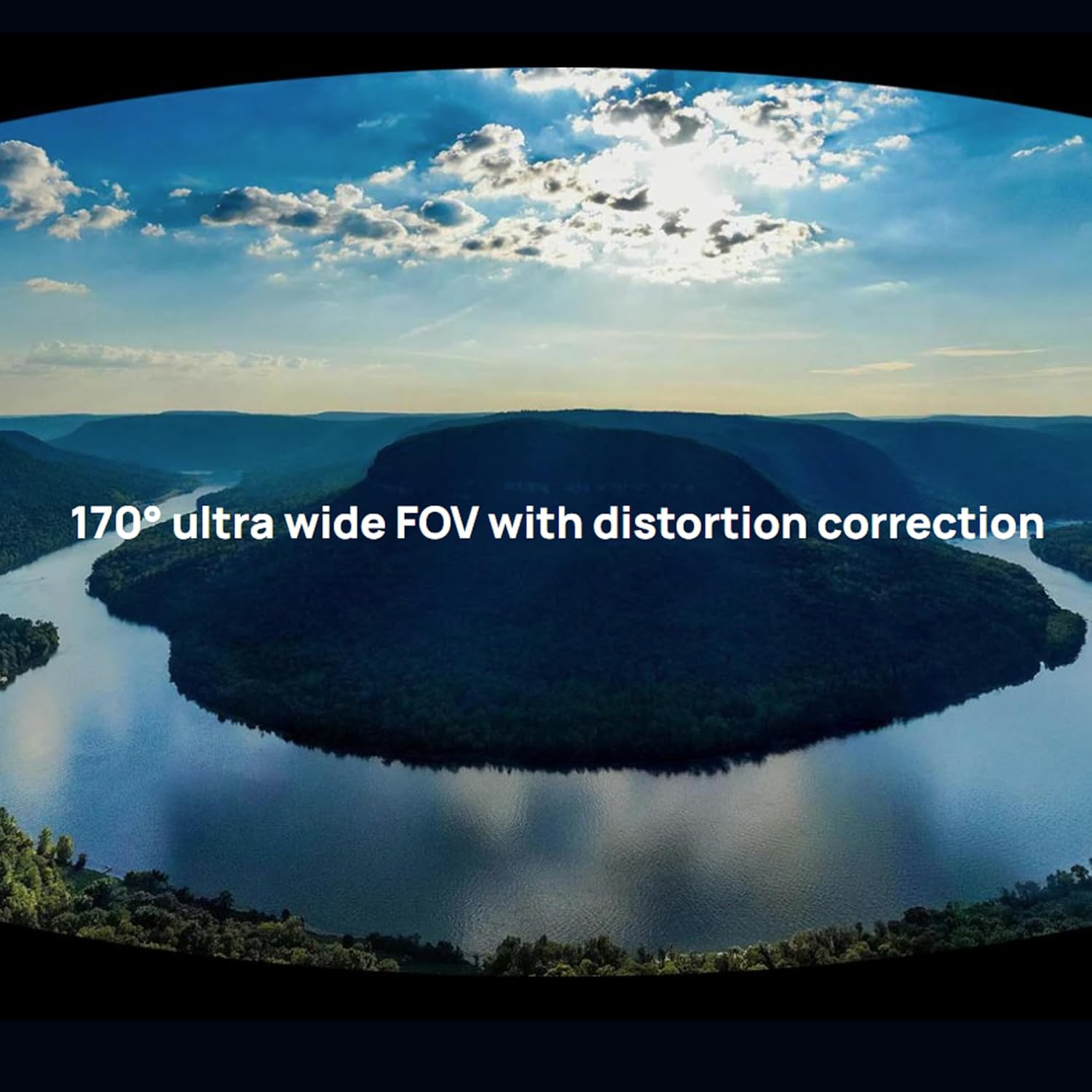
Image: The SJCAM C110 Plus camera body shown alongside its bundled accessories, including a 64GB Micro SD card, card reader, card wallet, and USB-C adapter.
3. Product Overview
The C110 Plus features a compact design with intuitive controls and magnetic mounting capabilities.

Image: A diagram illustrating the compact size of the SJCAM C110 Plus, showing its dimensions (2.51in x 1.27in x 1.22in) and highlighting the Power/Shutter button and Wifi/Switch mode button, along with its magnetic back clip.
Key Components:
- Lens: Front-facing camera lens.
- Power/Shutter Button: Used to power on/off the device and initiate/stop recording or take photos.
- Wi-Fi/Mode Switch Button: Activates Wi-Fi and switches between different operating modes.
- Microphone: Built-in dual microphones for audio recording.
- USB-C Port: For charging and data transfer.
- Micro SD Card Slot: For memory card insertion.
- Magnetic Back Clip: Allows for flexible mounting on various surfaces.
4. Setup
4.1. Charging the Battery
Before first use, fully charge the camera. Connect the camera to a USB power source using the provided USB-C cable. The charging indicator light will show the charging status.
4.2. Inserting a Micro SD Card
The camera supports Micro SD cards up to 128GB. For optimal performance, use a Class 10, V60 or higher speed card. Insert the Micro SD card into the designated slot until it clicks into place.
4.3. Powering On/Off
- Power On: Press and hold the Power/Shutter button for a few seconds.
- Power Off: Press and hold the Power/Shutter button until the camera powers down.
4.4. Connecting to the Mobile App
To access advanced settings and features, download the official SJCAM app on your smartphone. Ensure your camera's Wi-Fi is enabled, then connect your phone to the camera's Wi-Fi network. It is recommended to connect to the camera's Wi-Fi network on your phone before opening the app to ensure a stable connection.

Image: The SJCAM C110 Plus camera wirelessly connected to a smartphone, demonstrating the app's interface for previewing and playing back recorded content.
5. Operating Instructions
5.1. Basic Operation
- Start/Stop Recording: Press the Power/Shutter button once to start recording. Press again to stop.
- Take Photo: In photo mode, press the Power/Shutter button once to take a picture.
- Switch Modes: Press the Wi-Fi/Mode Switch button to cycle through different modes (e.g., Video, Photo, Playback).
5.2. Recording Modes and Settings
The C110 Plus offers various recording modes and settings, accessible via the mobile app:
- Video Resolution: Select from 4K, 1080p, and other resolutions.
- Gyro Stabilization: Enable or disable electronic image stabilization for smoother footage.
- Timelapse: Capture a series of photos at set intervals to create a time-lapse video.
- Slow Motion: Record high frame rate video for slow-motion playback.
- Burst Photo: Take multiple photos in quick succession.
- Interval Photo: Capture photos automatically at specified time intervals.
- Photo Lapse: Similar to interval photo, often used for longer duration photo sequences.
- Horizontal/Vertical Shooting: Adjust the aspect ratio (16:9 for landscape, 9:16 for portrait) for different platforms.

Image: A visual representation of different creative shooting modes offered by the SJCAM C110 Plus, including Voice Announcement, Burst Photo, Interval Photo, Timed Photo, and Photo Lapse.

Image: Two smartphone screens demonstrating the ability to shoot in either 16:9 (landscape) or 9:16 (portrait) aspect ratios, allowing for versatile content creation.
6. Features
6.1. 4K Ultra HD Video
The C110 Plus records stunning 4K video, capturing vivid details and colors. This high resolution is ideal for professional-looking footage.
6.2. Gyro Stabilization
Equipped with internal six-axis gyro stabilization, the camera actively compensates for motion, ensuring your videos are smooth and stable, even during dynamic activities.

Image: A side-by-side comparison demonstrating the effectiveness of the camera's stabilization feature, showing a blurred image on the left (stabilization off) and a clear, stable image on the right (stabilization on).
6.3. IP65 Splashproof & Magnetic Mounting
The camera features IP65 splash resistance, protecting it from rain, sweat, and light water exposure. Its magnetic back clip allows for easy and secure attachment to clothing, metal surfaces, or other accessories for hands-free recording.

Image: The SJCAM C110 Plus camera shown magnetically attached to a person's shirt, illustrating its use for immersive 4K first-person view (POV) recording.
6.4. Dual Microphones
Built-in dual microphones ensure clear audio capture, whether you are narrating or recording ambient sounds.
6.5. Long Battery Life & Type-C Charging
Enjoy up to 120 minutes of continuous 1080p recording. The USB Type-C port enables fast charging, minimizing downtime.

Image: The compact SJCAM C110 Plus camera positioned on a wooden surface next to a laptop and smartphone, emphasizing its mini size, 4K capability, and approximately 130 minutes of recording time.
6.6. 170° Ultra Wide FOV
Capture expansive scenes with the 170-degree ultra-wide field of view, complete with distortion correction for natural-looking footage.

Image: A wide-angle shot of a river winding through mountains under a cloudy sky, illustrating the camera's 170° ultra-wide field of view with distortion correction.
6.7. Waterproof for Diving (with accessories)
When used with the appropriate SJCAM waterproof case (sold separately), the C110 Plus can be used for diving up to 30 meters (100 feet), allowing you to record underwater adventures.

Image: A person swimming underwater with the SJCAM C110 Plus camera, highlighting its capability to be waterproof up to 30 meters (100 feet) when enclosed in a waterproof case.
6.8. 4K Webcam Functionality
Connect the C110 Plus to your computer via USB-C to use it as a high-quality 4K webcam for online meetings, live broadcasts, and other PC-based video needs.

Image: Two scenarios depicting the SJCAM C110 Plus being used as a crystal-clear 4K webcam for professional purposes, such as online meetings and live streaming.
6.9. Strobe Light Warning Mode
For increased safety during night activities like cycling, activate the "Strobe Light" feature in settings. This engages alternating red and blue lights for enhanced visibility.

Image: A cyclist riding at night, with the SJCAM C110 Plus camera mounted and its strobe light warning mode activated, providing extra safety and visibility.
7. Maintenance
- Cleaning: Use a soft, dry cloth to clean the camera body. For the lens, use a specialized lens cleaning cloth and solution. Avoid harsh chemicals.
- Storage: Store the camera in a cool, dry place away from direct sunlight and extreme temperatures. Remove the Micro SD card if storing for extended periods.
- Battery Care: Avoid fully discharging the battery frequently. Charge the camera periodically if not used for a long time to maintain battery health.
8. Troubleshooting
- Camera Not Powering On: Ensure the battery is charged. Connect to a power source and try again.
- Recording Issues: Check if the Micro SD card is inserted correctly and has sufficient free space. Ensure the card is Class 10, V60 or higher.
- Wi-Fi Connection Problems: Ensure the camera's Wi-Fi is enabled. On your smartphone, connect to the camera's Wi-Fi network directly from your phone's settings before opening the SJCAM app.
- Poor Image Quality in Low Light: Action cameras generally perform best in well-lit conditions. Adjusting exposure settings in the app may help, but significant improvements in very low light are limited by sensor size.
- Front LED Visibility: If the front LED is visible in reflections or unwanted, it can be turned off in the camera settings via the mobile app.
9. Specifications
| Feature | Specification |
|---|---|
| Brand | SJCAM |
| Model Name | C110 Plus |
| Video Capture Resolution | 4K |
| Effective Still Resolution | 20 MP |
| Image Stabilization | Electronic (Gyro Stabilization) |
| Water Resistance Level | Water Resistant (IP65), 30m/100ft with waterproof case |
| Connectivity Technology | Bluetooth, USB, Wi-Fi |
| Flash Memory Type | Micro SD (up to 128GB, C10/V60 recommended) |
| Screen Size | 1.3 inches |
| Viewing Angle | 170 degrees |
| Item Weight | 300 g |
| Dimensions (D x W x H) | 9.06"D x 2.36"W x 4.33"H (Product packaging dimensions) |
| Battery Life (1080p) | Up to 120 minutes |
10. Warranty and Support
For warranty information and technical support, please refer to the official SJCAM website or contact SJCAM customer service directly. Keep your proof of purchase for warranty claims.
Visit the official SJCAM Store: SJCAM Store on Amazon
Related documentsC110 Plus


Ask a question about this manual
Ask about setup, troubleshooting, compatibility, parts, safety, or missing instructions. Manuals+ will review the question and use this page’s manual context to help answer it.