
1. Introduction
The SJCAM C100 Plus is a compact and versatile action camera designed for capturing high-quality video and photos in various environments. Its small form factor, robust features, and user-friendly operation make it suitable for everyday recording, outdoor adventures, and content creation.
This manual provides essential information on setting up, operating, maintaining, and troubleshooting your SJCAM C100 Plus Action Camera.
2. Package Contents
Please verify that all items are present in your package:
- SJCAM C100 Plus Action Camera (White)
- 64GB Micro SD Card
- Card Reader
- Card Wallet
- Micro USB Cable
- Mounting Accessories (e.g., magnetic clip, various mounts)

Image: The SJCAM C100 Plus camera shown with its various included accessories, such as the magnetic clip, mounting brackets, and cables.
3. Product Features
- Compact Design: Ultra-lightweight and pocket-sized for easy portability.
- High-Resolution Video: Supports up to 4K video recording for clear and detailed footage.
- EIS Stabilization: Electronic Image Stabilization helps reduce blur from camera shake.
- Audio Recording: Integrated microphone for capturing sound.
- Waterproof Capability: IPX8-rated for submersion up to 30 feet (with waterproof case).
- Magnetic Mount: Built-in magnetic back clip for versatile attachment.
- Simple Operation: One-button control for video and photo capture with voice prompts.
- Extended Storage: Supports microSD cards up to 128GB.
- Long Battery Life: Up to 2 hours of continuous recording on a single charge.
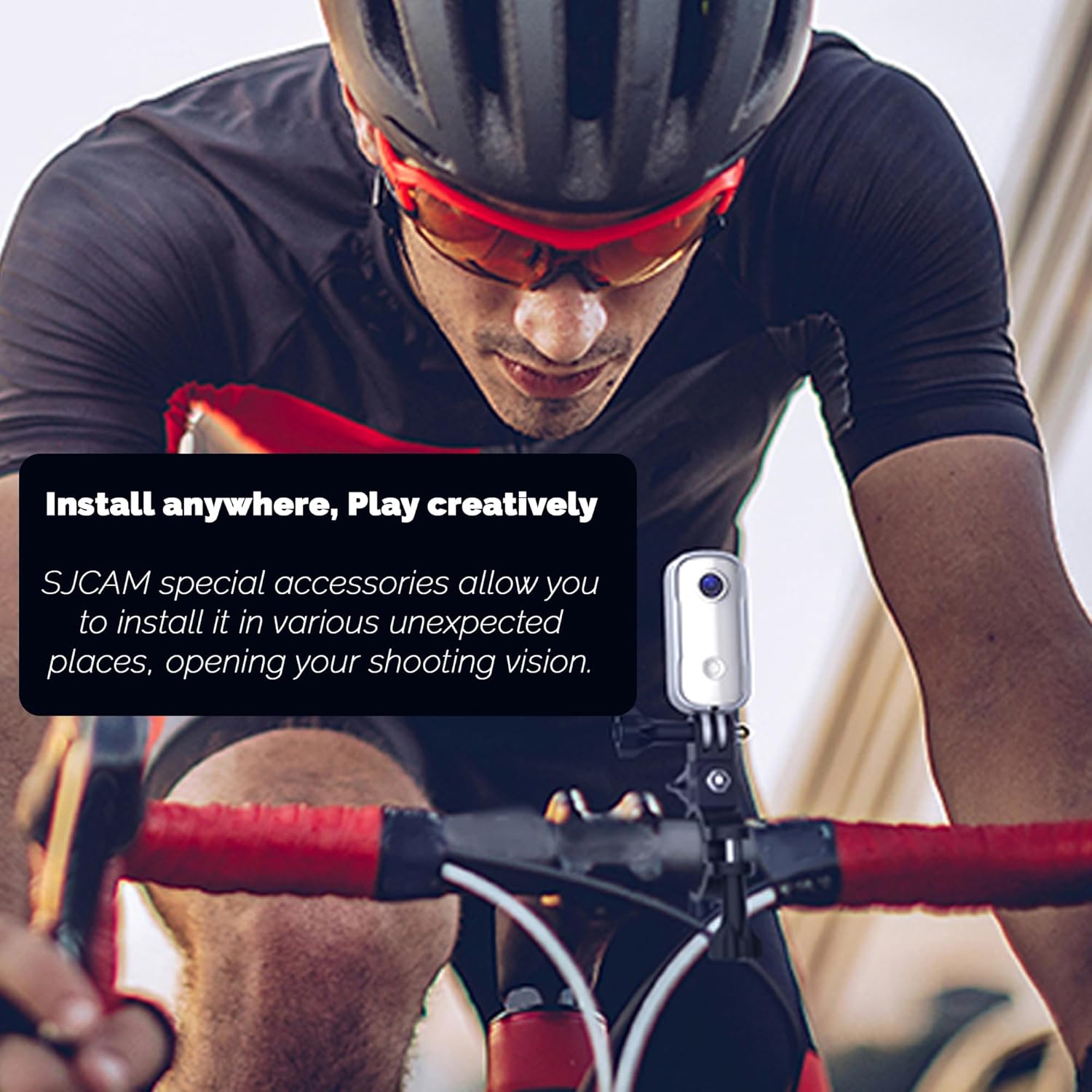
Image: An exploded view diagram illustrating the multiple lens elements within the SJCAM C100 Plus camera, highlighting its optical design for clear image capture.
4. Setup
4.1 Charging the Battery
- Connect the provided Micro USB cable to the camera's USB port.
- Connect the other end of the cable to a USB power adapter (not included) or a computer's USB port.
- The indicator light will show charging status (e.g., red for charging, off when fully charged).
- A full charge typically takes approximately 2 hours.
4.2 Inserting the MicroSD Card
The SJCAM C100 Plus supports microSD cards up to 128GB. A 64GB card is included in this bundle.
- Ensure the camera is powered off.
- Locate the microSD card slot on the camera.
- Gently insert the microSD card with the gold contacts facing the correct direction (refer to the camera's diagram if available) until it clicks into place.
- To remove, gently push the card in until it springs out.
4.3 Mounting the Camera
The C100 Plus features a magnetic back clip and comes with various mounting accessories for flexible placement.
- Magnetic Clip: Attach the camera directly to metallic surfaces or use the magnetic clip to secure it to clothing, straps, or bags.
- Mounting Brackets: Utilize the included brackets to attach the camera to helmets, handlebars, or other compatible surfaces. Ensure the camera is securely fastened before use.

Image: The SJCAM C100 Plus camera securely mounted on the handlebars of a bicycle, demonstrating its versatility for action recording.
5. Operating Instructions
5.1 Power On/Off
- Power On: Press and hold the main button for a few seconds until you hear a power-on prompt.
- Power Off: Press and hold the main button for a few seconds until you hear a power-off prompt.
5.2 Video Recording
- Ensure the camera is powered on.
- Press the main button once to start video recording. You will hear a voice prompt confirming recording has started.
- Press the main button again to stop recording. A voice prompt will confirm recording has stopped.
- Videos are saved automatically to the microSD card.
5.3 Photo Capture
The camera can also capture still images.
- Ensure the camera is powered on.
- While not recording video, quickly double-press the main button to switch to photo mode (if applicable, or if a dedicated mode switch exists).
- Press the main button once to take a photo. A voice prompt will confirm the photo has been taken.
- Photos are saved automatically to the microSD card.
5.4 Advanced Modes (Time-Lapse)
The SJCAM C100 Plus may support advanced shooting modes like Time-Lapse. Refer to the official SJCAM app or website for detailed instructions on accessing and configuring these modes.

Image: A split image demonstrating a time-lapse effect, showing a city skyline transitioning from daylight to nighttime, illustrating the camera's capability for capturing extended periods.
6. Maintenance
6.1 Cleaning the Camera
- Use a soft, lint-free cloth to wipe the camera body.
- For the lens, use a specialized lens cleaning cloth and solution to avoid scratches.
- Do not use harsh chemicals or abrasive materials.
6.2 Waterproofing Care
The SJCAM C100 Plus is IPX8 waterproof up to 30 feet when used with its waterproof housing.
- Before each use in water, inspect the waterproof housing for any damage, cracks, or debris around the seals.
- Ensure the housing is properly closed and latched.
- After use in saltwater, rinse the housing with fresh water and allow it to air dry.
- Do not open the waterproof housing while submerged.

Image: A vibrant underwater scene featuring various fish swimming among coral reefs, illustrating the camera's capability for underwater photography and videography.
7. Troubleshooting
- Camera not turning on: Ensure the battery is charged. Connect to a power source and try again.
- Recording issues (freezing, corrupted files): Ensure the microSD card is properly inserted and formatted. Try a different, high-quality microSD card.
- Poor video quality: Check lens for smudges or dirt. Ensure sufficient lighting. Verify resolution settings if adjustable via app.
- No audio: Ensure the microphone is not obstructed. Check settings if audio recording can be toggled off.
- Camera unresponsive: If the camera becomes unresponsive, try holding the power button for an extended period (e.g., 10-15 seconds) to force a shutdown, then restart.
8. Specifications
| Feature | Specification |
|---|---|
| Model | C100 Plus |
| Video Resolution | Up to 4K (also supports 1080p) |
| Image Stabilization | EIS (Electronic Image Stabilization) |
| Water Resistance | IPX8 (up to 30 feet with waterproof case) |
| Storage | MicroSD card, up to 128GB |
| Battery Life | Up to 2 hours (continuous recording) |
| Dimensions | 7.37 x 2.79 x 2.29 cm |
| Weight | 485 g |
| File Format | Video: MP4, Photo: JPEG |
| Connectivity | Micro USB |
9. Warranty and Support
For warranty information, technical support, or service inquiries, please refer to the official SJCAM website or contact your retailer. Keep your proof of purchase for warranty claims.
SJCAM Official Website: www.sjcam.com


