
Pikabike Z6
Pikabike Z6 Folding Electric Bike User Manual
Model: Z6
1. Introduction
Welcome to the user manual for your new Pikabike Z6 Folding Electric Bike. This manual provides essential information for the safe and efficient operation, maintenance, and troubleshooting of your e-bike. Please read this manual thoroughly before your first ride to ensure proper assembly, operation, and to maximize the lifespan of your bicycle.
The Pikabike Z6 is designed for adults, featuring a powerful 1200W peak motor, a top speed of 25 MPH, and a maximum range of 45 miles on a single charge. It comes equipped with a removable 48V battery, 14-inch pneumatic tires, and multiple shock absorption systems for a comfortable and stable ride. Its compact folding design makes it highly portable and easy to store.

Figure 1.1: Pikabike Z6 Folding Electric Bike (Unfolded and Folded)
This image displays the Pikabike Z6 electric bike, showcasing both its fully assembled, rideable form and its compact, folded state for storage or transport. The design highlights its portability and readiness for use.
2. Safety Information
Your safety is paramount. Always wear a helmet and appropriate safety gear when riding. Adhere to all local traffic laws and regulations.
- Pre-Ride Check: Before each ride, inspect tires for proper inflation and wear, check brake functionality, ensure all bolts and quick releases are tightened, and verify battery charge level.
- Riding Conditions: Avoid riding in heavy rain, snow, or icy conditions. Be cautious on uneven or slippery surfaces.
- Visibility: Use the integrated lights during low-light conditions. Consider wearing reflective clothing.
- Weight Limit: Do not exceed the maximum load capacity of 265 lbs (120 kg).
- Age Restriction: This e-bike is intended for adult use.
- Battery Safety: Only use the provided charger. Do not expose the battery to extreme temperatures or puncture it.
3. Setup and Initial Assembly
Your Pikabike Z6 comes mostly pre-assembled. Follow these steps for initial setup.
- Unfolding the Bike:
Carefully remove the bike from its packaging. Locate the main folding latch on the frame. Release the latch and unfold the frame until it locks securely into place. Ensure the handlebars are also unfolded and locked into their upright position.

Figure 3.1: Folded Dimensions and Adjustable Components
This image illustrates the compact folded dimensions of the Pikabike Z6 (26.3" x 25.5") and highlights adjustable features like the seat and handlebars, which can be customized for rider comfort. The overall dimensions of the unfolded bike are also shown.
- Installing/Charging the Battery:
The 48V 10AH lithium battery is typically pre-installed but may require initial charging. Locate the battery compartment, usually integrated into the frame. If removed, slide the battery into place until it clicks. Connect the provided charger to the charging port on the battery or bike frame, then plug it into a standard wall outlet. The charging indicator light will show charging status. A full charge takes approximately 3-5 hours.
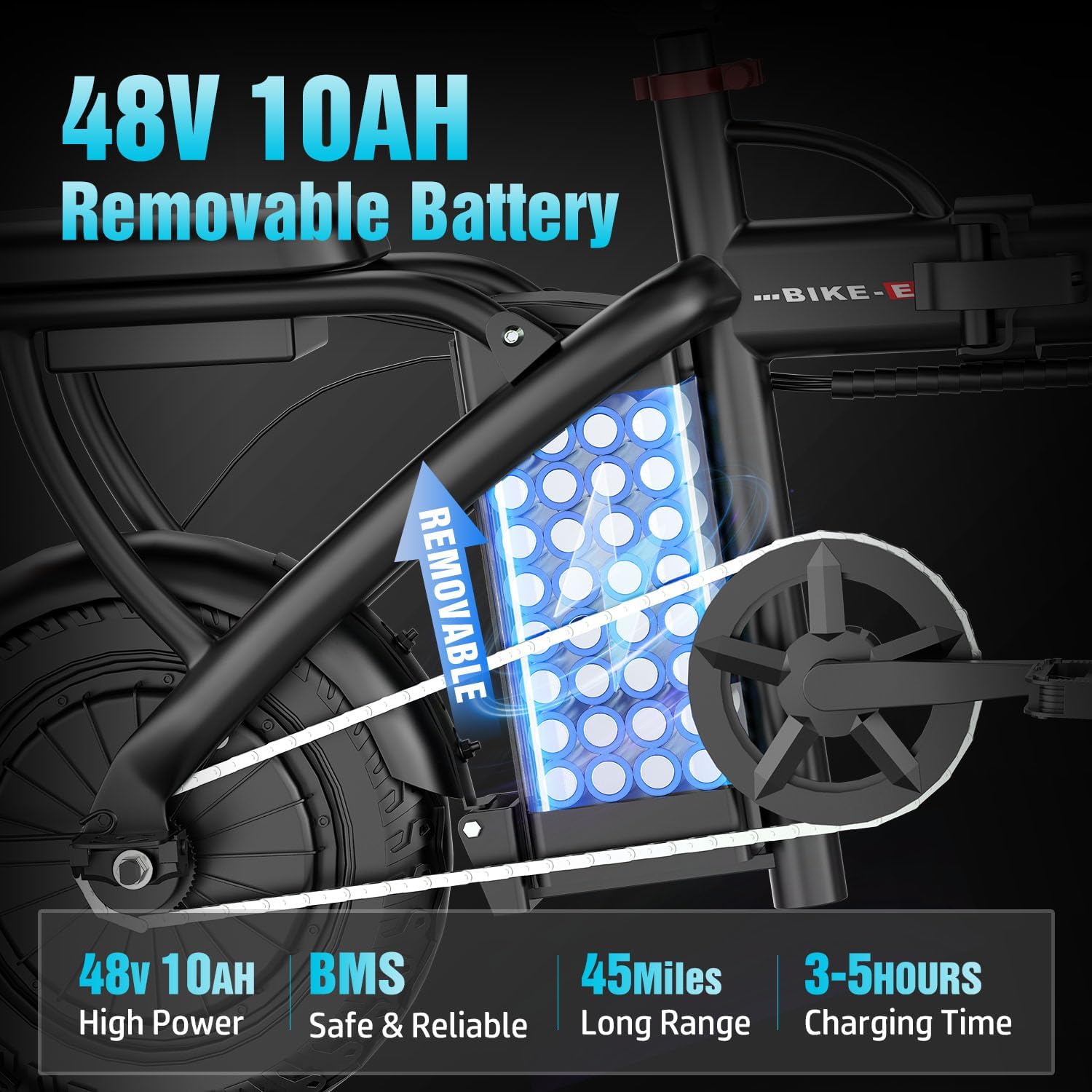
Figure 3.2: Removable 48V 10AH Battery
This image shows the removable 48V 10AH lithium battery integrated into the bike's frame, emphasizing its high power, safety features (BMS), long range (45 miles), and quick charging time (3-5 hours).
- Adjusting Seat and Handlebars:
Adjust the seat post height so that your feet can comfortably touch the ground when stopped, and your legs have a slight bend at the knee when pedaling. Adjust the handlebar height for a comfortable riding posture. Ensure all quick-release levers are securely tightened after adjustment.
- Tire Inflation:
Check the tire pressure using a pressure gauge. Inflate tires to the recommended PSI (pounds per square inch) indicated on the tire sidewall. Proper inflation ensures optimal performance and safety.
4. Operating Instructions
Familiarize yourself with the controls and riding modes of your Pikabike Z6.
4.1 Riding Modes
- Full-Electric Mode: Engage the throttle (if equipped) or select the highest assist level without pedaling. The motor provides all propulsion.
- Pedal-Assist Mode (PAS): The motor provides assistance as you pedal. You can typically select different levels of assistance via the display. This mode extends battery range significantly.
- Traditional Bicycle Mode: Ride the bike like a regular bicycle without any motor assistance. The motor is off, and you rely solely on your pedaling power.
4.2 Display and Controls
The Liquid Crystal Display (LCD) provides key riding data.
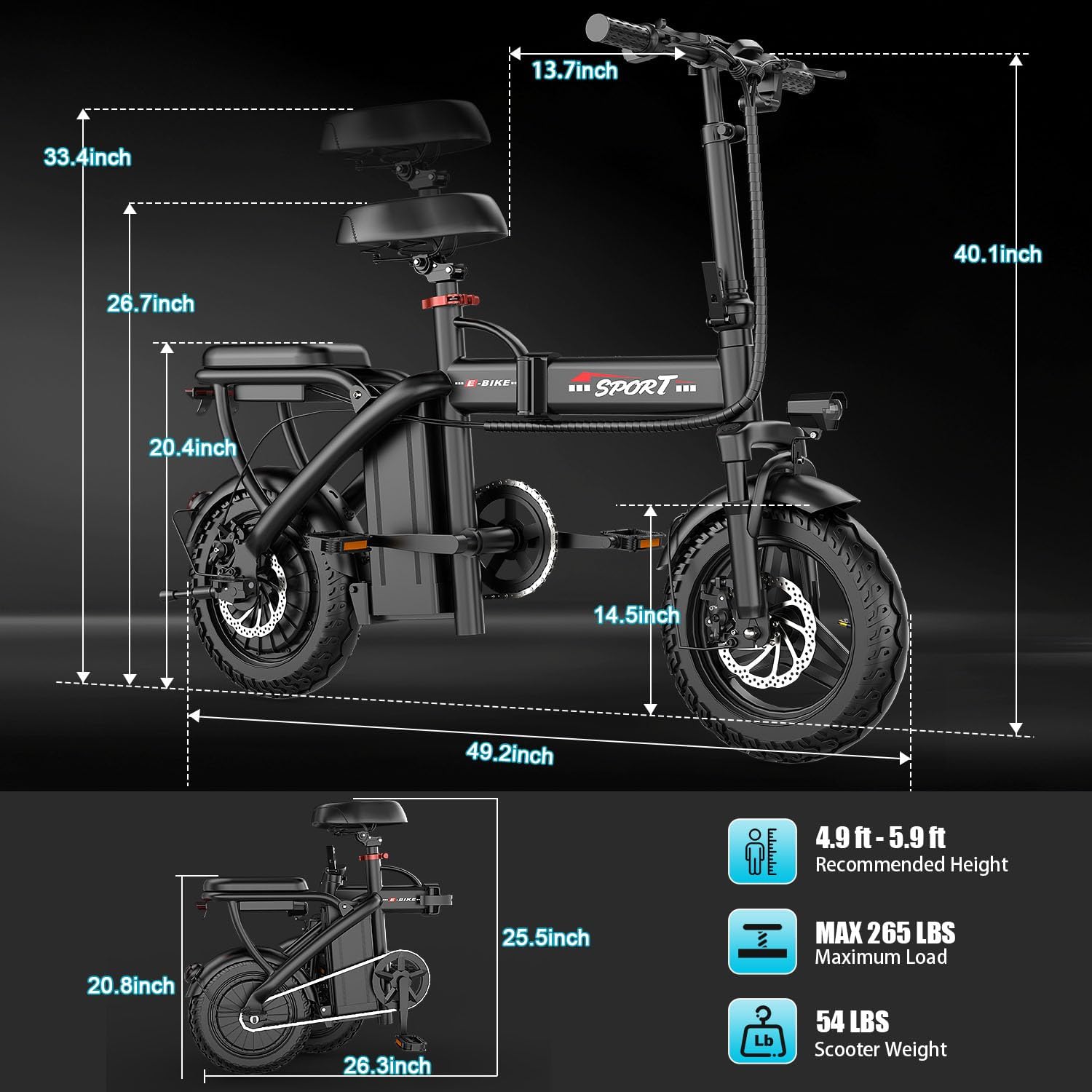
Figure 4.1: Liquid Crystal Display Instrumentation
This image details the Pikabike Z6's LCD display, showing indicators for battery level, travel speed, light status, and mileage. It also points out the handbrake and gear display on the handlebars.
- Power Button: Press and hold to turn the system on/off.
- Mode/Assist Buttons: Use '+' and '-' buttons to cycle through pedal-assist levels or display modes.
- Battery Level Display: Indicates remaining battery charge.
- Speed Display: Shows current riding speed.
- Mileage: Displays trip distance or total odometer reading.
- Light Display: Indicates if the headlights are on.
4.3 Braking System
Your Pikabike Z6 is equipped with responsive disc brakes for effective stopping power.
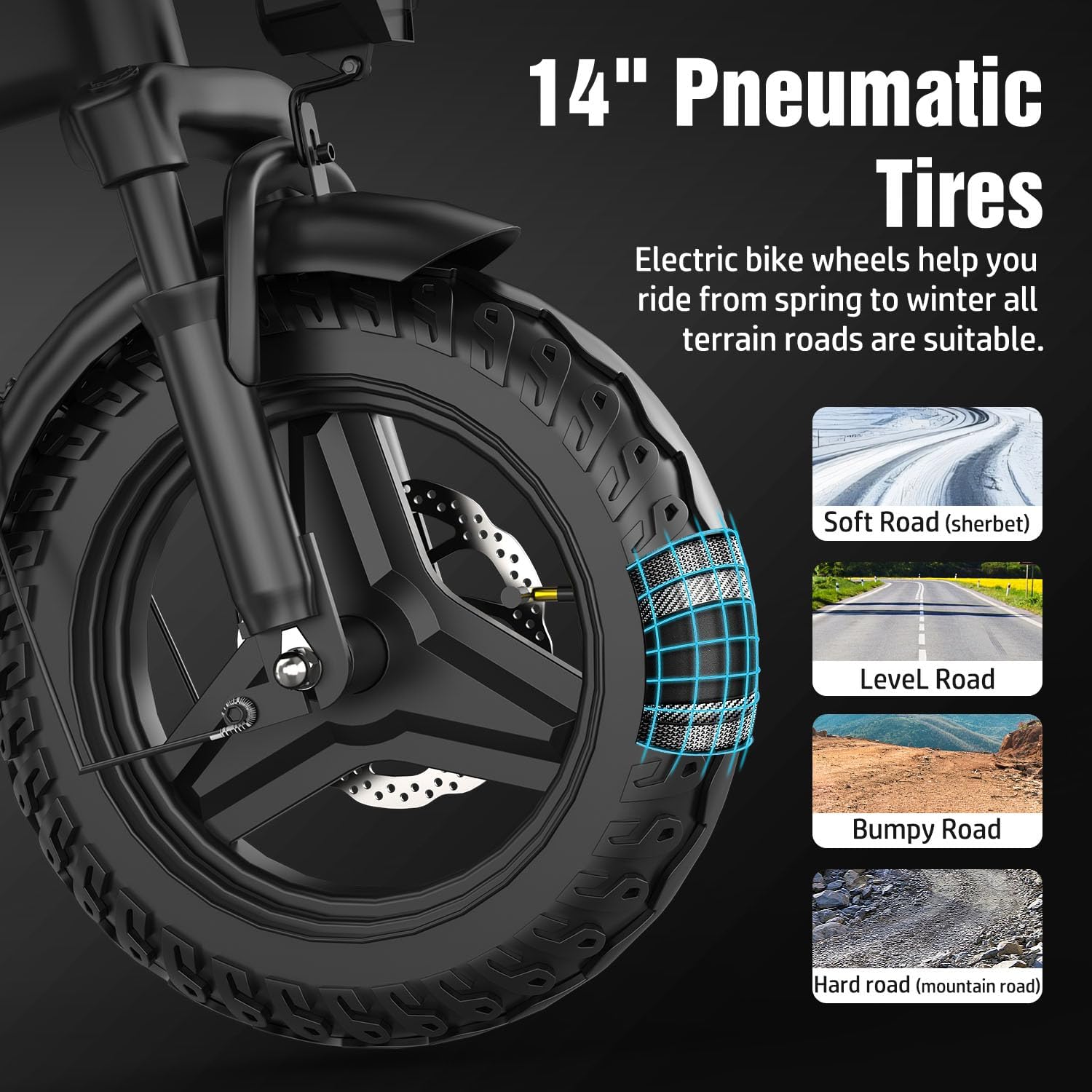
Figure 4.2: Front and Rear Disc Brakes
This image highlights the dual disc brake system on the Pikabike Z6, showing both the front and rear disc brakes. It emphasizes their rapid response and suitability for various road conditions, ensuring a safe ride.
Apply both front and rear brakes simultaneously for balanced and effective stopping. Practice braking in a safe area to get accustomed to the bike's stopping distance.
4.4 Motor and Performance
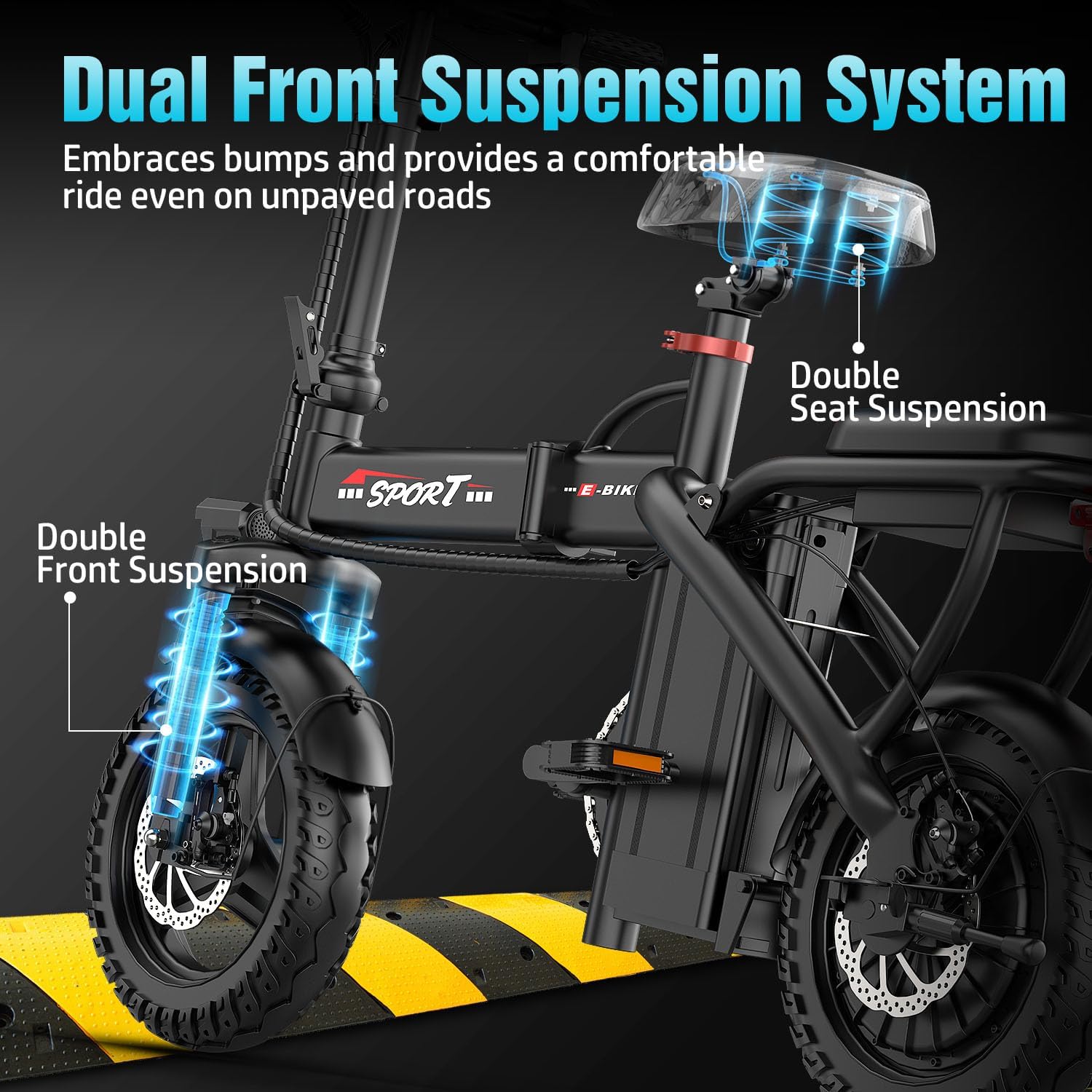
Figure 4.3: 1200W Peak Motor
This image illustrates the powerful 1200W peak motor of the Pikabike Z6, highlighting its ability to provide a stable and smooth ride, reach speeds of 25 MPH, offer a maximum mileage of 45 miles, and handle elevations of 20-25 degrees.
The 1200W peak motor provides robust power for inclines and acceleration. The bike's suspension system, including dual front and double seat suspension, ensures a comfortable ride by absorbing shocks from various terrains.

Figure 4.4: Dual Front Suspension System
This image showcases the dual front suspension and double seat suspension of the Pikabike Z6, designed to absorb bumps and provide a comfortable riding experience even on unpaved roads.
The 14-inch pneumatic tires are designed for versatility, suitable for soft roads, level roads, bumpy roads, and hard roads.

Figure 4.5: 14" Pneumatic Tires
This image highlights the 14-inch pneumatic tires of the Pikabike Z6, illustrating their suitability for various terrains including soft, level, bumpy, and hard roads, making the bike versatile for different riding conditions.
5. Maintenance
Regular maintenance ensures the longevity and safe operation of your e-bike.
- Cleaning: Clean the bike regularly with a damp cloth. Avoid high-pressure washing directly on electrical components.
- Battery Care:
- Charge the battery fully after each ride, especially if storing for extended periods.
- Store the battery in a cool, dry place, away from direct sunlight and extreme temperatures.
- If storing for a long time, charge the battery to about 50-70% every 2-3 months.
- Tires: Check tire pressure weekly and inflate to recommended PSI. Inspect tires for cuts, punctures, or excessive wear.
- Brakes: Regularly check brake pads for wear and ensure brake levers engage smoothly. Adjust brake cables if necessary to maintain proper tension.
- Lubrication: Lubricate the chain and other moving parts periodically with bicycle-specific lubricant.
- Fasteners: Periodically check and tighten all bolts, nuts, and quick-release levers.
6. Troubleshooting
This section addresses common issues you might encounter.
| Problem | Possible Cause | Solution |
|---|---|---|
| Bike does not power on. | Battery is dead or not properly connected. | Charge the battery. Ensure the battery is fully inserted and locked into its compartment. Check power cable connections. |
| Motor not assisting. | Low battery, PAS level set to zero, or sensor issue. | Check battery charge. Increase PAS level on the display. Ensure pedal sensor is clean and unobstructed. |
| Brakes feel weak or spongy. | Worn brake pads, loose cables, or air in hydraulic system (if applicable). | Inspect and replace brake pads if worn. Adjust brake cable tension. If hydraulic, professional service may be required. |
| Unusual noises during riding. | Loose components, dry chain, or debris in moving parts. | Check all bolts and fasteners. Lubricate the chain. Inspect for foreign objects in wheels or drivetrain. |
| Battery not charging. | Charger not connected properly, faulty charger, or battery issue. | Ensure charger is securely plugged into both the bike/battery and the wall outlet. Check for damage to charger cable or port. If issue persists, contact support. |
For issues not listed here or if solutions do not resolve the problem, please contact Pikabike customer support.
7. Specifications
| Feature | Detail |
|---|---|
| Model Name | Z6 |
| Bike Type | Electric Bike |
| Motor | 1200W Peak Motor |
| Max Speed | 25 MPH |
| Max Range | 45 Miles (Full-Electric), 50+ Miles (Pedal-Assist) |
| Battery | 48V 10AH Removable Lithium Battery |
| Charging Time | 3-5 Hours |
| Tire Size | 14 inches (Pneumatic) |
| Frame Material | Alloy Steel |
| Suspension Type | Dual Front and Double Seat Suspension |
| Brake Style | Disc Brakes (Front and Rear) |
| Max Load Capacity | 265 lbs (120 kg) |
| Scooter Weight | 54 lbs (24.5 kg) |
| Folded Dimensions | 26.3" x 25.5" |
| Recommended Height | 4.9 ft - 5.9 ft |
| Included Components | Charger |
8. Warranty Information
The Pikabike Z6 Folding Electric Bike comes with a 1-year warranty from the date of purchase. This warranty covers manufacturing defects in materials and workmanship. It does not cover damage caused by misuse, accidents, unauthorized modifications, normal wear and tear, or failure to follow the instructions in this manual.
Please retain your proof of purchase for warranty claims. For detailed warranty terms and conditions, refer to the warranty card included with your product or contact Pikabike customer support.
9. Customer Support
If you have any questions, require technical assistance, or need to make a warranty claim, please contact Pikabike customer support.
For the most up-to-date contact information, please visit the official Pikabike website or refer to the contact details provided with your purchase documentation. When contacting support, please have your model name (Z6) and purchase date ready.
Ask a question about this manual
Ask about setup, troubleshooting, compatibility, parts, safety, or missing instructions. Manuals+ will review the question and use this page’s manual context to help answer it.