
Introduction
The oryzom V1 Pro Cordless Stick Vacuum Cleaner is designed for efficient home cleaning. It features a powerful 580W brushless motor, delivering up to 55Kpa of suction. With a runtime of up to 75 minutes, it is suitable for various surfaces including hard floors and carpets. Its cordless design offers flexibility and ease of use for comprehensive cleaning.
Setup
1. Unpacking and Assembly
- Carefully unpack all components from the packaging.
- Connect the main vacuum body to the extension wand.
- Attach the desired cleaning head (e.g., floor brush) to the end of the extension wand. Ensure all connections click securely into place.
2. Initial Charging
Before first use, fully charge the vacuum cleaner's battery. The wall-mounted charging dock provides convenient storage and charging.

Operating Instructions
1. Power On/Off
Press the power button located on the handle to start or stop the vacuum cleaner.
2. Suction Modes and LED Touchscreen
The oryzom V1 Pro offers an automatic mode and three fixed suction modes (Eco, Auto, Max). Use the 90mm LED touchscreen to select your desired mode. The screen displays real-time operating status and battery level.

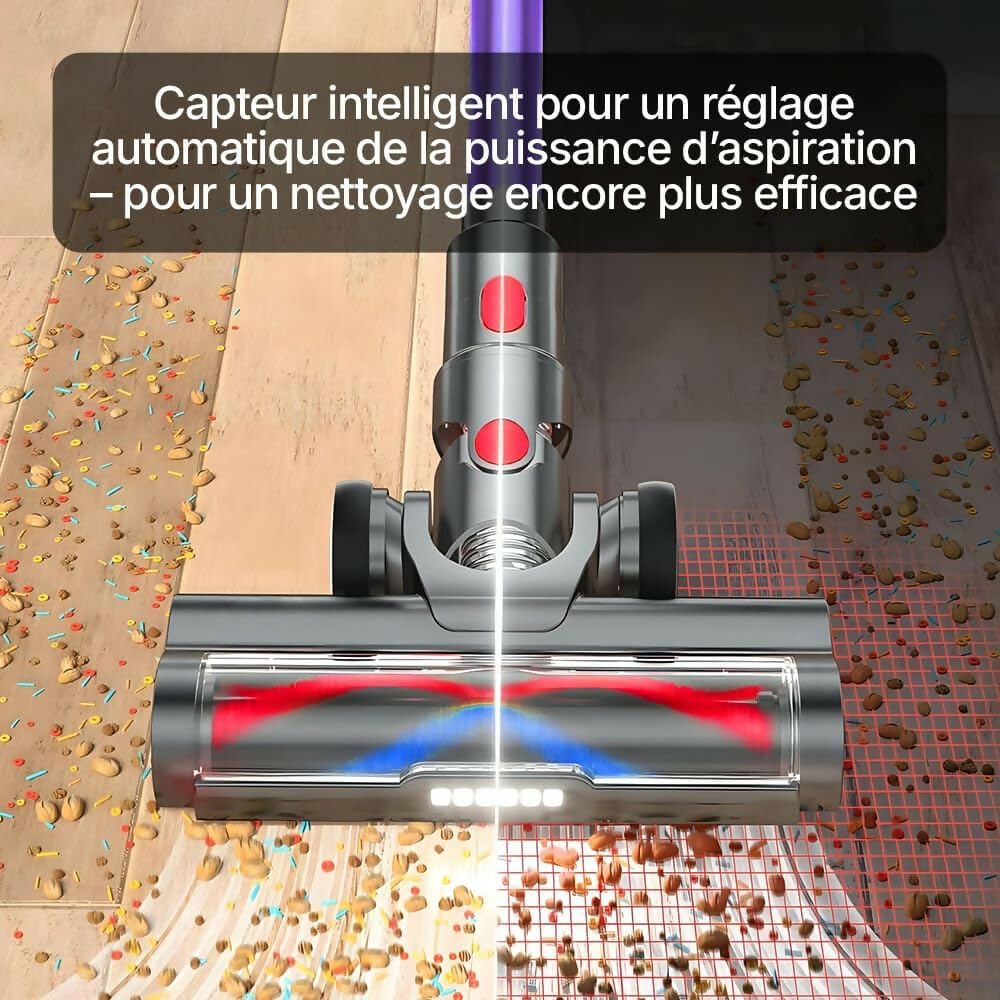
In automatic mode, the vacuum intelligently detects the amount of dust and adjusts suction power accordingly for optimal cleaning efficiency.

3. Brushless Motor Performance
The vacuum is equipped with a high-performance brushless motor, offering different levels of power for various cleaning tasks.

4. Battery Runtime
The vacuum is powered by 8 high-density 2500mAh batteries (29.6V), providing extended cleaning time.
Maintenance
1. Emptying the Dustbin
The 1.3L dustbin is designed for easy, hands-free emptying. Press the release button to open the dustbin and dispose of collected debris. Empty the dustbin regularly to maintain optimal suction.
2. Filter Cleaning
The 6-level filtration system captures 99.99% of fine particles. Regularly clean the filters to maintain optimal suction performance and air quality. Refer to the diagram for filter component identification and cleaning instructions.

3. Brush Head Maintenance
Periodically remove the brush head and clean any tangled hair or debris from the V-shaped roller brush. The improved V-shaped rotating brush combines soft and hard bristles to reduce hair tangles. Ensure the brush is free of obstructions for effective cleaning. The brush head can pivot 180° and 270° for easy access to corners.
Troubleshooting
- No Power:
- Check if the battery is fully charged.
- Ensure the power adapter is correctly connected during charging.
- Verify all components are securely assembled.
- Low Suction:
- Empty the dustbin if it is full.
- Clean all filters thoroughly.
- Check the brush head and extension wand for blockages.
- Brush Not Rotating:
- Remove any tangled hair or debris from the brush roller.
- Ensure the brush head is properly attached to the extension wand.
Specifications
| Brand | oryzom |
| Model | V1 Pro |
| Color | Grey |
| Motor Power | 580 watts |
| Suction Power | Up to 55Kpa |
| Battery | 8 x 2500mAh (29.6V) |
| Runtime | Up to 75 minutes (Eco/Auto mode), 20 minutes (Max mode) |
| Dustbin Capacity | 1.3L |
| Filtration System | 6-level, captures 99.99% of fine particles |
| Display | 90mm LED Touchscreen |
| Surface Recommendation | Hard floors, Carpets |
| Dimensions (L x W x H) | 44L x 19W x 25H cm |
| Wireless | Yes |
Warranty Information
Warranty information is not explicitly provided in the product details. Please refer to your purchase documentation or contact the seller for specific warranty terms and conditions.
Customer Support
For technical support, troubleshooting assistance, or customer service inquiries, please refer to the contact information provided with your purchase or visit the official oryzom website. Specific contact details are not available in the provided product data.


