
1. Introduction
This instruction manual provides essential information for the safe and effective use of your U`King 10W RGBW DMX Pinspot Light, Model 1. This compact and versatile LED spotlight is designed for various applications, offering multiple control modes and vibrant color options.
Package Contents:
- 1 x U`King 10W RGBW DMX Pinspot Light
- 1 x Mounting Bracket
- 1 x Remote Control
- 1 x User Manual
2. Safety Instructions
- Ensure the power supply voltage matches the product's requirements (240 Volts).
- Do not open the device casing. Refer all servicing to qualified personnel.
- Avoid direct eye exposure to the light source.
- Keep the device away from water, moisture, and extreme temperatures.
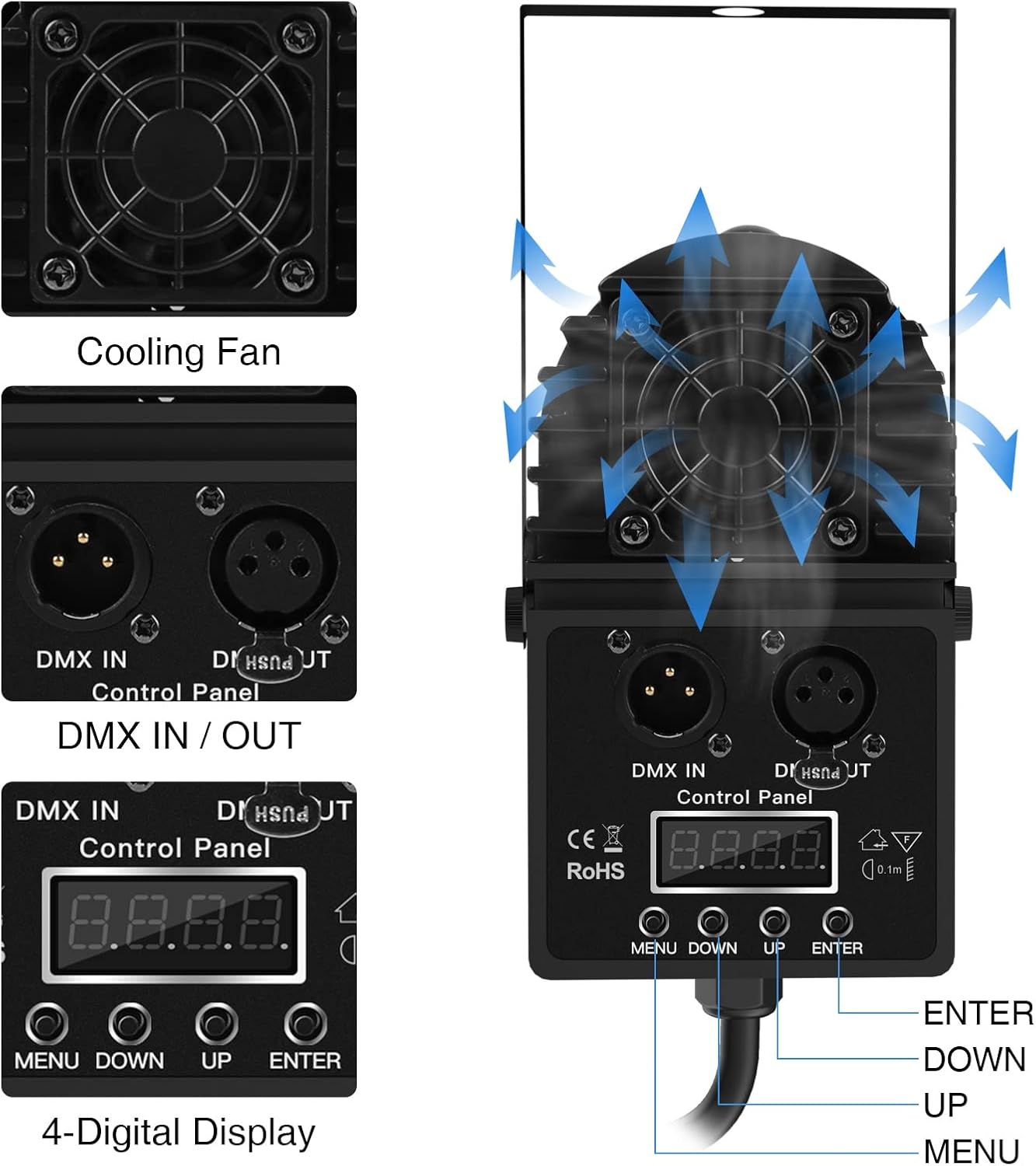
- Ensure adequate ventilation around the unit to prevent overheating. The integrated cooling fan assists in heat dissipation.
- Always disconnect from power before cleaning or performing maintenance.
3. Setup
3.1 Mounting the Light
The U`King Pinspot Light comes with a versatile mounting bracket, allowing for various installation options. The bracket can be adjusted 180 degrees to direct the light as needed.
- Attach the provided mounting bracket to the light unit using the included screws.
- Secure the light to a stable surface such as a wall, ceiling, or truss using appropriate hardware (not included). Ensure the mounting is firm and can support the weight of the light.
- Adjust the angle of the light by loosening the side screws on the bracket, positioning the light, and then tightening the screws to secure it.
3.2 Power Connection
Connect the power cord to a standard electrical outlet. The device is designed for corded electric power.
3.3 Adjusting the Beam Angle (Zoom)
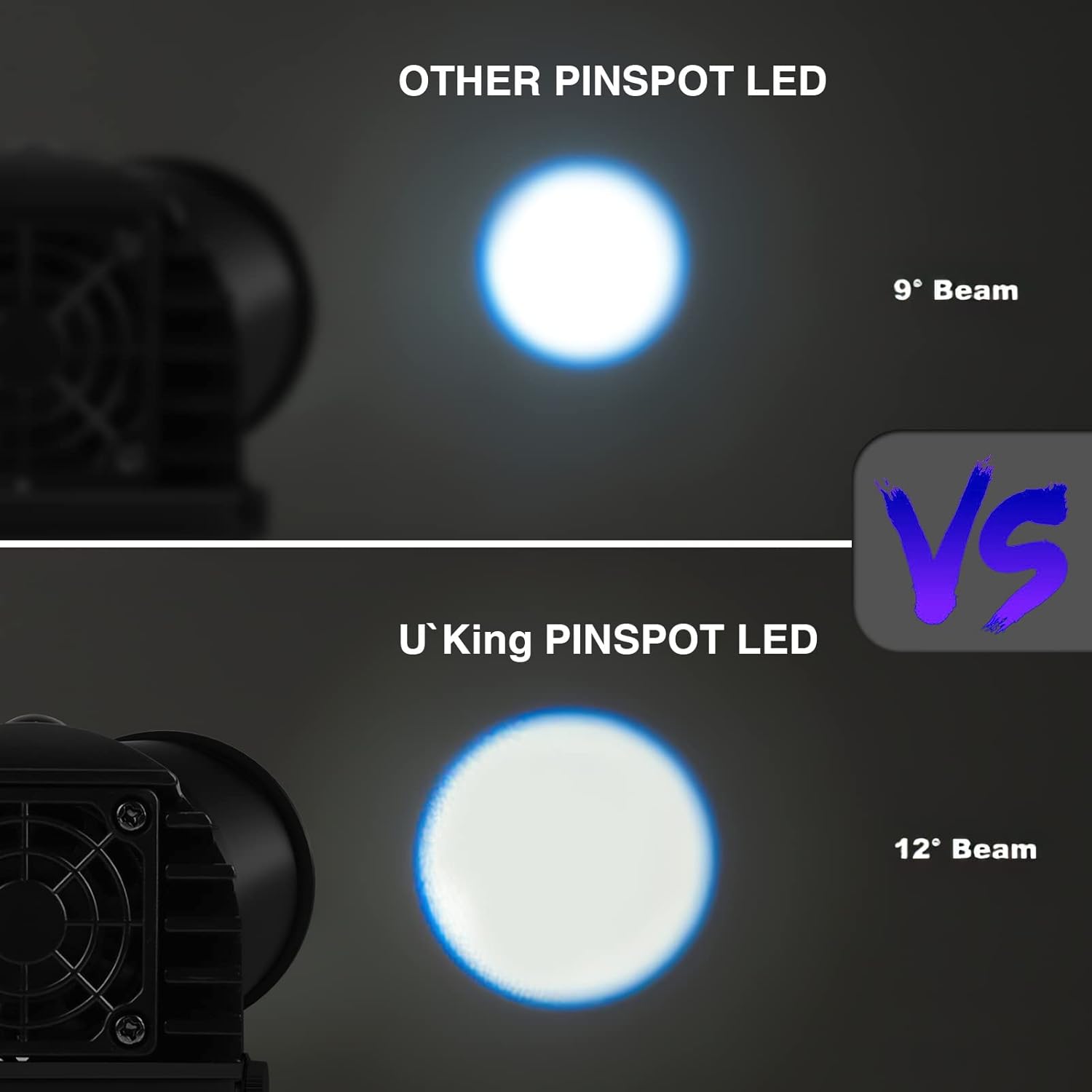
The pinspot light features an adjustable lens for beam angle control. Rotate the front lens barrel to adjust the beam from a narrow, focused spot to a wider spread.

4. Operating Instructions
The U`King Pinspot Light offers multiple control modes for versatile lighting effects.
4.1 Control Panel Overview
The rear panel features a 4-digital display and buttons (MENU, DOWN, UP, ENTER) for direct control, along with DMX IN/OUT ports for external control.
4.2 Remote Control Functions
The included remote control provides convenient wireless operation.
- ON/OFF: Power the light on or off.
- Color Buttons (R, G, B, W): Select individual Red, Green, Blue, or White colors.
- Mixed Colors: Buttons for various mixed color combinations.
- Gradual: Activates a gradual color change mode.
- Jump: Activates a sudden color change (jump) mode.
- Breathe: Activates a breathing effect where colors fade in and out.
- Speed +/-: Adjusts the speed of dynamic modes (Gradual, Jump, Breathe).
- Mode +/-: Cycles through different pre-programmed modes.

4.3 Control Modes
The light supports the following control modes:
- DMX 512: For professional control via a DMX controller. Connect DMX IN/OUT ports to your DMX system. Refer to your DMX controller's manual for specific channel assignments.
- Master-Slave: Link multiple units together for synchronized operation. Connect the DMX OUT of the master unit to the DMX IN of the first slave unit, and so on.
- Sound Activated: The light reacts to ambient sound, changing colors and patterns in sync with music or other audio.
- Auto: Cycles through pre-programmed lighting effects automatically.
5. Maintenance
5.1 Cleaning
Regularly clean the lens and casing with a soft, dry cloth. Do not use abrasive cleaners or solvents.
5.2 Storage
When not in use, store the light in a cool, dry place away from direct sunlight and extreme temperatures.

6. Troubleshooting
- No Power: Check the power connection and ensure the outlet is functional.
- No Light Output: Verify the light is powered on and not in a blackout mode. Check remote control battery.
- Remote Not Responding: Ensure there are no obstructions between the remote and the light. Replace the remote control battery if necessary.
- Incorrect Color/Mode: Cycle through modes using the remote or control panel buttons. If using DMX, verify DMX settings and connections.
- Overheating: Ensure the cooling fan is not obstructed and there is sufficient airflow around the unit.
7. Specifications
| Feature | Specification |
|---|---|
| Brand | U`King |
| Model Number | 1 |
| Light Source Type | Light Emitting Diode (LED) |
| Wattage | 10 Watts |
| Colors | RGBW (Red, Green, Blue, White) |
| Control Modes | DMX 512, Master-Slave, Sound Activated, Auto |
| Material | Acrylonitrile Butadiene Styrene (ABS) |
| Product Dimensions | 6.4"L x 3"W x 2.8"H |
| Item Weight | 1 Pound |
| Voltage | 240 Volts |
| Beam Angle | 25 Degrees |
8. Warranty and Support
For warranty information and customer support, please refer to the product packaging or contact U`King directly through their official website or customer service channels. Keep your purchase receipt for warranty claims.


