
Introduction
This manual provides detailed instructions for the safe and effective use of your Globluum SU3 80GB MP3 Player for Kids. Please read this guide thoroughly before operating the device.
Important Safety Information:
- Press and hold the side button for 3 seconds to power on.
- Touch the screen to select songs and navigate.
- Do not immerse the device in water.
- Strictly prohibit operation or storage in high-temperature environments exceeding 55°C (131°F).
What's in the Box
Verify that all the following items are included in your product package:
- Globluum SU3 MP3 Player (x1)
- Transparent Protective Case (x1)
- User Manual (x1)
- USB-C Charging Cable (x1)
- 3.5mm Wired Earphones (x1)
- 64GB microSDXC card (pre-installed or separate) (x1)

Image: Globluum SU3 MP3 Player and its included accessories.
Setup
1. Powering On
Press and hold the power button located on the side of the device for approximately 3 seconds until the screen illuminates and the Globluum logo appears.
2. Initial Setup & Wi-Fi Connection
Upon first use, follow the on-screen prompts to complete the initial setup. This includes selecting your language and connecting to a Wi-Fi network. A stable Wi-Fi connection is required for streaming services and app updates.
3. Inserting the MicroSD Card
The device comes with a 64GB microSD card. If it is not pre-installed, locate the microSD card slot on the side of the player. Gently insert the card until it clicks into place. The storage is expandable up to 1TB.
Operating Instructions
General Navigation
The Globluum SU3 features a 4-inch touchscreen display. Navigate by tapping icons, swiping left/right to switch screens, and using the back and home buttons located below the screen.
Music Playback
The device comes pre-loaded with popular music streaming applications such as Spotify Kids, Amazon Music, and Apple Music. You can also use the integrated HiBy Music player for lossless audio playback (FLAC/APE/WAV formats).
- Streaming: Open the desired music app, log in with your account, and select content to stream.
- Local Files: Transfer MP3 or other supported audio files to the device's internal storage or microSD card. Use the HiBy Music app to browse and play your local library.
- Playlists: Create and manage playlists within the music applications or the HiBy Music player.

Image: The Globluum SU3 supports various music streaming services.

Image: HiBy Music provides lossless audio quality.
Video: An overview of the Globluum SU3's safe listening features and preloaded apps for healthy growth.
Audiobooks & Bedtime Stories
Access a wide range of audiobooks and bedtime stories through pre-installed apps like Audible, Libby, LibriVox, and Kindle. The device includes a sleep timer function for quiet nights.
- Sleep Timer: In the audio playback interface, locate the sleep timer option. Set a duration, and the device will automatically turn off after the specified time.

Image: The Globluum SU3 offers bedtime stories and a sleep mode.
Parental Controls
The Globluum SU3 features robust parental controls to ensure a safe and focused experience for children. The device runs on a closed Android 14 system, preventing unauthorized app installations.
- Accessing Controls: Navigate to the 'Parental Control' app on the home screen.
- Lock Apps: Select which applications your child can access. Unapproved apps can be hidden.
- Set Passwords: Protect settings and app management with a password to prevent unauthorized changes.
- Block Factory Resets: Prevent accidental or intentional factory resets that could remove parental settings.

Image: Parental control features for managing apps and settings.

Image: The device runs on Android 14 with a kid-safe closed system.
Bluetooth Connectivity
The device supports Bluetooth 5.0 for wireless audio connections. This allows for seamless pairing with Bluetooth earbuds, speakers, or car audio systems.
- Pairing: Go to 'Settings' > 'Bluetooth'. Turn on Bluetooth and select your desired device from the list to pair.

Image: Bluetooth 5.0 for connecting to various audio devices.
Video Playback
The Globluum SU3 supports video playback, accepting up to 1080p video files which are automatically downsized to its 800x480 display. It supports multiple formats including MP4, AVI, and MKV.
- Playing Videos: Transfer video files to the device. Use the pre-installed video player app to browse and play your content.
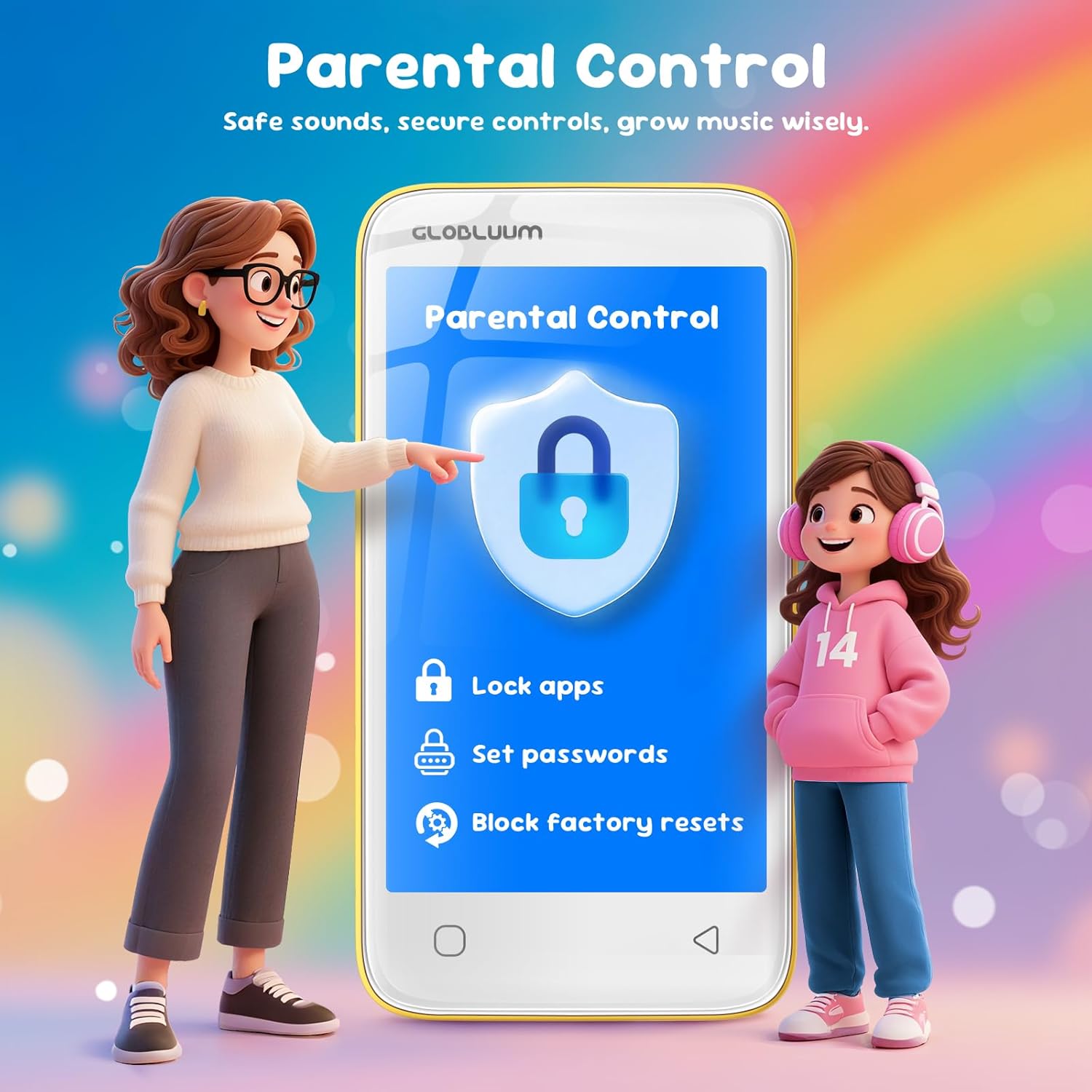
Image: The device supports video playback for cartoons and other content.
Additional Tools
The MP3 player includes several useful tools:
- FM Radio: Listen to local radio stations.
- Voice Recorder: Record audio notes or messages.
- Clock/Alarm: Set alarms for waking up or reminders.
- Calendar: Keep track of important dates and events.

Image: The Globluum SU3 includes various enhanced features.
Maintenance
Battery Life and Charging
The device is equipped with a 1750mAh battery and an energy-efficient 12nm chip, providing approximately 25 hours of average battery life. To charge, connect the included USB-C cable to the device and a compatible power adapter (not included).

Image: The device features a 12nm chip and 1750mAh battery for extended use.
Storage Management
The Globluum SU3 comes with 80GB of storage (16GB built-in + 64GB Micro SD card). The storage can be expanded further up to 1TB using a compatible microSD card. Regularly manage files to optimize performance.

Image: The device offers 80GB storage, expandable up to 1TB.
Troubleshooting
If you encounter any issues with your Globluum SU3, consider the following common solutions:
- Device Not Powering On: Ensure the device is charged. Connect it to a power source and try again.
- App Issues (Lag, Not Loading): Close and reopen the app. If the issue persists, clear the app's cache in 'Settings' > 'Apps'.
- File Transfer Problems: Ensure the USB-C cable is securely connected to both the device and your computer. Check if the device is in 'File Transfer' mode (usually prompted on the device screen when connected).
- Bluetooth Connectivity Issues: Ensure Bluetooth is enabled on both devices. Try unpairing and re-pairing the devices.
- Firmware Updates: Check for available firmware updates in 'Settings' to ensure optimal performance and bug fixes.
For further assistance, please refer to the support information below.

Image: Support is available for technical assistance.
Specifications
| Feature | Detail |
|---|---|
| Brand | Globluum |
| Model Name | SU3 |
| Memory Storage Capacity | 80 GB (16GB internal + 64GB Micro SD) |
| Expandable Storage | Up to 1TB via Micro SD |
| Screen Size | 4 Inches |
| Connectivity Technology | Aux, Bluetooth 5.0, USB, Wi-Fi |
| Operating System | Android 14 |
| Battery Average Life | 25 Hours |
| Item Weight | 3.46 Ounces |
| Item Dimensions (D x W x H) | 0.43"D x 2.44"W x 4.65"H |
| Supported Audio Standards | AAC, WAV, APE, FLAC, WMA, OGG, M4A, MP3, MP2 |
| Supported Video Formats | MP4, AVI, MKV (up to 1080p, downsizes to 800x480) |
| Special Features | Bluetooth and WiFi, Built-In Speaker, Parental Controls, Touch Screen, FM Radio, Voice Recorder, Clock, Calendar |
Warranty and Support
The Globluum SU3 MP3 Player comes with a 1-Year Manufacturer Warranty. For warranty claims or technical support, including assistance with app installations, firmware updates, lag issues, file transfers, or Bluetooth connectivity problems, please contact Globluum customer service.
Refer to the contact information provided in your product packaging or visit the official Globluum website for support details.

