
treewell THRS13B
treewell Remote Control Outlet User Manual
Model: THRS13B (1 Remote + 3 Outlets)
Simplifying control for your home appliances.
Product Overview
The treewell Remote Control Outlet system provides a convenient way to wirelessly control up to three electrical devices using a single remote. Designed for ease of use, this system eliminates the need for complex wiring or smart home hubs, offering instant control over your lights, fans, and other household appliances.
- 1 Remote, 3 Outlets: Control three devices individually or all at once with a single remote.
- 200 FT Long Range: The strong RF signal operates through walls, doors, and windows, providing flexible placement options and lag-free response.
- Compact Design: Each outlet occupies only one wall socket, leaving the other free. Its small size allows for installation in tight spaces or behind furniture.
- Safe and Reliable: ETL & FCC Listed for safety, rated at 15A/1875W, and constructed with fire-resistant casing.
- Programmable and Expandable: Features free pairing with no interference, allowing expansion with additional treewell wireless light switches and receiver kits.
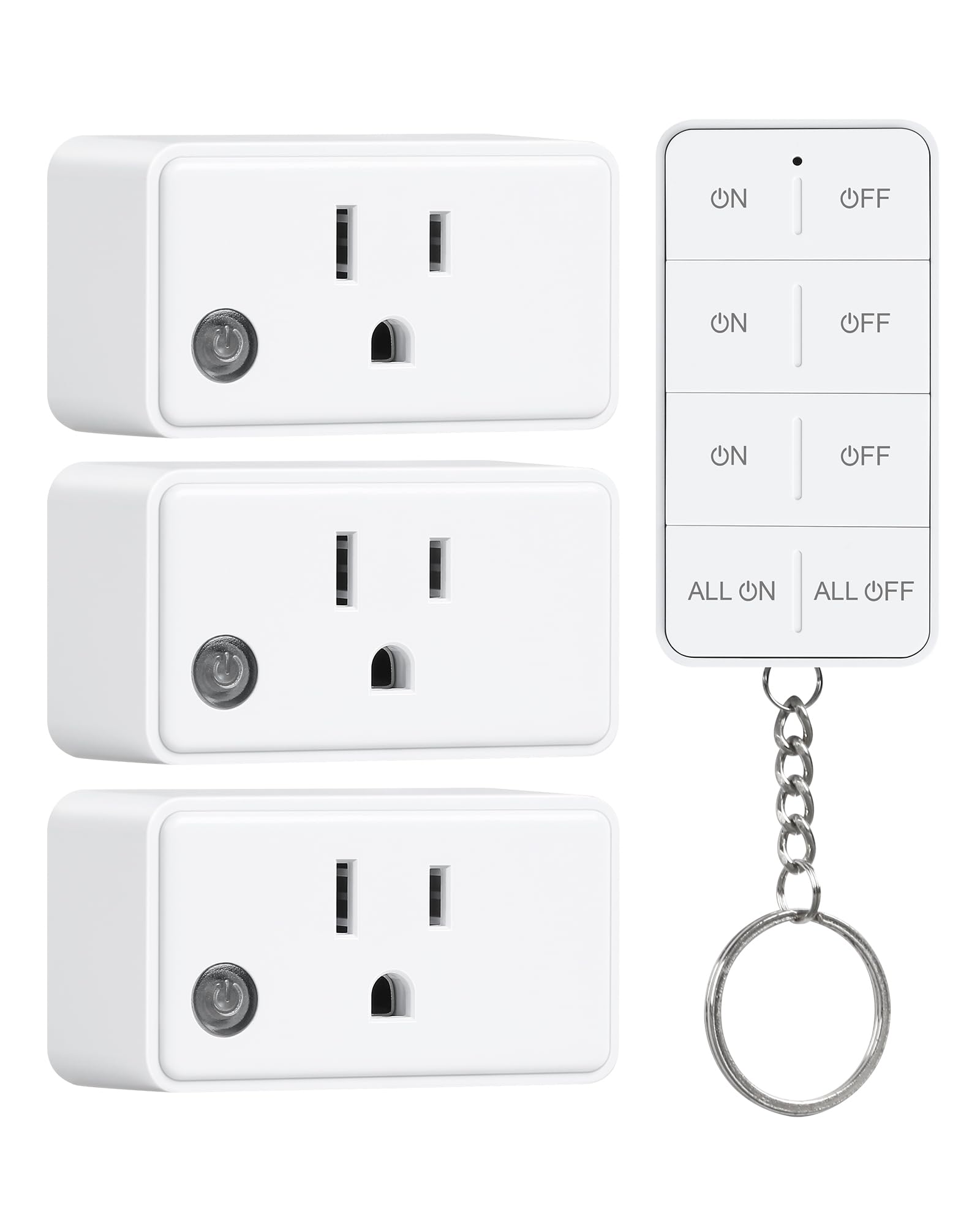
Image: The treewell Remote Control Outlet and its accompanying remote control.
What's in the Box
- 3 x treewell Remote Control Outlets (Receivers)
- 1 x treewell Remote Control (Transmitter) with Keychain
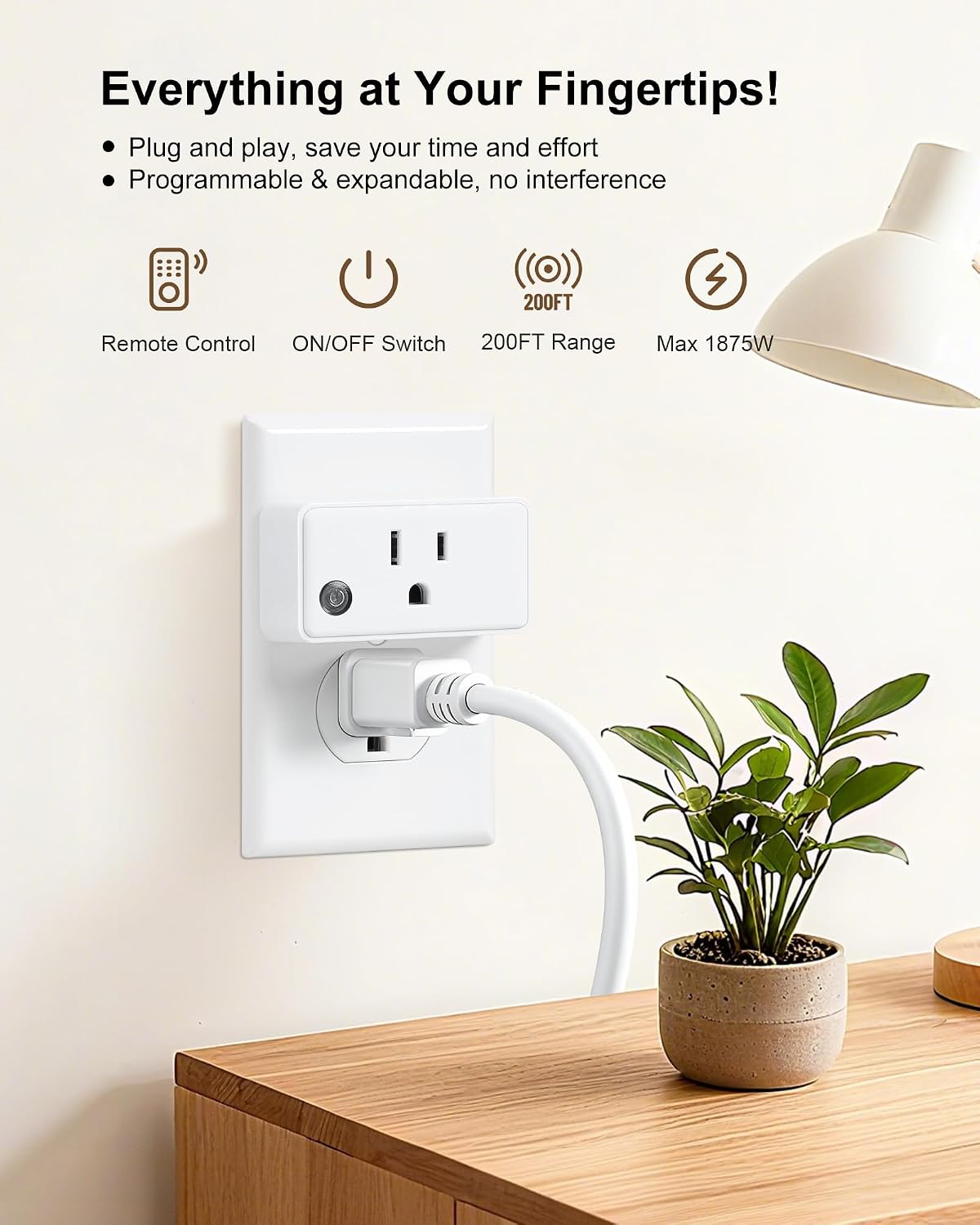
Image: The treewell Remote Control Outlet and remote, illustrating the components included.
Setup Instructions
- Plug in the Outlet: Insert a treewell Remote Control Outlet into any standard 120V AC wall socket.
- Power On the Outlet: Press the manual power button on the side of the outlet. A green indicator light will illuminate, confirming the outlet is powered on and ready.
- Connect Your Device: Plug the appliance you wish to control into the treewell Remote Control Outlet. Ensure the appliance itself is switched to the 'ON' position if it has a manual switch.
- Pairing (if necessary): The remote control and outlets are typically pre-paired from the factory. If pairing is required or you wish to re-pair, refer to the detailed pairing instructions in the included user manual. Generally, this involves pressing and holding the power button on the outlet until the indicator light flashes, then pressing the desired 'ON' button on the remote.

Image: A visual guide demonstrating the simple plug-and-play setup of the treewell Remote Control Outlet.
Operating Instructions
Once set up, operating your treewell Remote Control Outlet is straightforward.
- Individual Control: Each remote has dedicated ON/OFF buttons for each of the three outlets. Press the corresponding 'ON' button to power on a device, and the 'OFF' button to power it off.
- All On/Off Switch: Use the 'ALL ON' button to simultaneously power on all connected devices, and the 'ALL OFF' button to power them all off.
- Remote Range: The remote operates effectively up to 200 feet, even through walls and doors, providing reliable control from various locations within your home.

Image: The remote control showing individual ON/OFF buttons for each outlet and the 'ALL ON' / 'ALL OFF' master controls.

Image: A diagram illustrating the 200-foot long-range capability of the remote control, functioning through walls and doors.
Maintenance
- Cleaning: Wipe the outlets and remote with a dry, soft cloth. Do not use liquid cleaners or immerse in water.
- Remote Battery Replacement: The remote uses a CR2032 button cell battery. If the remote's indicator light does not illuminate or its range decreases significantly, replace the battery. A mini screwdriver is typically included for this purpose.

Image: The remote control with its battery compartment open, showing the battery and a small screwdriver for replacement.
Troubleshooting
- Device not turning on/off:
- Ensure the treewell outlet is firmly plugged into the wall.
- Verify the manual power button on the side of the treewell outlet is pressed (green indicator light should be on).
- Check if the appliance itself is switched to the 'ON' position.
- Replace the remote control battery if the indicator light on the remote does not flash when a button is pressed.
- Re-pair the remote and outlet if they have lost connection (refer to Setup Instructions or the full user manual).
- Reduced remote range:
- Replace the remote control battery.
- Ensure there are no new major obstructions (e.g., large metal objects) between the remote and the outlet.
Specifications
| Feature | Detail |
|---|---|
| Model | THRS13B |
| Brand | treewell |
| Operation Mode | ON-OFF-ON |
| Current Rating | 15 Amps |
| Operating Voltage | 120 Volts |
| Wattage | 1875 Watts |
| Control Method | Remote |
| Remote Range | Up to 200 FT (60 meters) |
| Item Dimensions (L x W x H) | 5.3 x 2.95 x 1.8 inches |
| Material | Plastic |
| Certifications | ETL, FCC |
| Number of Outlets | 3 |
| Number of Remotes | 1 |

Image: Detailed view of the compact design and dimensions of the treewell Remote Control Outlet.

Image: The treewell Remote Control Outlet highlighting its 15A/1875W power rating and FCC/ETL safety certifications.
Warranty and Support
treewell products are designed for reliability and performance. For any questions, technical support, or warranty inquiries, please contact treewell customer service through the retailer where the product was purchased or visit the official treewell website for contact information.
Please retain your proof of purchase for warranty claims.
Ask a question about this manual
Ask about setup, troubleshooting, compatibility, parts, safety, or missing instructions. Manuals+ will review the question and use this page’s manual context to help answer it.