
Important Safety Information
To ensure safe operation and prevent injury or damage, please read and adhere to the following safety guidelines:
- Do not use the shaver while it is charging. This prevents the risk of electric shock.
- Avoid using the shaver near water sources (e.g., bathtub, shower, sink) while it is connected to a power source.
- After use, clean the shaver under running water. However, do not completely immerse the device in water.
- Keep the device out of reach of children.
- Do not disassemble, repair, or modify the shaver yourself. Contact qualified service personnel for assistance.
- Use only the provided charging cable and adapter.
Product Overview
The Oryzom V1 Pro Electric Shaver is designed for a precise and comfortable shaving experience. It features 4D flexible floating heads and an integrated pop-up trimmer.
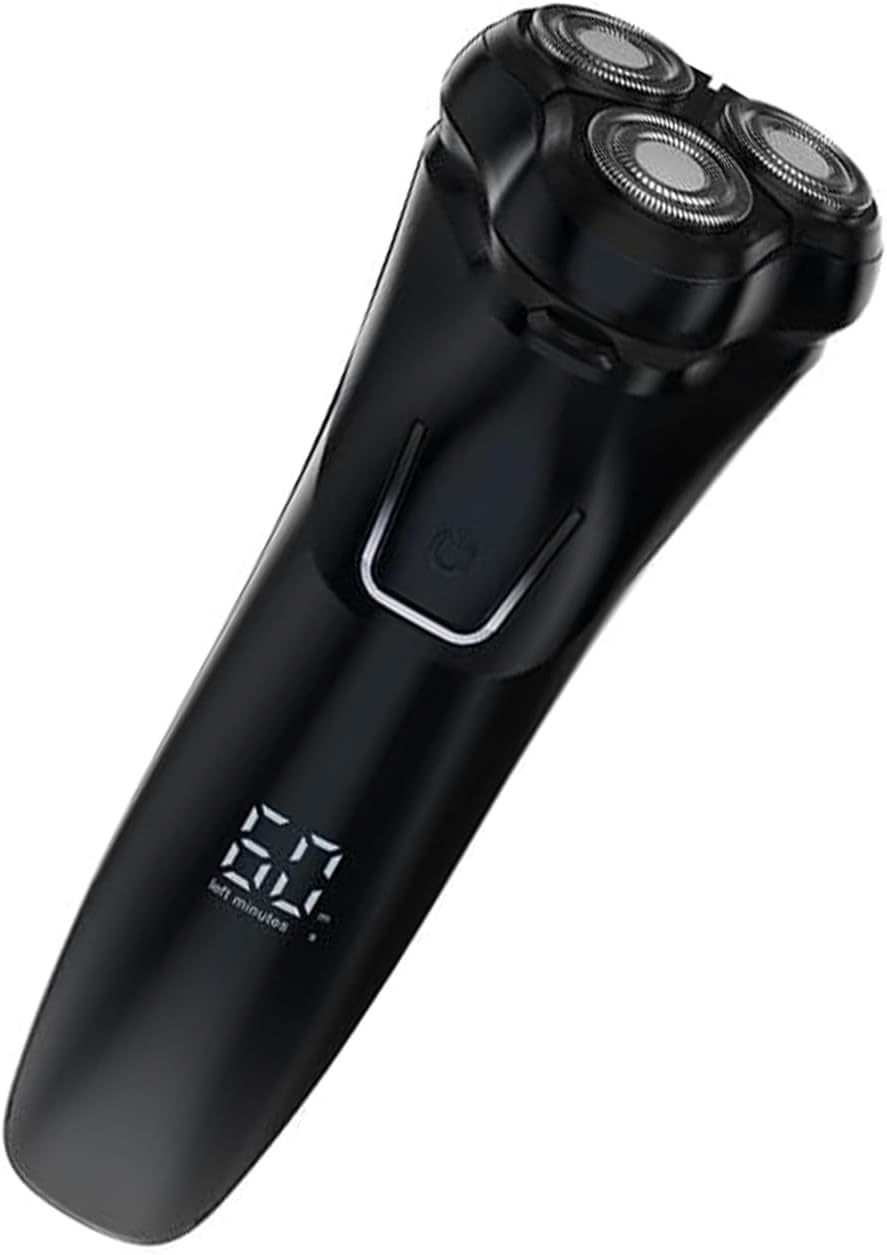
Image 1: The Oryzom V1 Pro Electric Shaver, showcasing its ergonomic design and display.

Image 2: Contents of the Oryzom V1 Pro package, including the shaver, charging cable, cleaning brush, and protective cap.
Setup and Charging
Before first use, ensure the shaver is fully charged.
- Connect the USB-C charging cable to the shaver's charging port.
- Plug the other end of the USB-C cable into a compatible USB power adapter (not included) or a USB port.
- The display will indicate charging status. A full charge takes approximately 1.5 hours.
- Once fully charged, the shaver provides approximately 90 minutes of cordless operation, equivalent to about 60 days of daily use (based on 1 minute per use).

Image 3: The shaver connected to a USB-C charging cable, illustrating its rapid charging capability and battery life.
Operating Instructions
Shaving
- Ensure your face is clean and dry for a dry shave, or apply shaving foam/gel for a wet shave.
- Press the power button to turn on the shaver.
- Gently press the shaver heads against your skin and move the shaver in small, circular motions.
- The 4D flexible floating heads will adapt to the contours of your face, chin, and neck for an efficient shave.
- After shaving, press the power button to turn off the shaver.

Image 4: Close-up of the 4D flexible floating heads, demonstrating their ability to adapt to facial contours for a close shave.
Using the Pop-up Trimmer
The integrated pop-up trimmer is ideal for shaping sideburns, moustaches, and refining beard lines.
- Locate the trimmer release button on the back of the shaver.
- Slide the button upwards to activate the pop-up trimmer.
- Use the trimmer to precisely shape and trim desired areas.
- Once finished, push the trimmer back down until it clicks into place.

Image 5: The pop-up trimmer extended, showing its blade width and one-click ejection mechanism for precise grooming.
Maintenance and Cleaning
Regular cleaning ensures optimal performance and extends the lifespan of your shaver.
- Turn off the shaver and disconnect it from any power source.
- Open the shaver head assembly (refer to the diagram in the product overview if needed).
- Rinse the shaver heads and the hair chamber under warm running water. The shaver is IPX7 waterproof, allowing for easy cleaning.
- Use the provided cleaning brush to remove any stubborn hair particles from the blades and inner components.
- Shake off excess water and allow the shaver heads to air dry completely before closing the assembly.
- Periodically, you may apply a drop of light machine oil (not included) to the shaver foils for optimal performance.

Image 6: The shaver being rinsed under water, highlighting its washable design for convenient cleaning.
Troubleshooting
| Problem | Possible Cause | Solution |
|---|---|---|
| Shaver does not turn on. | Battery is depleted. | Charge the shaver for at least 1.5 hours. |
| Shaver pulls hair or shaves poorly. | Blades are dull or clogged with hair. | Clean the shaver heads thoroughly. Consider replacing the shaver heads if performance does not improve after cleaning. |
| Shaver makes unusual noise. | Hair or debris caught in the motor/blades. | Clean the shaver heads. If the noise persists, contact customer support. |
| Shaver does not charge. | Charging cable or adapter is faulty; charging port is dirty. | Ensure the cable is securely connected. Try a different USB-C cable or power adapter. Clean the charging port gently. |
Specifications
| Model Name | V1 Pro |
| Power Source | Battery Powered (Rechargeable) |
| Blade Material | Stainless Steel |
| Head Type | Foil (4D Flexible Floating Heads) |
| Number of Blades | 4 |
| Charging Time | Approx. 1.5 hours |
| Operating Time | Approx. 90 minutes (up to 60 days of daily use) |
| Water Resistance | IPX7 (Washable under running water) |
| Trimmer Blade Width | 25mm (Pop-up Trimmer) |
| Dimensions | 20 x 10 x 10 cm (approximate package dimensions) |
| Weight | 230 grams (approximate package weight) |
Warranty and Support
Specific warranty information for the Oryzom V1 Pro Electric Shaver is not provided in this manual. Please refer to the product packaging or the retailer's website for details regarding warranty coverage and terms.
For technical support, replacement parts, or further assistance, please contact the retailer or manufacturer directly using the contact information provided with your purchase.