
1. Introduction
This manual provides detailed instructions for the installation, operation, maintenance, and troubleshooting of your WonVon 6.25 Inch Wireless Motorcycle Carplay GPS Navigation System. Please read this manual thoroughly before using the device to ensure proper functionality and safety.
2. Package Contents
Verify that all components are present in the package:
- WonVon 6.25 Inch Wireless Motorcycle Carplay GPS Navigation System Unit
- Handlebar Mounting Bracket Kit
- Power Cable with BMW-style connector
- Hex Wrench
- User Manual

Image: All components included in the WonVon 6.25 Inch Wireless Motorcycle Carplay GPS Navigation System package.
3. Setup and Installation
3.1 Mounting the Device
The device comes with a handlebar mounting bracket kit for secure attachment to your motorcycle. Ensure the mounting location provides clear visibility and does not obstruct your view or controls.
- Assemble the handlebar clamp and ball mount components.
- Attach the clamp to a suitable section of your motorcycle's handlebar. Use the provided hex wrench to tighten the screws securely.
- Connect the device to the mounting plate, ensuring it clicks firmly into place.
- Adjust the viewing angle for optimal visibility.
Video: Step-by-step guide on assembling and installing the mounting bracket for the WonVon Motorcycle Carplay system.
Video: Tips for securely attaching the Carplay system brackets to your motorcycle.
3.2 Wiring and Power Connection
The device requires a 12-24V power input. Use the provided power cable with the BMW-style connector for a plug-and-play setup. Connect the power cable to your motorcycle's power source, ensuring proper polarity (red to positive, black to negative). It is recommended to connect to a switched power source to prevent battery drain when the motorcycle is off.

Image: The WonVon Carplay system securely mounted on a motorcycle handlebar, ready for use.
4. Operating Instructions
4.1 Power On/Off
Press and hold the power button located on the device to turn it on or off. The device will display the main interface upon startup.
4.2 User Interface Overview
The main screen provides access to key functions including Apple CarPlay, Android Auto, and Settings. The status bar at the top displays information such as Bluetooth, Wi-Fi, and tire pressure (if applicable).
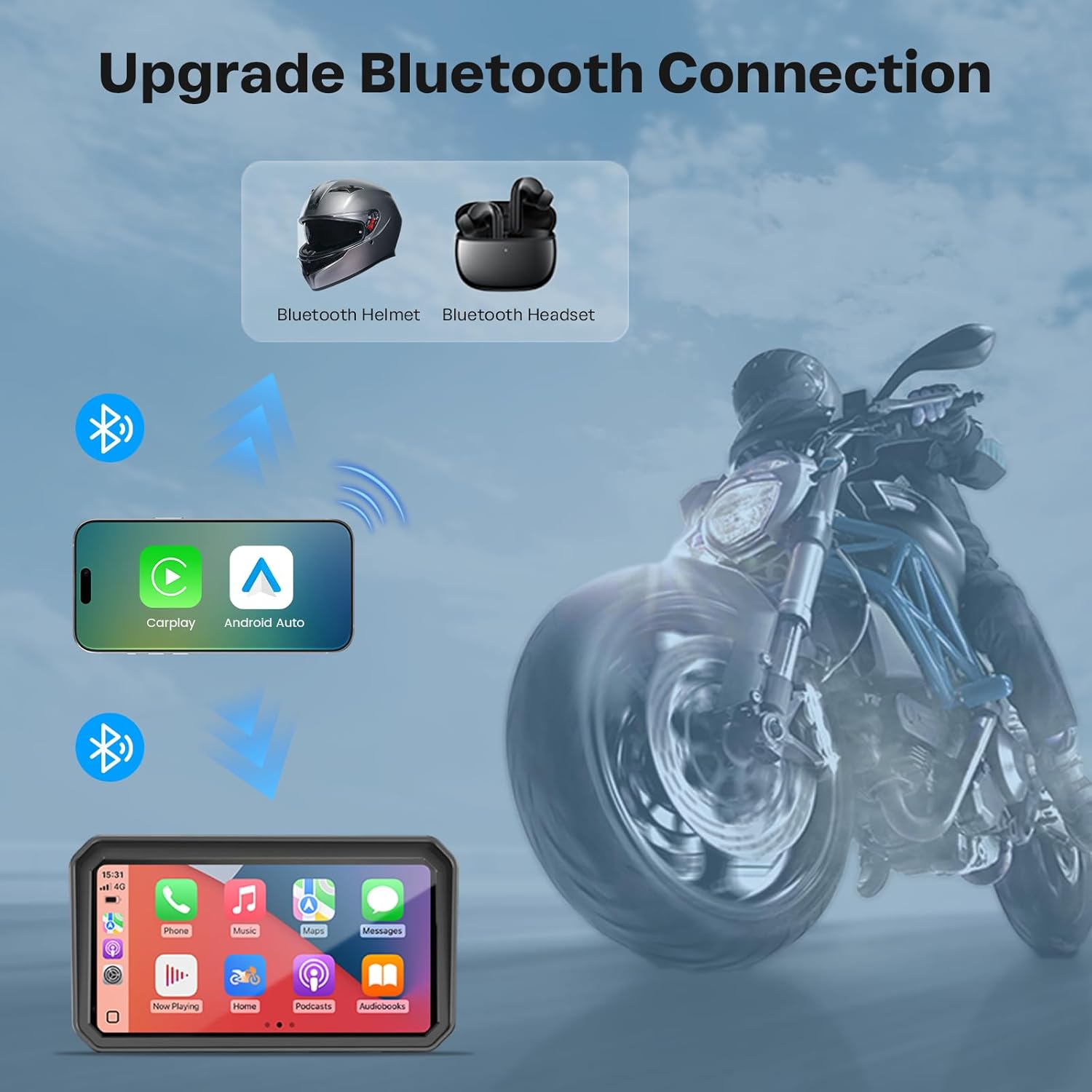
Image: Overview of the main user interface with icons for CarPlay, Android Auto, and Settings.
Video: A general overview of the WonVon 6.25 Inch Wireless Motorcycle Carplay system's user interface and features.
4.3 Wireless Apple CarPlay Connection
To connect your Apple iPhone wirelessly:
- Ensure Bluetooth and Wi-Fi are enabled on your iPhone.
- On the device, select the 'CarPlay' icon.
- On your iPhone, go to Bluetooth settings and select the device name (e.g., F601_1B125C58).
- Confirm the pairing request on both devices.
- Allow contacts and favorites sync if prompted.
- Once connected, Apple CarPlay will launch on the device screen.
Video: Instructions for connecting your Apple iPhone to the Carplay system.
4.4 Wireless Android Auto Connection
To connect your Android phone wirelessly:
- Ensure Bluetooth and Wi-Fi are enabled on your Android phone.
- On the device, select the 'Android Auto' icon.
- On your Android phone, go to Bluetooth settings and select the device name.
- Confirm the pairing request on both devices.
- Allow access to messages if prompted.
- Once connected, Android Auto will launch on the device screen.
Video: Instructions for connecting your Android phone to the Carplay system.
4.5 Navigation, Music, and Calls
Once connected via CarPlay or Android Auto, you can access various functions:
- Navigation: Use your preferred navigation apps (e.g., Google Maps, Waze) for real-time directions.
- Music: Stream music from apps like Spotify, Apple Music, or YouTube Music.
- Phone Calls: Make and receive calls hands-free. Connect your Bluetooth headset for audio.

Image: Display showing simultaneous phone call, GPS navigation, and music playback.

Image: Hands-free operation with Siri/Google Assistant, music interface, one-tap navigation, and clear Bluetooth call clarity.
4.6 Voice Control
Utilize Siri or Google Assistant for voice-activated commands, allowing you to control navigation, calls, and music without taking your hands off the handlebars.

Image: Demonstrates Siri and Google Voice Control functionality for navigation and calls.
4.7 Display Settings
The device features an IPS touchscreen with anti-glare properties and automatic brightness adjustment for optimal visibility in various lighting conditions, including direct sunlight and night mode.

Image: Illustrates the automatic day and night mode adjustment for the display.
Video: Demonstrates how to adjust the brightness settings on the 6.25 Inch Wireless Motorcycle Carplay system.
4.8 Waterproof Functionality
The device is IP-rated for ruggedness, ensuring rainproof durability and protection against dust and mud, allowing for reliable function in all weather conditions.

Image: The device shown operating effectively under simulated rain conditions, highlighting its IP67 waterproof rating.
Video: A short demonstration of the 6.25 Inch Wireless Motorcycle Carplay system's waterproof capabilities.
5. Maintenance
5.1 Cleaning
To clean the device, use a soft, damp cloth. Avoid using harsh chemicals or abrasive materials that could damage the screen or casing. Ensure the device is powered off and disconnected from power before cleaning.
5.2 Software Updates
Periodically check the manufacturer's website for any available software updates. Updates can improve performance, add new features, or fix bugs. Follow the instructions provided with the update package carefully.
6. Troubleshooting
If you encounter issues with your device, refer to the following common problems and solutions:
- Device does not power on:
- Check the power cable connection to the device and the motorcycle's power source.
- Ensure the motorcycle's ignition is on if connected to a switched power source.
- Verify the motorcycle battery has sufficient charge.
- Cannot connect to CarPlay/Android Auto:
- Ensure Bluetooth and Wi-Fi are enabled on your smartphone.
- Forget the device from your phone's Bluetooth settings and attempt to pair again.
- Restart both the device and your smartphone.
- Ensure your phone's operating system is up to date.
- Screen is unresponsive or frozen:
- Perform a soft reset by pressing and holding the power button until the device restarts.
- If the issue persists, contact customer support.
- Poor audio quality:
- Ensure your Bluetooth headset or helmet is properly paired and charged.
- Check for interference from other electronic devices.
7. Specifications
| Feature | Detail |
|---|---|
| Product Dimensions | 9.56"L x 4.89"W x 4"H |
| Item Weight | 2.01 pounds |
| Screen Size | 6.25 Inches |
| Operating System | Linux |
| Special Features | Bluetooth, Touchscreen, Waterproof (IP67) |
| Connectivity Technology | Bluetooth |
| Vehicle Service Type | Motorcycle |
| Mounting Type | Handlebar Mount |
| Input Voltage | 12-24V |
| Supported Languages | 11 languages |
8. Warranty and Support
Your WonVon 6.25 Inch Wireless Motorcycle Carplay GPS Navigation System is backed by:
- 12-Month Warranty: Covers manufacturing defects and malfunctions under normal use.
- Lifetime Technical Support: Access to technical assistance for the lifespan of your product.
- US-Based Customer Service: Dedicated support team available for inquiries.
- Replacement Guarantee: For eligible issues covered under warranty.
- Responsive Email Support: Expect a response within 24 hours for email inquiries.
For support, please refer to the contact information provided with your purchase or visit the official WonVon website.