
1. Introduction
This manual provides instructions for the Gelielim Portable CD and Cassette Player Combo, Model X5. This device integrates multiple audio playback options including CD, cassette tape, AM/FM radio, and digital media via AUX, USB, and TF/MP3 inputs. It is designed for versatile use in various environments.
2. Product Features
- Multi-Format Playback: Supports CD, CD-R, CD-RW, cassette tapes, and MP3 files from USB drives or TF/SD/MMC cards.
- AM/FM Radio: Features an extendable antenna for radio reception. Frequency ranges are FM: 87-108MHz and AM: 520-1710KHz.
- Cassette Recording: Allows recording from CD, FM radio, USB, TF, or AUX input directly onto blank cassette tapes.
- Dual Power Options: Operates via AC power cord for indoor use or 8 C-size batteries (not included) for portable use.
- Dual Stereo Speakers: Equipped with two integrated speakers for audio output.
- Connectivity: Includes a 3.5mm AUX input for external audio devices and a headphone jack for private listening.
- Portable Design: Features a carrying handle for easy transport.
- LCD Display: Backlit LCD for displaying track information, radio frequency, and mode.

Image: Overview of the Gelielim Model X5, highlighting its various features including AM/FM Radio, Cassette, CD Player, USB Driver, Earphone Jack, AUX, Dual Speakers, and Recorder capabilities.
3. Setup
3.1 Power Supply
The unit can be powered by an AC power cord or batteries.
- AC Power: Connect the provided AC power cord to the AC input jack on the unit and plug the other end into a standard 120V/60Hz wall outlet.
- Battery Power: For portable use, open the battery compartment on the bottom of the unit and insert 8 C-size batteries (not included), ensuring correct polarity. Close the compartment securely.
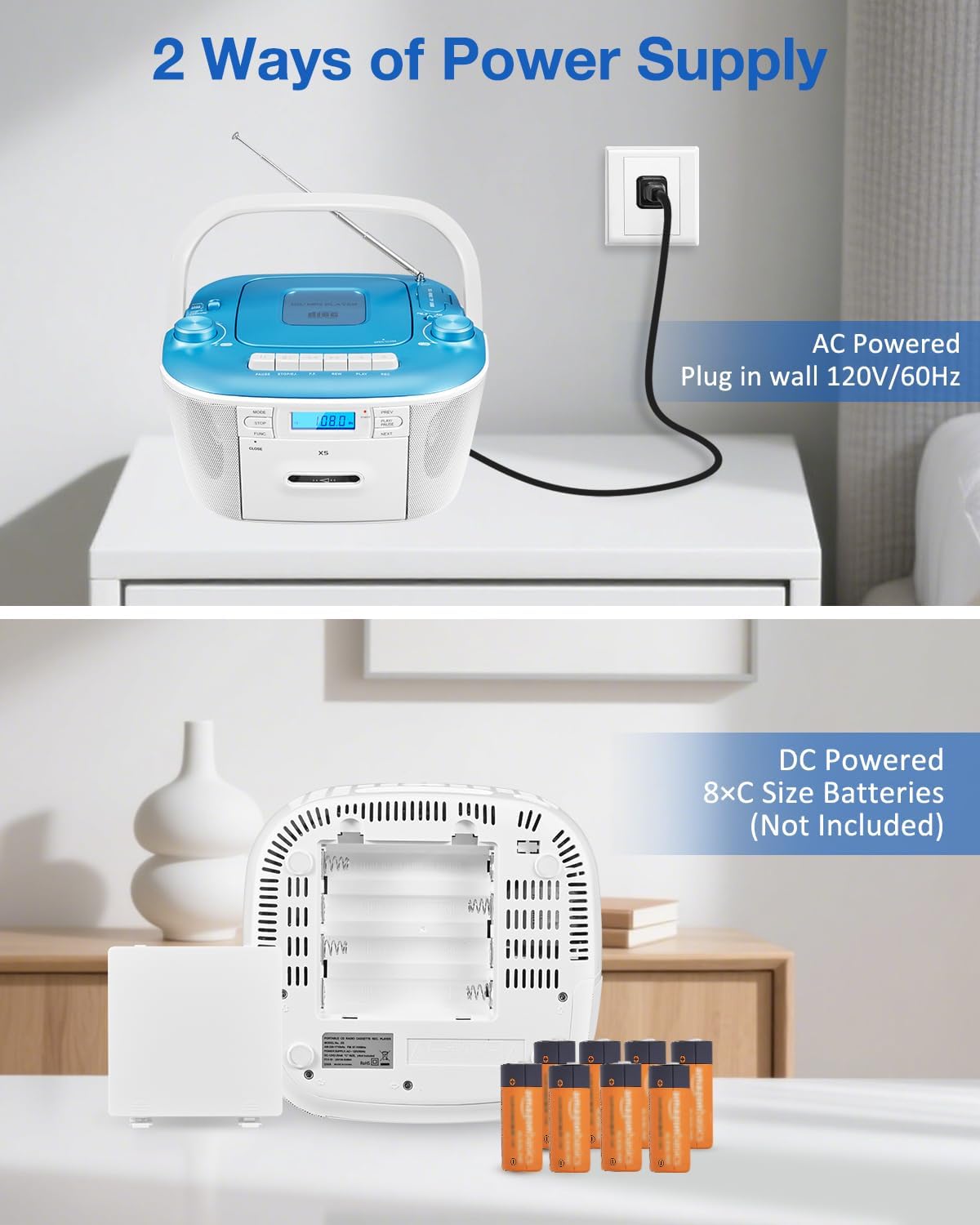
Image: Illustration of the two power supply methods: AC power cord connection and battery installation (8 C-size batteries).
3.2 Antenna Adjustment
For optimal FM radio reception, extend the telescopic antenna fully. For AM reception, rotate the unit to find the best signal.
3.3 Loading Media
- CD: Open the CD compartment lid on top of the unit. Place a CD with the label side facing up. Close the lid securely.
- Cassette Tape: Open the cassette compartment door on the front of the unit. Insert a cassette tape with the open edge facing forward. Close the door securely.
- USB/TF Card: Insert a USB drive into the USB port or a TF/SD/MMC card into the card slot.
4. Operation
4.1 Power On/Off and Volume
- Power: Rotate the VOLUME/POWER knob clockwise to turn the unit on and counter-clockwise to turn it off.
- Volume: Adjust the VOLUME/POWER knob to control the sound level.
4.2 Mode Selection
Press the MODE button repeatedly to cycle through available functions: CD, USB, TF, AUX, FM, AM, and TAPE.
4.3 CD Playback
- After selecting CD mode and loading a CD, playback will typically start automatically.
- PLAY/PAUSE: Press to pause playback, press again to resume.
- STOP: Press to stop CD playback.
- PREV/NEXT: Press to skip to the previous or next track. Hold to fast forward or rewind within a track.
- Program Play: Refer to the detailed manual for programming specific track orders.
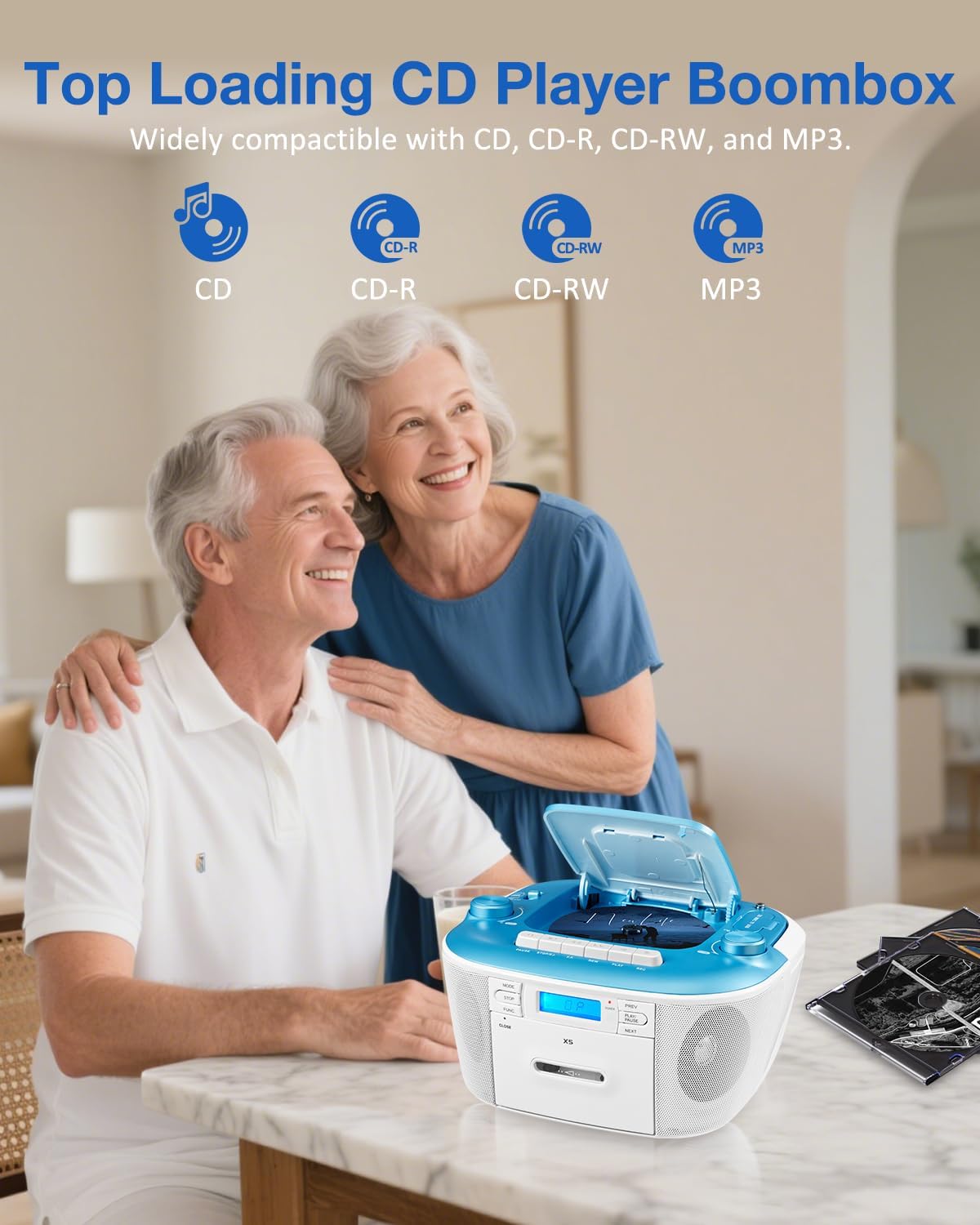
Image: The top-loading CD player compartment and associated control buttons for CD playback.
4.4 Cassette Tape Playback and Recording
- After selecting TAPE mode and inserting a cassette, press the PLAY button to begin playback.
- STOP/EJECT: Press to stop playback and eject the tape.
- FF (Fast Forward)/REW (Rewind): Press to fast forward or rewind the tape.
- Recording: To record, ensure a blank tape is inserted. Select the desired source (CD, FM, USB, TF, AUX). Press the REC button to start recording. Press STOP to end recording.

Image: A hand inserting a cassette tape into the player, illustrating the tape compartment and recording function.
4.5 AM/FM Radio Operation
- Select FM or AM mode using the MODE button.
- Rotate the TUNING knob to manually search for radio stations. The frequency will be displayed on the LCD.
- Extend the telescopic antenna for better FM reception.

Image: The unit displaying radio frequency with its extendable antenna, indicating AM/FM radio functionality.
4.6 USB/TF Card Playback
- Insert a USB drive or TF/SD/MMC card with MP3 files.
- Select USB or TF mode using the MODE button.
- Playback will start automatically or can be controlled using the PLAY/PAUSE, PREV, and NEXT buttons.
4.7 AUX Input and Headphone Jack
- AUX Input: Connect an external audio device (e.g., smartphone, MP3 player) to the 3.5mm AUX input jack using an audio cable (not included). Select AUX mode.
- Headphone Jack: Plug 3.5mm headphones (not included) into the headphone jack for private listening. This will mute the main speakers.

Image: Close-up view of the USB, TF card, AUX, and headphone input ports on the side of the unit.
5. Maintenance
- Cleaning: Use a soft, dry cloth to clean the exterior of the unit. Do not use abrasive cleaners or solvents.
- CD/Cassette Care: Handle CDs by the edges to avoid fingerprints and scratches. Store cassette tapes away from direct sunlight and magnetic fields.
- Battery Replacement: If using batteries, replace all 8 C-size batteries simultaneously when the unit's performance declines. Do not mix old and new batteries or different types of batteries.
6. Troubleshooting
| Problem | Possible Cause | Solution |
|---|---|---|
| No power | AC cord not connected; batteries depleted or incorrectly inserted. | Ensure AC cord is securely plugged in. Replace batteries or check polarity. |
| No sound | Volume too low; headphones connected; incorrect mode selected. | Increase volume. Disconnect headphones. Select the correct playback mode. |
| CD/Cassette not playing | Disc/tape dirty or damaged; incorrect mode; CD compartment not closed. | Clean or replace media. Ensure CD lid is closed. Select CD/TAPE mode. |
| Poor radio reception | Antenna not extended; unit position. | Extend FM antenna. Rotate unit for better AM reception. |
7. Specifications
- Brand: Gelielim
- Model Number: X5
- Connectivity Technology: Auxiliary, USB
- Color: Blue (Note: Product color may vary slightly from images)
- Speaker Type: Dual Speaker
- Power Source: Corded Electric / Battery Powered (8 x C-size batteries, not included)
- Supported Audio Formats: CD, CD-R, CD-RW, MP3
- Number of Speakers: 2
- Audio Output Mode: Stereo
- FM Frequency Range: 87-108 MHz
- AM Frequency Range: 520-1710 KHz
- Product Dimensions: 11.42 x 8.66 x 6.5 inches
- Product Weight: 3.95 lbs
- Included Components: Cassette CD Player x 1, AC Power Cable x 1, Instruction Manual x 1

Image: Dimensions of the portable CD and cassette player, showing its compact size.
8. Warranty and Support
This product comes with a 12-month warranty. For any questions, issues, or warranty claims, please contact the seller directly through your purchase platform. Provide details of the problem for efficient assistance.
9. Product Overview Video
Video: A brief overview demonstrating the features and benefits of the Gelielim Portable CD Cassette Player with AM FM Radio.