
1. Introduction
This manual provides detailed instructions for the installation, operation, and maintenance of your PUTORSEN Monitor Wall Mount, model EMPTW13-113. This full-motion monitor arm is designed to securely hold 13-32 inch screens weighing up to 19.8 lbs (9 kg) and is compatible with VESA 75x75mm and 100x100mm mounting patterns. Please read this manual thoroughly before installation and retain it for future reference.
2. Safety Information
- Weight Capacity: Do not exceed the maximum weight capacity of 19.8 lbs (9 kg). Overloading can result in serious injury or product damage.
- Wall Type: This mount is designed for installation on wood studs, concrete, or brick walls. Do not install on drywall alone. Ensure the mounting surface can support the combined weight of the mount and your monitor.
- Installation: Follow all installation steps carefully. If you are unsure about any part of the installation process, seek professional assistance.
- Moving Parts: The gas spring arm contains compressed gas. Do not attempt to disassemble the gas spring cylinder. Keep hands clear of pinch points during adjustment.
- Children: Keep small parts and packaging materials away from children to prevent choking hazards.
3. Package Contents
Verify that all components are present and undamaged before beginning installation. If any parts are missing or defective, contact customer support.
- Monitor Wall Mount Arm Assembly
- Wall Plate
- VESA Plate
- Mounting Hardware Kit (screws, anchors, washers for various wall types)
- Allen Keys for adjustments
- Cable Management Clips
4. Specifications
| Model Number | EMPTW13-113 |
| Brand | PUTORSEN |
| Mounting Type | Wall Mount |
| Compatible Monitor Size | 13 - 32 inches |
| Weight Capacity | Up to 19.8 lbs (9 kg) |
| VESA Compatibility | 75x75mm, 100x100mm |
| Maximum Extension | 30.28 inches (769mm) |
| Minimum Retraction | 3.6 inches (92mm) |
| Height Adjustment Range | 11.2 inches (286mm) |
| Swivel Range | ±90° |
| Tilt Range | ±35° |
| Rotation | 180° (Landscape to Portrait) |
| Material | Alloy Steel |
| Color | Black |
| Warranty | 5 years |
5. Installation Guide
5.1 Wall Compatibility
Ensure your wall is suitable for mounting. This mount is compatible with wood studs, concrete, and brick walls. Do not mount on drywall alone.

5.2 Mounting the Wall Plate
- Locate Mounting Position: Determine the desired height and position for your monitor. Use a stud finder to locate wood studs if applicable.
- Mark Drill Holes: Hold the wall plate against the wall at the desired height and use a pencil to mark the drill hole locations. Ensure the plate is level.
- Drill Pilot Holes: Drill pilot holes according to the recommended drill bit size for your wall type (refer to the hardware kit instructions).
- Secure Wall Plate: Attach the wall plate to the wall using the appropriate screws and anchors provided. Ensure it is firmly secured.
5.3 Attaching the Monitor
- Attach VESA Plate to Monitor: Secure the VESA plate to the back of your monitor using the appropriate screws from the hardware kit. Ensure the screws are tightened securely but do not overtighten.
- Mount Monitor to Arm: Carefully lift the monitor with the attached VESA plate and slide it onto the monitor arm's mounting head. Ensure it clicks into place or is secured with the provided locking mechanism.
6. Operating Instructions and Adjustments
The PUTORSEN monitor arm offers full motion capabilities for optimal viewing comfort.
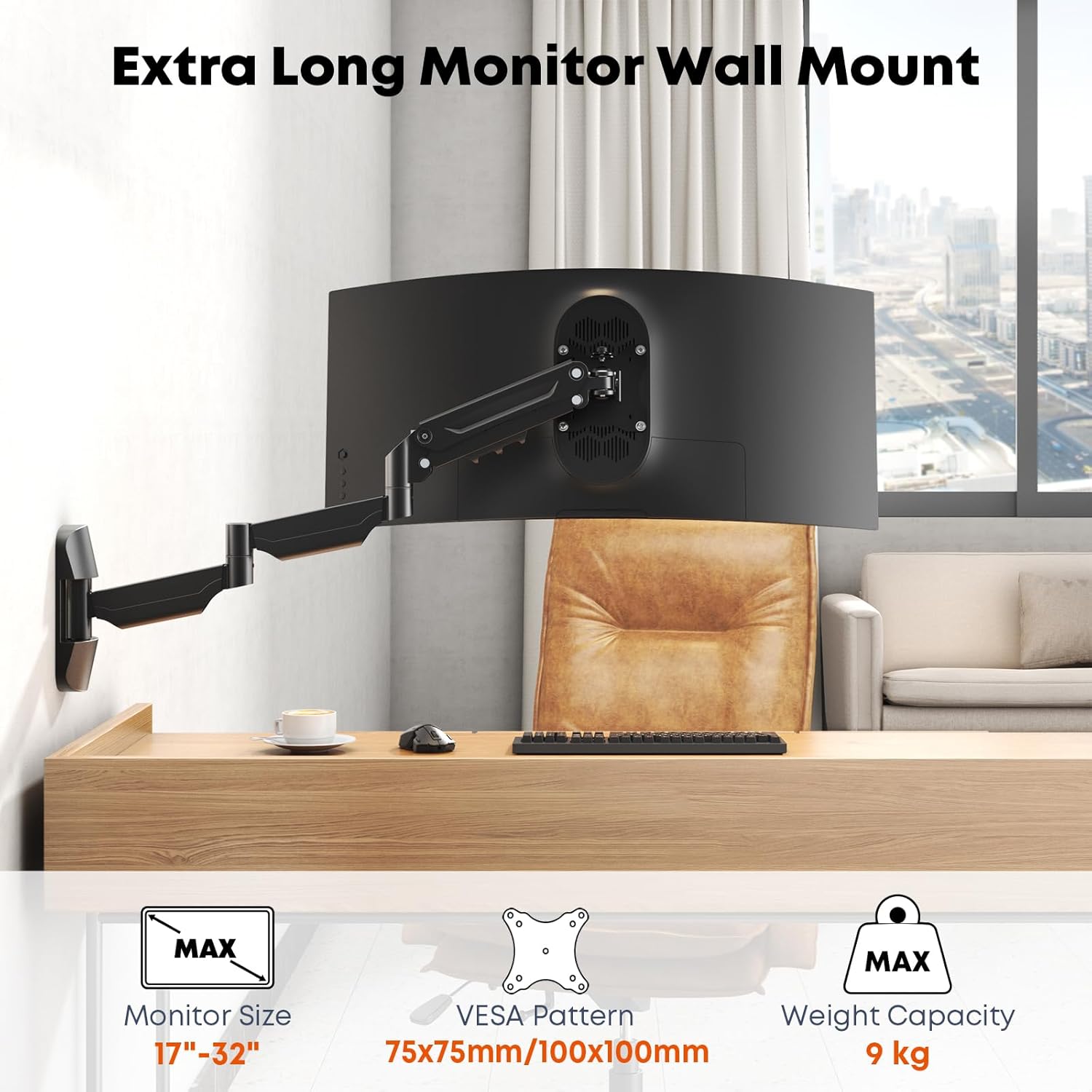
6.1 Gas Spring Tension Adjustment
The gas spring arm requires tension adjustment to match your monitor's weight for smooth movement and stable positioning.

- For a Lighter Monitor: If the arm rises too easily or does not stay down, decrease tension by turning the adjustment screw (located on the arm joint) in the direction of the "-" sign using the provided Allen key.
- For a Heavier Monitor: If the arm is difficult to move up or sags, increase tension by turning the adjustment screw in the direction of the "+" sign.
- Adjust gradually until the monitor stays in position when released.
6.2 Tilt Adjustment
Adjust the monitor's vertical angle (tilt) for optimal viewing.
- Loosen the tilt adjustment screw (refer to image 6.1).
- Set the desired tilt angle (up to ±35°).
- Tighten the screw to secure the monitor in place.
6.3 Swivel and Rotation
The arm allows for horizontal swivel and screen rotation.

- Swivel: The arm can swivel ±90° at its joints, allowing you to angle the monitor left or right.
- Rotation: The VESA plate allows for 180° rotation, enabling you to switch your monitor between landscape and portrait orientations.
6.4 Height and Extension Adjustment
The gas spring arm provides effortless height and distance adjustments.

- Height: Gently push or pull the monitor up or down to adjust its height within the 11.2-inch (286mm) range.
- Extension: Pull the monitor forward for closer viewing or push it back towards the wall to save space. The arm extends up to 30.28 inches (769mm) and retracts to 3.6 inches (92mm).

6.5 Cable Management
Use the integrated cable management clips along the arm to route and conceal your monitor cables for a tidy workspace.
7. Maintenance
- Cleaning: Wipe the mount with a soft, damp cloth. Avoid abrasive cleaners or solvents.
- Periodic Checks: Periodically check all screws and connections to ensure they remain tight and secure. Re-tighten if necessary.
- Gas Spring: The gas spring is designed for long-term use and typically requires no maintenance. Do not attempt to lubricate or disassemble it.
8. Troubleshooting
8.1 Monitor Sags or Does Not Stay in Position
- Solution: The gas spring tension needs to be increased. Refer to Section 6.1 "Gas Spring Tension Adjustment" and turn the adjustment screw towards the "+" sign.
8.2 Monitor is Difficult to Move Up or Down
- Solution: The gas spring tension needs to be decreased. Refer to Section 6.1 "Gas Spring Tension Adjustment" and turn the adjustment screw towards the "-" sign.
8.3 Monitor Wobbles After Installation
- Solution: Ensure all mounting screws (wall plate to wall, VESA plate to monitor, and arm joints) are securely tightened. Check the stability of the wall itself.
8.4 Cannot Achieve Desired Tilt Angle
- Solution: Loosen the tilt adjustment screw, adjust the monitor to the desired angle, and then firmly re-tighten the screw. Refer to Section 6.2 "Tilt Adjustment".
9. Warranty
The PUTORSEN Monitor Wall Mount (Model EMPTW13-113) comes with a 5-year warranty from the date of purchase. This warranty covers defects in materials and workmanship under normal use. It does not cover damage caused by improper installation, misuse, accidents, or unauthorized modifications. Please retain your proof of purchase for warranty claims.
10. Customer Support
If you have any questions, require assistance with installation, or need to report a missing or damaged part, please contact PUTORSEN customer support. Refer to the product packaging or the retailer's website for specific contact information.


