
Introduction
Welcome to your new Fastrack VOX Plus Smart Watch. This manual provides detailed instructions on how to set up, operate, maintain, and troubleshoot your device. Please read this manual carefully to ensure optimal performance and longevity of your smartwatch.
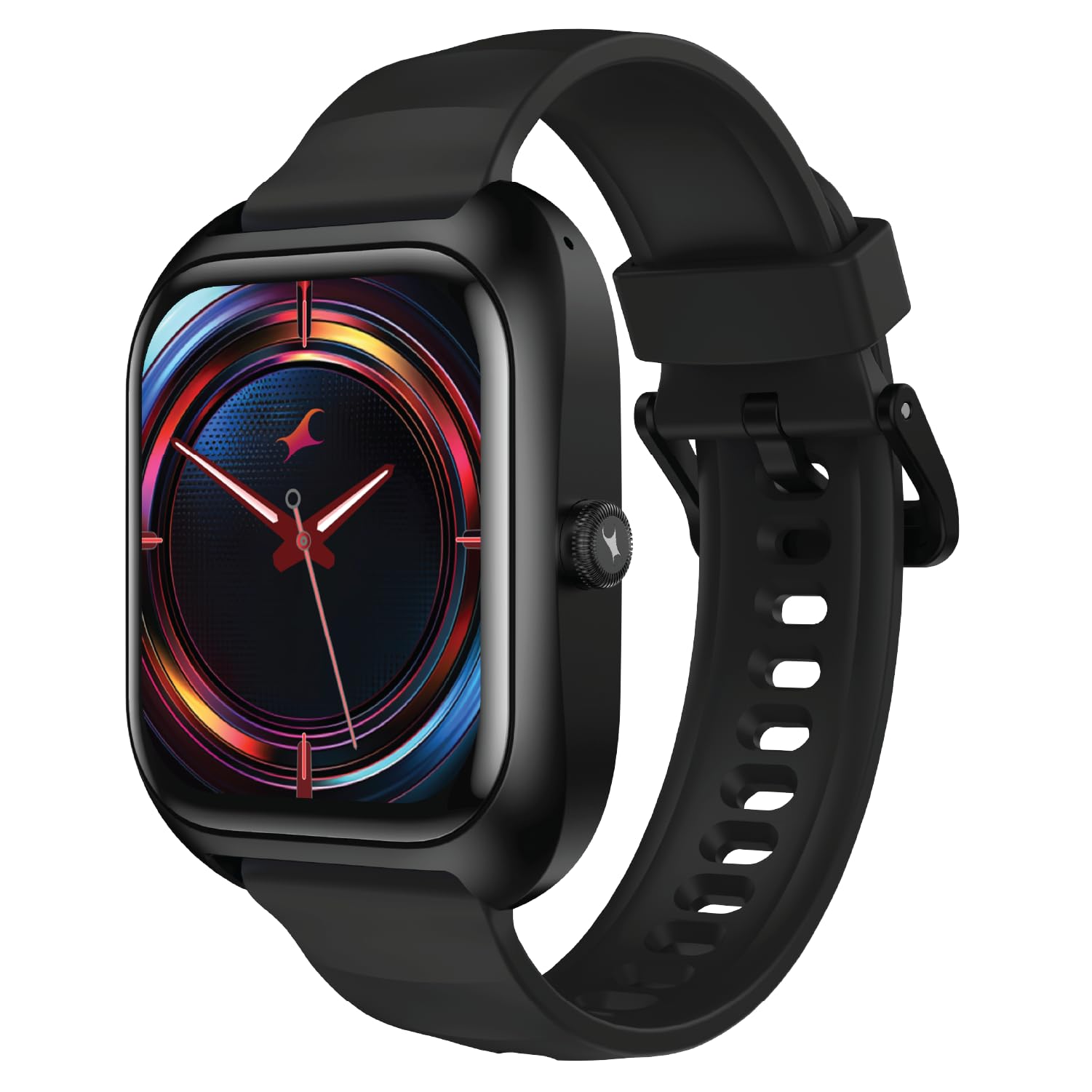
Image: Fastrack VOX Plus Smart Watch, Onyx Black variant, showcasing its sleek design.
What's in the Box
Upon unboxing your Fastrack VOX Plus Smart Watch, you should find the following items:
- Fastrack VOX Plus Smart Watch
- Magnetic Charging Cable
- Quick Start Guide
- Warranty Card
Setup
1. Charging the Smart Watch
Before initial use, fully charge your Fastrack VOX Plus Smart Watch. Connect the magnetic charging cable to the charging pins on the back of the watch and plug the USB end into a power adapter (not included) or a computer's USB port. A full charge typically takes approximately 1.5 hours.
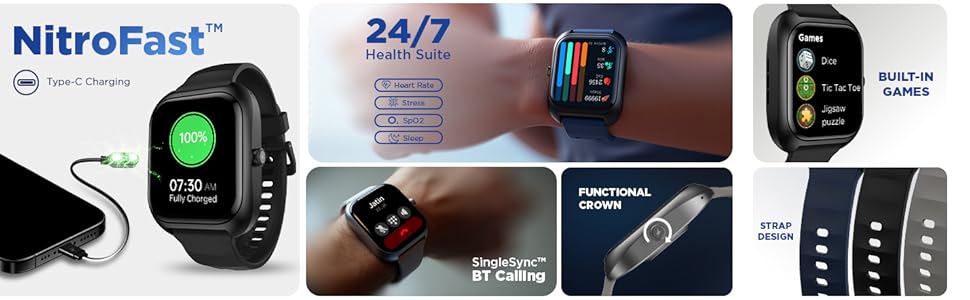
Image: The Fastrack VOX Plus Smart Watch connected to its magnetic charging cable, illustrating 'NitroFast Type-C Charging' and a 100% charge status.
2. Installing the Fastrack Smart World App
To unlock the full potential of your smartwatch, download and install the "Fastrack Smart World" application on your smartphone. The app is available on both Android and iOS app stores. Search for "Fastrack Smart World" and follow the on-screen instructions to install.
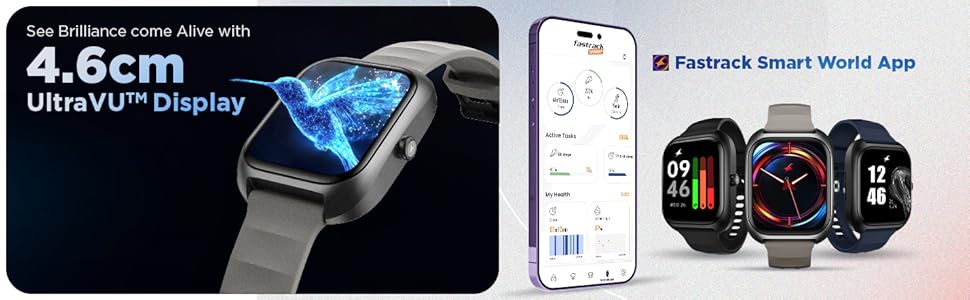
Image: A smartphone displaying the Fastrack Smart World App interface, shown alongside three Fastrack smartwatches, highlighting app integration.
3. Pairing with Your Smartphone
- Ensure Bluetooth is enabled on your smartphone.
- Open the Fastrack Smart World app and create an account or log in.
- Follow the in-app instructions to search for and connect to your Fastrack VOX Plus Smart Watch.
- Confirm the pairing request on both your smartphone and the smartwatch.
Operating Instructions
Display and Navigation
The Fastrack VOX Plus features a 1.85-inch Ultra VU TFT display. Navigate through menus and features by swiping across the touchscreen or using the functional rotary crown on the side of the watch.
Image: The Fastrack VOX Plus Smart Watch showcasing its 4.6cm UltraVU Display with a vibrant hummingbird graphic.
Image: A detailed view of the functional rotary crown on the side of the Fastrack VOX Plus Smart Watch, used for navigation.
Bluetooth Calling
With the built-in Bluetooth calling feature, you can make and receive calls directly from your wrist. Ensure your watch is connected to your smartphone via Bluetooth. You can access your call history and contacts through the watch interface.
Image: The Fastrack VOX Plus Smart Watch screen showing an incoming call notification, illustrating the 'SingleSync BT Calling' capability.
Offline Voice Commands
Control your smartwatch hands-free using offline voice commands. Simply say "Hey Fastrack" followed by your command, such as "Open My fitness" or "Call SOS".
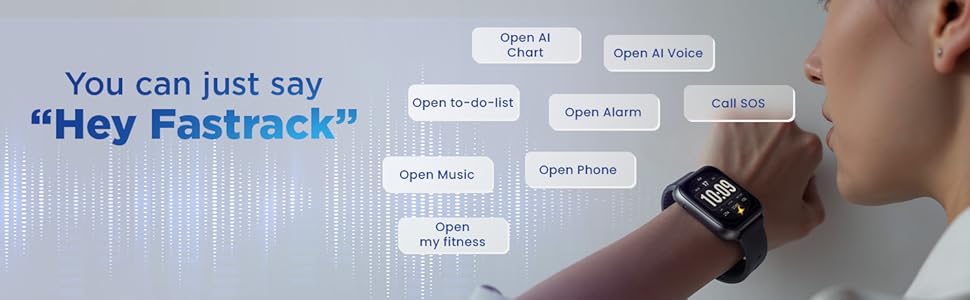
Image: A person speaking to their Fastrack VOX Plus Smart Watch, demonstrating the "Hey Fastrack" voice command feature.
24/7 Health Suite
Monitor your health continuously with the integrated health suite. The watch tracks your Heart Rate, SpO2 (blood oxygen saturation), and Sleep patterns. Access detailed reports and historical data through the Fastrack Smart World app.
- Heart Rate Monitor: Provides real-time heart rate data.
- SpO2 Monitoring: Measures blood oxygen levels.
- Sleep Tracking: Analyzes sleep stages and quality.
- Stress Tracking: Helps monitor stress levels throughout the day.
Image: The Fastrack VOX Plus Smart Watch screen showing a colorful display of health metrics, including heart rate, SpO2, and stress levels, indicating the '24/7 Health Suite'.
Smart Features for Daily Life
The Fastrack VOX Plus offers several features to enhance your daily productivity and entertainment:
- To-Do List: Create and manage tasks directly from your wrist.
- Calculator: Perform quick calculations.
- Calendar: Keep track of your schedule.
- Games: Enjoy built-in games like Dice, Tic Tac Toe, and Jigsaw puzzle.
- Alarm, Stopwatch, Timer: Essential time management tools.
- Multiple Menu Styles: Customize your watch interface.

Image: The Fastrack VOX Plus Smart Watch screen showing a "TO-DO LIST CHECKER" with various tasks listed, demonstrating its organizational capabilities.
Image: The Fastrack VOX Plus Smart Watch showing a menu of built-in games, including Dice, Tic Tac Toe, and Jigsaw puzzle.
Maintenance
Proper maintenance ensures the longevity and optimal performance of your Fastrack VOX Plus Smart Watch.
- Cleaning: Regularly wipe the watch screen and strap with a soft, dry, lint-free cloth. For stubborn dirt, slightly dampen the cloth with water. Avoid using harsh chemicals or abrasive materials.
- Water Resistance (IP68): Your watch is IP68 rated, meaning it is resistant to dust and can withstand immersion in water up to 1.5 meters for up to 30 minutes. It is suitable for everyday use, including hand washing and light rain. However, it is not recommended for swimming, diving, or high-pressure water activities. Ensure the watch is dry before charging.
- Storage: Store the watch in a cool, dry place away from direct sunlight and extreme temperatures when not in use.
- Charging: Use only the provided magnetic charging cable. Avoid bending or damaging the cable.
Troubleshooting
If you encounter issues with your Fastrack VOX Plus Smart Watch, refer to the following common solutions:
| Problem | Solution |
|---|---|
| Watch not turning on | Ensure the watch is fully charged. Connect it to the charger for at least 30 minutes. |
| Cannot pair with smartphone |
|
| Inaccurate health data | Ensure the watch is worn snugly on your wrist, about one finger-width above your wrist bone. Clean the sensor on the back of the watch. |
| Notifications not appearing |
|
| Touchscreen unresponsive | Restart the watch by pressing and holding the side button. If the issue persists, ensure the screen is clean and dry. |
If these solutions do not resolve your issue, please refer to the Warranty and Support section for further assistance.
Specifications
| Feature | Detail |
|---|---|
| Brand | Fastrack |
| Model Name | Fastrack VOX Plus |
| Model Number | 38175PP01K |
| Display Size | 1.85 Inches |
| Display Type | LCD |
| Memory Storage Capacity | 128 MB |
| Operating System | Smartwatch OS |
| Compatible Devices | Smartphone |
| Special Features | Activity Tracker, Heart Rate Monitor, Multisport Tracker, Phone Call, Stress Tracking |
| Water Resistance | IP68 |
| Battery Average Life | 5 Days |
| Charging Time | 1.5 Hours |
| Battery Type | Lithium Polymer |
| Connectivity Technology | Bluetooth |
| Item Weight | 37 g |
Warranty and Support
Your Fastrack VOX Plus Smart Watch comes with a warranty. Please refer to the included Warranty Card for specific terms and conditions, including the warranty period and coverage details.
For technical support, service, or further inquiries, please contact Fastrack customer service. Contact information can typically be found on the Fastrack official website or on your Warranty Card.
Keep your purchase receipt and warranty card in a safe place as proof of purchase may be required for warranty claims.