
Introduction
The Tracki Dog GPS Tracker is designed to provide real-time location tracking for your pet. This compact and lightweight device attaches to your pet's collar, offering features such as geo-fencing, smart alerts, and a durable, waterproof design. This manual provides instructions for setting up, operating, and maintaining your Tracki Dog GPS Tracker.
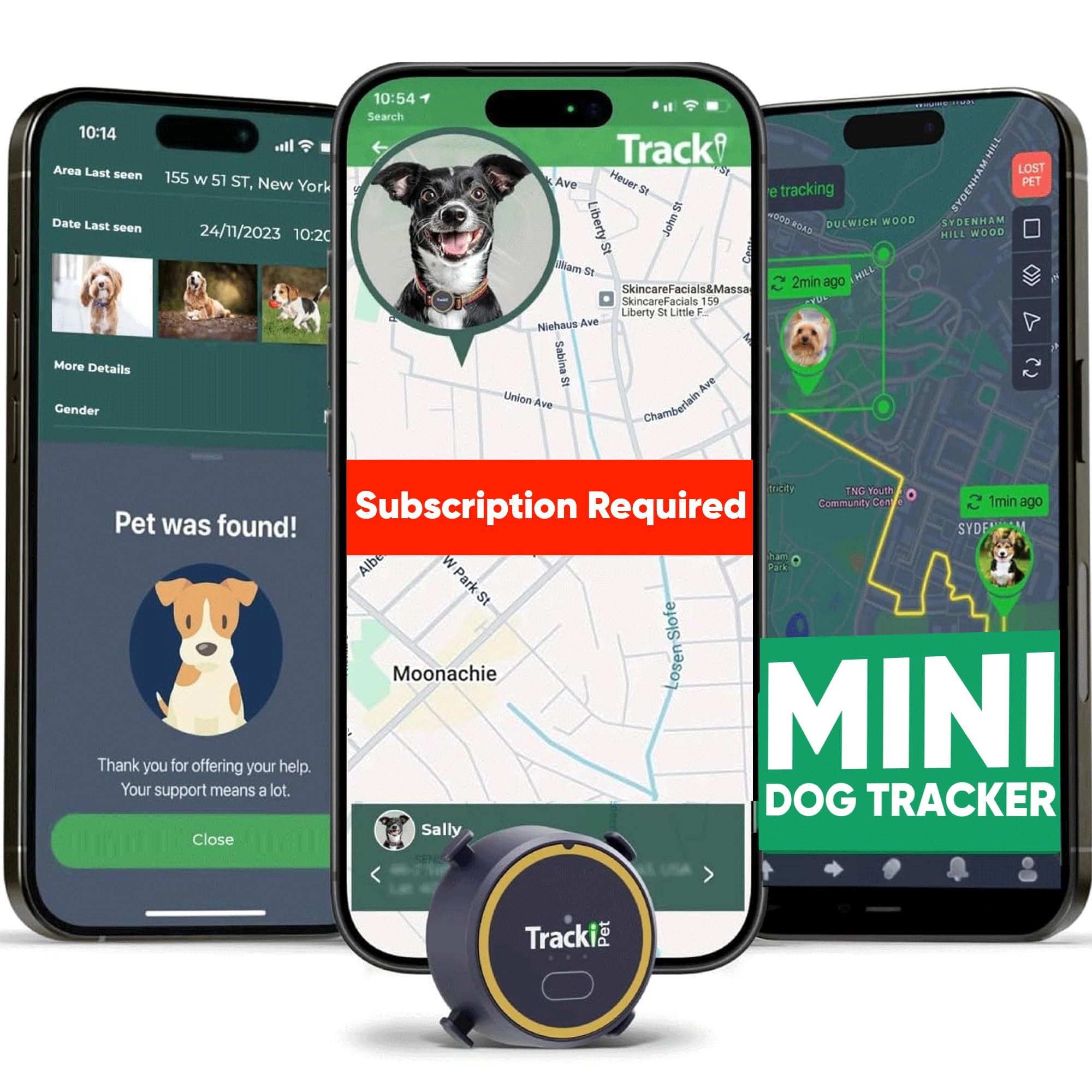
Image: The Tracki Dog GPS Tracker, a small, circular device, is shown attached to a dog's collar.
Package Contents
Verify that all items are present in your package:
- Tracki Dog GPS Tracker Unit
- Charging Cable
- Standard Collar Clip
- Large Collar Clip

Image: An illustration showing the Tracki Dog GPS Tracker, a charging cable, a standard clip, and a large collar clip, alongside the product packaging.
Setup Guide
- Charge the Device: Before first use, fully charge your Tracki Dog GPS Tracker using the provided charging cable. Connect the cable to the tracker and a USB power source. The indicator light will show charging status.
- Activate Subscription: A monthly subscription is required for the tracker to function. Visit the official Tracki website or use the app to activate your service plan.
- Download the App: Download the Tracki app from the Apple App Store (for iOS devices) or Google Play Store (for Android devices). The app is essential for managing your tracker and viewing location data.
- Create a Pet Profile: Open the Tracki app and follow the on-screen instructions to create a profile for your pet. This includes naming the tracker and optionally adding a photo.
- Attach to Collar: Select the appropriate collar clip (standard or large) and securely attach the Tracki Dog GPS Tracker to your pet's collar. Ensure it is snug but comfortable for your pet.

Image: A visual guide demonstrating the ease of installation and setup through the Tracki mobile application, showing steps like powering on, subscription, naming, and adding a photo.

Image: The Tracki logo with icons for the Apple App Store and Google Play Store, indicating where to download the companion application.
Operating Instructions
Real-Time Tracking
Once activated and connected, the Tracki app displays your pet's location in real-time. The tracker utilizes GPS, GSM, Bluetooth, and Wi-Fi technologies for accurate positioning. For rapid updates, activate "Chase Mode" which provides location data every 5 seconds.

Image: A smartphone screen displaying the Tracki app, showing a map with a dog icon representing "Juno" and real-time location updates.
Geo-Fence Zones and Smart Alerts
Set up virtual boundaries, known as Geo-Fence Zones, within the Tracki app. You will receive instant notifications via push alert, email, or SMS if your pet enters or exits these predefined safe areas. The system also provides alerts for movement, speed, and low battery status.
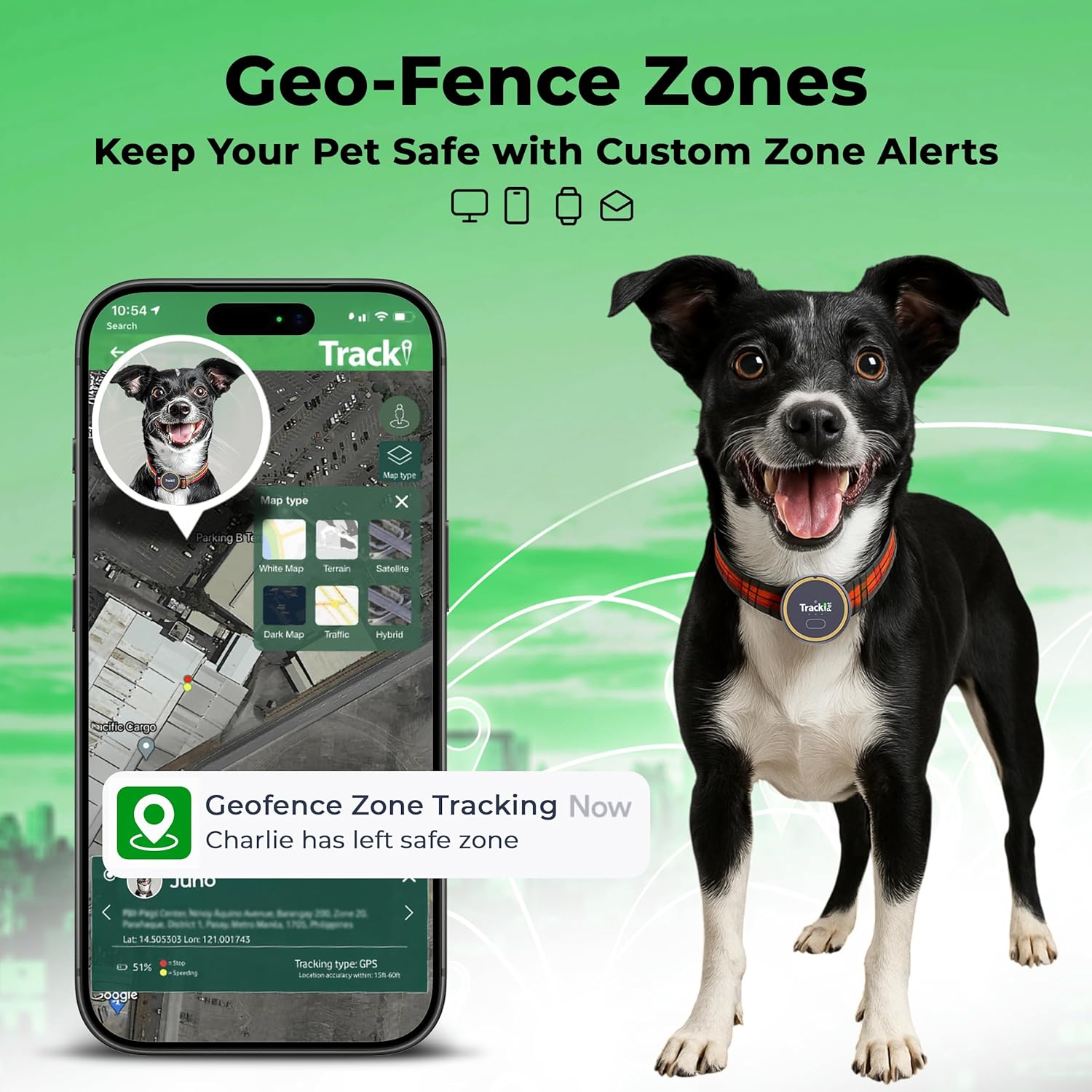
Image: The Tracki app interface on a smartphone, displaying a notification that "Charlie has left safe zone," illustrating the geo-fence alert feature.
Multi-Pet Tracking
The Tracki app supports tracking multiple pets simultaneously. Each tracker can be assigned to a different pet profile, allowing you to monitor all your animals from a single interface.

Image: An image depicting various pets (dogs and a cat) with accompanying geo-fence alerts, demonstrating the multi-pet tracking capability of the Tracki system.
Location History and Sharing
The app maintains an unlimited history of your pet's locations. You can also share your pet's location with trusted contacts, enabling a community network for faster recovery if your pet goes missing.
Maintenance
Charging
To ensure continuous tracking, regularly charge your Tracki Dog GPS Tracker. The battery life can last up to 7 days depending on usage and tracking frequency settings. A low battery alert will be sent to your registered contacts.
Cleaning
Clean the device with a soft, damp cloth. Avoid using harsh chemicals or abrasive materials that could damage the tracker's casing or internal components.
Water Resistance
The Tracki Dog GPS Tracker has an IP67 waterproof rating, meaning it is protected from dust and can withstand immersion in water up to 1 meter (3.3 feet) for up to 30 minutes. While durable, prolonged submersion or exposure to high-pressure water jets should be avoided.

Image: A graphic highlighting key features of the Tracki Pet Dog tracker: waterproof design, long battery life, geo-fence zones, and worldwide coverage.
Troubleshooting
- No Location Updates:
- Ensure the device is charged and powered on.
- Verify that your subscription is active.
- Check for cellular network availability in the tracker's location.
- Move the tracker to an open area to improve GPS signal reception.
- Inaccurate Location:
- GPS accuracy can be affected by dense urban areas, heavy tree cover, or indoor environments.
- Ensure the tracker has a clear line of sight to the sky for optimal GPS performance.
- Battery Drains Quickly:
- Frequent real-time updates (e.g., "Chase Mode") consume more battery. Adjust tracking frequency in the app to extend battery life.
- Ensure the device is fully charged before use.
- App Not Connecting to Tracker:
- Confirm your smartphone has an active internet connection.
- Restart both the tracker and the app.
- Ensure the app is updated to the latest version.
If you continue to experience issues, please refer to the Support section for contact information.
Specifications
| Feature | Detail |
|---|---|
| Brand | Tracki |
| Model Number | Tracki Dog (TP002) |
| Connectivity Technology | Cellular (4G/3G/2G), GPS, GSM, Bluetooth, Wi-Fi |
| Supported Application | iOS, Android, Web App |
| Special Features | Geo-Fence, Smart Alerts (escape, fence breaches, movement, speed, low battery), Real-Time Tracking, Chase Mode (5-second updates), Community Ring |
| Material | Plastic |
| Waterproof Rating | IP67 (submersible up to 1 meter for 30 minutes) |
| Battery Life | Up to 7 days (depending on usage) |
| Dimensions | 1.5 x 1.5 x 0.62 inches (3.8 x 3.8 x 1.57 cm) |
| Weight | 1 oz (28.3g) |
| UPC | 850033076882 |
Subscription Information
The Tracki Dog GPS Tracker requires an active subscription plan to function. Various plans are available, typically offering monthly, 6-month, 1-year, and 2-year prepaid options. Pricing varies based on the chosen plan, with longer prepaid terms generally offering a lower monthly cost.
Please visit the Tracki official website or consult the Tracki app for the most current subscription rates and details. Activation of your subscription is a mandatory step for using the device's tracking features.

Image: A graphic detailing the different subscription plans available for the Tracki tracker, including monthly, 6-month, 1-year, and 2-year prepaid options with their respective costs.
Warranty and Support
Warranty
The Tracki Dog GPS Tracker comes with a 2-year warranty. This warranty covers manufacturing defects and ensures the device functions as intended under normal use. For specific terms and conditions, please refer to the warranty documentation included with your product or visit the official Tracki website.
Customer Support
For technical assistance, troubleshooting, or any questions regarding your Tracki Dog GPS Tracker, please contact Tracki customer support. Contact information can typically be found on the official Tracki website or within the Tracki mobile application.
Note: Always refer to the latest information on the manufacturer's website for the most up-to-date support and warranty details.