
Introduction
This manual provides essential information for the safe operation, maintenance, and troubleshooting of your MAXSHOT V7 Electric Scooter. Please read this manual thoroughly before your first ride to ensure proper use and to maximize the lifespan of your scooter. The MAXSHOT V7 is designed for adult use, featuring a 350W motor, 8.5-inch solid tires, dual suspension, and a foldable aluminum frame for convenient commuting and leisure.
Safety Information
Your safety is paramount. Always adhere to the following guidelines:
- Always wear a helmet and appropriate protective gear (knee pads, elbow pads) when riding.
- Familiarize yourself with and obey all local traffic laws and regulations regarding electric scooters.
- Do not ride in wet conditions, heavy rain, or through puddles. Water damage is not covered by warranty.
- Ensure the scooter is fully charged and all components are securely fastened before each ride.
- The maximum weight limit for this scooter is 265 pounds (120 kg). Do not exceed this limit.
- This scooter is intended for adult use only.
- Avoid riding on uneven terrain, steep inclines, or slippery surfaces.
- Maintain a safe distance from other vehicles and pedestrians.
- Do not perform stunts or aggressive maneuvers.
Package Contents
Upon opening your MAXSHOT V7 Electric Scooter package, please verify that all items are present:
- MAXSHOT V7 Electric Scooter
- Power Adapter/Charger
- User Manual (this document)
- Assembly Tools (if required for minor assembly)
If any items are missing or damaged, please contact customer support immediately.
Setup
1. Unfolding the Scooter
The MAXSHOT V7 features a one-step folding mechanism for easy setup. To unfold:
- Place the scooter on a flat surface.
- Locate the folding latch near the base of the handlebar stem.
- Release the latch and carefully lift the handlebar stem until it locks into the upright position. Ensure the locking mechanism is fully engaged.

Image: The MAXSHOT V7 electric scooter shown in its unfolded state and then folded for transport, demonstrating its compact design.
2. Initial Battery Charge
Before first use, fully charge the scooter's battery. The battery charge time is approximately 4 hours.
- Locate the charging port on the scooter.
- Connect the power adapter to the charging port, then plug the adapter into a standard electrical outlet.
- The indicator light on the charger will typically change from red to green when charging is complete.

Image: Visual representation of the scooter's battery specifications, including capacity, charging time, and maximum range.
3. App Installation and Pairing
The MAXSHOT V7 supports smart app integration for enhanced control and features.
- Download the official MAXSHOT app from your smartphone's app store.
- Ensure your scooter is powered on and Bluetooth is enabled on your smartphone.
- Open the app and follow the on-screen instructions to pair your scooter.

Image: A smartphone screen illustrating the various smart app functions available for the MAXSHOT V7 scooter.
Operating Instructions
1. Powering On/Off
To power on the scooter, long press the power button on the LED display for 4 seconds. To power off, long press the button again.

Image: Close-up of the scooter's LED display, showing power button and indicators for speed and battery.
2. Riding Modes
The MAXSHOT V7 offers multiple speed modes to suit different riding preferences. Double press the power button to cycle through the modes:
- Stroll Mode (W): Approximately 4 MPH
- Eco Mode (E): Approximately 9 MPH
- Comfort Mode (D): Approximately 12 MPH
- Sport Mode (S): Approximately 16 MPH

Image: A visual guide to the scooter's four distinct speed modes and their approximate speeds.
3. Acceleration and Braking
To accelerate, gently press the throttle lever located on the right handlebar. To brake, use the rear braking lever on the left handlebar. The scooter is equipped with a dual braking system, including rear drum braking and front EABS anti-lock braking for responsive stopping power.

Image: Diagram illustrating the scooter's dual braking system for safety and control.
4. Headlight and Taillight Operation
The scooter is equipped with a headlight and taillight for improved visibility. Single press the power button to turn the headlights on or off.
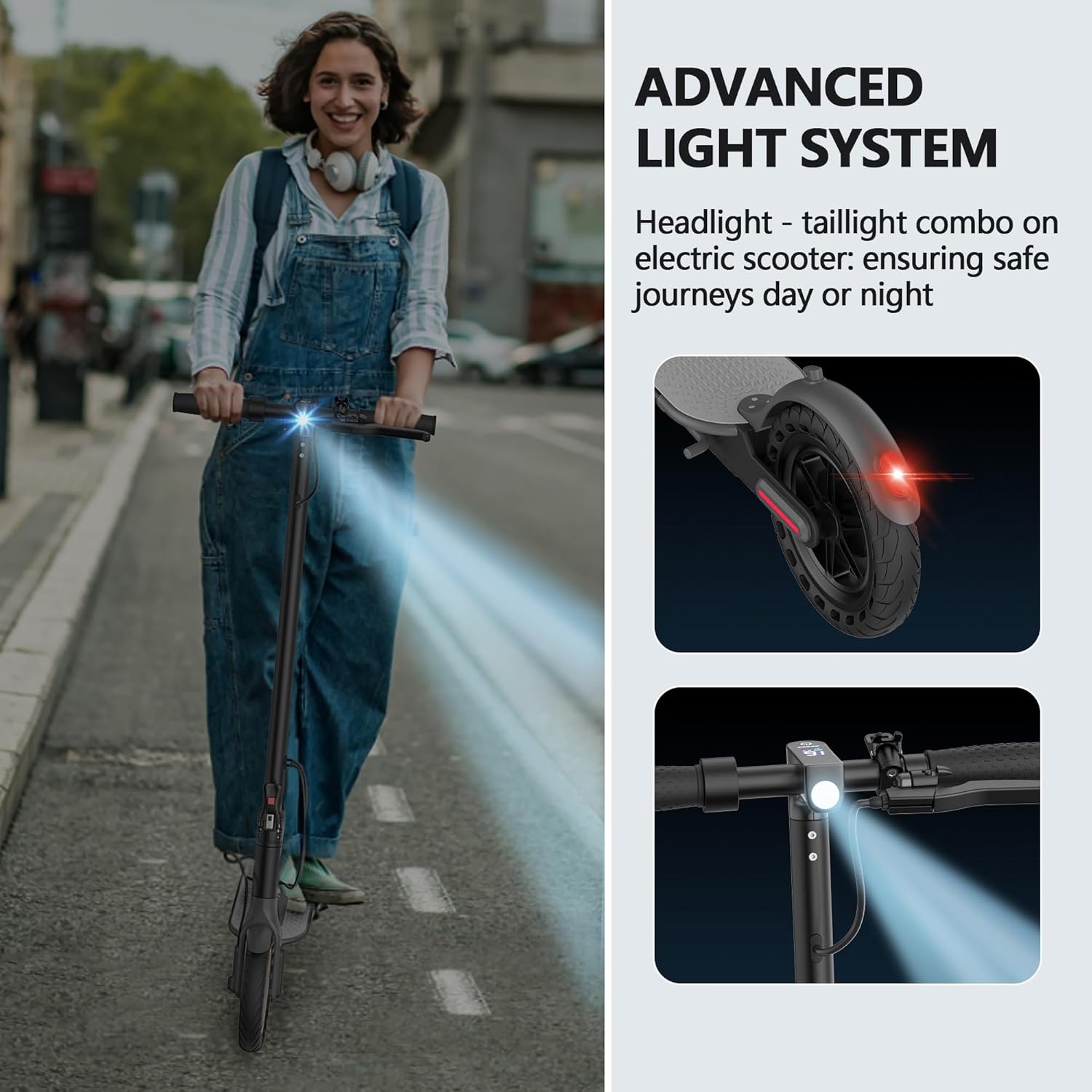
Image: A rider demonstrating the scooter's advanced headlight and taillight system for safe night riding.
5. Folding for Storage/Transport
To fold the scooter for compact storage or transport:
- Ensure the scooter is powered off.
- Locate the folding latch at the base of the handlebar stem.
- Release the latch and carefully fold the handlebar stem downwards until it clicks into place, securing it to the rear fender.
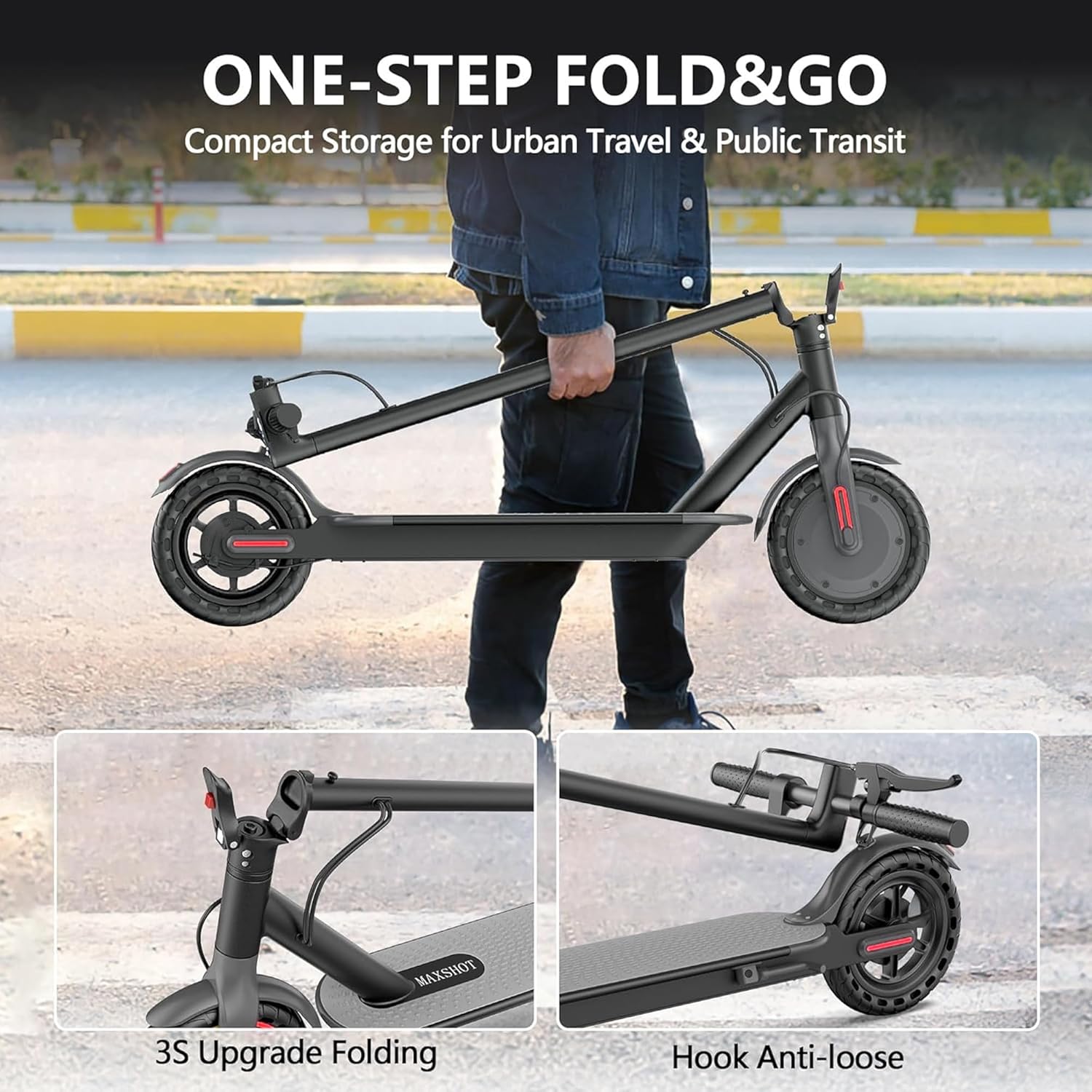
Image: The scooter in its folded state, being carried, demonstrating its portability.
Maintenance
1. Battery Care
- Charge the battery regularly, even if the scooter is not in use, to maintain battery health.
- Avoid completely draining the battery before recharging.
- Store the scooter in a cool, dry place away from direct sunlight and extreme temperatures.
2. Tire Care
The MAXSHOT V7 uses solid rubber tires, which require less maintenance than pneumatic tires. Regularly inspect the tires for any signs of wear or damage.
3. General Cleaning
Wipe down the scooter with a damp cloth after use. Avoid using high-pressure water jets or harsh chemicals, which can damage electronic components.
4. Brake Inspection
Periodically check the brake levers and cables for proper function and adjustment. Ensure the brakes respond smoothly and effectively.
Troubleshooting
This section addresses common issues you might encounter with your MAXSHOT V7 Electric Scooter.
| Problem | Possible Cause | Solution |
|---|---|---|
| Scooter does not power on | Low battery; Loose connections; Power button malfunction | Charge the battery fully; Check all visible connections; Contact support if issue persists. |
| Reduced range or speed | Low battery; Riding uphill frequently; Heavy load; Extreme temperatures | Ensure full charge; Adjust riding style; Reduce load; Operate in moderate temperatures. |
| Brakes not responsive | Brake cable loose; Brake pads worn | Adjust brake cable tension; Inspect and replace brake pads if necessary; Contact support. |
| App connection issues | Bluetooth off; Scooter not powered on; App not updated | Ensure Bluetooth is on and scooter is powered; Update app; Restart phone and scooter. |
| Error codes (e.g., E1, E2) | Internal system fault (e.g., controller, motor) | Power off and restart the scooter. If the error persists, contact customer support with the specific error code. |
For issues not listed here or if solutions do not resolve the problem, please contact MAXSHOT customer support.
Specifications
Below are the technical specifications for the MAXSHOT V7 Electric Scooter:
| Feature | Detail |
|---|---|
| Brand | MAXSHOT |
| Model Name | V7 |
| Motor | 350W Brushless Motor |
| Max Speed | 16 MPH |
| Battery Capacity | 36V 5.2Ah |
| Maximum Distance Range | 16 miles |
| Battery Charge Time | 4 hours |
| Weight Limit | 265 pounds |
| Wheel Size | 8.5 inches |
| Wheel Type | Solid Rubber |
| Suspension Type | Dual Suspension |
| Brake Style | Rear Drum Braking, Front EABS Anti-lock Braking |
| Frame Material | Aluminum |
| Special Feature | Foldable, App Control |
| Recommended Age Range | Adult |

Image: Detailed dimensions and load capacity of the MAXSHOT V7 Electric Scooter.
Warranty Information
The MAXSHOT V7 Electric Scooter comes with a 1-Year Limited Warranty from the date of purchase. This warranty covers manufacturing defects in materials and workmanship under normal use. It does not cover damage caused by misuse, accidents, unauthorized modifications, or normal wear and tear. Please retain your proof of purchase for warranty claims.
Customer Support
For any questions, technical assistance, or warranty claims, please contact MAXSHOT customer support through the following channels:
- Email: Refer to your product packaging or the official MAXSHOT website for contact details.
- Website: Visit the official MAXSHOT website for FAQs and support resources.
When contacting support, please have your scooter's model number (V7) and proof of purchase readily available.