
ZYDIIE HDV-3051L
ZYDIIE 4K 64MP Video Camera Camcorder
Model: HDV-3051L - Instruction Manual
Introduction
This manual provides detailed instructions for the proper use and maintenance of your ZYDIIE 4K 64MP Video Camera Camcorder, Model HDV-3051L. Please read this manual thoroughly before operating the device to ensure optimal performance and longevity. Keep this manual for future reference.
Package Contents
Verify that all items listed below are included in your package:
- Video Camera Camcorder
- User Manual
- 32GB Micro SD Card
- Charging Cable (USB)
- Remote Control
- 2 x Rechargeable Batteries
- Power Adapter
- DV Bag
- Lens Cap
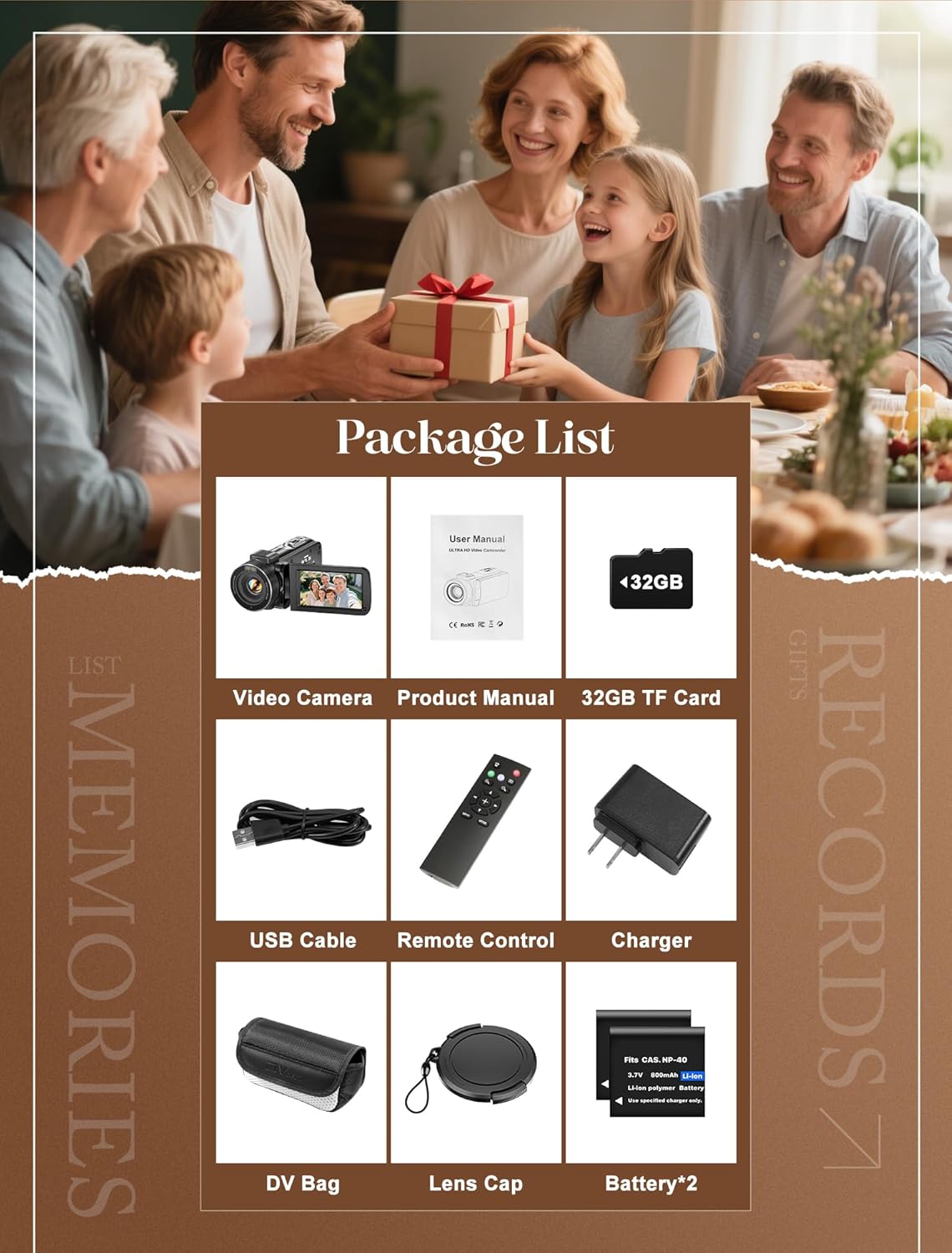
Image: All components included in the ZYDIIE 4K Camcorder package.
Camera Overview
Familiarize yourself with the main components of your camcorder:
- Lens: Captures video and photo.
- 3.0-inch IPS Touchscreen: For viewing and navigating menus. Rotates 270 degrees.
- Power Button: Turns the device on/off.
- Record/Shutter Button: Initiates/stops video recording or takes a photo.
- Zoom Lever: Controls digital zoom (W/T).
- Mode Button: Switches between video, photo, and playback modes.
- Menu Button: Accesses camera settings.
- IR Light: For night vision functionality.
- Battery Compartment: Houses the rechargeable battery.
- SD Card Slot: For inserting the Micro SD card.
- USB Port: For charging and data transfer.

Image: Front and side view of the ZYDIIE 4K Camcorder, highlighting its compact design.
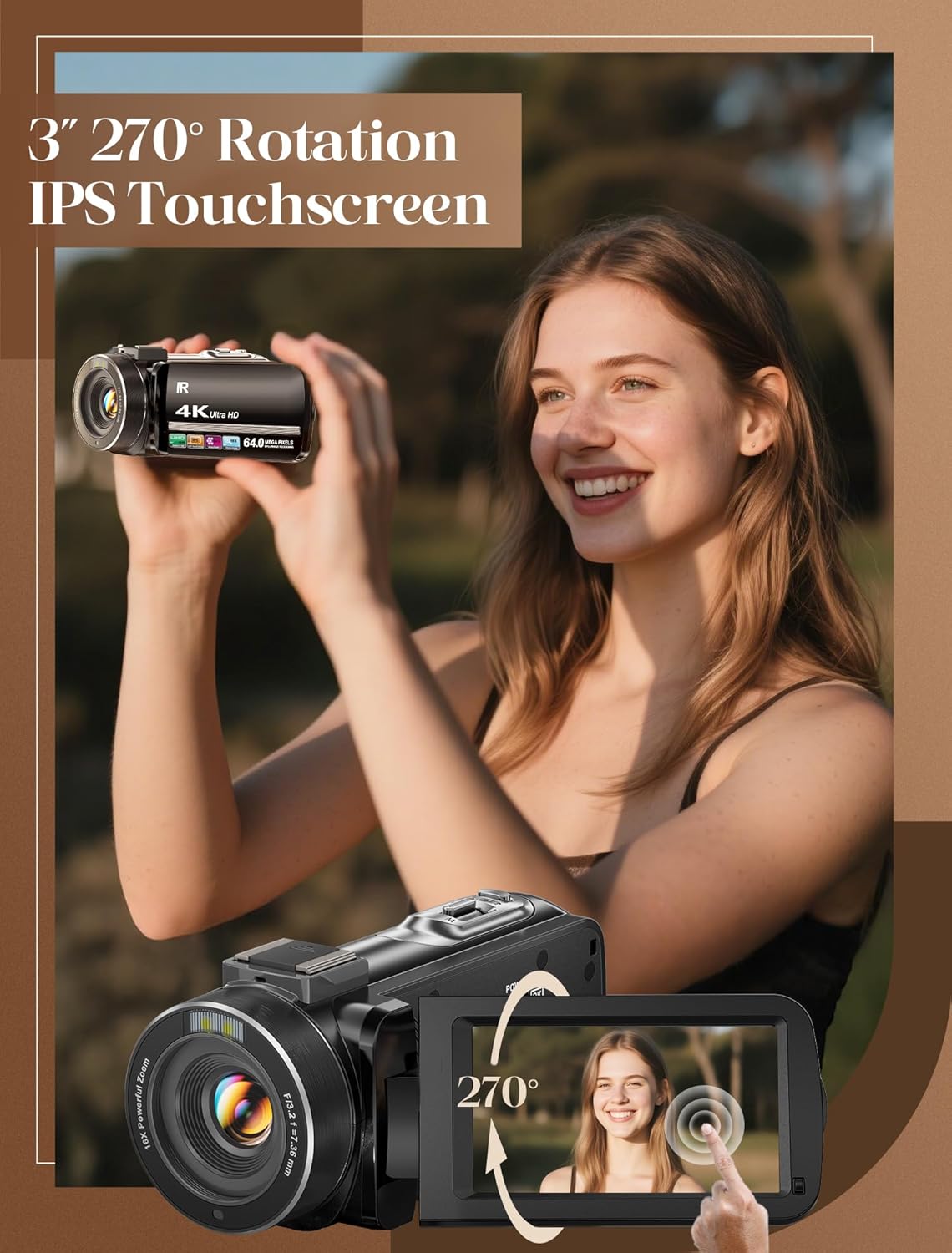
Image: The camcorder's 3-inch IPS touchscreen rotated 270 degrees, demonstrating its flexibility for various shooting angles.
Setup
1. Battery Installation
- Open the battery compartment cover located on the bottom of the camcorder.
- Insert a fully charged battery, ensuring the correct polarity.
- Close the battery compartment cover securely.
2. Memory Card Installation
- Locate the Micro SD card slot, typically near the battery compartment.
- Insert the provided 32GB Micro SD card into the slot until it clicks into place. Ensure the card is inserted in the correct orientation.
- To remove, gently press the card until it pops out.
3. Powering On/Off
- To power on, open the LCD screen. The camcorder will automatically turn on.
- To power off, close the LCD screen or press and hold the Power button.
Operating the Camcorder
1. Basic Recording (Video/Photo)
- Video Recording: In video mode, press the Record button once to start recording. Press it again to stop.
- Photo Capture: In photo mode, press the Shutter button once to take a picture.
- Switching Modes: Use the Mode button to toggle between video, photo, and playback.
2. Using the 3.0-inch IPS Touchscreen
- The screen can rotate up to 270 degrees for flexible viewing and self-recording.
- Tap the screen to access quick settings or navigate menus.
3. Digital Zoom
- Use the zoom lever (W/T) to zoom in (T) or zoom out (W) up to 18x digitally.

Image: Visual representation of the 18x digital zoom capability, showing progressive magnification.
4. Night Vision Mode
- Press the “OK” button to activate the IR cut filter. This enables recording in total darkness, producing high-contrast black and white video.
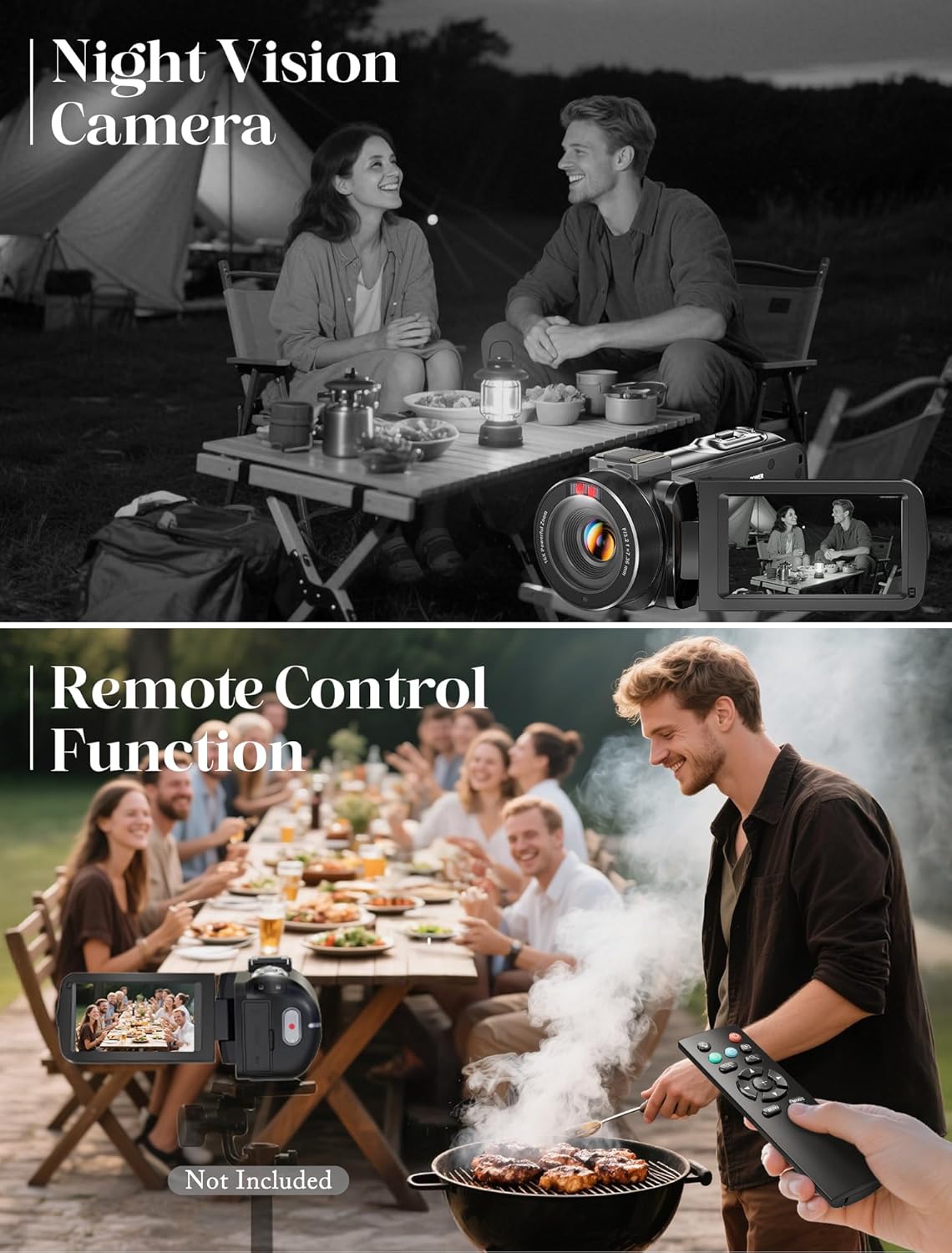
Image: The camcorder's night vision feature in use, alongside the remote control for convenient operation.
5. Webcam Functionality
- Connect the camcorder to your computer using the provided USB cable.
- Select the 'Webcam' option on the camcorder's screen (if prompted). No additional drivers are typically required.
6. Remote Control Usage
- The wireless remote allows you to start/stop recording and take photos without directly touching the camcorder.
- Point the remote control towards the camcorder's IR receiver.
7. Special Features
- Face Detection: Automatically detects and focuses on faces in the frame.
- Video Pause: Pause and resume video recording within the same file.
- Slow Motion: Records video at a higher frame rate for slow-motion playback.
- Continuous Shooting: Captures a series of photos in quick succession.
- Time-Lapse: Records frames at set intervals to create a time-lapse video.
- Self-Timer: Sets a delay before taking a photo.
- Recording While Charging: Allows continuous operation when connected to a power source.
- Date Stamp: Adds date and time information to your recordings.

Image: A visual guide to the camcorder's multi-functional capabilities, including anti-shake, time-lapse, slow motion, scheduled shooting, video pause, and face detection.
Media Management
To transfer your recorded videos and photos to a computer or other device:
- USB Cable Transfer: Connect the camcorder to your computer using the USB cable. The device should appear as a removable disk.
- SD Card Reader: Remove the Micro SD card from the camcorder and insert it into a compatible card reader connected to your computer or mobile device.
Maintenance
- Cleaning: Use a soft, dry cloth to clean the camera body. For the lens, use a specialized lens cleaning cloth and solution. Avoid abrasive materials.
- Battery Care: Store batteries in a cool, dry place. Do not expose them to extreme temperatures. Fully charge batteries before extended storage.
- Storage: When not in use, store the camcorder in its protective DV bag in a dry, dust-free environment.
Troubleshooting
| Problem | Solution |
|---|---|
| Camcorder does not power on. | Ensure the battery is correctly inserted and fully charged. Try using the second provided battery. |
| Cannot record video/take photos. | Check if the Micro SD card is inserted correctly and has sufficient free space. Ensure the camcorder is in the correct mode (video or photo). |
| Poor image/video quality. | Ensure the lens is clean. Check lighting conditions. Adjust settings in the menu if necessary. |
| Remote control not working. | Ensure there are no obstructions between the remote and the camcorder. Check remote battery. |
Specifications
| Feature | Detail |
|---|---|
| Brand | ZYDIIE |
| Model Number | HDV-3051L |
| Video Capture Resolution | 4K Ultra HD |
| Photo Resolution | 64MP |
| Digital Zoom | 18x |
| Screen Size | 3.0 Inches IPS Touchscreen |
| Screen Rotation | 270° |
| Special Features | Anti-Shake, Face Detection, Image Stabilization, Night Vision, Slow Motion, Continuous Shooting, Time-Lapse, Self-Timer, Recording While Charging, Date Stamp |
| Connectivity Technology | USB |
| Flash Memory Type | Micro SD (32GB card included) |
| Item Weight | 1.3 pounds |
| Batteries | 2 Nonstandard Battery batteries required (included) |
Warranty and Support
For warranty information and customer support, please refer to the contact details provided on the product packaging or the official ZYDIIE website. Keep your purchase receipt as proof of purchase.
Important Note Regarding Videos
Based on the provided product data, no official seller-created videos were identified for embedding in this manual. Only videos explicitly marked with 'creator_type: "Seller"' are included to ensure official product information.
Ask a question about this manual
Ask about setup, troubleshooting, compatibility, parts, safety, or missing instructions. Manuals+ will review the question and use this page’s manual context to help answer it.