
Monster W39
Monster N-Lite 211 Wireless Earbuds User Manual
Model: W39 / MH22229
Introduction
This manual provides detailed instructions for the Monster N-Lite 211 Wireless Earbuds. Please read this manual carefully before using the product to ensure proper operation and to maximize your listening experience.
1. Setup
1.1 Package Contents
Verify that all items are present in the package:
- Monster N-Lite 211 Wireless Earbuds
- Charging Case
- USB Charging Cable
- User Manual
1.2 Charging the Earbuds and Case
Before first use, fully charge the earbuds and charging case.
- Place the earbuds into the charging case. Ensure they are correctly seated.
- Connect the USB charging cable to the charging port on the case and to a power source.
- The LED power display on the charging case will show the battery percentage. It will flash from 1-100 during charging.
- Once fully charged, the display will show 100.
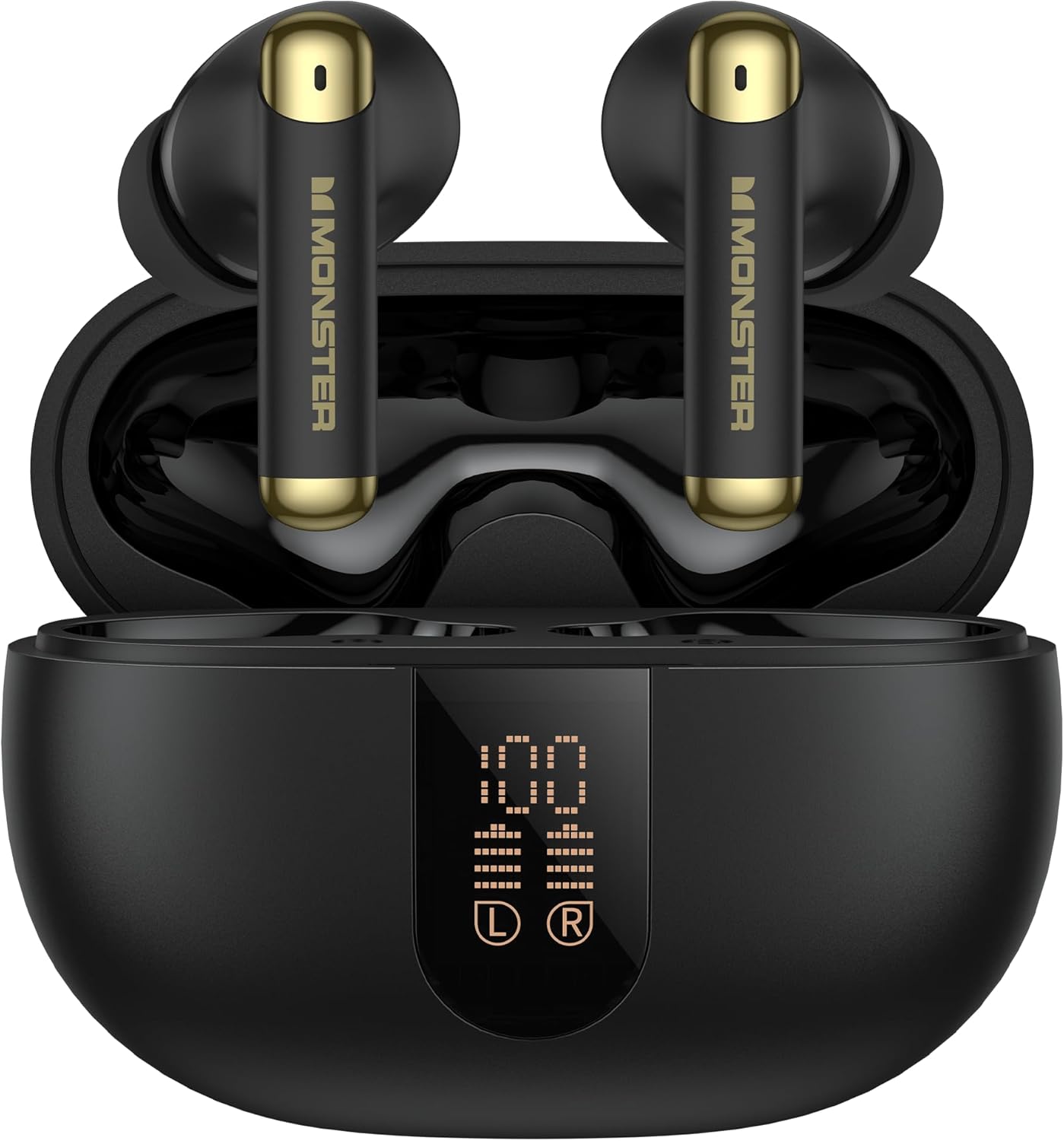
Image: Monster N-Lite 211 Earbuds in their charging case, displaying the digital battery percentage on the front LED screen. The earbuds are black with gold accents.
A full charge provides approximately 6-7 hours of listening time for the earbuds, with the charging case extending total battery life up to 36 hours.
1.3 Pairing with a Device
To pair your earbuds with a Bluetooth-enabled device:
- Open the charging case. The earbuds will automatically enter pairing mode.
- On your device (smartphone, tablet, computer), enable Bluetooth.
- Search for available Bluetooth devices and select "Monster N-Lite 211" from the list.
- Once connected, a voice prompt will confirm successful pairing.
- The earbuds will automatically reconnect to the last paired device when removed from the case, if Bluetooth is enabled on the device.

Image: A stylized diagram highlighting the Bluetooth 6.0 chip, indicating fast and stable wireless connectivity for the earbuds.
2. Operation
2.1 Wearing the Earbuds
Insert the earbuds gently into your ears. Adjust them for a comfortable and secure fit. The ergonomic design ensures stability during various activities.

Image: A person wearing a Monster N-Lite 211 earbud, illustrating its comfortable fit and emphasizing the Hi-Fi Audio and Deep Bass sound quality.
2.2 Touch Controls
The Monster N-Lite 211 earbuds feature intuitive touch controls on each earbud. The following table outlines the functions:
| Action | Function |
|---|---|
| Single Tap (Left/Right) | Play/Pause Music, Answer/End Call |
| Double Tap (Right) | Next Track |
| Double Tap (Left) | Previous Track |
| Triple Tap (Left/Right) | Activate Voice Assistant |
| Long Press (2 seconds) | Reject Call |
2.3 Noise Cancellation (ENC)
The earbuds are equipped with an Environmental Noise Cancellation (ENC) chip to reduce background noise during calls, ensuring clear communication.

Image: A woman wearing a Monster N-Lite 211 earbud, with a graphic overlay illustrating the Environmental Noise Cancellation (ENC) technology reducing ambient sound for clearer calls.
3. Maintenance
3.1 Cleaning
- Use a soft, dry, lint-free cloth to clean the earbuds and charging case.
- Do not use harsh chemicals, cleaning solvents, or strong detergents.
- Gently remove any earwax or debris from the eartips and speaker mesh using a small, soft brush or cotton swab.
3.2 Water Resistance
The Monster N-Lite 211 earbuds feature IPX5 water resistance, protecting them from sweat and splashes. They are not designed for submersion in water.
- Avoid exposing the charging case to water.
- Do not wear the earbuds while swimming or showering.
- If the earbuds get wet, wipe them dry before placing them back in the charging case.

Image: An illustration depicting the IPX5 water resistance of the earbuds, showing protection against rainy conditions, sweat, and splashes.
3.3 Storage
When not in use, store the earbuds in their charging case to protect them and keep them charged. Store the case in a cool, dry place away from extreme temperatures.
4. Troubleshooting
Common Issues and Solutions:
| Problem | Solution |
|---|---|
| Earbuds not charging |
|
| Cannot pair with device |
|
| No sound or low volume |
|
| Intermittent connection |
|
5. Specifications
| Feature | Detail |
|---|---|
| Model Name | MH22229 |
| Item Model Number | W39 |
| Connectivity Technology | Wireless (Bluetooth) |
| Bluetooth Version | 6.0 |
| Bluetooth Range | 12 Meters |
| Audio Driver Type | Dynamic Driver (13mm) |
| Battery Life (Earbuds) | Up to 6-7 Hours (single charge) |
| Total Battery Life (with Case) | Up to 36 Hours |
| Noise Control Features | Environmental Noise Cancellation (ENC) |
| Water Resistance Level | IPX5 (Sweatproof, Splashproof) |
| Control Method | Touch |
| Item Weight | 0.17 Kilograms / 5.9 ounces |
| Material | Plastic, Silicone, Or Rubber |
| Compatible Devices | Laptops, Desktops, Gaming Consoles, Tablets, Telephones, Smart Speakers, Televisions, Cellphones |

Image: An exploded diagram showcasing the internal components of the Monster N-Lite 211 earbud, highlighting the 13mm dynamic driver responsible for audio output.
6. Warranty and Support
Monster products are designed and manufactured to the highest quality standards. For detailed warranty information and customer support, please refer to the warranty card included in your package or visit the official Monster website.
For further assistance, please contact Monster customer support through their official channels.
Note: Warranty terms and conditions may vary by region. Please retain your proof of purchase.
Related documentsW39


Ask a question about this manual
Ask about setup, troubleshooting, compatibility, parts, safety, or missing instructions. Manuals+ will review the question and use this page’s manual context to help answer it.