
1. Important Safety Instructions
Please read and understand all instructions before installing or operating this product. Keep this manual for future reference.
- Electrical Safety: Ensure the power supply voltage matches the product's requirements. Disconnect power before any service or maintenance.
- Ventilation: Do not block ventilation openings. Ensure adequate airflow around the fixture to prevent overheating.
- Mounting: Securely mount the fixture using appropriate hardware. Ensure the mounting surface can support the weight of the fixture.
- Environment: This product is intended for indoor use. Avoid exposure to water, high humidity, or extreme temperatures.
- Eye Safety: Do not stare directly into the light source when the fixture is operating, as it may cause eye damage.
2. Product Overview
The DazzlingStage ZQ06190 is a 60W 9LED RGBW stage wall wash bar light designed for various lighting applications. It features multiple control modes and a versatile design for flexible placement.

Image 2.1: Multiple DazzlingStage ZQ06190 units showcasing different color outputs.
Key Features:
- Powerful Illumination: Equipped with 9 LED RGBW light sources, capable of producing over 16.7 million color combinations.
- Smooth Dimming: Supports 0-100% linear dimming for precise light intensity control.
- Multiple Control Modes: Includes DMX512, auto, sound control, and remote control for versatile operation.
- Dynamic Lighting Effects: Features jumping, gradual changing, pulse changing, and colorful mixing effects.
- Adjustable Stand: Unique stand design allows for upright placement on flat surfaces and adjustable illumination direction. Also supports traditional hanging.
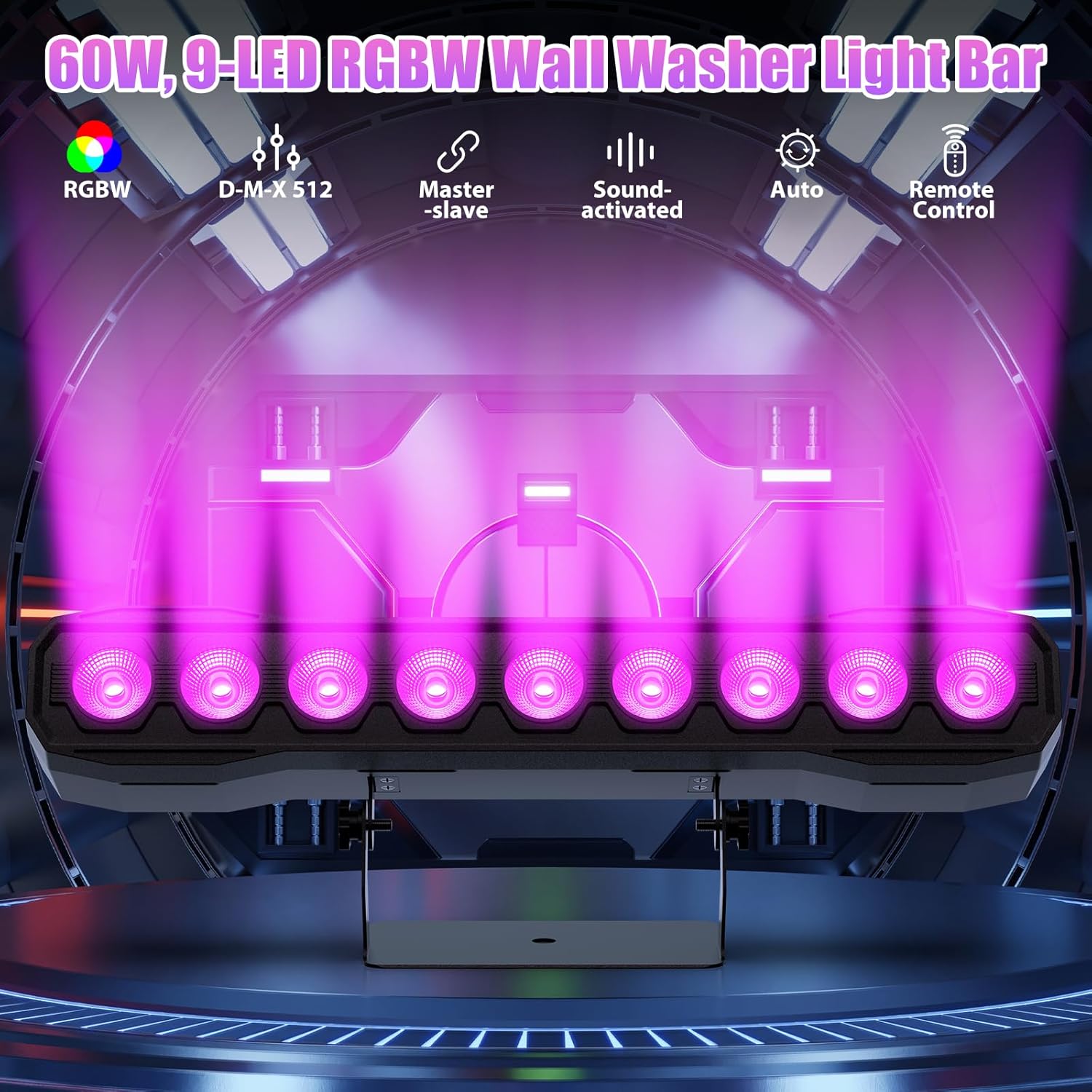
Image 2.2: Overview of the light bar's capabilities and control options.
Package Contents:
Verify that all items are present upon unpacking:
- Light Bar (ZQ06190)
- Power Cord
- Remote Control
- Bracket (pre-attached or separate)
- Knobs (for bracket adjustment)
- Black Gaskets
- Instruction Manual

Image 2.3: Contents included in the product package.
3. Setup and Installation
Mounting Options:
The ZQ06190 offers flexible mounting options:
- Surface Placement: Use the integrated stand to place the light bar upright on any flat surface. The stand allows for angle adjustment.
- Hanging Installation: The bracket can be inverted and used with appropriate clamps (not included) to hang the fixture from a truss or ceiling. Ensure all connections are secure.
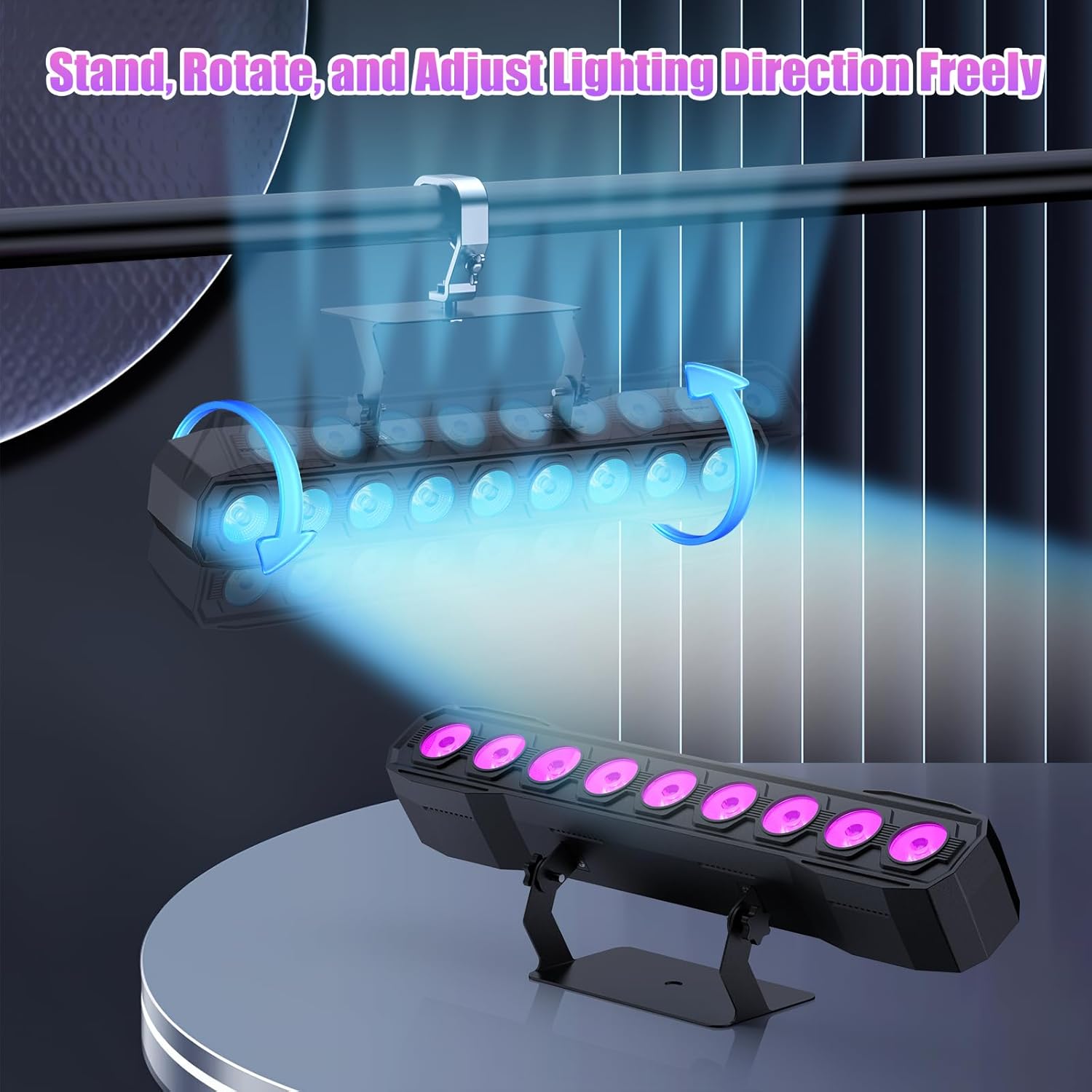
Image 3.1: Illustration of the adjustable stand and hanging capabilities.
Connections:
- Power: Connect the provided power cord to the power input on the fixture and then to a suitable power outlet.
- DMX (Optional): For DMX control, connect a DMX controller to the DMX IN port. For multiple units, daisy-chain them using DMX OUT to DMX IN connections.

Image 3.2: Detailed view of the control panel and connection ports.
4. Operating Modes
The ZQ06190 offers several operating modes, selectable via the onboard display or remote control.

Image 4.1: Overview of available control modes.
4.1. Remote Control Operation
The included remote control provides convenient access to various functions.
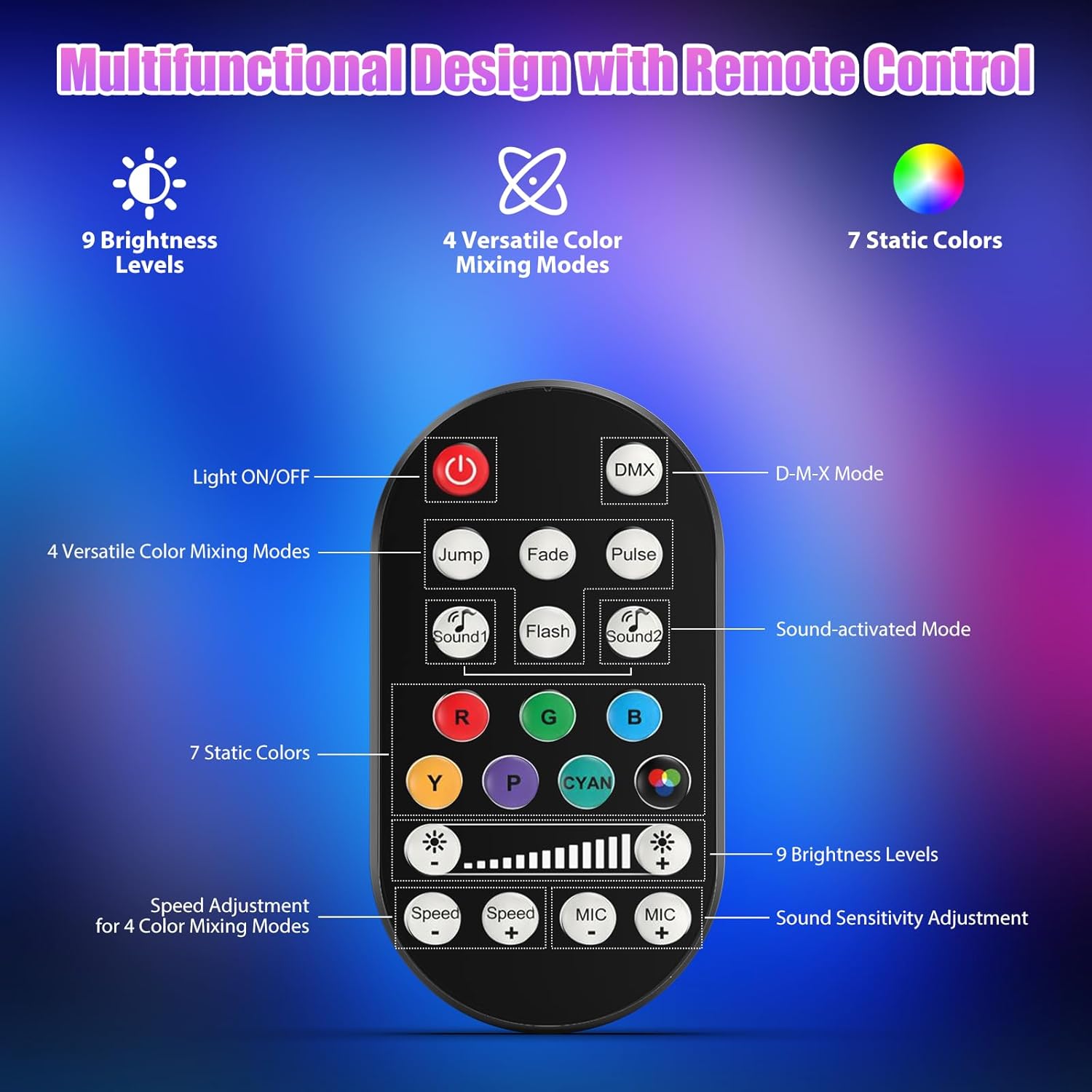
Image 4.2: Remote control button functions.
- Light ON/OFF: Power button.
- DMX Mode: Activates DMX control.
- Versatile Color Mixing Modes: Buttons for Jump, Fade, Pulse, Sound1, Flash, Sound2.
- Static Colors: Direct buttons for Red, Green, Blue, Yellow, Purple, Cyan, and a multi-color button.
- Brightness Levels: Adjusts light intensity (9 levels).
- Speed Adjustment: For color mixing modes.
- Sound Sensitivity Adjustment: For sound-activated modes (15 levels).
4.2. DMX512 Control
For advanced control, connect a DMX512 controller. Refer to the fixture's display menu for DMX address setting and channel assignments. The fixture typically uses 4 or 8 DMX channels.
4.3. Auto Mode
The light bar will cycle through pre-programmed lighting effects automatically.
4.4. Sound-Activated Mode
The light bar will react to ambient sound, changing patterns and colors in sync with music or other audio. Sensitivity can be adjusted.

Image 4.3: Examples of dynamic lighting effects.
5. Maintenance
Regular maintenance ensures optimal performance and longevity of your light bar.
- Cleaning: Periodically clean the lens and exterior casing with a soft, lint-free cloth. Do not use abrasive cleaners or solvents.
- Inspection: Regularly check power cables, DMX cables, and mounting hardware for any signs of wear or damage. Replace damaged components immediately.
- Storage: When not in use for extended periods, store the fixture in a dry, dust-free environment.
6. Troubleshooting
If you encounter issues, refer to the following common problems and solutions:
| Problem | Possible Cause | Solution |
|---|---|---|
| Light does not turn on | No power, faulty cable, remote battery dead | Check power connection, test cable, replace remote battery. |
| Remote control not working | Battery dead, obstruction, remote out of range | Replace remote battery, ensure clear line of sight, operate within range. |
| DMX control issues | Incorrect DMX address, faulty cable, DMX terminator missing | Verify DMX address, check DMX cables, ensure terminator is used on the last fixture. |
| Sound-activated mode unresponsive | Low sound sensitivity, no sound input | Increase sound sensitivity via remote/menu, ensure music is playing near the fixture. |
7. Specifications
| Feature | Detail |
|---|---|
| Model Number | ZQ06190 |
| Brand | DazzlingStage |
| Power Consumption | 60W |
| Light Source | 9 x RGBW LEDs |
| Color Mixing | RGBW 4-in-1, 16.7M+ colors |
| Dimming | 0-100% Linear |
| Beam Angle | 35° |
| Control Modes | DMX512, Auto, Sound-Activated, Remote Control, Master-Slave |
| DMX Channels | 4/8 Channels (refer to product for specific DMX chart) |
| Material | Acrylonitrile Butadiene Styrene (ABS) |
| Product Dimensions | 18.1 x 5.5 x 5.1 inches (46 x 14 x 13 cm) |
| Item Weight | Approximately 1.98 lbs (0.9 kg) |

Image 7.1: Product dimensions and weight.
8. Limited Warranty and Support
This product is manufactured under strict quality standards. For warranty information, technical support, or service inquiries, please contact the seller or manufacturer directly. Keep your purchase receipt as proof of purchase.
Optional protection plans may be available for extended coverage. Please refer to your purchase details for more information on these plans.