
Introduction
This manual provides detailed instructions for the assembly, operation, maintenance, and troubleshooting of your Coleshome 4-Tier Glass Display Cabinet with LED Lighting. Please read this manual thoroughly before assembly and use to ensure proper function and safety. Keep this manual for future reference.
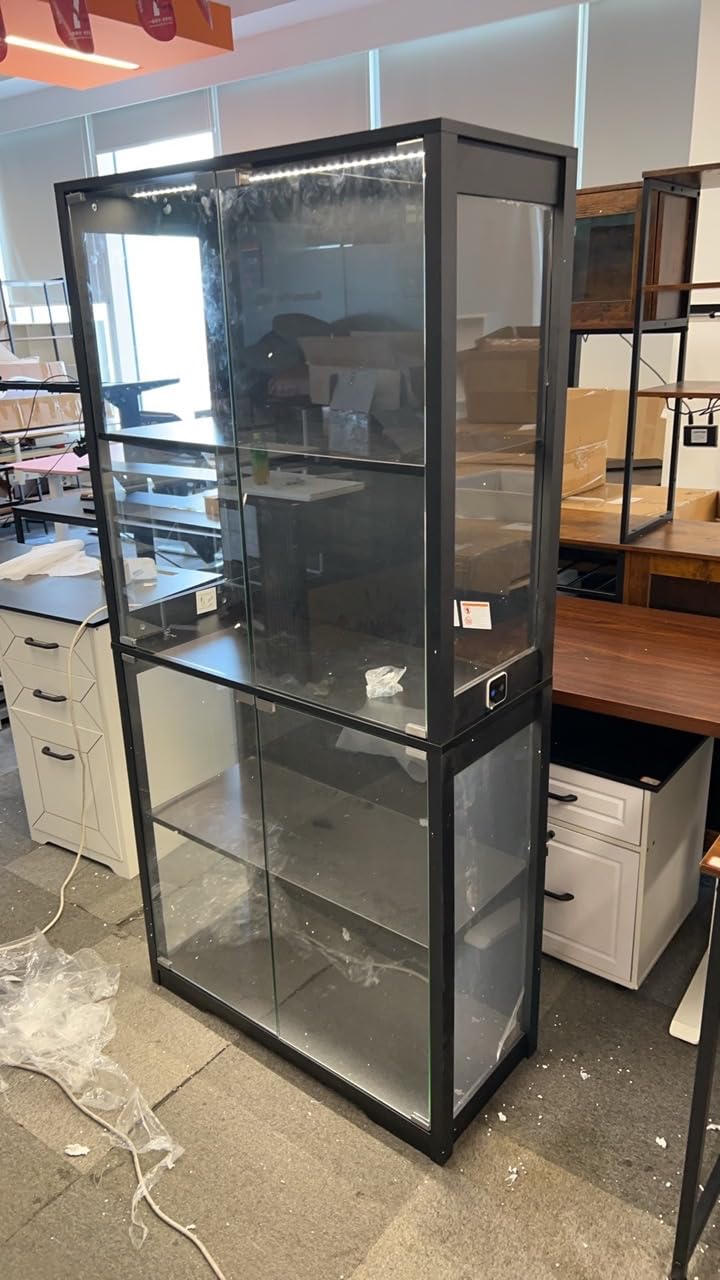
Image: The Coleshome 4-Tier Glass Display Cabinet in black, featuring four glass shelves and integrated LED lighting, designed for displaying collectibles.
Setup
Unpacking and Component Check
Carefully unpack all components from the packaging. Lay them out on a clean, soft surface to prevent scratches. Verify that all parts listed in the included parts list are present and undamaged. If any parts are missing or damaged, do not proceed with assembly and contact customer support.
Assembly Instructions
- Prepare the Base: Assemble the base frame components according to the diagrams provided in the separate assembly guide. Ensure all connections are secure.
- Attach Side Panels: Carefully attach the side metal frames and glass panels to the base. Use the provided hardware and ensure glass panels are seated correctly in their grooves.
- Install Shelves: Insert the four glass shelves into the designated slots. Ensure they are level and securely placed. The shelves are adjustable; refer to the assembly guide for specific adjustment mechanisms.
- Mount Back Panel: Secure the back panel to the frame using the provided fasteners.
- Install Doors: Attach the glass doors to the front frame using the hinges. Adjust hinges as necessary to ensure smooth opening and closing.
- Connect LED Lighting: Route the LED lighting strip and connect it to the power source as instructed. Ensure all wiring is neatly tucked away and not pinched.
- Final Placement: Position the assembled cabinet on a flat, stable surface. For added stability, consider securing the cabinet to a wall using anti-tip hardware if provided.
Safety Precautions During Assembly
- Always use two people for assembly to prevent injury and damage to the product.
- Wear protective gloves when handling glass components.
- Do not overtighten screws, as this may damage the material.
- Keep small parts away from children.
Operating Instructions
LED Lighting Operation
The display cabinet features integrated LED lighting. Connect the power adapter to a standard electrical outlet. The LED lights are typically controlled by an inline switch on the power cord or a touch sensor on the cabinet itself. Activate the switch or sensor to turn the lights on or off. Some models may offer brightness adjustments or color temperature changes; refer to your specific LED lighting kit instructions for details.
Door Operation
The cabinet is equipped with glass doors for easy access to your displayed items. To open, gently pull the door handle. To close, push the door until the magnetic catch engages, ensuring it is fully closed to protect contents from dust.
Adjusting Shelves
The glass shelves are adjustable to accommodate items of various heights. To adjust a shelf, carefully remove all items from the shelf. Lift the shelf slightly and slide it out of its current supports. Reinsert the shelf into the desired support slots, ensuring it is level and securely seated before placing items back on it.
Maintenance
Cleaning the Glass Panels
To clean the glass panels, use a soft, lint-free cloth and a non-abrasive glass cleaner. Spray the cleaner onto the cloth, not directly onto the glass, to avoid dripping onto other components. Wipe the glass surfaces gently until clean and streak-free.
Cleaning the Metal Frame
Wipe the metal frame with a soft, damp cloth. For stubborn marks, a mild soap solution can be used, followed by wiping with a clean, dry cloth. Avoid using harsh chemicals, abrasive cleaners, or scouring pads, as these can damage the finish.
LED Lighting Care
The LED lights are designed for long-term use and generally require no maintenance. If dust accumulates, gently wipe the LED strips with a dry, soft cloth. Do not attempt to disassemble the LED components.
Troubleshooting
- LED Lights Not Working:
- Check if the power adapter is securely plugged into both the wall outlet and the LED strip connector.
- Ensure the inline switch (if present) is in the 'ON' position.
- Test the outlet with another device to confirm it has power.
- Doors Not Closing Properly:
- Inspect hinges for any misalignment or loose screws. Tighten screws if necessary.
- Check if any items inside the cabinet are obstructing the door's path.
- Ensure the magnetic catches are properly aligned and functioning.
- Cabinet Feels Unstable:
- Verify that the cabinet is placed on a completely flat and level surface.
- Check all assembly screws and connections to ensure they are tight.
- If anti-tip hardware was provided, ensure it is correctly installed and secured to a wall stud.
Specifications
| Brand | Coleshome |
| Model Number | B06SY020301001DE |
| Color | Black |
| Product Dimensions (L x W x H) | 29.6 x 70 x 160 cm |
| Item Weight | 28.5 Kilograms |
| Maximum Weight Capacity | 10 Kilograms |
| Material | Metal, Glass |
| Features | Illuminated, Glass Doors, Adjustable Shelf |
| Recommended Product Uses | Display cabinet, Collection cabinet, Living room cabinet |
| Mounting Type | Floor Mount |
| Style | Modern |
| Room Type | Home Office, Dining Room, Living Room |
| Door Style | Glass Doors |
Warranty and Support
For information regarding product warranty, please refer to the documentation included with your purchase or contact the retailer from whom you purchased the product. For technical support or assistance with missing/damaged parts, please contact Coleshome customer service directly through their official website or the contact information provided with your product.