
1. Introduction
Welcome to the user manual for your new Lava A1 Music keypad mobile phone. This guide provides essential information on setting up, operating, maintaining, and troubleshooting your device. Please read this manual carefully to ensure proper use and to maximize the performance of your phone.
The Lava A1 Music is designed for reliable communication with features such as clear sound, long battery life, and user-friendly operation.
2. Safety Information
- Battery Safety: Use only original or approved batteries and chargers. Do not short-circuit, puncture, or expose the battery to extreme temperatures. Dispose of batteries properly.
- Driving Safety: Do not use your phone while driving. If necessary, use a hands-free accessory.
- Medical Devices: Maintain a safe distance between your phone and medical devices like pacemakers. Consult your physician and medical device manufacturer for specific guidelines.
- Aircraft: Turn off your phone when on an aircraft.
- Explosive Environments: Turn off your phone in areas with potentially explosive atmospheres, such as gas stations or chemical plants.
- Water Resistance: This device is not waterproof. Avoid exposure to liquids.
- Children: Keep the phone and its accessories out of reach of small children.
3. Package Contents
Upon opening the package, please verify that all items are present and in good condition:
- Lava A1 Music Mobile Phone
- Battery
- Adapter (Charger)
- User Manual (This document)
4. Device Overview
Familiarize yourself with the physical components of your Lava A1 Music phone.

Image 4.1: Front and back view of the Lava A1 Music mobile phone, showcasing its compact design and keypad.
The phone features a durable build with a comfortable keypad for easy dialing and navigation. The rear panel includes the speaker grille and the A1 Music branding.
Keypad Layout

Image 4.2: Detailed view of the Lava A1 Music keypad, highlighting the numerical and function keys.
- Navigation Key: Used for menu navigation and selection.
- Call Key: Initiates or answers calls.
- End/Power Key: Ends calls, returns to standby, or powers the phone on/off.
- Soft Keys: Context-sensitive keys for menu options.
- Numerical Keys: For dialing numbers and entering text.
5. Setup
5.1 Inserting SIM Card(s) and Battery
- Remove Back Cover: Gently pry open the back cover of the phone from the designated notch.
- Insert SIM Card(s): Locate the SIM card slot(s). Insert your SIM card(s) into the slot(s) with the gold contacts facing down, ensuring they are correctly seated. This phone supports Dual SIM functionality.
- Insert Battery: Place the battery into the battery compartment, aligning the gold contacts on the battery with those in the phone.
- Replace Back Cover: Carefully align and press the back cover until it clicks securely into place.
5.2 Charging the Battery
Before first use, it is recommended to fully charge the battery.
- Connect the charger adapter to a power outlet.
- Connect the other end of the charger to the phone's charging port.
- The battery indicator on the screen will show the charging status.
- Once fully charged, disconnect the charger.
The Lava A1 Music features a 1000mAh battery, providing up to 5 days of standby time under optimal conditions.
5.3 Powering On/Off
- To Power On: Press and hold the End/Power Key until the screen lights up.
- To Power Off: Press and hold the End/Power Key until the power-off options appear, then select "Power Off".
6. Operating Instructions
6.1 Making Calls
- From the standby screen, enter the phone number using the keypad.
- Press the Call Key to initiate the call.
- To end a call, press the End/Power Key.
6.2 Sending SMS Messages
- Go to Menu > Messages > Write Message.
- Enter your message using the keypad.
- Enter the recipient's phone number or select from contacts.
- Select Send.
6.3 Bluetooth Connectivity
The Lava A1 Music supports Bluetooth for wireless connectivity with compatible devices.
- Go to Menu > Settings > Connectivity > Bluetooth.
- Turn Bluetooth On.
- Select Paired devices or Search for new device to connect.
6.4 Music Player
Enjoy your favorite music with the phone's built-in music player and clear sound output.

Image 6.1: Illustration of the powerful sound feature, indicating high-quality audio output for music and calls.
- Go to Menu > Multimedia > Music Player.
- Select a song from your storage to play.
- Use the navigation keys to control playback (play, pause, skip).
6.5 Torch Function
The phone includes an instant torch feature for convenience.
- To turn on the torch, press and hold the designated torch key (refer to your phone's keypad for exact key, often the '0' or a dedicated side button).
- Repeat the action to turn it off.
6.6 Auto Call Recording
The Lava A1 Music supports automatic call recording.
- Go to Menu > Settings > Call Settings.
- Locate and enable the Auto Call Record option.
- Recorded calls will be saved in the phone's memory or on an inserted memory card.
6.7 Language Support
The device supports 22 Indian languages, allowing you to operate the phone in your preferred language.
- Go to Menu > Settings > Phone Settings > Language.
- Select your desired language from the list.
6.8 Super Battery Mode
Activate Super Battery Mode to extend your phone's battery life when power is low.
- This mode typically optimizes background processes and display settings to conserve power.
- Access this feature through Menu > Settings > Power Management or a similar path.
6.9 Display and Contact Photo Icons
The phone features a 2-inch display for clear viewing and supports contact photo icons for easy call verification.

Image 6.2: The 2-inch display of the Lava A1 Music, showing clear visuals.
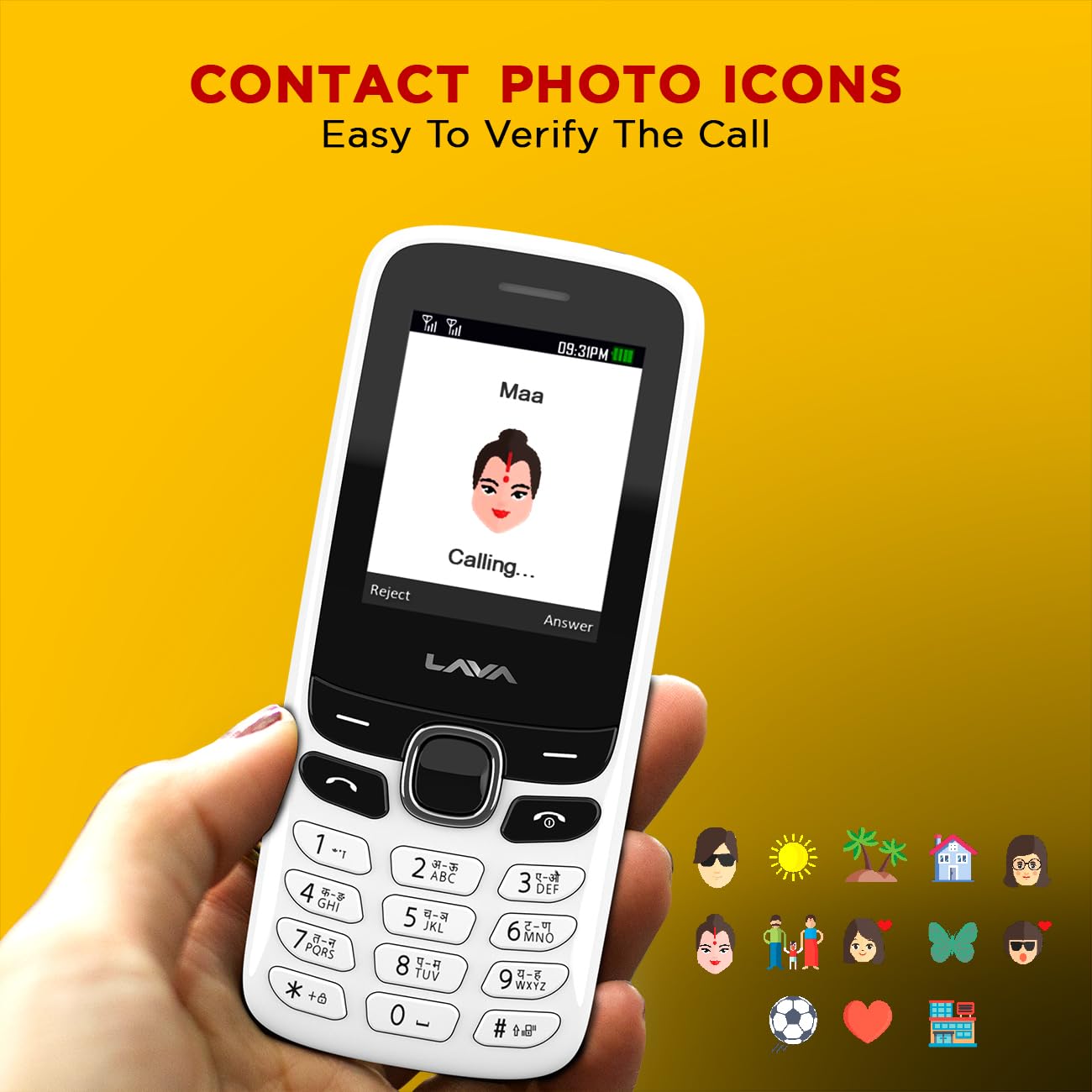
Image 6.3: Example of contact photo icons on the Lava A1 Music, aiding in quick identification of callers.
7. Maintenance
7.1 Battery Care
- Avoid overcharging or completely draining the battery frequently.
- Do not expose the battery to extreme heat or cold.
- If the phone will not be used for an extended period, charge the battery to about 50% before storing.
7.2 Cleaning the Device
- Use a soft, dry cloth to clean the phone's surface.
- Avoid using harsh chemicals, cleaning solvents, or strong detergents.
- Keep the charging port and audio jack free from dust and debris.
7.3 Storage
Store the phone in a cool, dry place away from direct sunlight and extreme temperatures.
8. Troubleshooting
This section addresses common issues you might encounter with your Lava A1 Music phone.
| Problem | Possible Solution |
|---|---|
| Phone does not turn on | Ensure the battery is charged. Check if the battery is correctly inserted. |
| No network signal | Check if the SIM card is properly inserted. Move to an area with better network coverage. Contact your service provider. |
| Cannot make or receive calls | Check network signal. Ensure your SIM card is active. Verify call barring settings. |
| Battery drains quickly | Reduce screen brightness. Close unused applications. Activate Super Battery Mode. |
| Keypad unresponsive | Restart the phone. Ensure no physical obstruction on the keys. |
If the issue persists after trying these solutions, please contact customer support.
9. Specifications
Detailed technical specifications for the Lava A1 Music mobile phone:
| Brand | Lava |
| Model Number | A1 Music |
| Operating System | Android 10.0 |
| Screen Size | 2 Inches (5.08 cm) |
| Resolution | 240 x 320 pixels |
| Battery Capacity | 1000 Milliampere Hour (mAh) |
| Phone Talk Time | Up to 96 Hours |
| Connectivity Technologies | USB, Bluetooth |
| Special Features | Dual SIM, Auto Call Recording, Instant Torch, 22 Indian Language Support, Super Battery Mode |
| Audio Jack | 3.5 mm |
| Form Factor | Bar |
| Product Dimensions | 11.25 x 4.8 x 1.47 cm |
| Item Weight | 70 g |
| Country of Origin | India |
| What's in the Box | Adapter |
10. Warranty and Support
10.1 Warranty Information
Your Lava A1 Music mobile phone comes with a 1-Year Replacement Warranty from the date of purchase. This warranty covers manufacturing defects and ensures a replacement device in case of eligible issues. Please retain your purchase receipt as proof of purchase for warranty claims.
The warranty does not cover damages caused by misuse, accidents, unauthorized repairs, or normal wear and tear.
10.2 Customer Support
For any technical assistance, warranty claims, or further inquiries, please contact Lava customer support. Refer to the official Lava website or your product packaging for the most current contact details, including phone numbers and service center locations.
You can also visit the official Lava Store on Amazon for more product information and support resources.