
1. Product Overview
The Lava A1 Music is a feature-rich keypad mobile phone designed for clear communication and entertainment. It boasts a robust build, long-lasting battery, and essential functionalities for daily use.
Key Features:
- Clear Sound: Enhanced audio for calls and music.
- Long Battery Life: Up to 4 days of battery backup with a 1000mAh battery.
- Auto Call Recording: Automatically records phone conversations.
- 2-Inch Screen: Compact and clear display.
- Bluetooth Support: For wireless connectivity.
- Military Grade Certified: Indicates enhanced durability.
- 22 Indian Language Support: For broader accessibility.
- Instant Torch: Quick access to a flashlight function.
- Smart AI Battery: Optimized battery performance.
2. What's in the Box
Upon unboxing your Lava A1 Music, please ensure all the following items are present:
- Lava A1 Music Handset
- Battery
- Adapter

Image: Lava A1 Music phone with its included adapter.
3. Setup Guide
3.1. Inserting the SIM Card and Battery
- Remove Back Cover: Gently pry open the back cover of the phone from the notch located at the bottom or side.
- Insert SIM Card(s): Locate the SIM card slot(s). The Lava A1 Music supports Dual SIM (Standard size). Insert your SIM card(s) into the designated slots with the gold contacts facing down.
- Insert Memory Card (Optional): If you wish to expand storage, insert a microSD card into the memory card slot.
- Insert Battery: Place the battery into the battery compartment, ensuring the gold contacts on the battery align with the contacts in the phone.
- Replace Back Cover: Carefully align and press the back cover until it clicks securely into place.

Image: Front view of the Lava A1 Music phone, showing the display and keypad.
3.2. Charging the Battery
- Connect the adapter to a power outlet.
- Plug the small end of the charger into the charging port on your phone.
- Allow the phone to charge completely before first use. The battery indicator on the screen will show charging status.
3.3. Powering On/Off
- To Power On: Press and hold the Power/End Call key (red button) until the screen lights up.
- To Power Off: Press and hold the Power/End Call key until the power-off options appear, then select "Power Off".
4. Operating Instructions
4.1. Making Calls
- From the home screen, enter the phone number using the keypad.
- Press the Call key (green button) to initiate the call.
- To end a call, press the Power/End Call key (red button).
4.2. Sending Messages
- Go to "Menu" > "Messages" > "Write Message".
- Enter your message using the keypad.
- Select "Options" > "Send" and enter the recipient's number or select from contacts.
4.3. Managing Contacts
- Go to "Menu" > "Contacts".
- To add a new contact, select "Options" > "Add New Contact". Enter the name and number, then save.
- To search for a contact, use the search function within the Contacts menu.

Image: Lava A1 Music displaying a call with a contact photo icon, illustrating the contact photo feature.
4.4. Using the Music Player
- Ensure you have music files stored on your memory card.
- Go to "Menu" > "Multimedia" > "Music Player".
- Select your desired song and use the navigation keys to play, pause, skip tracks, or adjust volume.

Image: Lava A1 Music screen showing a music player interface with a band performing, highlighting the powerful sound feature.
4.5. Bluetooth Connectivity
- Go to "Menu" > "Settings" > "Connectivity" > "Bluetooth".
- Turn Bluetooth "On".
- Select "Paired Devices" or "Search for Devices" to connect to other Bluetooth-enabled devices like headsets.
5. Features and Specifications
5.1. Display
- Screen Size: 2 Inches (5.08 cm)
- Resolution: 240 x 320 pixels
- Display Type: LCD
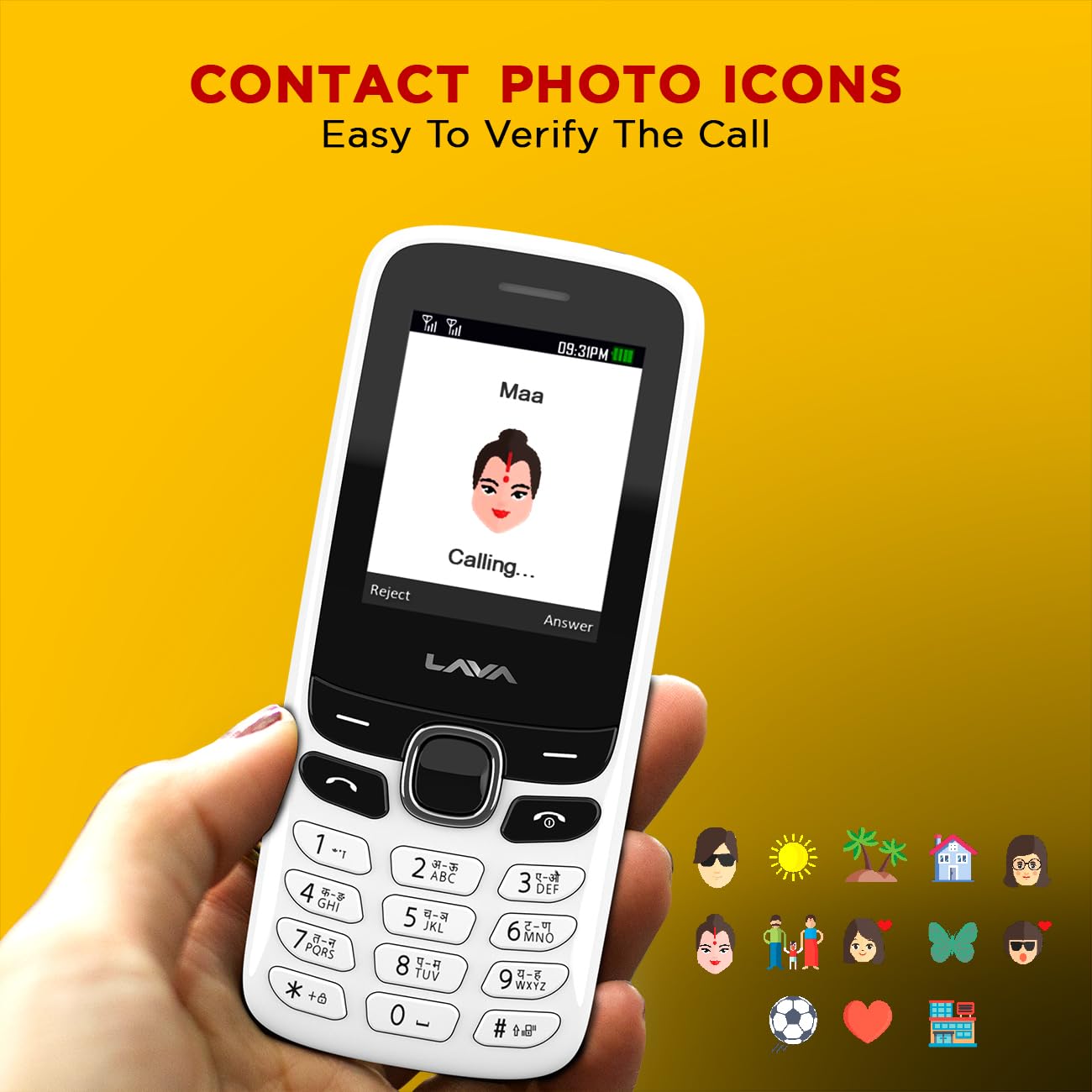
Image: Lava A1 Music screen showing a vibrant image of a bird, demonstrating the 2-inch display.
5.2. Battery
- Capacity: 1000 mAh
- Type: Lithium-Ion
- Average Life: Up to 4 days
- Talk Time: Up to 96 hours
Image: Lava A1 Music with a full battery icon and strong arm graphics, symbolizing its 5-day battery backup.
5.3. Other Specifications
| Feature | Detail |
|---|---|
| Brand | Lava |
| CPU Model | Cortex A8 |
| Memory Storage Capacity | 32 GB (expandable via microSD, not included) |
| SIM Card Slot Count | Dual SIM |
| Connector Type | 3.5mm Jack, USB |
| Form Factor | Bar |
| Human Interface Types | Keypad |
| SIM Card Size | Standard |
| Material Features | Plastic + ABS |
| Optical Sensor Resolution | 2 MP |
| Number of Rear Facing Cameras | 1 |
| Item Weight | 70 Grams |
| Item Dimensions | 11.2 x 4.8 x 1.5 Centimeters |
| Wireless Provider | Unlocked for All Carriers |
| Cellular Technology | GSM |
| Model Year | 2025 |
| Country of Origin | India |
6. Maintenance and Care
- Cleaning: Use a soft, dry cloth to clean the phone. Avoid using liquid cleaners or aerosols.
- Temperature: Do not expose the phone to extreme temperatures (hot or cold).
- Water Exposure: This phone is not waterproof. Keep it away from water and high humidity.
- Impact: Avoid dropping the phone or subjecting it to strong impacts.
- Battery Care: Use only the original charger. Do not puncture or damage the battery.
7. Troubleshooting
7.1. Phone Does Not Turn On
- Ensure the battery is correctly inserted and charged.
- Connect the charger and try to power on after a few minutes.
7.2. Cannot Make/Receive Calls
- Check if the SIM card is properly inserted.
- Verify that you have network coverage.
- Ensure your SIM card is active and has sufficient balance/plan.
7.3. Poor Sound Quality
- Check the volume settings during a call or media playback.
- Ensure the speaker and microphone are not obstructed.
7.4. Battery Drains Quickly
- Reduce screen brightness.
- Close unused applications.
- Ensure Bluetooth is off when not in use.
- If the issue persists, the battery might need replacement.
8. Warranty and Support
The Lava A1 Music comes with a standard manufacturer's warranty:
- Phone: 1 year manufacturer replacement guarantee.
- Accessories (in the box): 6 months replacement guarantee.
For warranty claims or technical support, please contact Lava International customer service or visit their official website. Keep your purchase receipt as proof of purchase.
9. Product Video Overview
Video: A brief overview of the Lava A1 Music phone, showcasing its key features and design. This video highlights the phone's display, battery life, and other functionalities.