
Introduction
This manual provides detailed instructions for the assembly, operation, and maintenance of your Xixini Fluted TV Stand, Model 004. Designed to accommodate TVs up to 65 inches, this mid-century modern entertainment center features fluted sliding doors, ample storage, and adjustable feet for stability. Please read all instructions carefully before beginning assembly and retain this manual for future reference.
Safety Information
WARNING: Do not load more than 175 lbs on the top surface of the TV stand. Be cautious of sharp edges and small parts, especially around children. Follow assembly instructions carefully to prevent injury. Always ensure the TV stand is placed on a stable, level surface. If mounting a television to a wall, ensure the wall mount is properly installed and secured independently of the TV stand.
Package Contents
Before assembly, verify that all components listed below are present and undamaged. If any parts are missing or damaged, please contact customer support.
- TV Stand Components (P2 board and laminated MDF panels)
- 6 Solid Wood Feet (including 2 adjustable middle feet)
- Accessory Bag (containing screws, dowels, and other hardware)
- Instruction Manual
Specifications
| Feature | Detail |
|---|---|
| Model Number | 004 |
| Color | Natural With Fluted |
| Material | Engineered Wood |
| Style | Mid Century Modern |
| Dimensions (L x W x H) | 59.1 x 15.4 x 18.1 inches |
| Item Weight | 57.65 Pounds |
| Weight Capacity (Top) | Up to 175 lbs |
| TV Size Compatibility | Up to 65 inches |
| Number of Shelves | 2 (open central shelves) |
| Features | Adjustable Feet, Scratch Resistant, Sliding Doors, Cord Holes |
Note: All dimensions are approximate and may vary slightly.

Figure 1: Dimensional overview of the Xixini Fluted TV Stand, indicating measurements for width, depth, height, and internal compartments. This diagram helps in planning placement and understanding the stand's capacity.
Setup & Assembly
Assembly of the Xixini Fluted TV Stand typically takes approximately 30 minutes with two people. All parts are numbered, and instructions include clear diagrams. A screwdriver is the only tool generally required.
- Unpack and Identify Parts: Carefully remove all components from the packaging. Lay them out on a clean, soft surface to prevent scratches. Refer to the included parts list and diagrams to identify each piece.
- Assemble the Main Frame: Follow the numbered steps in the provided instruction booklet to connect the main panels of the TV stand. Ensure all screws are tightened securely but do not overtighten.
- Attach the Legs: Secure the six solid wood feet to the base of the TV stand. The two middle feet are adjustable; ensure they are installed in their designated positions.
- Install Sliding Doors: Carefully insert the fluted sliding doors into their tracks. Test their movement to ensure smooth operation.
- Final Inspection: Once assembled, gently lift and move the stand to its desired location. Ensure all connections are firm and the stand is stable.
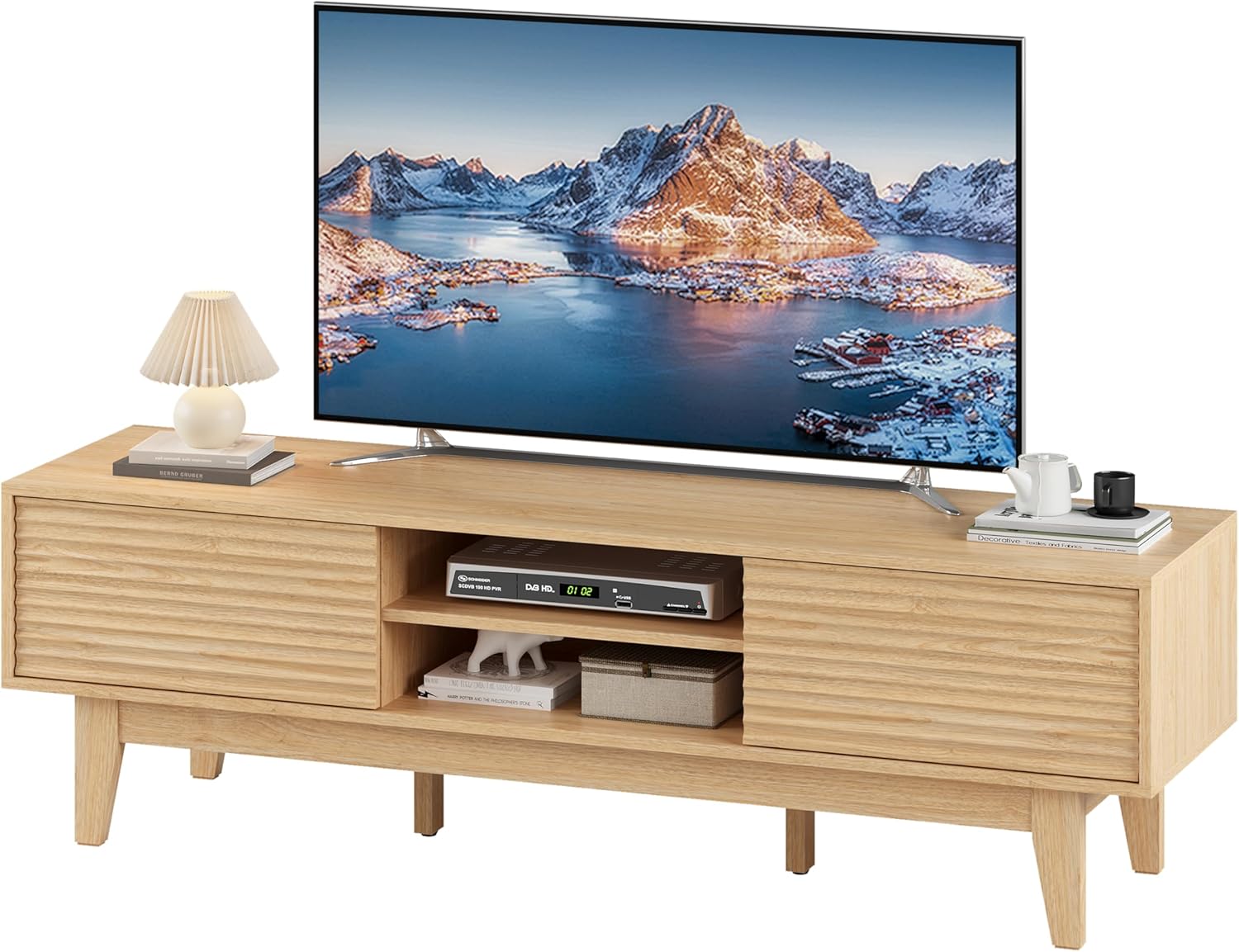
Figure 2: The fully assembled Xixini Fluted TV Stand, showcasing its design and functionality in a typical home environment. This image provides a visual reference for the completed product.
Operating Instructions
Sliding Doors
The TV stand features two fluted sliding doors that allow flexible access to the storage compartments. To open or close a compartment, gently slide the door along its metal rail. The doors can be positioned to conceal either the side cabinets or the central open shelves, depending on your preference.

Figure 3: A detailed view of the sliding door mechanism, demonstrating how to operate the doors to access the storage areas. The fluted design is also visible.
Cable Management
Integrated cord holes on the back panel of the TV stand are designed to help organize and conceal wires from your electronic devices. Route cables through these holes to maintain a tidy and organized appearance.

Figure 4: An illustration of the cable management system, showing how power cords and other wires can be discreetly passed through the back of the unit to keep the area neat.
Adjustable Feet
The two central feet of the TV stand are adjustable. If your floor is uneven, rotate these feet clockwise or counter-clockwise to raise or lower the corresponding corner of the stand until it is level and stable. This prevents wobbling and ensures proper weight distribution.
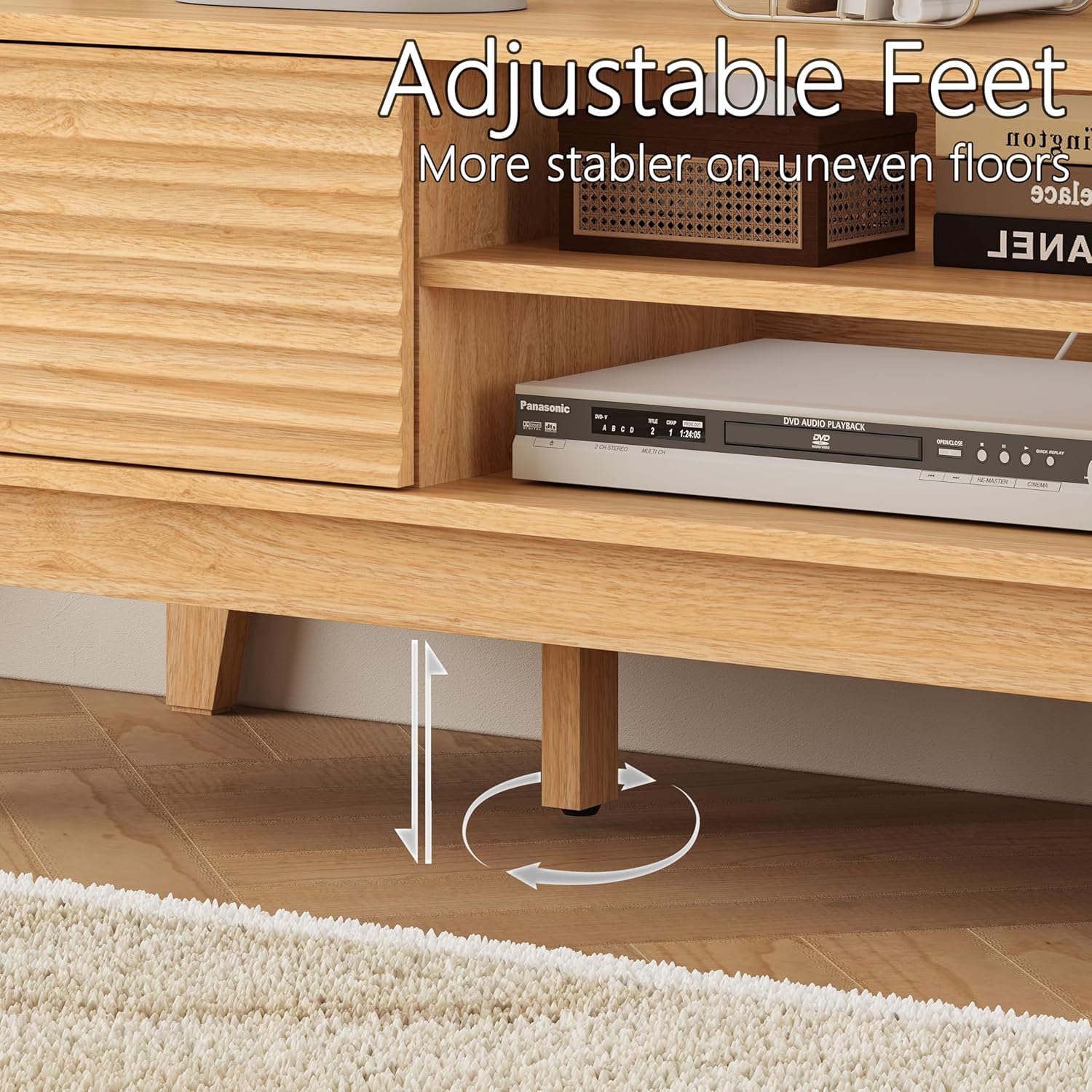
Figure 5: A close-up view of the adjustable feet, showing the rotation mechanism for leveling the TV stand on uneven floors. This feature enhances stability.
Cleaning Clearance
The solid wood legs provide a clearance of 7.48 inches from the floor, allowing for easy cleaning underneath the TV stand, including access for robotic vacuum cleaners.

Figure 6: This image highlights the height of the TV stand's legs, illustrating the ample space provided for convenient cleaning and vacuuming beneath the unit.
Maintenance
- Cleaning: Wipe the surface with a soft, damp cloth. Avoid using harsh chemicals or abrasive cleaners, as these can damage the finish.
- Dusting: Regularly dust the stand with a dry, soft cloth to prevent buildup.
- Spills: Immediately blot any spills with a clean, dry cloth to prevent staining or water damage.
- Hardware Check: Periodically check all screws and fasteners to ensure they remain tight. Retighten if necessary to maintain structural integrity.
- Avoid Direct Sunlight: Prolonged exposure to direct sunlight can cause fading or discoloration of the wood finish.
Troubleshooting
| Problem | Possible Cause | Solution |
|---|---|---|
| TV stand is wobbly or unstable. | Uneven floor; loose connections. | Adjust the middle feet until the stand is level. Check and tighten all assembly screws. |
| Sliding doors are stiff or do not move smoothly. | Debris in the track; misaligned installation. | Clean the sliding tracks of any dust or debris. Ensure the doors are correctly seated in their rails. |
| Parts do not fit together during assembly. | Incorrect orientation of parts; manufacturing defect. | Double-check the instruction diagrams for correct part orientation. If parts are defective, contact customer support. |
| Missing hardware or components. | Packaging error. | Contact customer support with details of the missing items. |
Warranty and Support
This Xixini product is backed by a 30-day easy return policy. For any issues, questions, or to report missing/damaged parts, please contact Xixini customer support. You can typically find contact information through the retailer where the product was purchased or by visiting the official Xixini store page online.
For additional support or to explore other products, visit the Xixini Store.