
1. Introduction
This manual provides comprehensive instructions for the installation, operation, and maintenance of your LUMOBELL 2-Wired Video Intercom System. Please read this manual thoroughly before installation and use to ensure proper functionality and safety. Keep this manual for future reference.
1.1 Package Contents
Verify that all items listed below are included in your package. If any items are missing or damaged, please contact customer support.
- Outdoor Video Doorbell Unit
- 7-inch Indoor Touch Screen Monitor
- Power Adapter
- Mounting Bracket and Screws
- RFID Cards (typically 3-5)
- 32GB Micro SD Card (pre-installed or included separately)
- Wiring Cables and Connectors
- User Manual
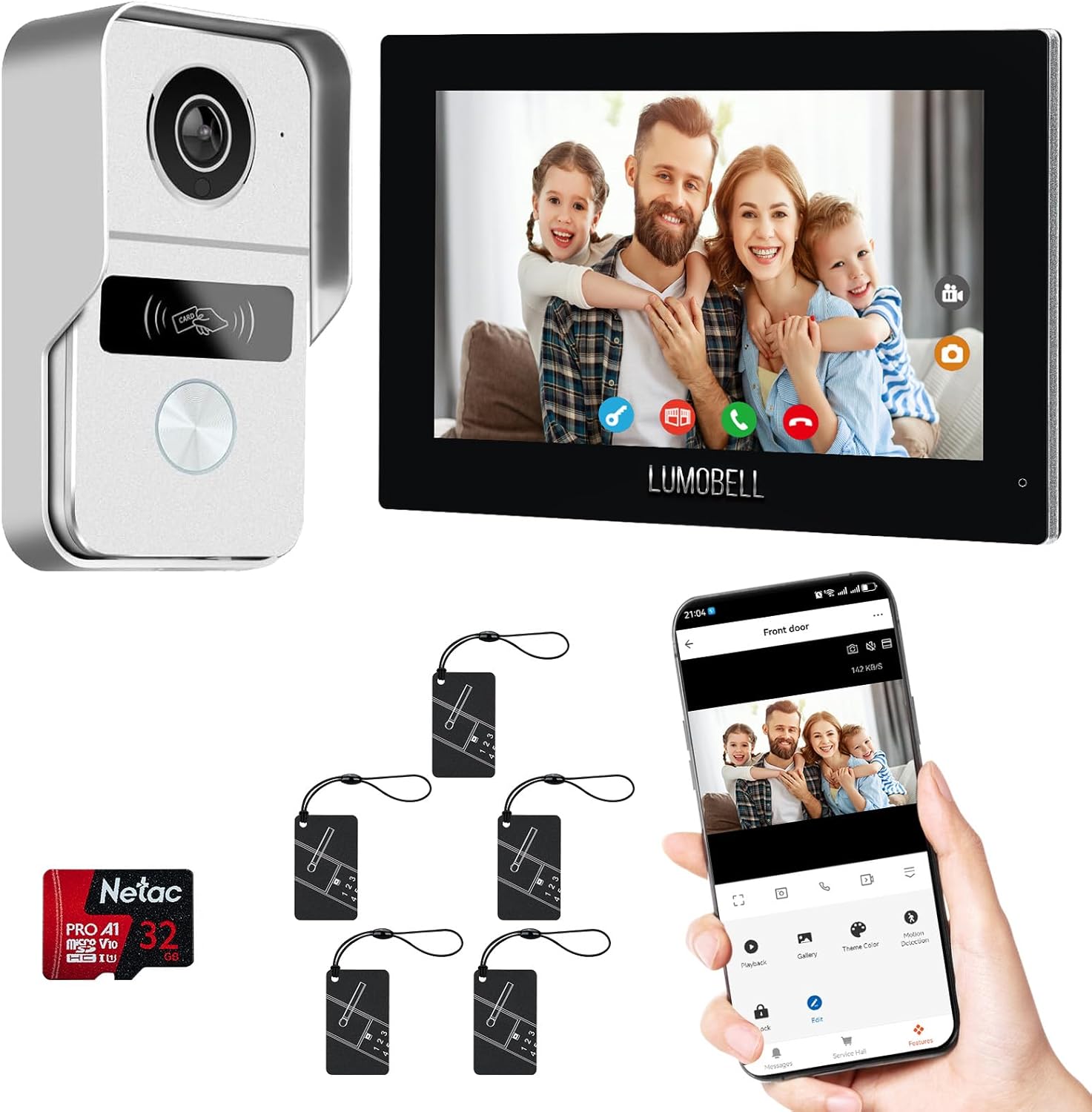
Figure 1.1: Overview of the LUMOBELL 2-Wired Video Intercom System components, including the outdoor doorbell, indoor monitor, RFID tags, and MicroSD card.
2. Safety Information
- Ensure power is disconnected before installation or maintenance.
- Installation should be performed by a qualified professional if you are unsure about electrical wiring.
- Do not expose the indoor monitor to excessive moisture or extreme temperatures.
- Use only the provided power adapter and cables.
- Keep the device away from strong magnetic fields.
3. Product Overview
3.1 Key Features
- 7-inch HD Touchscreen Indoor Monitor
- 1080p Outdoor Camera with 140° Wide Angle
- Automatic Night Vision
- Stable 2-Wired Connection
- Smart Motion Detection with Tuya App Alerts
- IP65 Weatherproof Metal Build for Outdoor Unit
- Remote Door Unlock via Monitor, RFID Card, or Tuya App
- Video Recording and Playback
- Two-Way Audio Communication
3.2 Component Identification
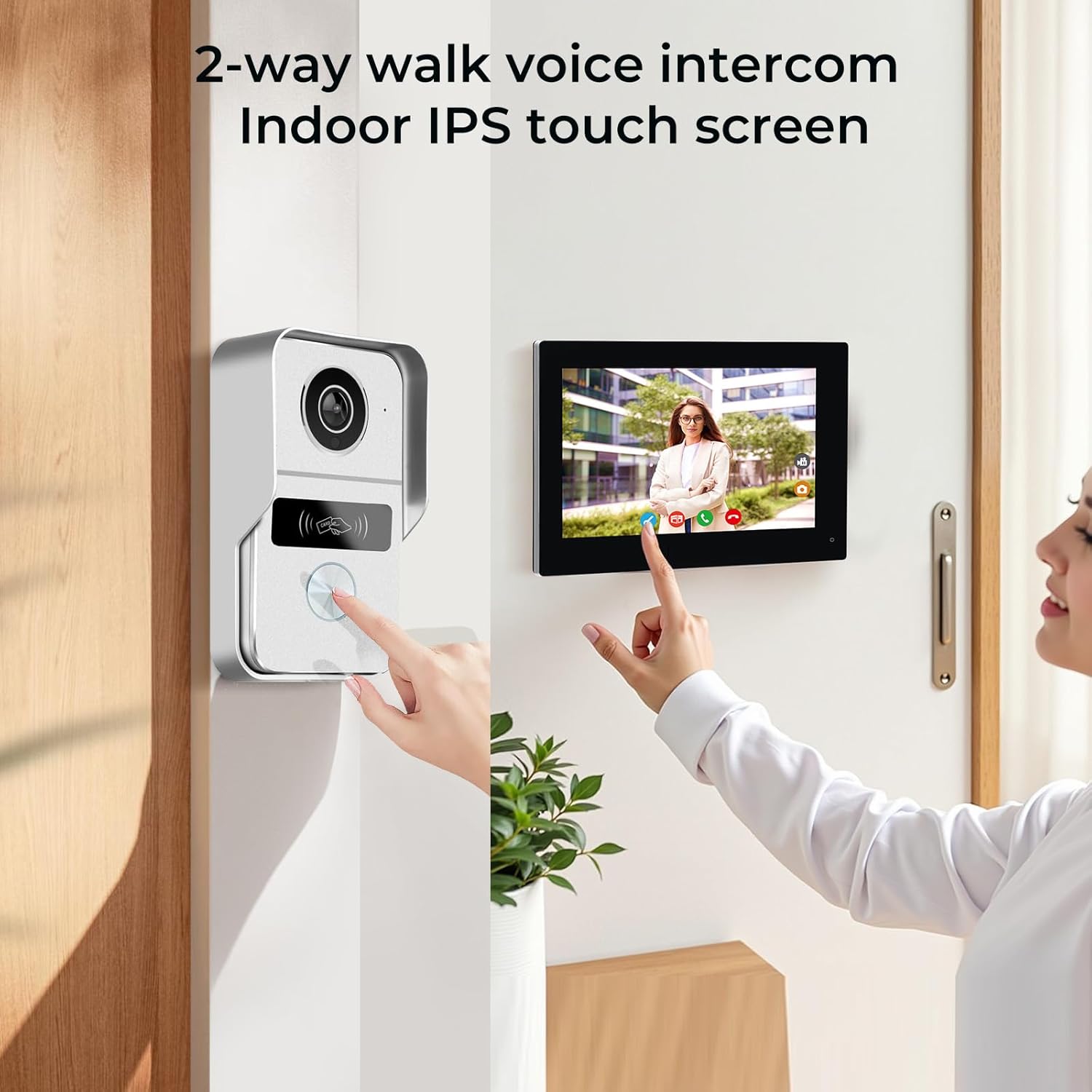
Figure 3.1: The outdoor doorbell unit with camera and call button, and the indoor 7-inch touch screen monitor displaying a live video feed.
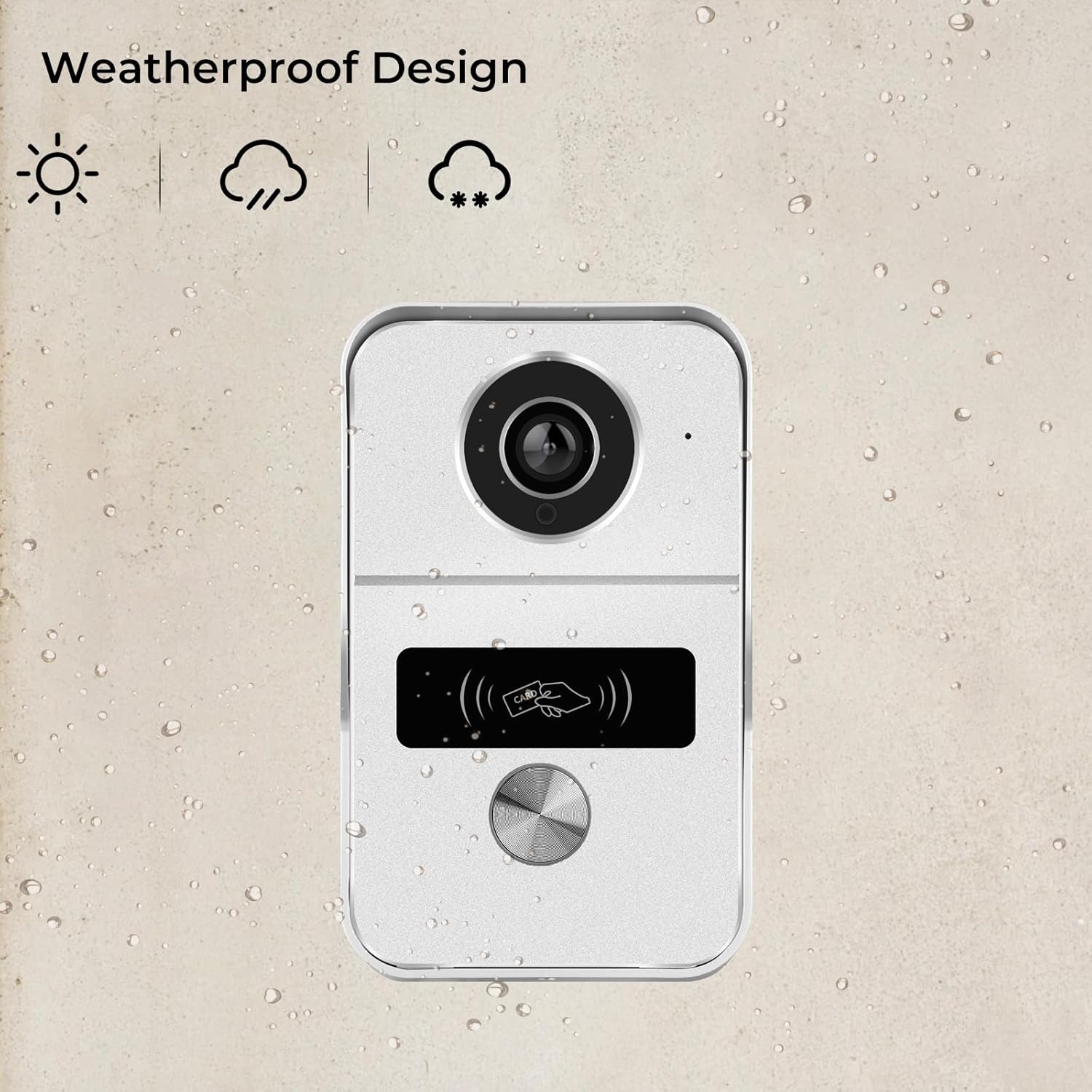
Figure 3.2: Close-up of the weatherproof outdoor doorbell unit, highlighting its robust design for various weather conditions.
4. Setup and Installation
Follow these steps carefully for proper installation of your video intercom system.
4.1 Wiring Diagram
The system uses a 2-wired connection for stable communication. Refer to the diagram below for wiring connections between the outdoor unit, indoor monitor, and optional accessories like an electric lock or exit button.

Figure 4.1: Detailed wiring diagram showing connections for the outdoor doorbell, indoor monitor, power supply, and optional door/gate controls. Note the recommended wire rod distances based on core diameter.
4.2 Mounting Instructions
- Choose a suitable location for the outdoor doorbell unit, typically near your main entrance, at a height of approximately 1.5 meters (5 feet) from the ground.
- Mount the indoor monitor in a convenient location within your home, ensuring it is easily accessible.
- Use the provided mounting brackets and screws to securely attach both units to the wall.
4.3 Initial Power-Up and Wi-Fi Connection
After wiring, connect the power adapter. The indoor monitor will power on. Follow the on-screen prompts to connect to your Wi-Fi network.
Video 4.1: This video demonstrates how to connect the indoor monitor to your Wi-Fi network and then link it with the SmartLife or Tuya app by scanning a QR code. It also shows how to add a PoE camera to the system and manage RFID badges.
4.4 Tuya App Remote Control Setup
Download the SmartLife or Tuya app from your smartphone's app store. Follow the in-app instructions to add your intercom system by scanning the QR code displayed on the indoor monitor. This enables remote control and notifications.

Figure 4.2: Screenshot of the Tuya app interface on a smartphone, showing options for playback, gallery, motion detection, and remote lock control.
4.5 Adding PoE Camera (Optional)
If you have a compatible PoE camera, you can integrate it with your intercom system. Navigate to the camera settings on the indoor monitor and search for available ONVIF or RTSP cameras in the same WLAN. Enter the camera's credentials to add it.
5. Operation
5.1 Answering Calls and Two-Way Audio
When a visitor presses the doorbell button, the indoor monitor will ring and display the visitor's video. You can answer the call and engage in two-way audio communication. If multiple monitors are installed, all will ring simultaneously.
Video 5.1: This video demonstrates the intercom functionality, showing how the outdoor doorbell triggers a ring on multiple indoor monitors, and how to answer and communicate with a visitor.

Figure 5.1: Illustration of the two-way talk feature, allowing communication with a delivery person at the door via the indoor monitor or the Tuya app.
5.2 Door Unlocking
You can unlock your door or gate using several methods:
- Indoor Monitor: Tap the unlock icon on the monitor screen during a call or live view.
- RFID Card: Swipe a pre-programmed RFID card over the outdoor doorbell unit's reader.
- Tuya App: Use the unlock function within the Tuya app from your smartphone.

Figure 5.2: Visual representation of the three door unlocking methods: RFID card swipe, unlocking via the indoor monitor, and remote unlocking through the Tuya app.
5.3 Motion Detection and Alerts
The system features smart motion detection. When motion is detected, you will receive instant alerts on your Tuya app. You can customize detection zones and sensitivity settings via the app or indoor monitor.

Figure 5.3: Depiction of the 140-degree wide-angle camera's motion detection capability, showing a person walking into the detection zone and a corresponding alert on a smartphone.

Figure 5.4: A smartphone screen displaying a motion detection alert, showing a person in a ski mask, indicating a security event.
5.4 Video Recording and Playback
The system supports video recording to the installed Micro SD card. You can review recorded footage directly from the indoor monitor or through the Tuya app.

Figure 5.5: The indoor monitor's main screen showing the current date and time, weather, and options for 'Monitor', 'Playback', and 'Camera'.
5.5 Night Vision
The outdoor camera automatically switches to night vision mode in low-light conditions, providing clear black and white video footage.

Figure 5.6: Comparison image showing the view from the camera during the day (color) and at night (black and white night vision).
6. Maintenance
- Cleaning: Wipe the indoor monitor screen and outdoor camera lens with a soft, dry cloth. Do not use abrasive cleaners.
- Firmware Updates: Periodically check for firmware updates via the indoor monitor's settings or the Tuya app to ensure optimal performance and security.
- SD Card Management: Regularly back up important recordings and format the Micro SD card to maintain recording efficiency.
7. Troubleshooting
| Problem | Possible Cause | Solution |
|---|---|---|
| No power to indoor monitor. | Power adapter unplugged or faulty; wiring issue. | Check power connection. Ensure wiring is correct as per diagram. |
| No video from outdoor unit. | Wiring issue; outdoor unit faulty. | Verify wiring connections. Contact support if issue persists. |
| Indoor monitor not ringing. | Ringer volume too low; Do Not Disturb mode active. | Adjust ringer volume in settings. Disable Do Not Disturb. |
| Cannot connect to Wi-Fi. | Incorrect password; out of range; 5GHz network selected (if not supported). | Double-check Wi-Fi password. Ensure monitor is within Wi-Fi range. Use a 2.4GHz network if your router supports both. |
| RFID card not unlocking door. | Card not programmed; card faulty. | Ensure the RFID card is correctly added to the system (refer to Video 4.1). Try another card. |
8. Specifications
- Model: 2W_KW02_IP7
- Indoor/Outdoor Usage: Outdoor (doorbell), Indoor (monitor)
- Power Source: Corded Electric (24 Volts)
- Connectivity Protocol: Wi-Fi (Tuya App)
- Video Capture Resolution: 1080p
- Viewing Angle: 140 Degrees
- Night Vision Range: 32 Feet
- Material: Glass, Metal
- Item Dimensions (L x W x H): 8.42 x 6.1 x 3.5 inches
- Item Weight: 3.2 pounds
- Flash Memory Installed Size: 32 GB (Micro SD)
- Maximum Flash Memory Supported: 512 GB
- Audio Visual Recording Capabilities: 1080p HD Video and Two-way Audio
- Water Resistance Level: Waterproof (IP65 for outdoor unit)
9. Warranty Information
LUMOBELL products are designed and manufactured to the highest quality standards. For specific warranty details, please refer to the warranty card included with your product or visit the official LUMOBELL website. Keep your proof of purchase for warranty claims.
10. Customer Support
If you encounter any issues or have questions regarding your LUMOBELL 2-Wired Video Intercom System, please contact our customer support team:
- Website: Visit the LUMOBELL Store on Amazon
- Email: Refer to your product packaging or warranty card for specific contact information.
- Phone: Refer to your product packaging or warranty card for specific contact information.