
Introduction
This manual provides essential information for the safe and efficient operation of your Philips 5500 Series Fully Automatic Espresso Machine. Designed to deliver a premium coffee experience, this machine features an intuitive interface, integrated grinding, and the innovative LatteGo milk system. Please read through these instructions carefully before first use and keep them for future reference.
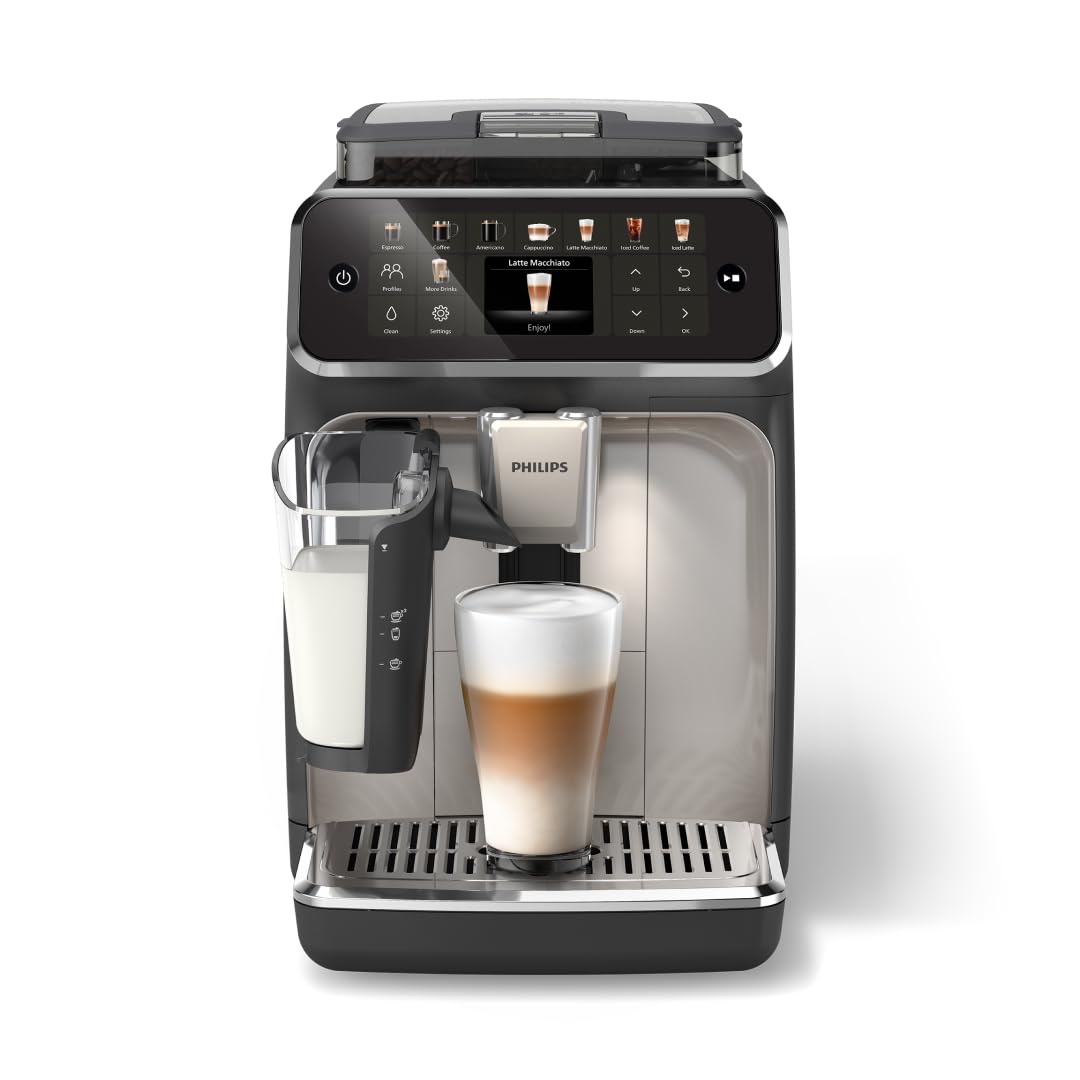
Image: Philips 5500 Series Fully Automatic Espresso Machine, showcasing its sleek design and integrated components.
Setup
Before using your Philips 5500 Series Espresso Machine, ensure all packaging materials are removed. Place the machine on a stable, level surface. Fill the water tank and bean hopper, and attach the LatteGo milk system if you plan to make milk-based beverages.
Water Tank and AquaClean Filter
The water tank is located on the side of the machine. Pull it out, fill it with fresh water, and reinsert it. The machine is equipped with an AquaClean filter, which purifies water and allows for up to 5000 cups without descaling. The machine will indicate when the filter needs replacement.
Bean Hopper and Grinder Adjustment
Open the lid on top of the machine to access the bean hopper. Fill it with whole coffee beans. The integrated ceramic grinder offers 12 settings to adjust grind size, from fine to coarse, ensuring optimal flavor extraction for your preferred coffee. Adjust the grinder only when the machine is actively grinding to prevent damage.

Image: Close-up view of the 100% ceramic grinders, highlighting the 12 grind settings for precise coffee preparation.
LatteGo Milk System Attachment
For milk-based beverages, attach the LatteGo milk system to the machine. Ensure it is securely in place. Fill the milk container with your desired milk type.

Image: The LatteGo Milk System attached to the espresso machine, ready to create silky smooth milk froth.
Operating
Your Philips 5500 Series Espresso Machine is designed for ease of use, offering a wide array of coffee options with simple controls.
QuickStart Function
The QuickStart function allows the machine to be ready to brew in approximately 3 seconds, eliminating warm-up time. Simply power on and select your drink.

Image: The intuitive display showing the QuickStart function, indicating instant readiness for brewing.
Intuitive Display and Customization
Use the modern touch display with colored icons to select from 20 different coffee varieties, including espresso, latte, cappuccino, and iced coffee. You can adjust the strength, volume, and milk froth level for each drink. The machine also allows you to save up to two user profiles for quick access to your favorite customized beverages.

Image: The intuitive color display of the Philips 5500 Series, demonstrating options for drink selection and customization of strength, volume, and milk froth.

Image: A variety of 20 hot and iced coffee drinks displayed on the machine's interface, showcasing the wide selection available.
Maintenance
Regular cleaning and maintenance ensure the longevity and optimal performance of your espresso machine.
LatteGo Milk System Cleaning
The LatteGo milk system is designed for easy cleaning, consisting of only two parts with no tubes. It can be cleaned in under 10 seconds under running water or in a dishwasher.
Drip Tray and Coffee Grounds Container
The machine will alert you when the drip tray needs to be emptied and when the coffee grounds container needs to be cleaned. Regularly empty and clean these components to maintain hygiene and prevent blockages.
AquaClean Filter and Descaling
The AquaClean filter reduces the need for descaling. The machine will provide notifications when the filter needs replacement or if descaling is required. Follow the on-screen instructions for these processes.
Troubleshooting
If you encounter any issues with your machine, please refer to the on-screen messages or the full user manual for detailed troubleshooting steps. Common issues may include:
- No coffee dispensing: Check water tank level, bean hopper level, and ensure the brew unit is correctly inserted.
- Poor coffee quality: Adjust grind settings, coffee strength, or check the AquaClean filter status.
- Milk not frothing: Ensure the LatteGo system is clean and correctly assembled, and the milk container has sufficient milk.
- Error messages: Follow the specific instructions displayed on the intuitive screen.
Specifications
- Brand: Philips
- Model Name: EP5544/94
- Coffee Maker Type: Espresso Machine
- Operation Mode: Fully Automatic
- Special Feature: LatteGo, SilentBrew
- Coffee Input Type: Whole Beans
- Voltage: 120 Volts
- Power: 230W
- Pressure Pump: 15-Bar
- Capacity: 1.8 Liters (Water Tank)
- Product Dimensions: 9.69 x 14.61 x 17.05 inches
- Item Weight: 18.26 pounds
- UPC: 724129376180
Warranty and Support
For warranty information, product registration, or technical support, please refer to the official Philips website or contact their customer service directly. Keep your proof of purchase for any warranty claims.


