
Introduction
Thank you for choosing the YESHOMY Vanity Desk. This manual provides essential information for the safe assembly, operation, and maintenance of your new vanity desk. Please read these instructions carefully before use and retain them for future reference.
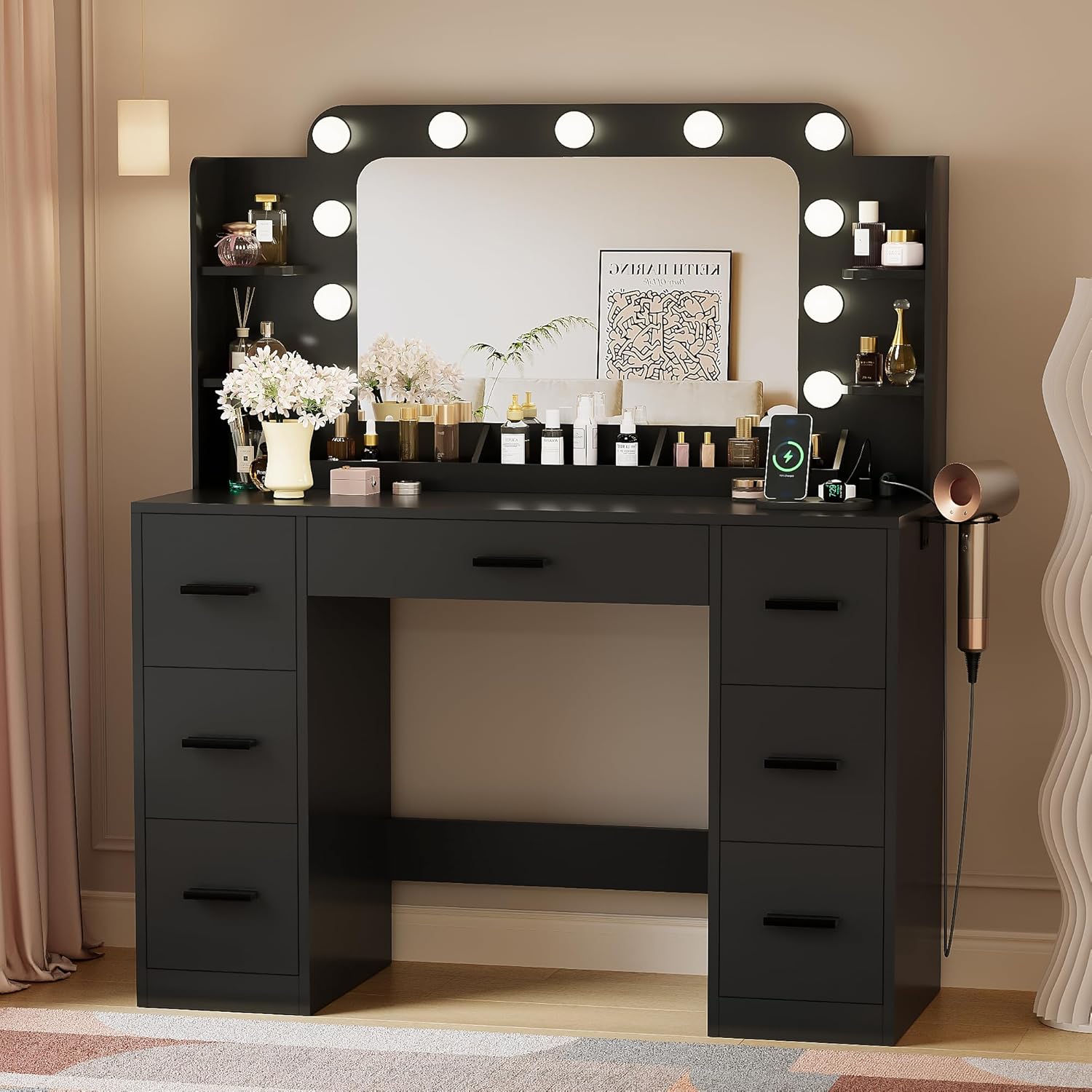
Image 1.1: The YESHOMY Vanity Desk, featuring a large lighted mirror, multiple drawers, and desktop storage units.
Safety Information
Important Safety Instructions:
- Always unplug the vanity from the power source before assembly, disassembly, or cleaning.
- Be cautious of sharp edges and pinch points during assembly.
- Keep the vanity dry to prevent electrical hazards.
- Do not use the vanity with damaged electrical components.
- Always follow the instructions provided in the manual for safe usage and maintenance.
Package Contents
Before beginning assembly, please verify that all components listed below are present and undamaged. If any parts are missing or damaged, please contact customer support.
- One (1) Vanity Desk Unit
- One (1) Tool Kit for Assembly
- One (1) Installation and Usage Manual (this document)
Setup and Assembly
The YESHOMY Vanity Desk requires assembly. A detailed installation and usage manual is included in your package. Please refer to that manual for step-by-step instructions, diagrams, and a complete list of parts and hardware.
General Assembly Tips:
- Assemble on a soft, clean surface to prevent scratches.
- Ensure all screws and fasteners are tightened securely, but do not overtighten.
- It is recommended to have two people for assembly.

Image 2.1: The vanity desk after assembly, ready for use in a bedroom.
Operating Instructions
1. Lighted Mirror Operation
The vanity desk features a large mirror with 11 adjustable lights. These lights offer three color modes to suit various lighting needs.
- Power On/Off: Use the designated switch or remote control (if included) to turn the lights on or off.
- Change Color Mode: Cycle through the three available lighting modes (Warm Yellow, Natural White, Cold White) using the remote control or touch sensor on the mirror.
- Adjust Brightness: Adjust the brightness level as desired using the remote control or touch sensor.

Image 3.1: Illustration of the three color lighting modes available for the mirror lights.
2. Power Outlet and Charging Station
The vanity table is equipped with a built-in power outlet for convenient charging of electronic devices and powering beauty tools.
- AC Outlets: Two standard 125V/12A AC outlets are provided.
- USB Port: One 5V/3A USB port is available for charging compatible devices.
- TYPE-C Port: One TYPE-C port is available for charging compatible devices.
- Hair Dryer Rack: A convenient rack is integrated for storing your hair dryer.

Image 3.2: Details of the integrated power outlet, USB port, and hair dryer rack.
3. Storage Units
The vanity desk offers extensive storage solutions to keep your items organized.
- Drawers: Seven drawers (one large, six deep) provide enclosed storage for cosmetics, jewelry, and other personal items.
- Desktop Storage: Three desktop storage compartments are available for frequently used items.
- Open Shelves: Four open storage racks are integrated into the mirror frame for display or easy access items.
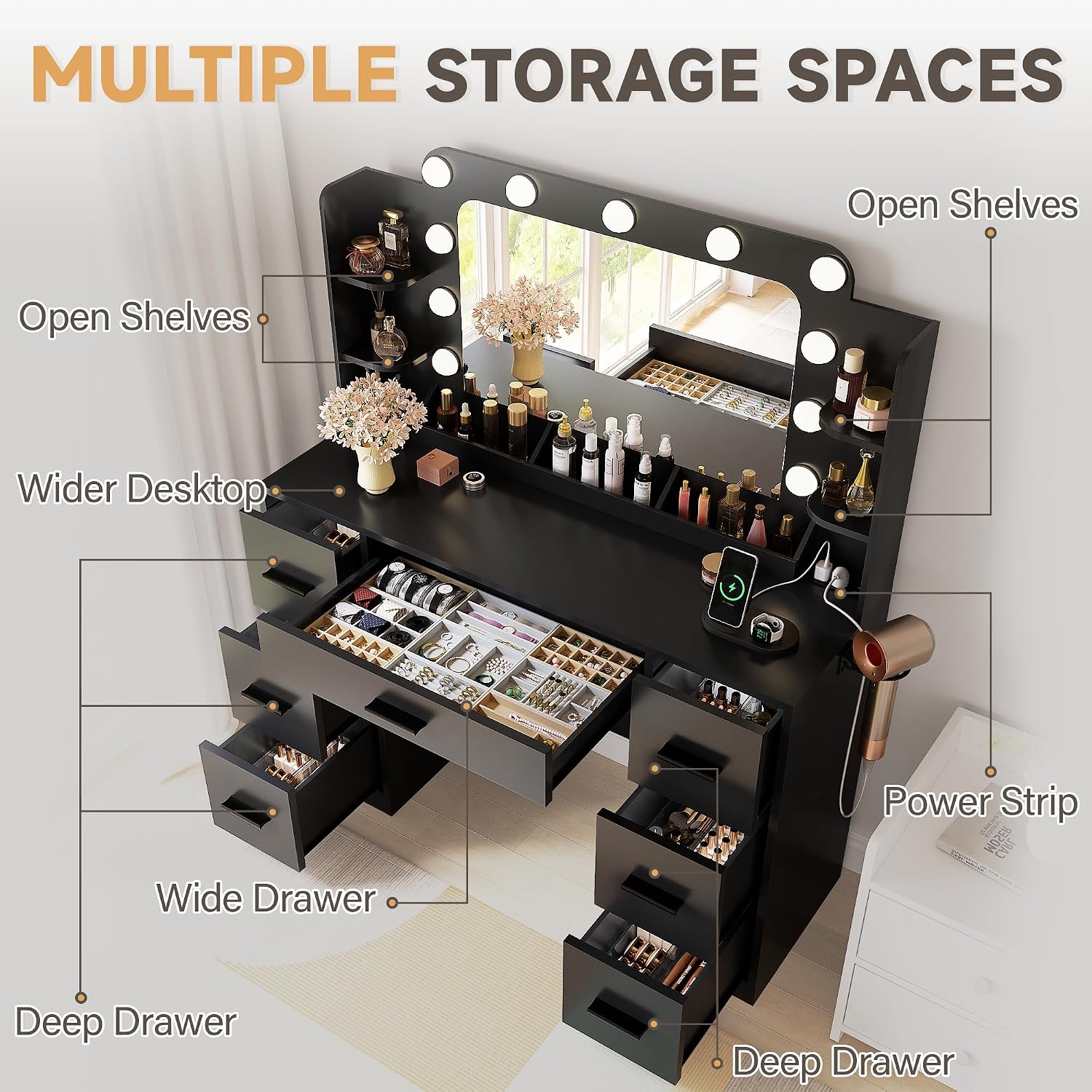
Image 3.3: Overview of the vanity desk's multiple storage compartments and drawers.
Maintenance
To ensure the longevity and appearance of your YESHOMY Vanity Desk, follow these maintenance guidelines:
- Cleaning: Wipe surfaces with a soft, damp cloth. Avoid abrasive cleaners or harsh chemicals that may damage the finish.
- Dusting: Regularly dust all surfaces with a dry, soft cloth.
- Spills: Clean up spills immediately to prevent staining or damage to the wood material.
- Electrical Components: Ensure all electrical connections are secure. Do not attempt to repair electrical components yourself; contact a qualified technician if issues arise.
Troubleshooting
This section addresses common issues you might encounter with your vanity desk.
| Problem | Possible Cause | Solution |
|---|---|---|
| Lights not turning on | Power cord unplugged, bulb loose, power outage. | Check power connection. Ensure bulbs are securely screwed in. Verify power supply. |
| Power outlets not working | Vanity unplugged, circuit breaker tripped. | Ensure the vanity is fully plugged into a working wall outlet. Check your home's circuit breaker. |
| Drawers not closing smoothly | Obstruction in drawer slide, misaligned slides, overtightened screws. | Remove any obstructions. Check drawer slide alignment and adjust if necessary. Loosen screws slightly if overtightened during assembly. |
Specifications
| Feature | Detail |
|---|---|
| Brand | YESHOMY |
| Model Number | YH-0841 |
| Product Dimensions (L x W x H) | 43.3" x 15.74" x 53.9" (15.74"D x 43.3"W x 53.9"H) |
| Item Weight | 96.8 pounds |
| Frame Material | Wood |
| Furniture Finish | Synthetic wood board |
| Color | Black |
| Assembly Required | Yes |
| Lighting | 11 adjustable lights, 3 color modes |
| Power Outlet | 2 AC outlets (125V/12A), 1 USB port (5V/3A), 1 TYPE-C port |
| Storage | 7 drawers (1 wide, 6 deep), 3 desktop storage units, 4 open shelves |

Image 4.1: Detailed product dimensions.
Warranty and Support
For warranty information or technical support, please refer to the specific warranty card included with your product or contact YESHOMY customer service directly. You can typically find contact information on the manufacturer's website or through your point of purchase.
For general inquiries or assistance, please visit the YESHOMY Store on Amazon.