
Introduction
This manual provides essential instructions for the safe and efficient operation of your XJ-HOME H03 Vinyl Record Player. Please read this manual thoroughly before using the product and retain it for future reference.
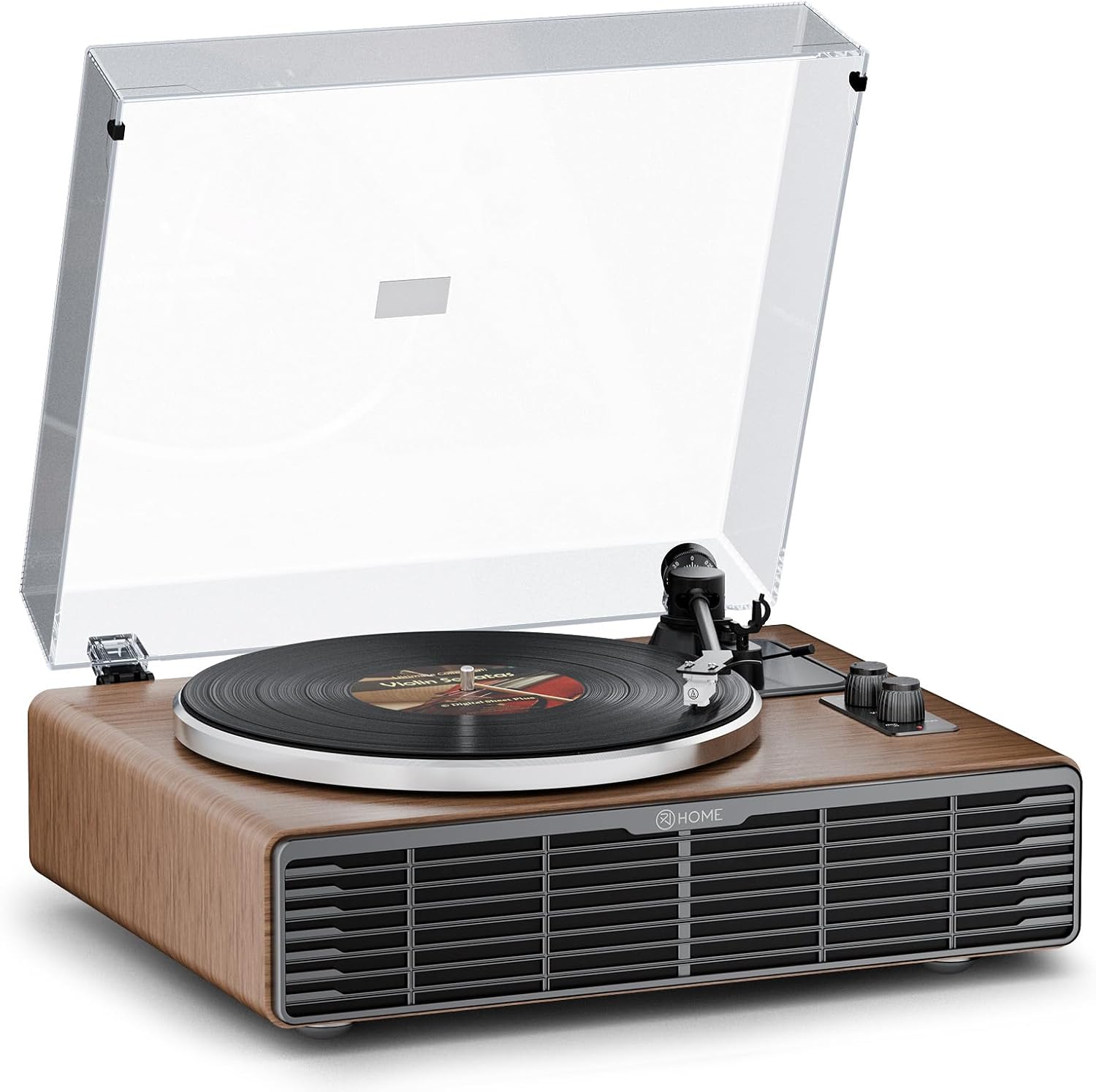
Image: The XJ-HOME H03 Vinyl Record Player in Walnut Wood finish with its clear dust cover closed.
Safety Instructions
- Power Source: Use only the provided AC adapter. Ensure the voltage matches your local power supply.
- Water and Moisture: Do not expose the unit to rain, moisture, or liquids. Avoid placing objects filled with liquids, such as vases, on the unit.
- Ventilation: Ensure adequate ventilation. Do not block ventilation openings.
- Heat: Keep the unit away from heat sources such as radiators, heat registers, stoves, or other apparatus (including amplifiers) that produce heat.
- Cleaning: Unplug the unit from the wall outlet before cleaning. Use a soft, dry cloth. Do not use liquid cleaners or aerosol cleaners.
- Servicing: Do not attempt to service this product yourself. Refer all servicing to qualified service personnel.
Package Contents
Verify that all items listed below are included in your package:
- XJ-HOME H03 Vinyl Record Player
- AC Adapter
- Instruction Manual (this document)
- Dust Cover
- Platter
- Felt Mat
- Counterweight
- 45 RPM Adapter
Product Overview
The XJ-HOME H03 is an all-in-one record player featuring built-in stereo speakers, Bluetooth 5.0 connectivity, and Aux-in/RCA output options. It supports 33 1/3 and 45 RPM records and includes an AT-3600L magnetic cartridge with an adjustable counterweight for optimal playback.

Image: A diagram illustrating the dimensions of the XJ-HOME H03 Vinyl Record Player, showing its length, width, and height.
Setup
- Unpacking: Carefully remove all components from the packaging.
- Platter Installation: Place the metal platter onto the turntable spindle. Ensure it sits securely.
- Belt Installation: Locate the drive belt under the platter. Gently pull the red ribbon to guide the belt onto the motor pulley. Remove the ribbon once the belt is correctly positioned.
- Felt Mat Placement: Place the felt mat on top of the platter.
- Tonearm Preparation: Remove the plastic tie and protective cap from the stylus.
- Counterweight Adjustment: Slide the counterweight onto the rear of the tonearm. Rotate it until the tonearm is balanced horizontally. Then, rotate the counterweight to set the tracking force according to the cartridge specifications (typically 2.5g for daily use, 3g for bass, adjustable from 0-3.5g).
- Dust Cover Installation: Attach the clear dust cover to the hinges at the back of the unit.
- Power Connection: Connect the AC adapter to the DC IN 12V port on the back of the unit, then plug it into a wall outlet.
Video: This video demonstrates the unboxing and initial setup steps for the XJ-HOME H03 Vinyl Record Player, including platter, belt, mat, tonearm, and dust cover installation.
Operating Instructions
Playing a Vinyl Record
- Open the dust cover.
- Place a vinyl record on the platter.
- Select the appropriate speed (33 1/3 or 45 RPM) using the speed selector knob. Use the 45 RPM adapter for 7-inch records if needed.
- Gently lift the tonearm using the cueing lever.
- Position the stylus over the desired track of the record.
- Lower the tonearm slowly using the cueing lever. The stylus will make contact with the record, and playback will begin.
- Adjust the volume using the volume knob.
- At the end of the record, the tonearm will automatically return to its rest position.
Bluetooth Playback
- Turn on the record player.
- Switch the mode to Bluetooth. The Bluetooth indicator light will flash.
- Enable Bluetooth on your smart device (phone, tablet, etc.) and search for "XJ-HOME H03".
- Select the device to pair. Once connected, the indicator light will stop flashing.
- You can now stream audio from your device through the record player's speakers.
Aux-in Functionality
- Connect an external audio device (e.g., MP3 player) to the AUX IN port on the back of the record player using a 3.5mm audio cable (not included).
- The record player will automatically switch to Aux-in mode.
- Play audio from your external device. Adjust volume using the record player's volume knob.
RCA Output
To connect to external speakers or a home audio system, use RCA cables (not included) to connect the AUX OUT ports (R and L) on the back of the record player to your external audio system's input. Ensure the PHONO/LINE OUT switch is set to LINE OUT for amplified output.

Image: A detailed view of the rear panel of the record player, highlighting the DC IN 12V, PHONO/LINE OUT switch, AUX IN, and AUX OUT (R/L) connections.
Video: This video demonstrates the general usage of the XJ-HOME H03 Vinyl Record Player, including placing a record, adjusting volume, and enjoying music.
Maintenance
- Cleaning the Stylus: Use a soft brush (not included) to gently clean the stylus from back to front. Do not use excessive force.
- Cleaning the Unit: Wipe the unit with a soft, dry cloth. Avoid using harsh chemicals or abrasive cleaners.
- Dust Cover: Keep the dust cover closed when not in use to protect the turntable from dust and debris. Clean the dust cover with a soft, damp cloth.
- Record Care: Handle records by their edges. Store them vertically in their sleeves to prevent warping.
Troubleshooting
| Problem | Possible Cause | Solution |
|---|---|---|
| No power | Power adapter not connected or faulty outlet. | Ensure the AC adapter is securely connected and the outlet is functional. |
| No sound from speakers | Volume too low, incorrect mode selected, or external speakers not connected properly (if using RCA out). | Increase volume. Check if the correct input mode (Phono, Bluetooth, Aux-in) is selected. If using RCA out, ensure cables are connected and external system is on. |
| Skipping or distorted sound | Dirty or damaged record, dirty stylus, incorrect tracking force, or unit not on a stable surface. | Clean the record and stylus. Adjust the tonearm counterweight. Place the unit on a flat, stable surface. |
| Bluetooth not connecting | Device too far, Bluetooth not enabled on source, or incorrect pairing procedure. | Ensure device is within range. Enable Bluetooth on your source device and re-attempt pairing. |
Specifications
- Brand: XJ-HOME
- Model: H03
- Product Dimensions: 17"L x 13.5"W x 7.3"H (43.18 cm L x 34.29 cm W x 18.54 cm H)
- Item Weight: 18.39 pounds (8.34 kg)
- Maximum Rotational Speed: 45 RPM
- Supported Speeds: 33 1/3, 45 RPM
- Supported Record Sizes: 7", 10", 12"
- Connectivity: Bluetooth 5.0, AUX Input, RCA Output
- Cartridge Type: AT-3600L Magnetic Cartridge
- Speakers: Built-in stereo speakers (4 speakers: 2 silk tweeters, 2 mid-bass speakers)
- Voltage: 12 Volts
- Material: Plastic (with Walnut Wood finish)
- Special Features: Automatic Belt Drive Design, Built-In Preamp, Built-In Bluetooth Receiver, Built-In Cartridge, Dust Cover, Adjustable Counterweight.
Warranty and Support
XJ-HOME offers a three-year quality guarantee and lifetime parts support for this product. For any inquiries, technical assistance, or warranty claims, please contact XJ-HOME customer support. You can expect 24-hour feedback on solutions before and after sales.
For additional protection, 2-Year and 3-Year Protection Plans are available for purchase separately.
Manufacturer: XJ-HOME


