
Introduction
Thank you for choosing the LUMENA Fan Stand 3Z. This portable oscillating desk fan is designed to provide efficient and quiet personal cooling with its rechargeable battery, multiple speed settings, and automatic oscillation feature. This manual provides essential information for the safe and effective use, maintenance, and troubleshooting of your fan.

Image: The LUMENA Fan Stand 3Z in Dark Gray, showcasing its sleek design.
Safety Information
Please read all safety instructions carefully before using the product. Failure to follow these instructions may result in electric shock, fire, or serious injury.
- Do not insert fingers or foreign objects into the fan guard.
- Do not use the fan near water or in high humidity environments.
- Keep the fan away from heat sources, direct sunlight, and flammable materials.
- Use only the provided Type-C cable for charging.
- Do not attempt to disassemble, repair, or modify the fan yourself. Contact qualified service personnel.
- Ensure the fan is placed on a stable, flat surface to prevent tipping.
- This appliance is not intended for use by persons (including children) with reduced physical, sensory or mental capabilities, or lack of experience and knowledge, unless they have been given supervision or instruction concerning use of the appliance by a person responsible for their safety.
Package Contents
Verify that all items are present in the package:
- LUMENA Fan Stand 3Z Unit
- Type-C Charging Cable
- User Manual (this document)
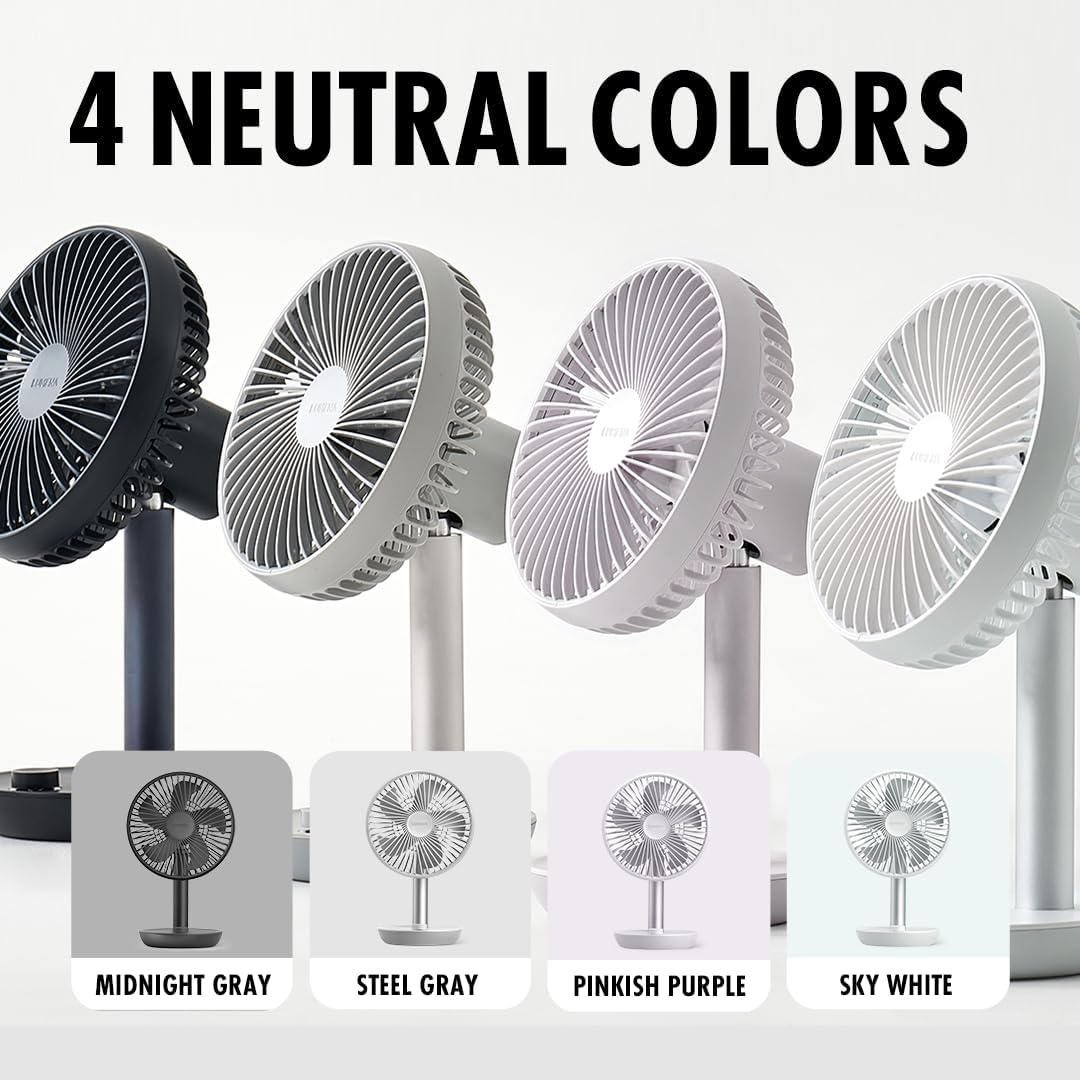
Image: The LUMENA Fan Stand 3Z unit, Type-C cable, and user manual as included in the package.
Product Features
The LUMENA Fan Stand 3Z offers a range of features for optimal personal cooling:
- 4 Wind Speeds: Adjustable airflow from a gentle breeze to strong cooling.
- 120° Automatic Oscillation: Distributes air across a wider area.
- 45° Manual Tilt: Adjust the fan head vertically (30° up, 15° down).
- 4000mAh Rechargeable Battery: Provides cordless operation for extended periods.
- Timer Function: Set the fan to automatically turn off after a specified duration.
- Quiet Operation: Designed for minimal noise output, suitable for various environments.
- Durable Design: Sleek matte finish with an anodized aluminum stand.

Image: Overview of LUMENA Fan Stand 3Z features including jog dial control, 20h runtime, premium BLDC motor, and 120° oscillation.

Image: Internal view highlighting the 4000mAh battery capacity and intelligent mainboard for stable voltage and efficiency.

Image: Diagram illustrating the airflow reach of the fan, powered by its premium BLDC motor.
Setup
1. Unpacking
Carefully remove all components from the packaging. Ensure no parts are missing or damaged. Retain packaging for future storage or transport.
2. Initial Charging
Before first use, fully charge the fan. Connect the provided Type-C charging cable to the charging port on the fan and to a compatible USB power adapter (not included). The charging indicator light will show the charging status. A full charge typically takes approximately 3 hours.
Operating Instructions
The LUMENA Fan Stand 3Z is controlled by a single jog dial button located on the base.

Image: Close-up of the jog dial control, indicating functions for speed, timer, and oscillation.
1. Power On/Off
- To turn on, press the jog dial once. The fan will start at the lowest speed.
- To turn off, press and hold the jog dial for approximately 2 seconds.
2. Adjusting Fan Speed
- Rotate the jog dial clockwise to increase the fan speed.
- Rotate the jog dial counter-clockwise to decrease the fan speed.
- There are 4 speed levels available.
3. Activating Oscillation
- To activate the 120° automatic oscillation, press the jog dial for 2 seconds.
- To deactivate oscillation, press the jog dial for 2 seconds again.

Image: Demonstrates the 120° oscillation and 45° vertical tilt capabilities of the fan for flexible airflow control.
4. Setting the Timer
- To set the timer, short press the jog dial. Each short press cycles through available timer settings (e.g., 1 hour, 2 hours, 4 hours).
- The fan will automatically turn off after the selected time duration.
5. Adjusting Manual Tilt
- The fan head can be manually tilted up to 30° upwards and 15° downwards.
- Gently adjust the fan head to your desired vertical angle. Do not force the movement beyond its limits.
Maintenance
1. Cleaning the Fan Guard
The front fan guard can be easily removed for cleaning:
- Ensure the fan is turned off and unplugged from any power source.
- Hold both sides of the front guard and turn it counter-clockwise to detach.
- Wash the detached guard with water and a mild detergent. Rinse thoroughly and allow it to dry completely before reattaching.
- To reattach, align the guard with the fan body and turn clockwise until it clicks into place.

Image: Illustration of how to easily detach and clean the front fan guard by turning it counter-clockwise.
2. General Cleaning
Wipe the exterior of the fan with a soft, damp cloth. Do not use abrasive cleaners or solvents. Ensure no water enters the motor housing or charging port.
3. Storage
When not in use for extended periods, store the fan in a cool, dry place, preferably in its original packaging. Ensure the battery is partially charged (around 50%) before storage to prolong battery life.
Troubleshooting
| Problem | Possible Cause | Solution |
|---|---|---|
| Fan does not turn on. | Battery is depleted. Power button not pressed correctly. | Charge the fan using the Type-C cable. Press and hold the jog dial for 2 seconds to ensure it's off, then press once to turn on. |
| Weak airflow. | Fan speed is too low. Fan guard is dirty. | Rotate the jog dial clockwise to increase speed. Clean the fan guard as per maintenance instructions. |
| Fan does not oscillate. | Oscillation feature not activated. | Press the jog dial for 2 seconds to activate oscillation. |
| Battery not charging. | Cable not connected properly. Faulty cable or adapter. | Ensure the Type-C cable is securely connected to both the fan and the power source. Try a different Type-C cable or USB power adapter. |
Specifications
- Model Name: Fan Stand 3Z
- Model Number: LM_FS-3Z
- Brand: LUMENA
- Dimensions (D x W x H): 13.1 cm x 16.5 cm x 26.8 cm
- Power Source: Battery Powered (Rechargeable)
- Battery Capacity: 4000mAh
- Number of Speeds: 4
- Oscillation: 120° Automatic
- Tilt Adjustment: 45° Manual (30° up, 15° down)
- Wattage: 6 watts
- Material: Aluminum (stand), Plastic (fan body)
- Included Components: Manual, Type C Cable
Warranty and Support
LUMENA products are manufactured to high-quality standards. For warranty information, technical support, or service inquiries, please refer to the contact details provided on the product packaging or visit the official LUMENA website. Please retain your proof of purchase for warranty claims.