
1. Introduction
Thank you for choosing the Pinmoco 63-Inch TV Stand Entertainment Center. This manual provides detailed instructions for the safe assembly, operation, and maintenance of your new furniture. Please read this manual thoroughly before beginning assembly and retain it for future reference.
This TV stand is designed to accommodate televisions up to 63 inches and offers ample open storage for media devices, gaming consoles, and accessories. Its sturdy construction ensures stability and durability for your entertainment setup.
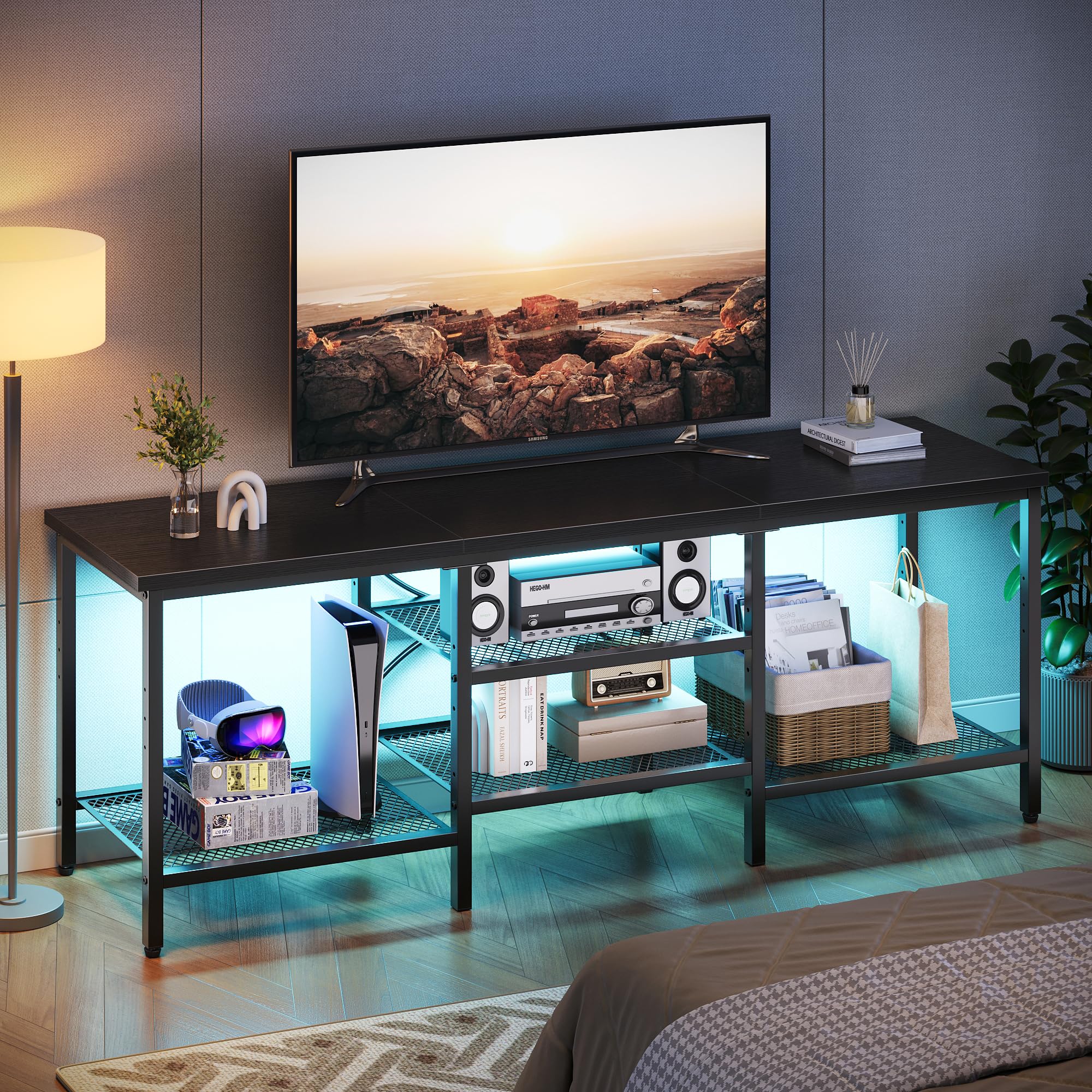
Figure 1: Assembled Pinmoco 63-Inch TV Stand with media devices. This image shows the stand in a living room setting, highlighting its open shelves and capacity for a large television.
2. Safety Information
Please observe the following safety precautions to prevent injury or damage to the product:
- Always assemble the unit on a soft, clean surface to prevent scratches.
- Ensure all screws and fasteners are securely tightened before use. Periodically check and re-tighten as necessary.
- Do not overload the shelves. Refer to the specifications for weight limits.
- Keep small parts away from children during assembly to avoid choking hazards.
- Do not stand or climb on the TV stand.
- Place the TV stand on a level surface to prevent tipping.
- If wall anchoring hardware is provided, it is highly recommended to use it to prevent tip-over accidents, especially in homes with children.
3. Parts List
Before assembly, verify that all parts listed below are present and undamaged. If any parts are missing or damaged, please contact customer support.
- Top Panel (1)
- Side Frames (2)
- Middle Support Frames (2)
- Mesh Shelves (2)
- Bottom Support Bars (2)
- Adjustable Feet (4)
- Hardware Pack (Screws, Allen Wrench, etc.)
- Hooks (4)

Figure 2: Pinmoco 63-Inch TV Stand with key dimensions. This image illustrates the overall size of the stand, including its length (63 inches), depth (15.8 inches), and height (21.7 inches), which is crucial for planning placement.
4. Assembly Instructions
Assembly typically requires two adults. Please follow these steps carefully:
- Unpack and Identify: Carefully unpack all components and lay them out on a soft, clean surface. Compare them with the Parts List to ensure everything is present.
- Attach Adjustable Feet: Screw the adjustable feet into the bottom of the side frames. Ensure they are finger-tight for now.
- Assemble Side Frames: Connect the two side frames using the bottom support bars. Do not fully tighten screws yet.
- Install Middle Support Frames: Attach the middle support frames to the bottom support bars, aligning the pre-drilled holes.
- Place Mesh Shelves: Insert the two mesh shelves onto the designated ledges of the side and middle frames. Ensure they sit securely.
- Attach Top Panel: Carefully place the top panel onto the assembled frame. Align the holes and secure it with the provided screws.
- Tighten All Screws: Once all components are in place and aligned, systematically tighten all screws using the Allen wrench. Do not overtighten.
- Attach Hooks: If desired, attach the four hooks to the side frames for additional storage.
- Level the Stand: Adjust the adjustable feet to ensure the TV stand is stable and level on your floor.

Figure 3: Pinmoco 63-Inch TV Stand in a bedroom. This image demonstrates the versatility of the stand, showing it used in a bedroom environment with a television and various decorative items.
5. Operating Instructions
Using your Pinmoco TV Stand is straightforward:
- Placement: Position the TV stand on a flat, stable surface. Ensure there is adequate space around it for ventilation and access.
- TV Placement: Carefully place your television on the top panel. Ensure it is centered and stable. Do not exceed the recommended TV size or weight.
- Media Devices: Utilize the open shelves for your soundbar, gaming consoles, media players, and other electronic devices. The open design promotes airflow, preventing overheating.
- Cable Management: The open back design allows for easy routing and management of cables. Use cable ties (not included) to keep wires tidy and prevent tangles.
- Accessory Storage: Use the mesh shelves and integrated hooks for storing remotes, game controllers, headphones, or other small items.
6. Maintenance
To keep your TV stand in optimal condition:
- Cleaning: Wipe surfaces with a soft, damp cloth. Avoid harsh chemicals or abrasive cleaners, which can damage the finish.
- Dusting: Regularly dust the stand to prevent buildup.
- Hardware Check: Periodically check all screws and fasteners to ensure they remain tight. Re-tighten if necessary.
- Avoid Moisture: Protect the stand from excessive moisture and direct sunlight to prevent warping or fading.
7. Troubleshooting
| Problem | Possible Cause | Solution |
|---|---|---|
| Stand is wobbly/unstable. | Uneven floor; loose screws; adjustable feet not properly set. | Ensure stand is on a level surface. Tighten all assembly screws. Adjust the leveling feet until stable. |
| Parts do not fit together. | Incorrect orientation of parts; manufacturing defect. | Review assembly steps and diagrams carefully. Ensure parts are oriented correctly. If issue persists, contact customer support. |
| Missing hardware/parts. | Packaging error. | Double-check all packaging materials. Contact customer support with the specific part number(s) needed. |
8. Specifications
| Feature | Detail |
|---|---|
| Model Number | G700416H-BLKG |
| Dimensions (L x W x H) | 63 x 15.8 x 21.7 inches (160 x 40 x 55 cm) |
| Material | Wood (Particleboard) and Metal Frame |
| Item Weight | 32.5 pounds (14.7 kg) |
| Color | Black |
| Special Feature | Adjustable Shelf |
| Assembly Required | Yes |
| Max TV Size | Up to 63 inches |
9. Warranty & Customer Support
Warranty Information
Pinmoco products are manufactured to high-quality standards. For specific warranty details regarding your Pinmoco 63-Inch TV Stand, please refer to the warranty card included in your product packaging or visit the official Pinmoco website. The warranty typically covers manufacturing defects under normal use.
Customer Support
If you have any questions, require assistance with assembly, or need to report missing/damaged parts, please contact our customer support team. Have your model number (G700416H-BLKG) and purchase information ready when contacting support.
- Email: support@pinmoco.com (Example)
- Website: www.pinmoco.com (Example)
Our customer service representatives are available to assist you during business hours.

