
Moondrop Free DSP Mini
Moondrop Free DSP Mini User Manual
Portable USB-C Miniature Decoding Amplifier
1. Introduction
The Moondrop Free DSP Mini is a compact, high-fidelity portable USB-C digital-to-analog converter (DAC) and amplifier designed to enhance audio quality from various devices. It features a CS43198 decoding chip, offering advanced audio processing capabilities for an improved listening experience. This manual provides instructions for setup, operation, and maintenance of your Free DSP Mini.
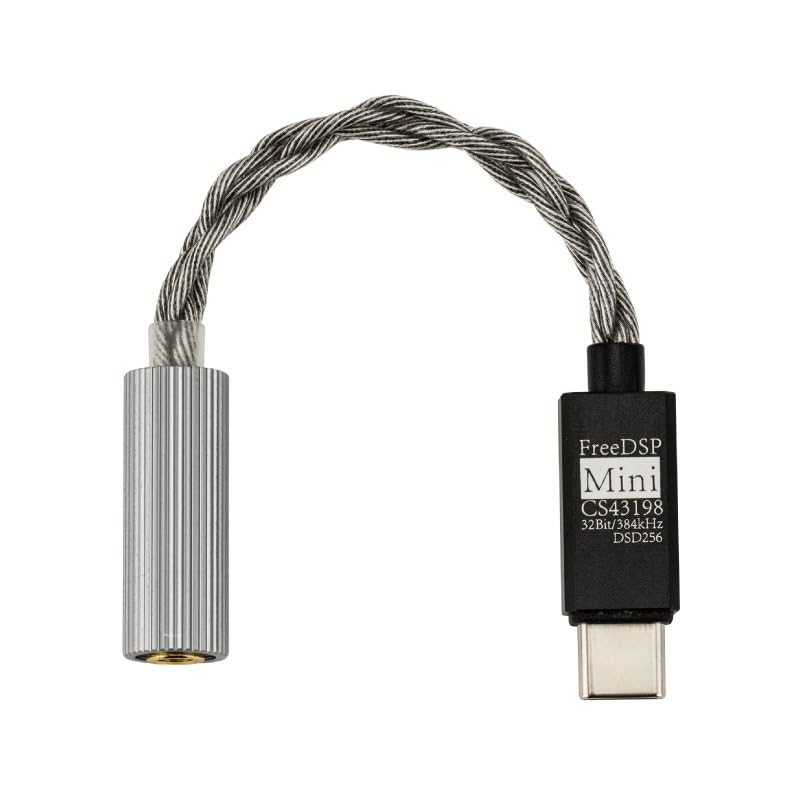
Image 1.1: The Moondrop Free DSP Mini, a compact USB-C DAC/AMP.
2. Package Contents
Verify that all items are present in the package:
- FreeDSP Mini device
- Guidance Card
- Certificate
3. Key Features
- Second Generation Online Interactive DSP: Allows for precise adjustments of parameters such as filter type, frequency point, gain, and Q value. Includes a comprehensive headphone frequency response database for tuning.
- Built-in Tune Sharing and Downloading Community: Users can access and apply tuning optimizations created by other users for various headphones.
- Continuously Updated Library of Frequency Response: Provides reference frequency response curves for easy tuning.
- One-button EQ Setting: Simplifies tuning by allowing one-click settings based on original and target frequency curves via the MOONDROP WEB or Android APP.
- Flagship Decoding Chip (CS43198): Delivers high-fidelity sound quality, supporting PCM decoding from 16Bit/44.1kHz up to 32Bit/384kHz and DSD256.
- CTIA Standard Wire-controlled Microphone Call Support: Compatible with earphones featuring CTIA standard microphones.
4. Setup
4.1 Connecting the Free DSP Mini
The Free DSP Mini features a USB-C port for connection to mobile phones, computers, and tablets. It is compatible with PC, Android, and iOS devices without requiring additional drivers.
- Locate the USB-C port on your source device (e.g., smartphone, tablet, computer).
- Insert the USB-C plug of the Free DSP Mini into the USB-C port of your source device.
- Connect your 3.5mm earphones to the 3.5mm jack on the Free DSP Mini.
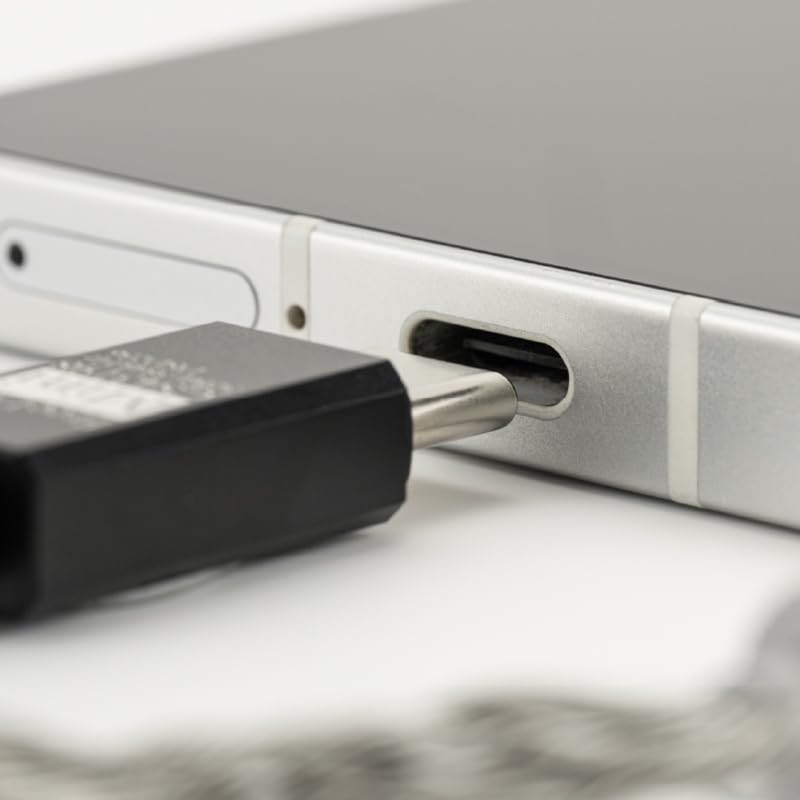
Image 4.1: Close-up view of the USB-C connector being inserted into a device.
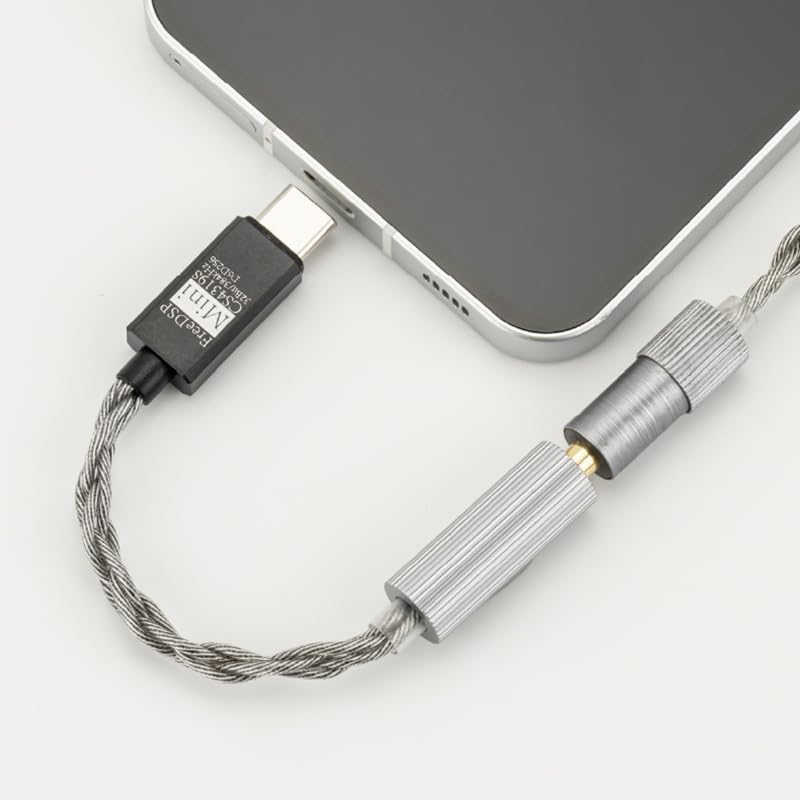
Image 4.2: The Free DSP Mini connected to a smartphone, ready for use.
5. Operating Instructions
5.1 Online Interactive DSP Functionality
The Free DSP Mini features an online interactive DSP (Digital Signal Processor) for advanced audio customization. This interface allows users to adjust various audio parameters for a personalized listening experience.
- Parameter Adjustment: Adjust filter type, frequency point, gain, and Q value to fine-tune the sound.
- Headphone Frequency Response Database: Utilize the built-in database for reference during the tuning process to achieve desired sound characteristics.

Image 5.1: The Moondrop application interface for DSP adjustments, showing various tuning parameters.
5.2 Tune Sharing and Downloading Community
The Free DSP Mini supports a community feature where users can share and download tuning optimizations. This allows for easy access to custom EQ settings for various headphones.
- Download Optimizations: Access and apply tuning profiles created by other users.
- Share Custom Tunings: Contribute your own optimized settings to the community.

Image 5.2: The Moondrop application interface for the tuning sharing and downloading community.
5.3 One-button EQ Setting
Both the MOONDROP WEB and Android APP provide a one-button EQ setting feature. This simplifies the tuning process by automatically applying settings based on selected frequency curves.
- Select or upload the original frequency curve.
- Select the target response curve.
- Apply settings with a single click.
5.4 WEB Tuning Interface
For users whose mobile phone systems may not be compatible with the app for tuning, or for those who prefer a larger interface, a web-based tuning tool is available. This web interface offers comprehensive tuning capabilities.
- Access the tuning tool via a web browser.
- Ensure you are using Microsoft Edge (version 135.0 or later) or Google Chrome (version 131.0 or later) for optimal compatibility.

Image 5.3: The Moondrop web-based tuning interface, displaying detailed frequency response graphs and adjustment controls.
6. Maintenance
- Keep the device clean by wiping it with a soft, dry cloth.
- Avoid exposing the device to extreme temperatures, humidity, or direct sunlight.
- Do not attempt to disassemble or repair the device yourself, as this will void the warranty.
- Store the device in a safe place when not in use to prevent damage.
7. Troubleshooting
7.1 No Sound Output
- Ensure the Free DSP Mini is securely connected to both your source device and your earphones.
- Check the volume level on your source device and ensure it is not muted.
- Verify that your earphones are functioning correctly by testing them with another device.
- Restart your source device and reconnect the Free DSP Mini.
7.2 Poor Sound Quality
- Ensure the audio source file is of high quality.
- Check for any loose connections between the Free DSP Mini, source device, and earphones.
- If using the DSP or EQ functions, try resetting them to default settings to see if the issue persists.
- Avoid using the device in environments with strong electromagnetic interference.
7.3 Device Not Recognized by Source
- Ensure your source device's operating system is up to date.
- Try connecting the Free DSP Mini to a different USB-C port or another compatible device to rule out port issues.
- For PC users, check device manager to see if the Free DSP Mini is listed.
8. Specifications

Image 8.1: Detailed product information and specifications.
| Specification | Value |
|---|---|
| Product Model | MOONDROP FreeDSP Mini |
| Product Type | HiFi Miniature DAC& |
| Dynamic Range (A-wt) | 127dB @1kHz |
| THD+N (A-wt) | 0.00017% @1kHz |
| Output Amplitude | 2Vrms @0dBFS |
| Output Power | 80+80mW @16Ω THD+N<1% |
| Earphone Jack | 3.5mm-4pin (SE+MIC/CTIA) |
| Plug Type | USB-C |
| Decoding Chip | Cirrus Logic CS43198 |
| PCM Decoding | 16Bit/44.1kHz up to 32Bit/384kHz |
| DSD Decoding | DSD256 |
| Package Dimensions | 6.3 x 4.02 x 0.15 inches |
| Item Weight | 0.32 ounces |
9. Warranty and Support
For warranty information and technical support, please refer to the official Moondrop website or contact your retailer. Keep your proof of purchase for warranty claims.
Ask a question about this manual
Ask about setup, troubleshooting, compatibility, parts, safety, or missing instructions. Manuals+ will review the question and use this page’s manual context to help answer it.