
ROCAM CR1030DAB
ROCAM CR1030DAB DAB+/FM Emergency Radio User Manual
Model: CR1030DAB
1. Introduction
This manual provides detailed instructions for the operation, maintenance, and troubleshooting of your ROCAM CR1030DAB DAB+/FM Emergency Radio. Please read this manual thoroughly before using the device to ensure proper functionality and safety.
The ROCAM CR1030DAB is a portable emergency radio featuring DAB+/FM reception, Bluetooth connectivity, multiple power sources (12000 mAh battery, solar panel, hand crank, USB-C, AAA batteries), a 2.4-inch color display, LED torch, reading lamp, and SOS alarm. It is designed for reliable performance in various environments, including emergencies and outdoor activities.
2. Product Overview
Familiarize yourself with the components of your ROCAM CR1030DAB radio.
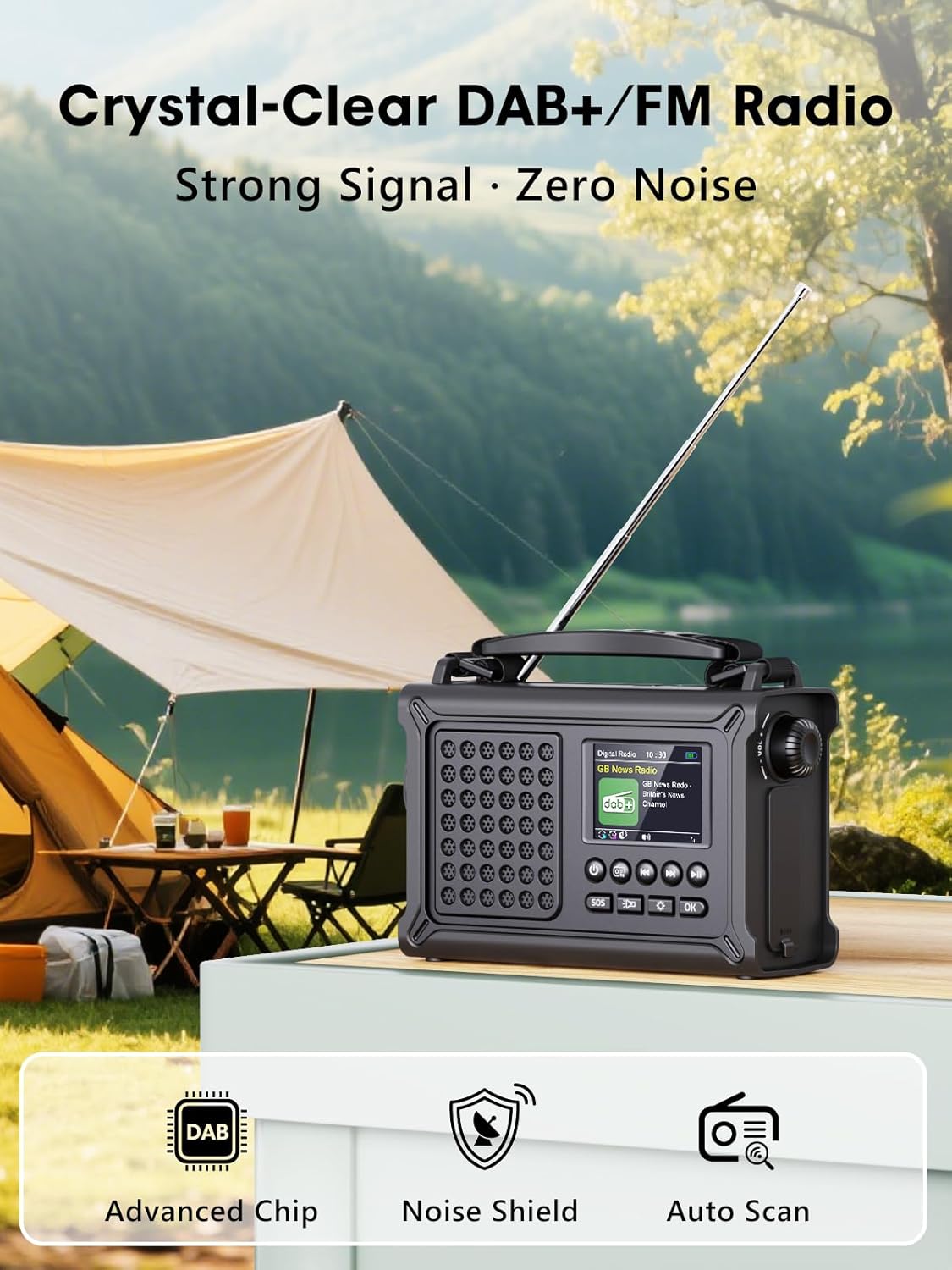
Figure 2.1: Front view of the ROCAM CR1030DAB radio, showing the display, speakers, and control buttons.
Package Contents:
- 1 x ROCAM CR1030DAB DAB+ Radio
- 1 x USB-C cable
- 1 x Carrying strap
- 1 x User manual (this document)
3. Setup
3.1 Initial Charging
Before first use, fully charge the internal 12000 mAh battery. This can be done via USB-C, solar panel, or hand crank.
- USB-C Charging: Connect the provided USB-C cable to the radio's USB-C port and to a standard USB power adapter (not included) or a computer USB port. The charging indicator on the display will show charging status.
- Solar Charging: Place the radio with the solar panel facing direct sunlight. The solar panel is 8500 mm² and provides up to 350 mA. Solar charging is ideal for maintaining charge or slow charging in outdoor conditions.
- Hand Crank Charging: Rotate the hand crank clockwise or counter-clockwise at a steady pace. The hand crank generator provides up to 650 mA. This method is suitable for emergency power generation.
- AAA Battery Backup: For backup power, insert 3 AAA batteries (not included) into the designated battery compartment.

Figure 3.1: The radio demonstrating multiple charging options, including solar, USB-C, and hand crank.
3.2 Attaching the Carrying Strap
Attach the provided carrying strap to the designated loops on the radio for easy portability.
4. Operating Instructions
4.1 Power On/Off
Press and hold the Power button to turn the radio on or off.
4.2 Radio Mode (DAB+/FM)
- Select Mode: Press the Mode button to switch between DAB+ and FM radio modes.
- Auto Scan: In either DAB+ or FM mode, press the Scan button to automatically search for available stations. The radio can store up to 40 DAB+ and 40 FM stations.
- Manual Tuning/Station Selection: Use the Up/Down buttons or the Tuning knob to manually tune frequencies or navigate through stored stations.
- Volume Control: Rotate the Volume knob to adjust the sound level.
- Antenna: Extend the telescopic antenna for optimal reception in both DAB+ and FM modes.

Figure 4.1: The 2.4-inch color display showing station information and signal strength.
4.3 Bluetooth Mode
- Activate Bluetooth: Press the Mode button until "Bluetooth" appears on the display. The radio will enter pairing mode, indicated by a flashing Bluetooth icon.
- Pairing: On your smartphone or other Bluetooth-enabled device, search for "ROCAM CR1030DAB" in the Bluetooth settings and select it to pair.
- Playback: Once paired, you can stream audio from your device to the radio. Use the radio's Play/Pause, Next, and Previous buttons to control playback.
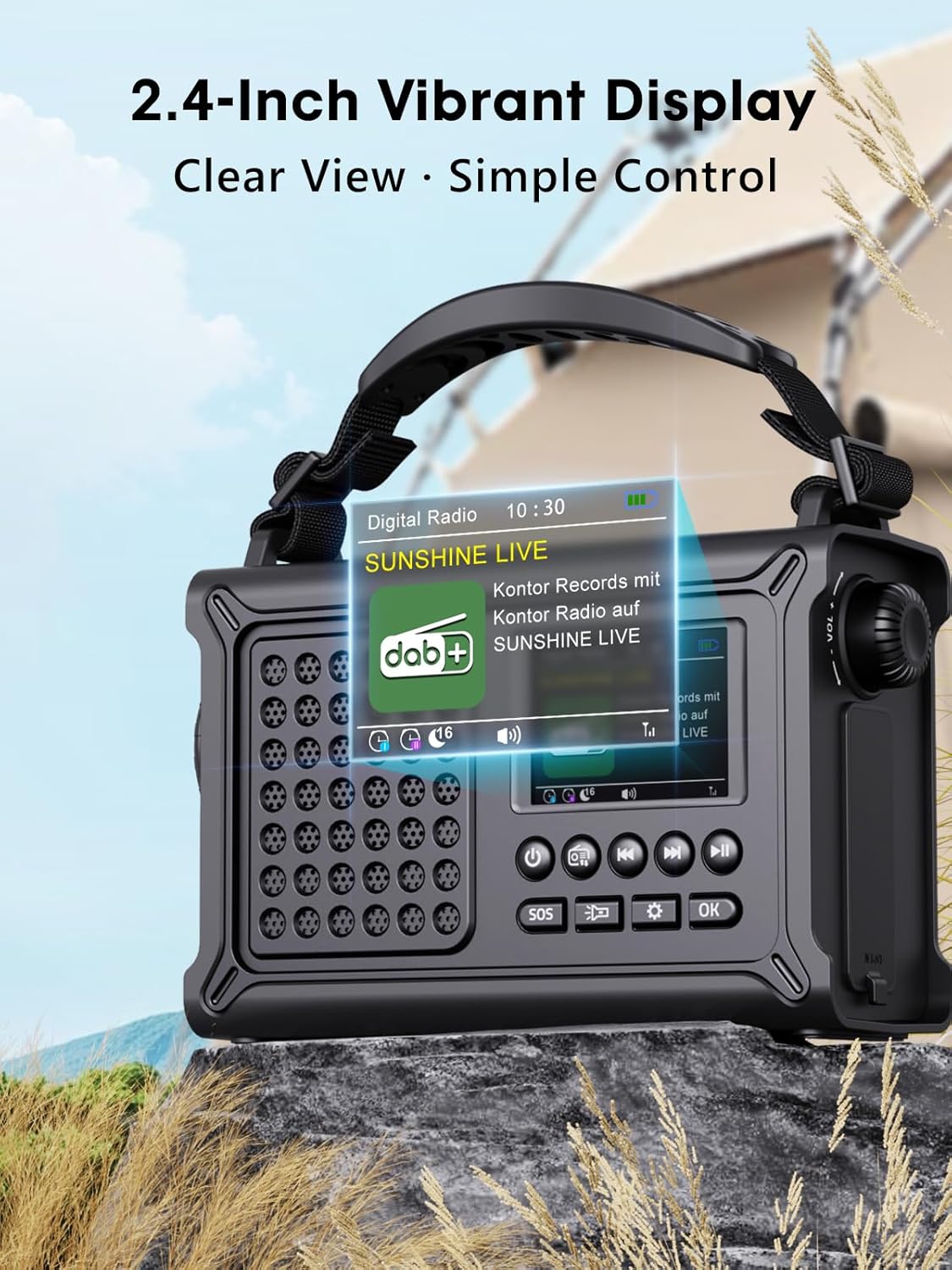
Figure 4.2: The radio's display showing the Bluetooth pairing interface.
4.4 Lighting Functions
- LED Torch: Press the Torch button once to turn on the 5W LED torch. Press again to cycle through brightness levels (if applicable) or turn off. The torch has a range of up to 80 meters.
- Reading Lamp: Open the solar panel to reveal the 12-LED reading lamp. Press the Lamp button to activate it. This lamp provides soft, glare-free illumination for an area of approximately 20 m².
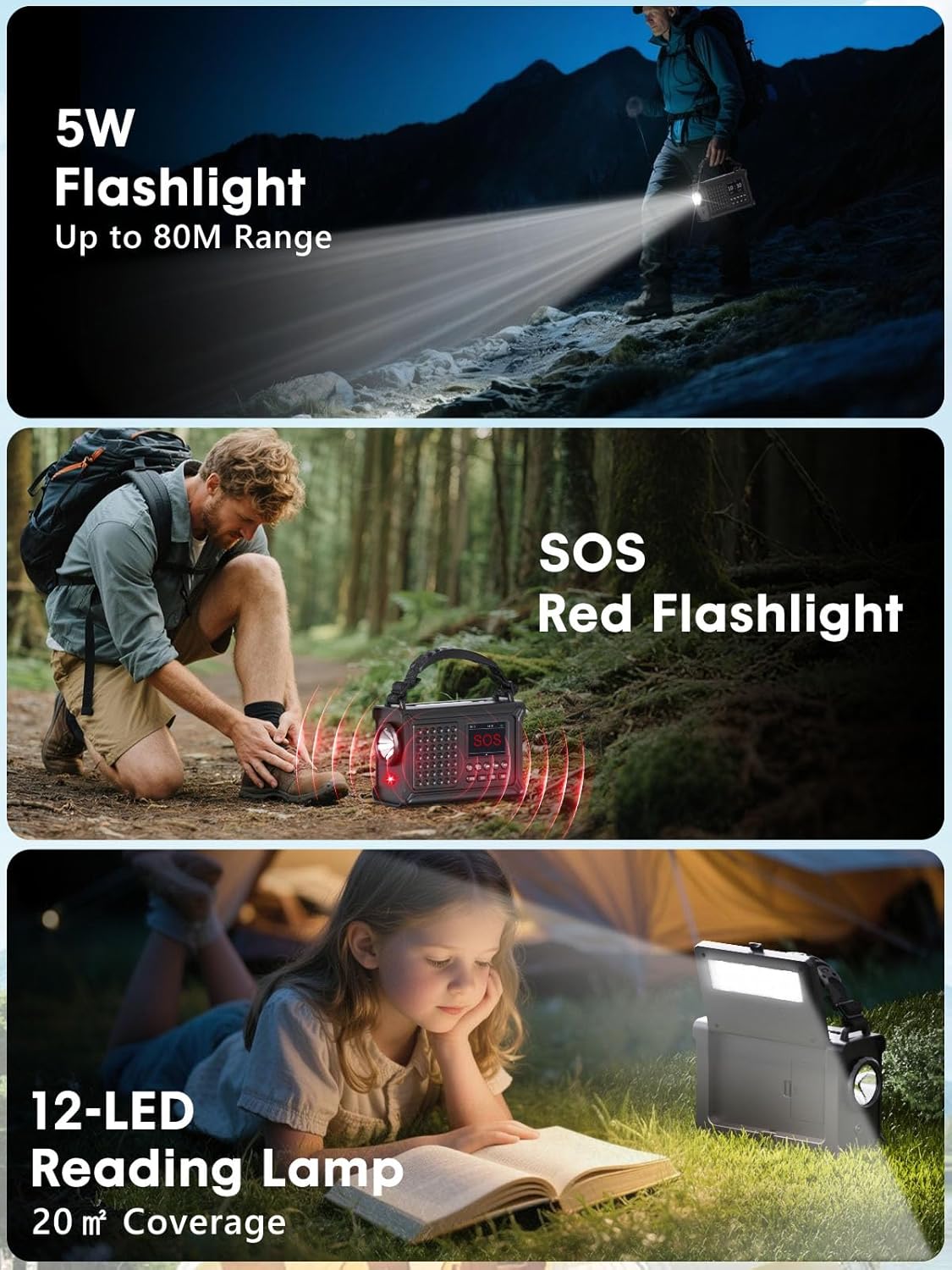
Figure 4.3: Demonstrating the radio's integrated 5W LED torch and the 12-LED reading lamp.
4.5 SOS Alarm
Press and hold the SOS button to activate the 120 dB emergency alarm and flashing red light. Press again to deactivate.
4.6 Display and Menu
The 2.4-inch HD color display shows information such as transmitter, frequency, signal strength, battery status, and time. Navigate the menu using the Menu button and Up/Down/OK buttons. The menu supports 12 languages.
5. Maintenance
- Cleaning: Use a soft, dry cloth to clean the radio's exterior. Do not use abrasive cleaners or solvents.
- Water Resistance: The radio has an IPX6 water protection rating, meaning it is protected against high-pressure water jets from any direction. Do not submerge the radio in water.
- Storage: Store the radio in a cool, dry place when not in use for extended periods. Ensure the battery is partially charged before storage to prolong its lifespan.
- Battery Care: For optimal battery life, avoid fully discharging the 12000 mAh battery frequently. Recharge regularly, especially if stored for long periods.
6. Troubleshooting
| Problem | Possible Cause | Solution |
|---|---|---|
| No power/Radio does not turn on | Battery is depleted. | Charge the radio using USB-C, solar, or hand crank. Check AAA batteries if installed. |
| Poor radio reception (DAB+/FM) | Weak signal area; antenna not extended; interference. | Extend the telescopic antenna fully. Reposition the radio. Perform an auto scan for stations. |
| Bluetooth device cannot pair | Radio not in pairing mode; device too far; Bluetooth off on device. | Ensure radio is in Bluetooth pairing mode. Move device closer. Enable Bluetooth on your device. |
| Torch/Reading lamp not working | Battery low; lamp not activated correctly. | Charge the radio. Ensure the correct button is pressed for the respective light source. |
| Hand crank is stiff or not charging | Mechanism obstruction; incorrect rotation. | Ensure no debris is obstructing the crank. Rotate at a steady, consistent pace. |
7. Specifications
| Feature | Detail |
|---|---|
| Model Number | CR1030DAB |
| Reception | DAB+, FM |
| Battery | 12000 mAh Lithium-ion |
| Solar Panel Size | 8500 mm² |
| Hand Crank Output | 650 mA |
| Solar Charging Output | 350 mA |
| Charging Options | Solar, Hand Crank, USB-C, AAA Batteries (backup) |
| Display | 2.4 inch Colour LCD |
| Waterproof Level | IPX6 |
| Headphone Jack | 3.5 mm |
| Bluetooth Version | 5.0 |
| USB Output | 5V/1A (for charging external devices) |
| LED Torch | 5W, up to 80m range |
| Reading Lamp | 12-LED, 20 m² coverage |
| SOS Alarm | 120 dB |
| Dimensions (L x W x H) | 12L x 17.2W x 7.3H Centimeters |
| Material | Plastic |
8. Warranty and Support
For warranty information and technical support, please refer to the documentation provided at the time of purchase or contact ROCAM customer service. Keep your purchase receipt as proof of purchase.
Manufacturer: ROCAM
Model: CR1030DAB
Related documentsCR1030DAB


Ask a question about this manual
Ask about setup, troubleshooting, compatibility, parts, safety, or missing instructions. Manuals+ will review the question and use this page’s manual context to help answer it.