
Introduction
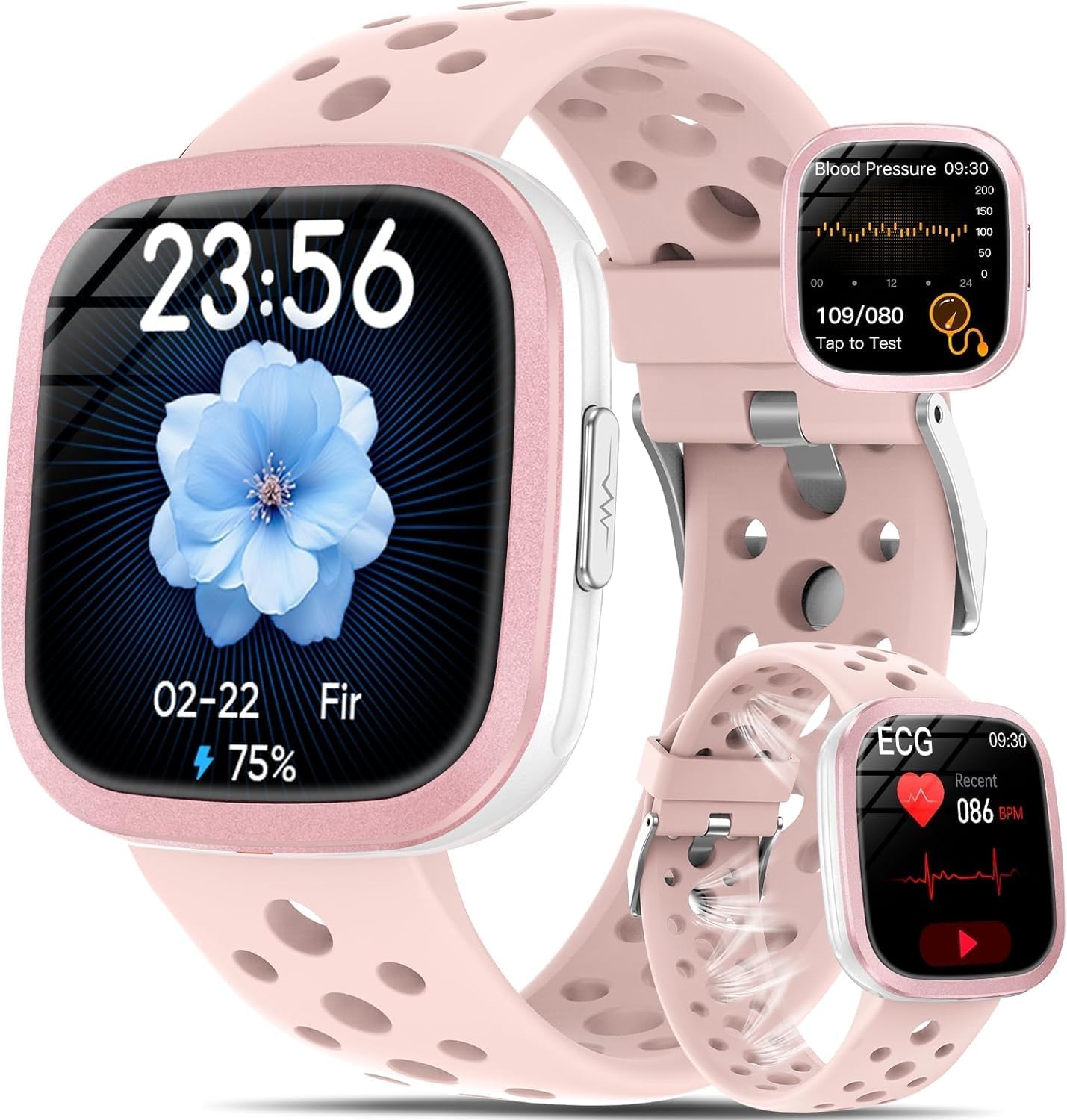
This manual provides detailed instructions for the setup, operation, and maintenance of your YYKY Smartwatch. Designed for comprehensive health monitoring and daily convenience, this smartwatch integrates advanced features such as ECG, Heart Rate Variability (HRV), Blood Pressure, Blood Oxygen (SpO2), Sleep Tracking, and Body Composition Analysis. It also supports Bluetooth calls, smart notifications, and various sports modes to enhance your active lifestyle.
Important Health Disclaimer: All health data generated by optical sensor algorithms may be affected by factors such as wearing mode or environment. In case of a health problem, please always consult a qualified physician. This device is not a medical device and its measurements are for reference only.
Setup
1. App Installation
To utilize all features of your YYKY Smartwatch, download the G Band application from your smartphone's app store. The app is compatible with both iOS and Android devices.
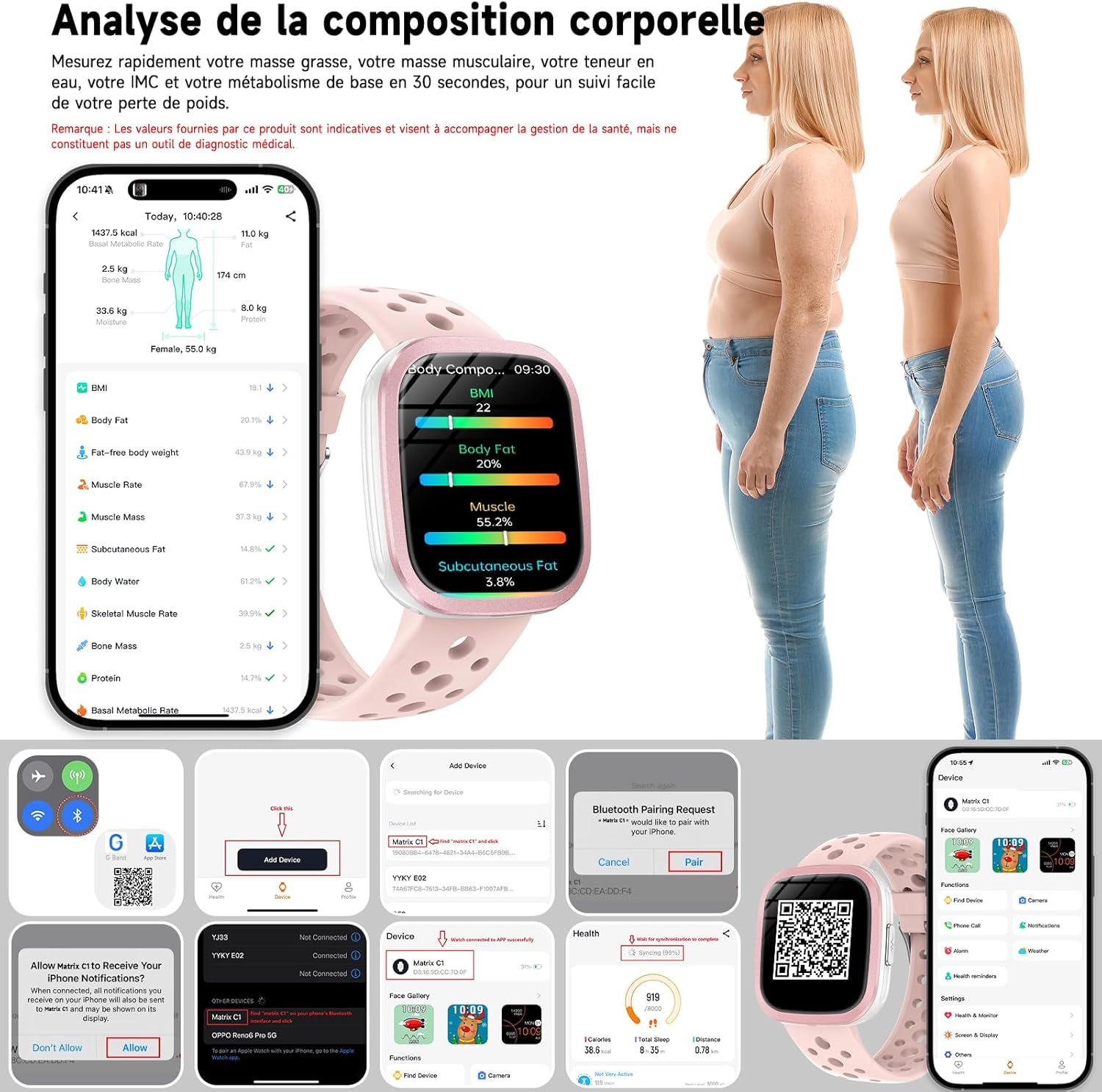
2. Device Pairing
Follow these steps to pair your smartwatch with your smartphone:
- Ensure Bluetooth is enabled on your smartphone.
- Open the G Band app.
- Navigate to the 'Device' section within the app.
- Tap 'Add Device' and select your smartwatch from the list of available devices (e.g., 'Matrix C1').
- Confirm the pairing request on both your smartphone and the smartwatch.
- Allow necessary permissions for notifications and data synchronization.

For more information on the G Band app, visit vphband.com/hband/hband.html.
Operating Instructions
ECG Measurement
The smartwatch can record bioelectrical signals from your heart using ECG and PPG technology. To take an ECG measurement:
- Wear the smartwatch on your left wrist, ensuring your fingers are dry.
- Place your arm on a table, keep your body still, and breathe evenly without speaking or moving your arm during the measurement.
- On the watch screen, tap the 'ECG Test' icon.
- Press and hold the right-side ECG button for 60 seconds.
- Place your right index finger on the ECG electrode and maintain contact until the measurement is complete. Results will display on the watch screen and synchronize with the app.

Heart Rate Variability (HRV) Analysis
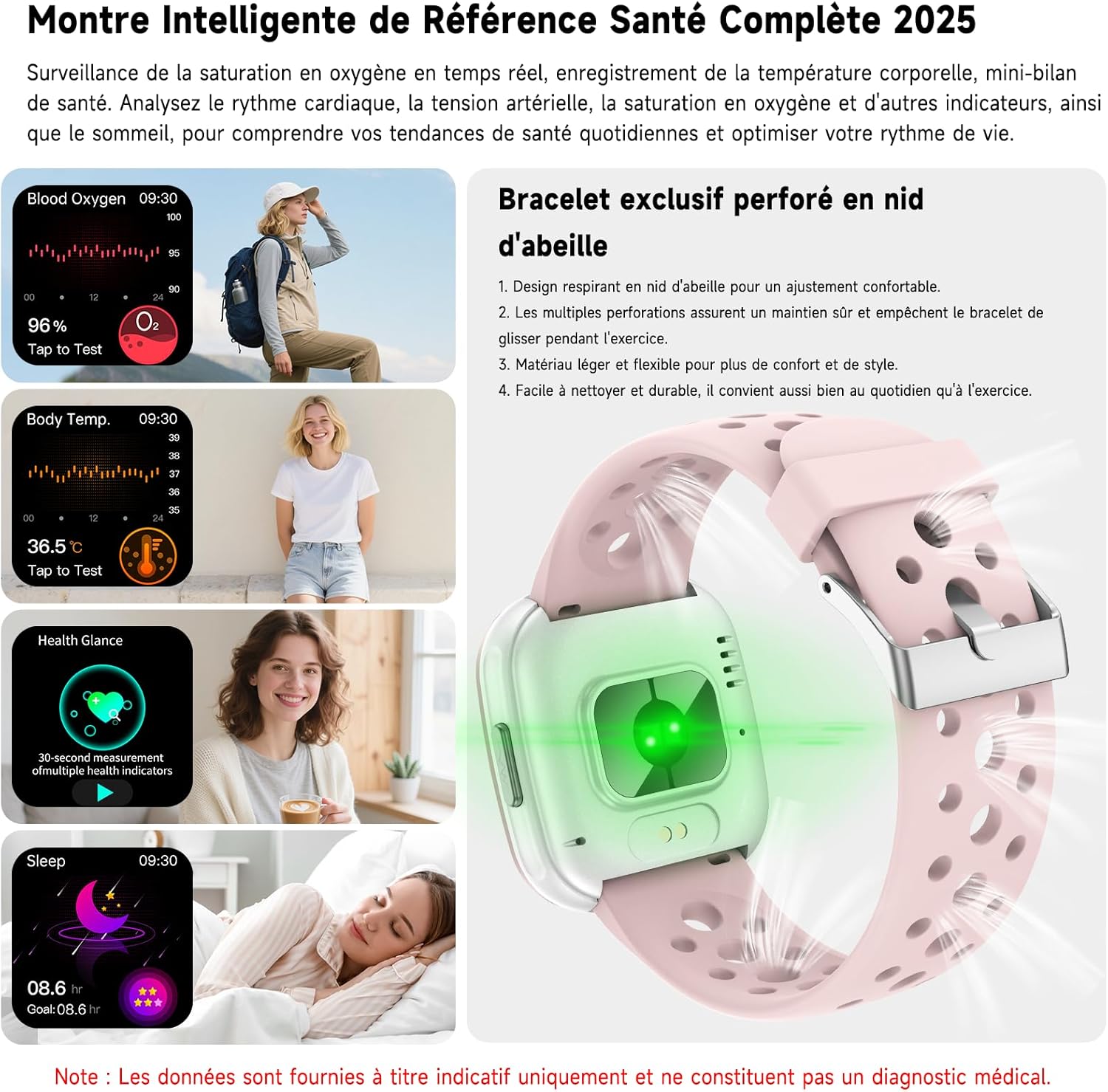
Once worn, the watch automatically records changes in heart rate and analyzes Heart Rate Variability (HRV) to help you understand your stress levels and recovery status. This feature assists in identifying risks of cardiac arrhythmia.
Blood Pressure Monitoring
Measure your blood pressure quickly and reliably directly from your wrist. This allows you to track blood pressure fluctuations for better physical condition monitoring. Simply press the side button to initiate a 30-second measurement.

Uric Acid and Blood Lipids Monitoring
The smartwatch provides quick measurements of uric acid, cholesterol, and blood lipids in 30 seconds. Press and hold the side button to start the measurement. This feature offers a more complete understanding of your physiological indicators.

Body Composition Analysis
Obtain body data such as BMI, body fat percentage, muscle mass, and hydration in 30 seconds. A detailed analysis report is automatically generated in the G Band app, helping you track progress towards fitness and weight management goals.

Continuous Health Monitoring
The smartwatch continuously monitors various health indicators:
- Blood Oxygen (SpO2): Tracks blood oxygen saturation levels.
- Body Temperature: Records your body temperature.
- Sleep Monitoring: Provides detailed sleep analysis, including light and deep sleep phases, to help you understand and improve your sleep cycles.
- Quick Health Check-up: A single button press measures heart rate, SpO2, blood pressure, stress level, and body temperature in 30 seconds.

Call Functions and Notifications
Connect your smartwatch to your smartphone via the G Band app to enable call and notification features:
- Bluetooth Calls: Make and receive calls directly from your wrist. Manage contacts and view call history.
- Smart Notifications: Receive alerts for messages and app notifications (e.g., WhatsApp, SMS) directly on your watch. The watch synchronizes with your smartphone's language.

SOS Emergency Call
For emergencies, press and hold the SOS button on the watch to automatically call your pre-registered emergency contacts. This feature provides reassurance for elderly users, children, and during outdoor activities.
Sports Modes and Activity Tracking
The smartwatch offers over 100 sports modes to track your physical activity. It monitors steps, distance, and calories burned using precision sensors. For outdoor activities like running, use your smartphone's GPS to track speed and route, optimizing your training program.

AI Voice Assistant
Interact with your smartwatch using the integrated AI voice assistant. Ask questions, control music, set alarms and timers, or check the weather hands-free.

Customizable Watch Faces
The smartwatch features a 1.72-inch HD display and offers over 120 customizable watch faces through the G Band app. You can also create your own watch faces using personal photos.

Water Resistance (IP67)
The smartwatch is IP67 water-resistant, protecting it from daily exposure to water, sweat, and splashes. It is suitable for everyday wear but should not be worn while swimming to ensure long-term use.

Other Smart Features
The YYKY Smartwatch includes several practical features for daily life:
- Music Control
- Camera Remote Control
- Alarms and Timers
- Weather Forecasts
- Calculator
- Find My Phone/Watch Function
- Sedentary Reminders
- Hydration Reminders

Women's Health Management
The watch supports menstrual cycle tracking, offering intelligent predictions and management across four cyclical modes:
- Menstruation Mode: Intelligent prediction of upcoming periods.
- Baby Project Mode: Ovulation tracking for conception planning.
- Pregnancy Mode: Manages daily body changes during pregnancy.
- Postnatal Mode: Tracks recovery and health management after childbirth.

Maintenance
Battery Life and Charging
The smartwatch is equipped with a 325 mAh high-capacity battery. Charging takes approximately 2-3 hours for a full charge. Typical daily usage provides 5-7 days of battery life, while standby time can extend to over 22 days.

Cleaning and Care
To maintain your smartwatch, regularly clean the screen and strap with a soft, dry cloth. Avoid using harsh chemicals or abrasive materials. Ensure the charging contacts are clean and dry before charging.
Troubleshooting
- Connection Issues: If the watch fails to connect to the app, ensure Bluetooth is active on your phone and the watch, and that the G Band app has necessary permissions. Try restarting both devices.
- Inaccurate Readings: Ensure the watch is worn correctly and snugly on your wrist. Environmental factors and movement can affect sensor accuracy. Refer to the specific measurement instructions for optimal results.
- Notifications Not Appearing: Check app permissions for notifications on your smartphone and within the G Band app settings. Ensure the watch is properly paired.
- Battery Draining Quickly: Reduce screen brightness, limit continuous monitoring features if not needed, and ensure no background apps are excessively consuming power.
Specifications
| Feature | Detail |
|---|---|
| Brand | YYKY |
| Model Number | SF20250929B0FLPYBDFZ |
| Screen Size | 1.72 Inches |
| Display Type | OLED |
| Connectivity | Bluetooth |
| Compatible Devices | Smartphone, Tablet |
| Water Resistance | IP67 (Sweat and splash resistant) |
| Battery Capacity | 325 mAh |
| Charging Time | 2-3 hours |
| Daily Usage Battery Life | 5-7 days |
| Standby Battery Life | 22+ days |
| Special Features | ECG, HRV, Blood Pressure, SpO2, Sleep Monitoring, Body Composition, Uric Acid/Blood Lipids, 100+ Sports Modes, Bluetooth Calls, SOS Function, AI Voice Assistant, Customizable Watch Faces, Women's Health Tracking, Music Control, Camera Remote, Alarms, Weather, Calculator, Sedentary/Hydration Reminders. |
Warranty and Support
Warranty Information
The YYKY Smartwatch comes with a 90-day manufacturer's warranty.
Customer Support
For further assistance, please refer to the G Band application for detailed data analysis and additional support resources. If you encounter issues not covered in this manual, please contact the seller or manufacturer's customer service.